
Simple Image Editor EN
SimpleTools.nl · EEdge MV3
A Simple Image Editor. You can convert your browser into a full featured image editor
截图
简介
Introducing the Edge Image Master extension, the ideal image editing partner for your surfing experience. With a robust set of capabilities, it's your go-to tool for anything from image enhancement to releasing your creativity. Here is what it offers:
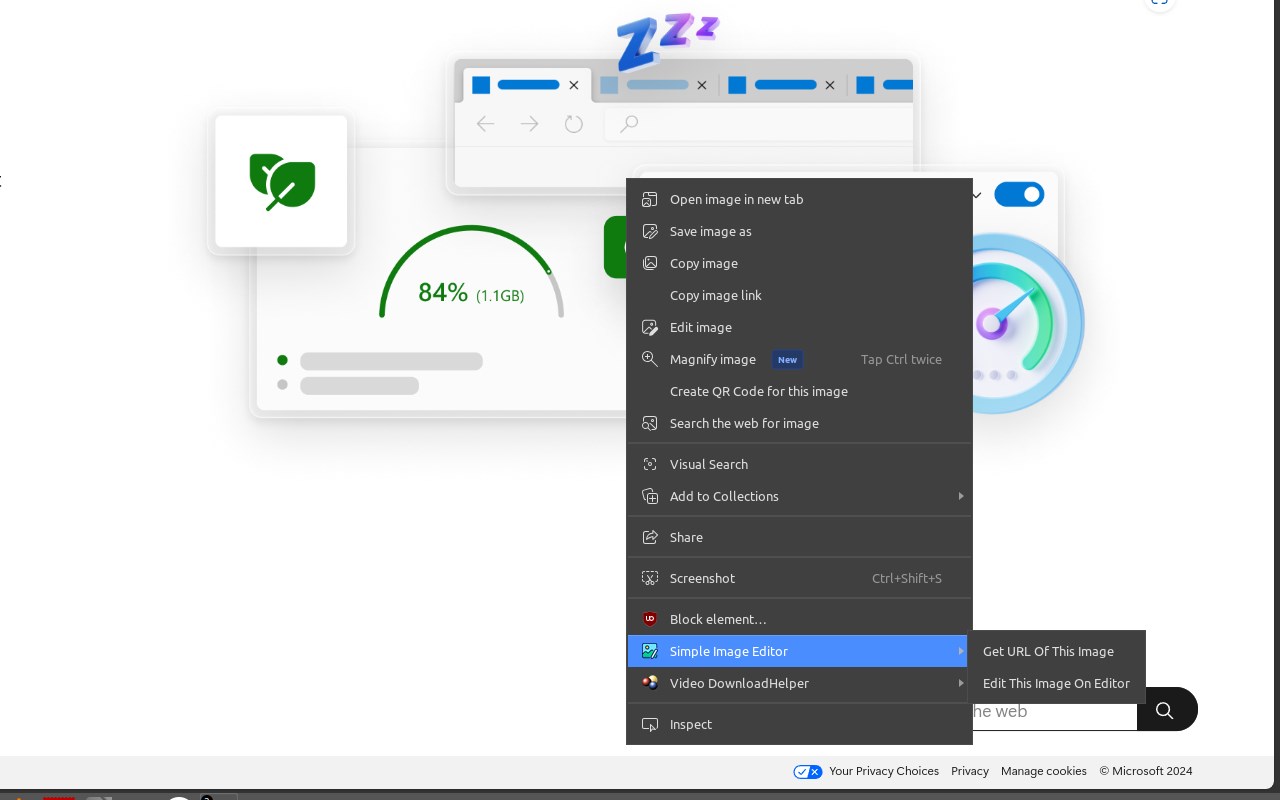
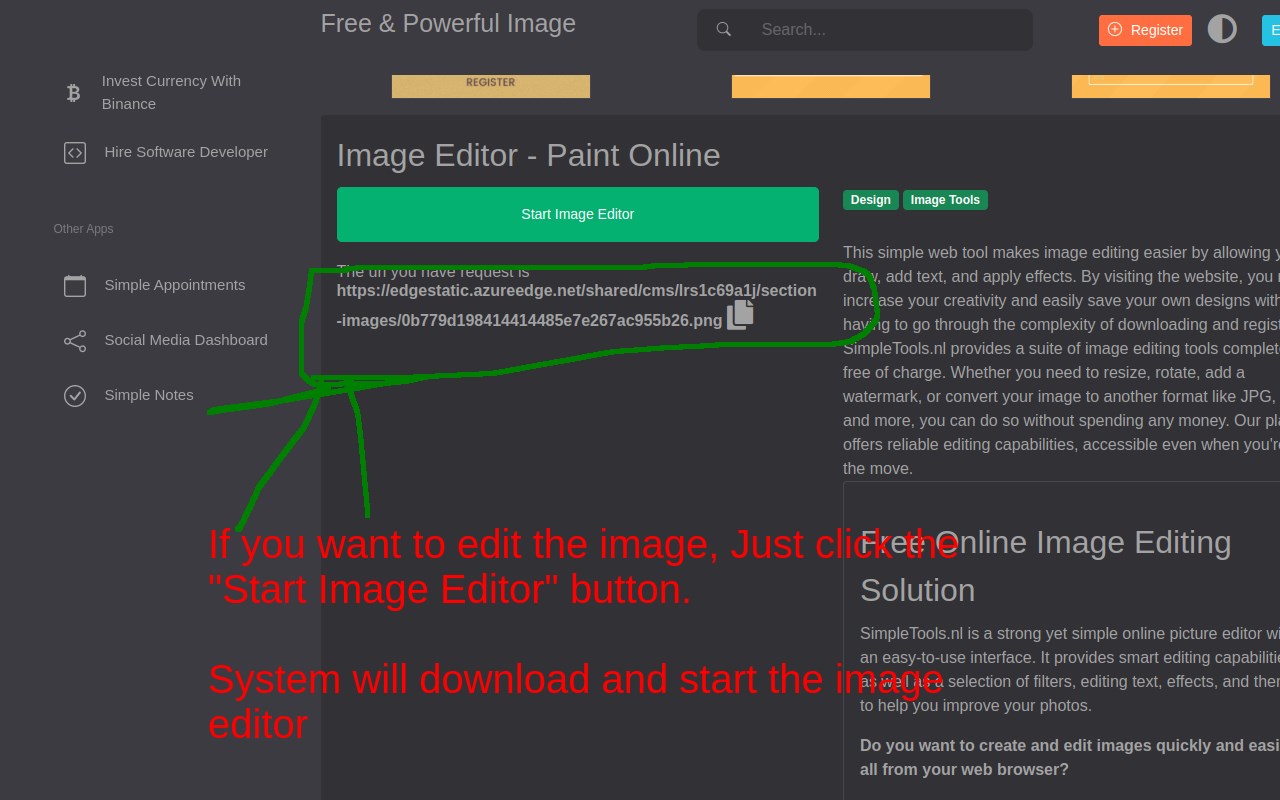
1. Find Image URLs & Edit Image: With a single right-click, you can instantly find the source of any image on the web.
2. Download and alter: You may easily download and alter photos from any website, allowing you complete control over your online visual experience.
3. Stock Image Integration: Access a massive bank of high-quality stock images from Pixabay.com directly from your browser, making it easier than ever to select the ideal graphics for your projects.
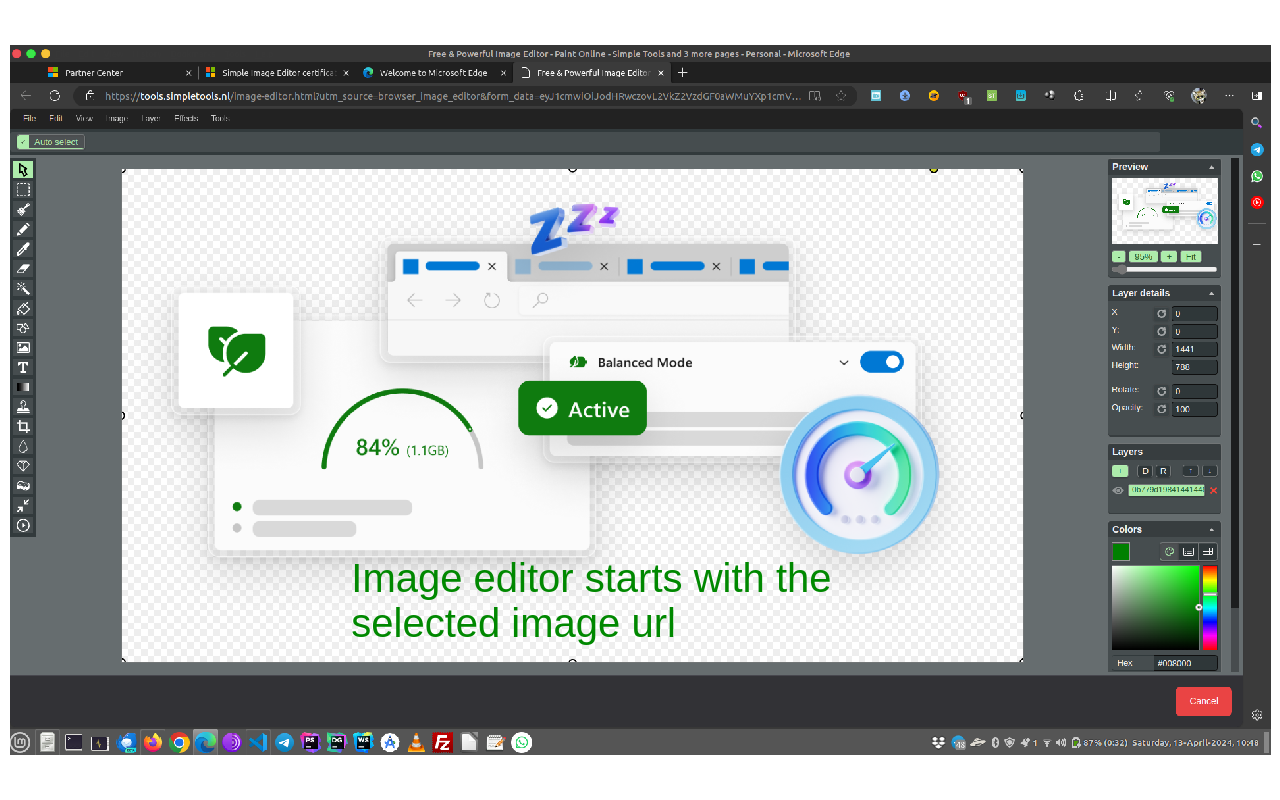
4. Creative Tools: Use a variety of creative tools to let your creativity run wild. Draw freely; construct geometric, add text, crop image, resize, apply filters
5. Advanced Editing: Make sure your visuals seem exactly how you want them to by fine-tuning your photographs with precise controls for color, brightness, contrast, and more.
6. Flexible Image Source: You can access and edit your photographs in a variety of ways by opening them directly from a URL or from your computer.
7. Save and Share: You have the option of saving your works straight to your smartphone or storing them in the cloud for convenient access from any location.
8. Image Layer Support: Take advantage of the convenience of organizing and manipulating visual elements with the versatility that comes with working with numerous layers.
Edge Image Master puts the capability of professional-grade image editing at your fingertips, easily integrating into your surfing experience. Whether you're a casual user trying to improve your social media postings or a seasoned designer working on a big project, this plugin will help you bring your creative ideas to life with ease and speed. Edge Image Master offers the next level of image editing simplicity!
Note: This extension is using Adsense ads on various pages which can be removed with paid membership
Simple Image Editor 是做什么的
Simple Image Editor 是一款面向 Edge 的效率工具类扩展,主要用来管住注意力、屏蔽干扰站点、记录时间。官方对它的介绍是:A Simple Image Editor. You can convert your browser into a full featured image editor在微软 Edge 加载项商店上,它当前版本 1.0.4,约 77 名用户。
适合什么人用
从功能定位看,Simple Image Editor 更适合想专注工作学习、减少无效刷网页的用户。如果你平时只是偶尔遇到相关需求,用浏览器自带功能也能凑合;但如果这件事每天都发生,装一个专门处理它的扩展通常比手动操作省事得多。
怎么安装 Simple Image Editor
- 打开微软 Edge 加载项商店上的官方页面;
- 点「添加到浏览器」并确认权限提示;
- 装好后在扩展列表里固定图标,方便随时开关。
本站只做索引与介绍,安装包来自官方商店。如果商店页面提示当前地区不可用,说明该扩展未在你所在区域上架。
常见问题
Simple Image Editor 是免费的吗?
Simple Image Editor 在微软 Edge 加载项商店免费提供下载。它是浏览器扩展,装上就能直接用,不需要注册账号。
Simple Image Editor 安全吗?
它只申请了 0 项权限,范围比较克制,没有申请「读取所有网站数据」这种大权限。
Simple Image Editor 支持哪些浏览器?
当前收录的版本来自微软 Edge 加载项商店,适用于 Edge。同一个扩展在其他商店可能有对应版本,但功能与版本号不一定相同。
怎么卸载 Simple Image Editor?
在扩展管理页找到 Simple Image Editor,点移除即可。它在本地保存的设置会一起清掉,不会残留数据。
权限清单 来自 manifest.json 原文
接口权限 1
contextMenus