
Sila – All-in-One AI English: Chat, Dictionary & Translator EN
Sila Flow · EEdge MV3
Instant dictionary, translations, grammar fixes, TTS, and AI chat—learn English on any website without switching tabs.
<all_urls>),意味着它可以读取你在任意站点的页面内容,包括已登录的页面。这是许多扩展正常工作的必要条件,但也值得你确认来源可信。
截图
简介
Sila is the ultimate browser extension for English language learners, turning every webpage into an interactive learning opportunity. Whether you're reading news, browsing social media, or studying online, Sila provides instant language support right where you need it.
✨ Key Features
🔍 Instant Translation & Definitions
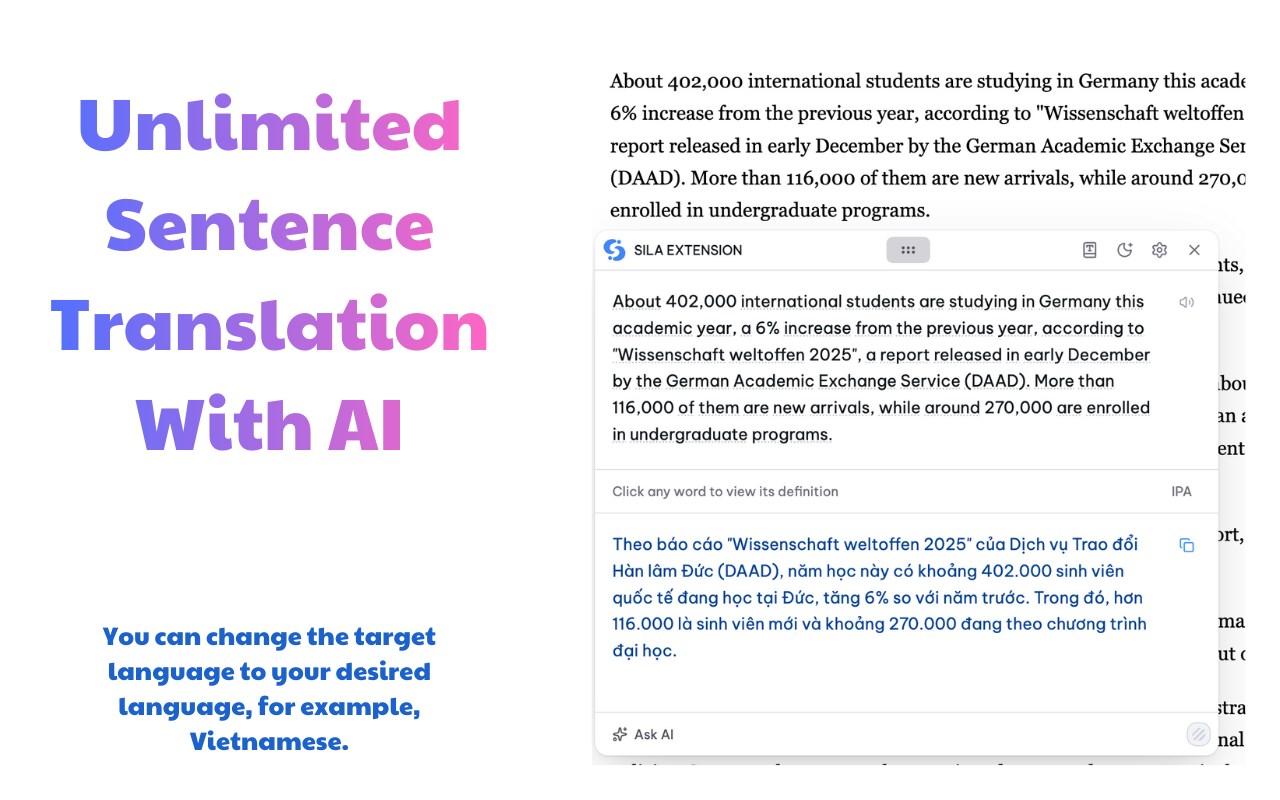
- Select any text and instantly get translations in any language
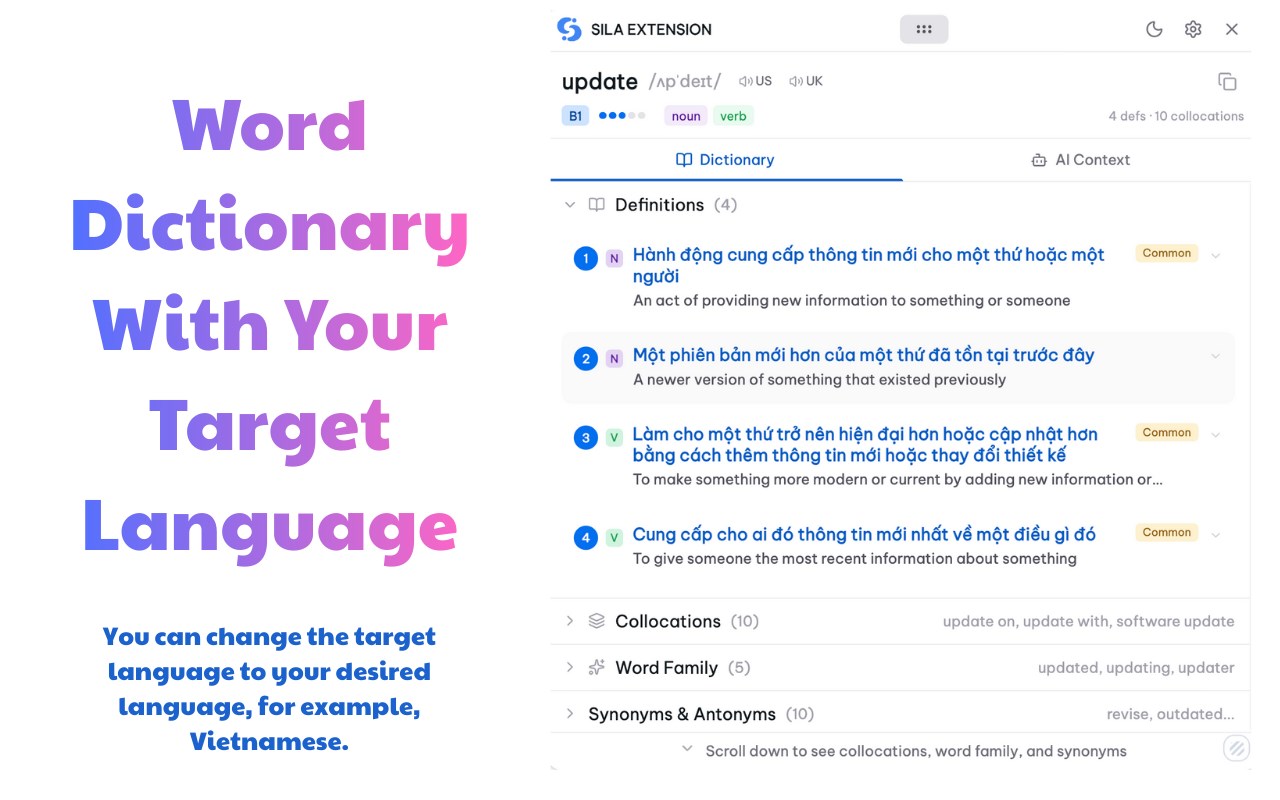
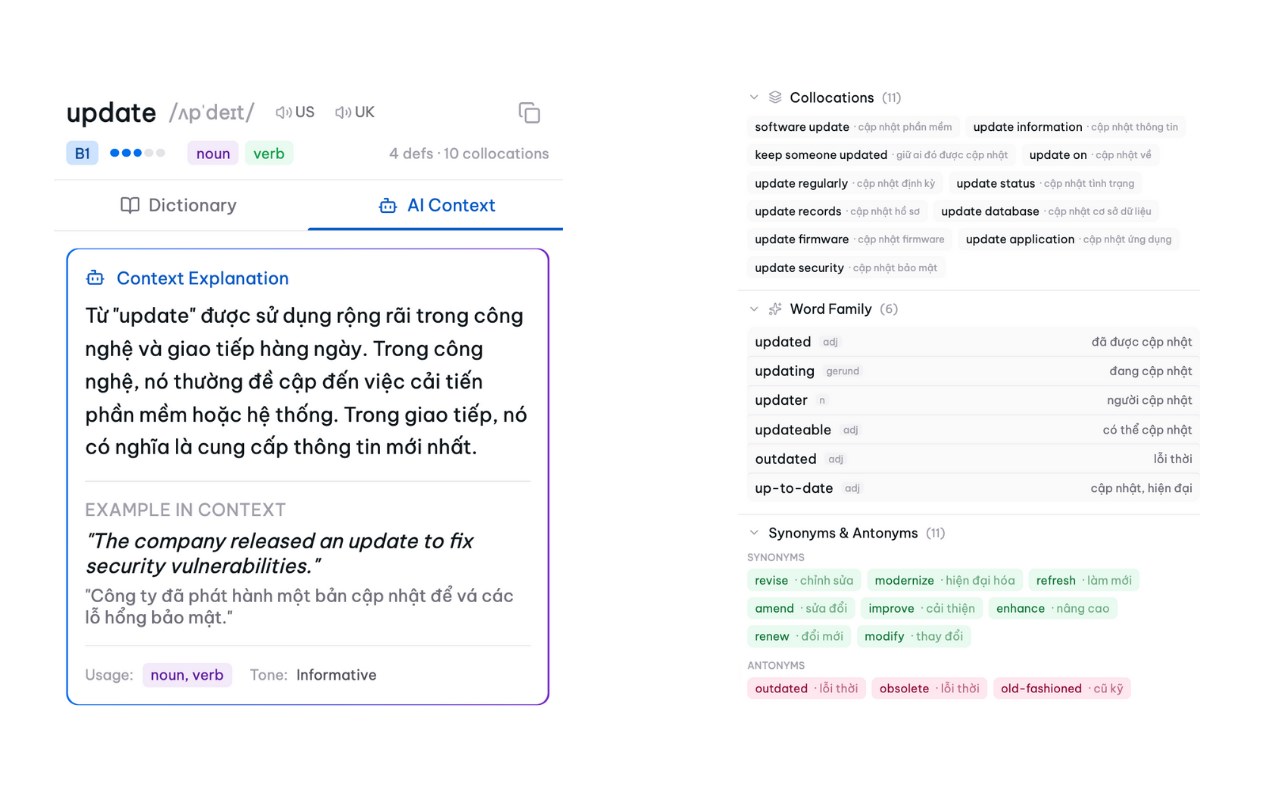
- English definitions with parts of speech and usage examples
- AI-enhanced explanations that make complex words easier to understand
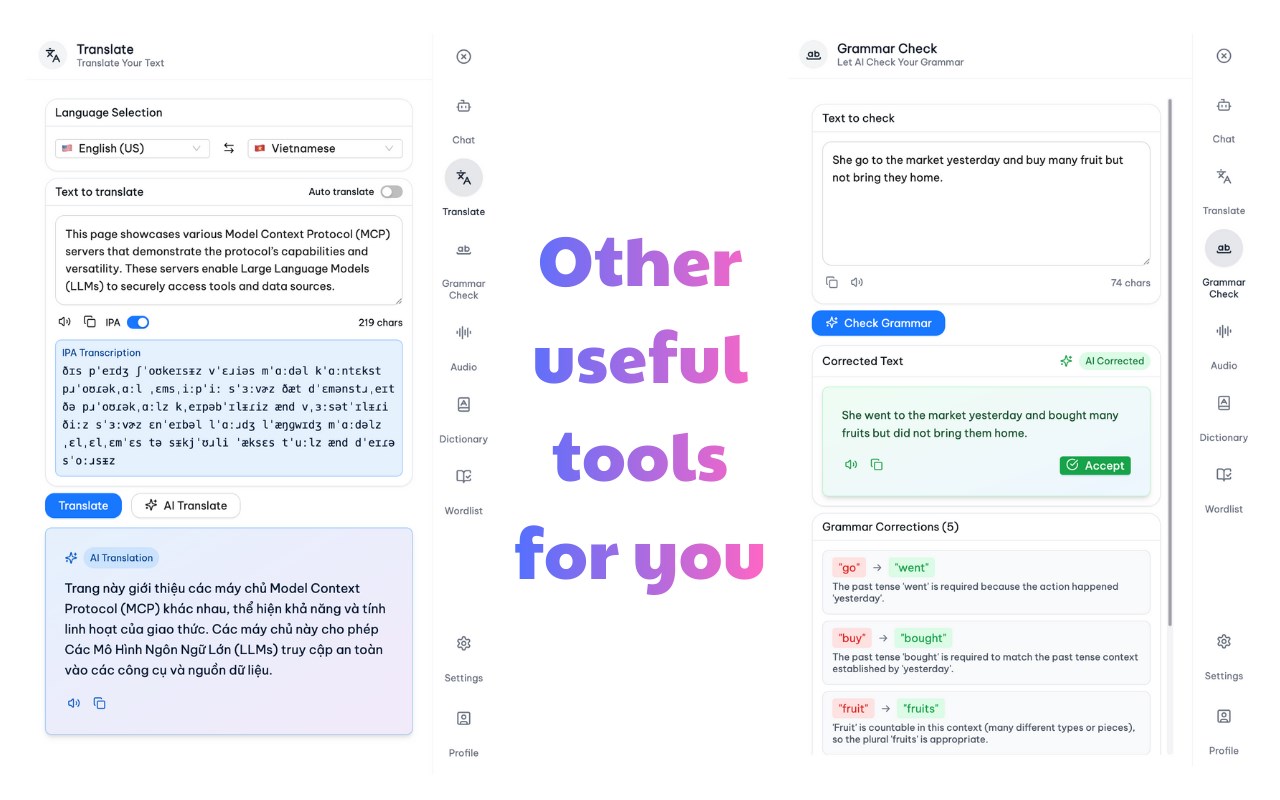
- AI translation provides contextual meaning—see translations adjusted for the surrounding content and real usage, not just word-by-word substitution
🤖 Advanced AI Learning Assistant
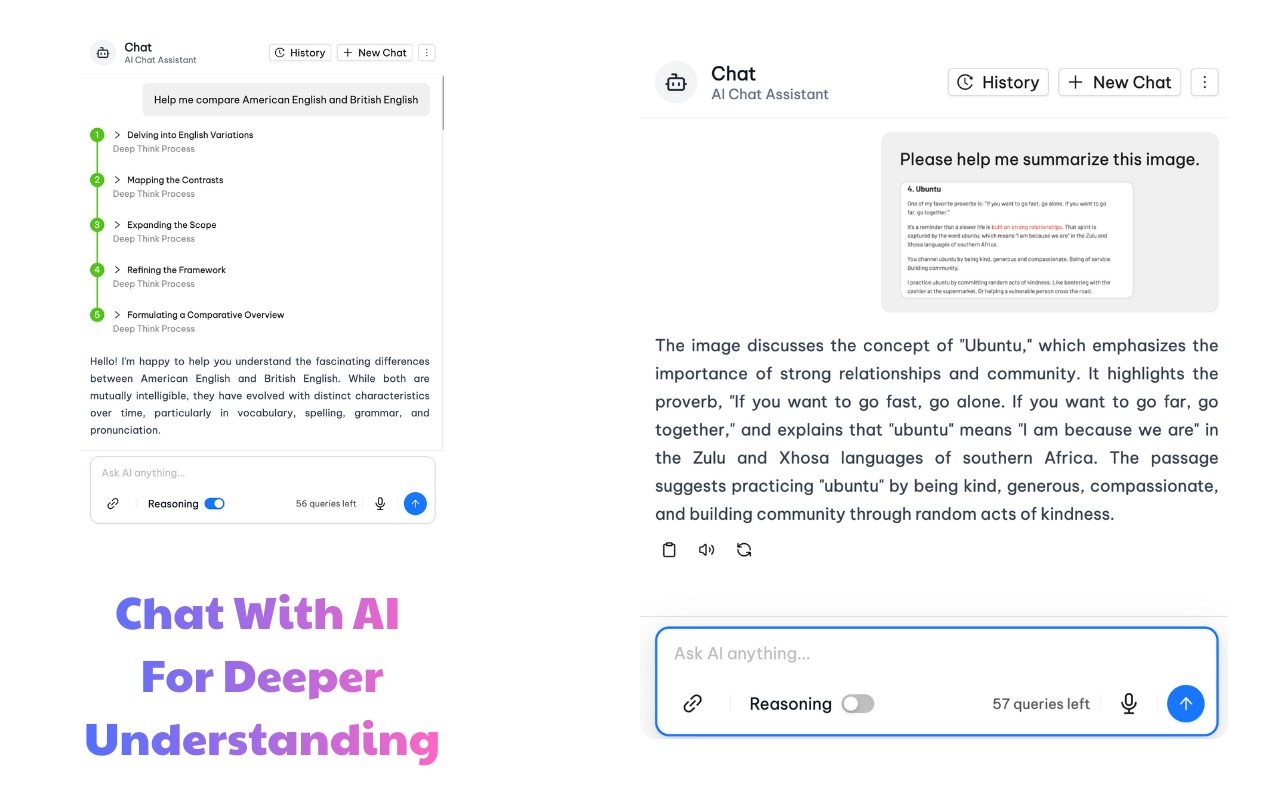
Chat With AI Agent - Your personal English tutor powered by advanced AI reasoning
- Interactive Learning Conversations: Engage in natural dialogue to practice English in real-world contexts
- Reasoning Support: Get detailed explanations for grammar rules, word choices, and language patterns with step-by-step logic
- Text-to-Speech Integration: Hear perfect pronunciation for any word, sentence, or conversation
- Real-time Translation: Seamlessly switch between languages during conversations
- Grammar Correction & Analysis: Receive instant feedback on your writing with detailed correction points and explanations
- Contextual Learning: Ask questions about any text you encounter online and get personalized explanations
- Adaptive Teaching: AI adjusts its teaching style based on your learning progress and preferences
🧠 Smart Vocabulary Building
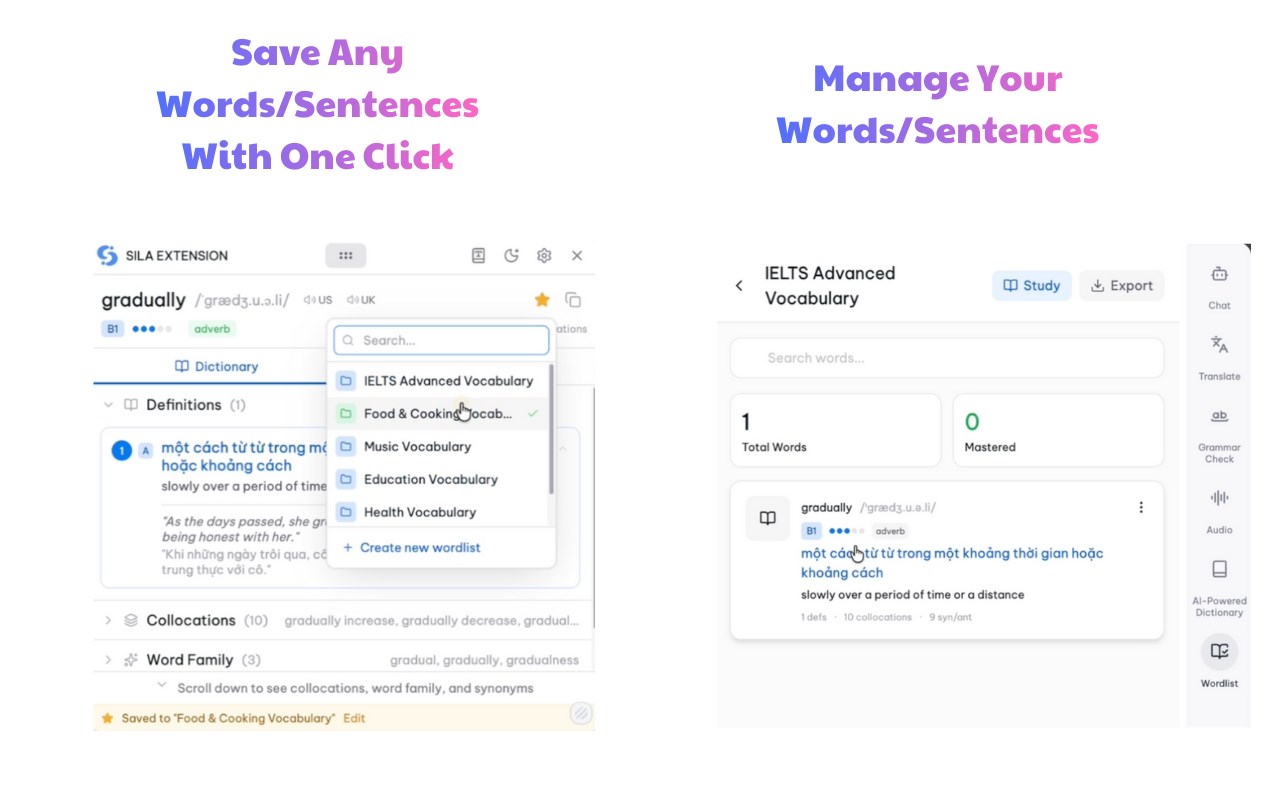
- Save words with visual associations for better memory retention
- Create and manage personalized word lists
- Export your vocabulary as CSV files for external study tools
📱 Seamless Integration & Web Dashboard
- Clean, intuitive popup interface with dark mode support
- Works on any website without disrupting your browsing experience
- Enhanced Chat Interface: Full-screen AI conversation mode for immersive learning sessions
- Comprehensive web application at app.silaflow.com for advanced vocabulary management
- Organize and edit your saved words and sentences with detailed categorization
- Export your learning data in multiple formats for offline study
🎯 Perfect For
- Students learning English as a second language
- Professionals working in English-speaking environments
- Anyone looking to expand their English vocabulary while browsing
💡 How It Works
Quick Learning (Traditional Mode)
1. Select - Highlight any text on any webpage
2. Click - Tap the Sila icon that appears
3. Learn - Get instant translations, definitions, and explanations
4. Save - Add new words to your personal vocabulary collection
5. Manage - Access your complete word library and usage stats via the web dashboard
🚀 Why Choose Sila?
- Contextual Learning: Learn vocabulary and grammar in the context of real content you're already reading
- AI-Powered Reasoning: Not just answers, but explanations that help you understand language patterns
- Multi-Modal Learning: Combine visual, auditory, and interactive learning methods
- Personalized Experience: AI adapts to your learning style and pace
- Comprehensive Feedback: Grammar correction with detailed points and suggestions for improvement
- Seamless Workflow: Never leave your current webpage to get language help
Transform your browsing into a powerful English learning experience with Sila's intelligent AI assistant by your side.
Unlock the best AI-powered English learning experience in your browser—get unlimited translation, grammar correction, and vocabulary management with Sila’s all-in-one extension. Install Sila today and join thousands of successful language learners worldwide.
Sila – All-in-One AI English: Chat, Dictionary & Translator 是做什么的
Sila – All-in-One AI English: Chat, Dictionary & Translator 是一款面向 Edge 的效率工具类扩展,主要用来管住注意力、屏蔽干扰站点、记录时间。官方对它的介绍是:Instant dictionary, translations, grammar fixes, TTS, and AI chat—learn English on any website without switching tabs.在微软 Edge 加载项商店上,它当前版本 1.2.11,评分 5(1 人评价),约 161 名用户。
适合什么人用
从功能定位看,Sila – All-in-One AI English: Chat, Dictionary & Translator 更适合想专注工作学习、减少无效刷网页的用户。如果你平时只是偶尔遇到相关需求,用浏览器自带功能也能凑合;但如果这件事每天都发生,装一个专门处理它的扩展通常比手动操作省事得多。需要注意的是它作用于所有网站,装上后建议先观察一两天,确认不影响常用站点的正常使用。
怎么安装 Sila – All-in-One AI English: Chat, Dictionary & Translator
- 打开微软 Edge 加载项商店上的官方页面;
- 点「添加到浏览器」并确认权限提示;
- 装好后在扩展列表里固定图标,方便随时开关。
本站只做索引与介绍,安装包来自官方商店。如果商店页面提示当前地区不可用,说明该扩展未在你所在区域上架。
常见问题
Sila – All-in-One AI English: Chat, Dictionary & Translator 是免费的吗?
Sila – All-in-One AI English: Chat, Dictionary & Translator 在微软 Edge 加载项商店免费提供下载。它是浏览器扩展,装上就能直接用,不需要注册账号。
Sila – All-in-One AI English: Chat, Dictionary & Translator 安全吗?
它只申请了 0 项权限,范围比较克制,没有申请「读取所有网站数据」这种大权限。
Sila – All-in-One AI English: Chat, Dictionary & Translator 支持哪些浏览器?
当前收录的版本来自微软 Edge 加载项商店,适用于 Edge。同一个扩展在其他商店可能有对应版本,但功能与版本号不一定相同。
怎么卸载 Sila – All-in-One AI English: Chat, Dictionary & Translator?
在扩展管理页找到 Sila – All-in-One AI English: Chat, Dictionary & Translator,点移除即可。它在本地保存的设置会一起清掉,不会残留数据。
权限清单 来自 manifest.json 原文
站点访问(可选) 1
<all_urls>
接口权限 7
commandscontextMenusoffscreensidePanelstoragetabsunlimitedStorage