
Shopee评论提取器
MiniExtensions · EEdge MV3
快速导出 Shopee 产品评论为 CSV、JSON 或 Excel 格式,并获取 AI 精选洞察。
截图

简介
Enhanced Shopee Reviews Extractor, Now with Customizable Data Export Options and AI Review Summary
Our user-friendly browser extension is tailored for e-commerce professionals looking to gain valuable insights without the need for coding skills. With just a simple click, you can now scrape and export comprehensive product review data in your preferred format, making it easier than ever to analyze and understand customer opinions.
AI Review Summary: Unlock Actionable Insights
The ChatGPT-Powered AI Review Summary feature leverages advanced natural language processing algorithms to analyze customer reviews and provide you with a comprehensive summary, including:
1. Advantages: Gain a clear understanding of the product's strengths and positive aspects that resonate with customers.
2. Disadvantages: Identify areas for improvement by uncovering the product's weaknesses and pain points reported by customers.
3. Improvement Suggestions: Receive actionable recommendations on how to enhance your product or service based on customer feedback.
4. To Buy or Not to Buy: Get a data-driven recommendation on whether the product is worth purchasing, based on the overall sentiment and feedback from customers.
With these invaluable insights at your fingertips, you can make informed decisions, refine your product offerings, and deliver exceptional customer experiences that drive loyalty and growth.
How to Use the Enhanced Shopee Reviews Scraper
Here's how you can start leveraging the power of the Enhanced Shopee Reviews Scraper with the new customizable export feature and AI Review Summary:
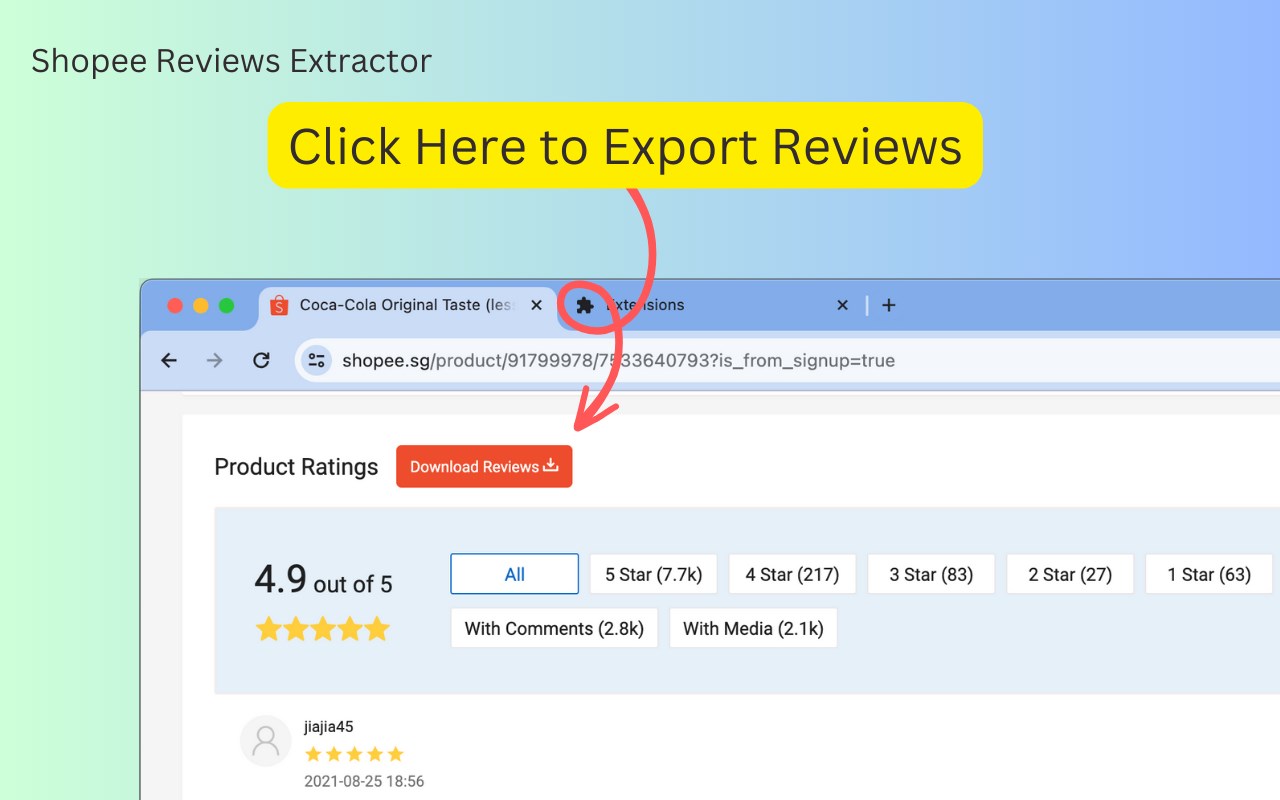
1. Navigate to any Shopee.com product page of your choice.
2. Click the "Download Reviews" button located beneath the product title.
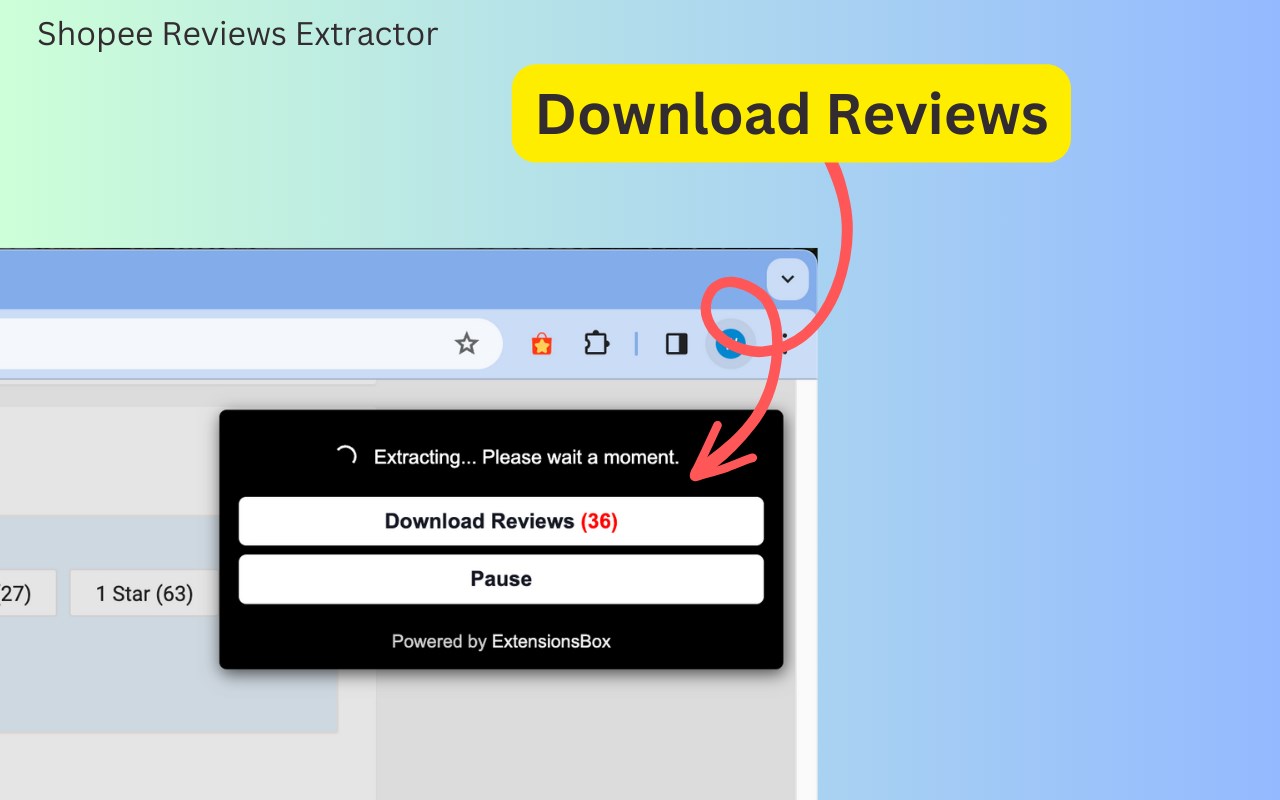
3. A popup window will appear, allowing you to export the data into a structured CSV, JSON, or XLSX file, depending on your needs.
4. (Optional) Click the "AI Review Summary" button to generate a detailed analysis, including advantages, disadvantages, improvement suggestions, and a recommendation on buying.
The files you'll receive are meticulously organized, containing all the essential review details such as reviewer IDs, ratings, comments, and much more. In the settings interface, select your desired content format for export: choose from CSV, JSON, or XLSX file options to best suit your analysis tools. These structured formats are ideal for conducting competitive research, monitoring market trends, comparing products, spotting opportunities, and ultimately making informed data-driven decisions.
Once you initiate a data extraction request, the process begins immediately, with the duration depending on the volume of information to be retrieved.
Data Privacy
The data you work with remains confined to your local machine and does not traverse our servers at any point.
In-App Purchases
Our Extension is a freemium product with a nominal subscription fee. With a paid subscription, you can export up to 5,000 items at a time and receive premium support. The exact cost is displayed in the extension's interface, ensuring transparency and ease of understanding.
Disclaimer
This extension is an independently developed product by ExtensionsBox and has no association with Shopee Inc.
Shopee评论提取器 是做什么的
Shopee评论提取器 是一款面向 Edge 的购物比价类扩展,主要用来比价、查历史价格、自动套用优惠券、返现。官方对它的介绍是:快速导出 Shopee 产品评论为 CSV、JSON 或 Excel 格式,并获取 AI 精选洞察。在微软 Edge 加载项商店上,它当前版本 1.1.0,评分 5(2 人评价),约 234 名用户。
适合什么人用
从功能定位看,Shopee评论提取器 更适合经常网购、想在下单前确认是否真便宜的用户。如果你平时只是偶尔遇到相关需求,用浏览器自带功能也能凑合;但如果这件事每天都发生,装一个专门处理它的扩展通常比手动操作省事得多。
怎么安装 Shopee评论提取器
- 打开微软 Edge 加载项商店上的官方页面;
- 点「添加到浏览器」并确认权限提示;
- 装好后在扩展列表里固定图标,方便随时开关。
本站只做索引与介绍,安装包来自官方商店。如果商店页面提示当前地区不可用,说明该扩展未在你所在区域上架。
常见问题
Shopee评论提取器 是免费的吗?
Shopee评论提取器 在微软 Edge 加载项商店免费提供下载。它是浏览器扩展,装上就能直接用,不需要注册账号。
Shopee评论提取器 安全吗?
它只申请了 0 项权限,范围比较克制,没有申请「读取所有网站数据」这种大权限。
Shopee评论提取器 支持哪些浏览器?
当前收录的版本来自微软 Edge 加载项商店,适用于 Edge。同一个扩展在其他商店可能有对应版本,但功能与版本号不一定相同。
怎么卸载 Shopee评论提取器?
在扩展管理页找到 Shopee评论提取器,点移除即可。它在本地保存的设置会一起清掉,不会残留数据。
权限清单 来自 manifest.json 原文
接口权限 3
identitystoragewebRequest