
SheetBookmark EN
Rishish · EEdge MV3
Save bookmarks from every browser into one Google Sheet in your own Drive — a tab per browser, searchable everywhere.
截图
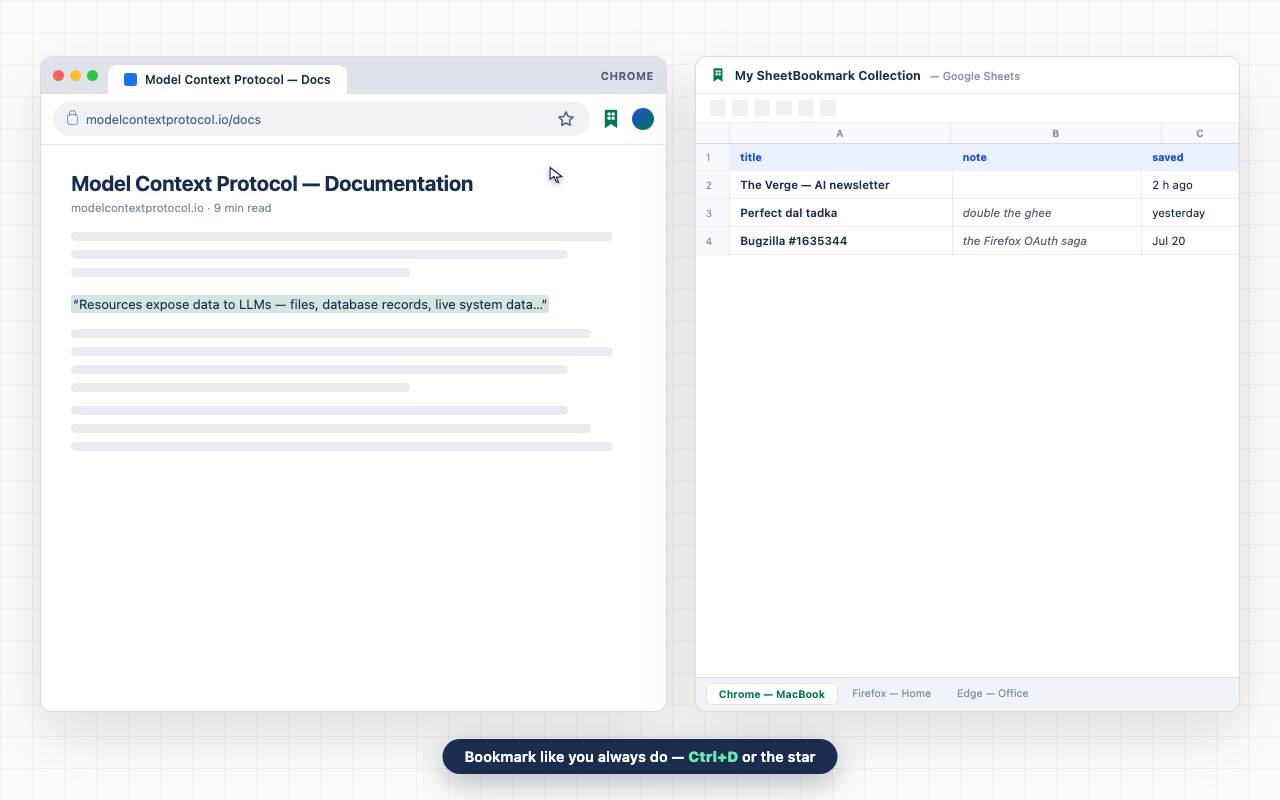
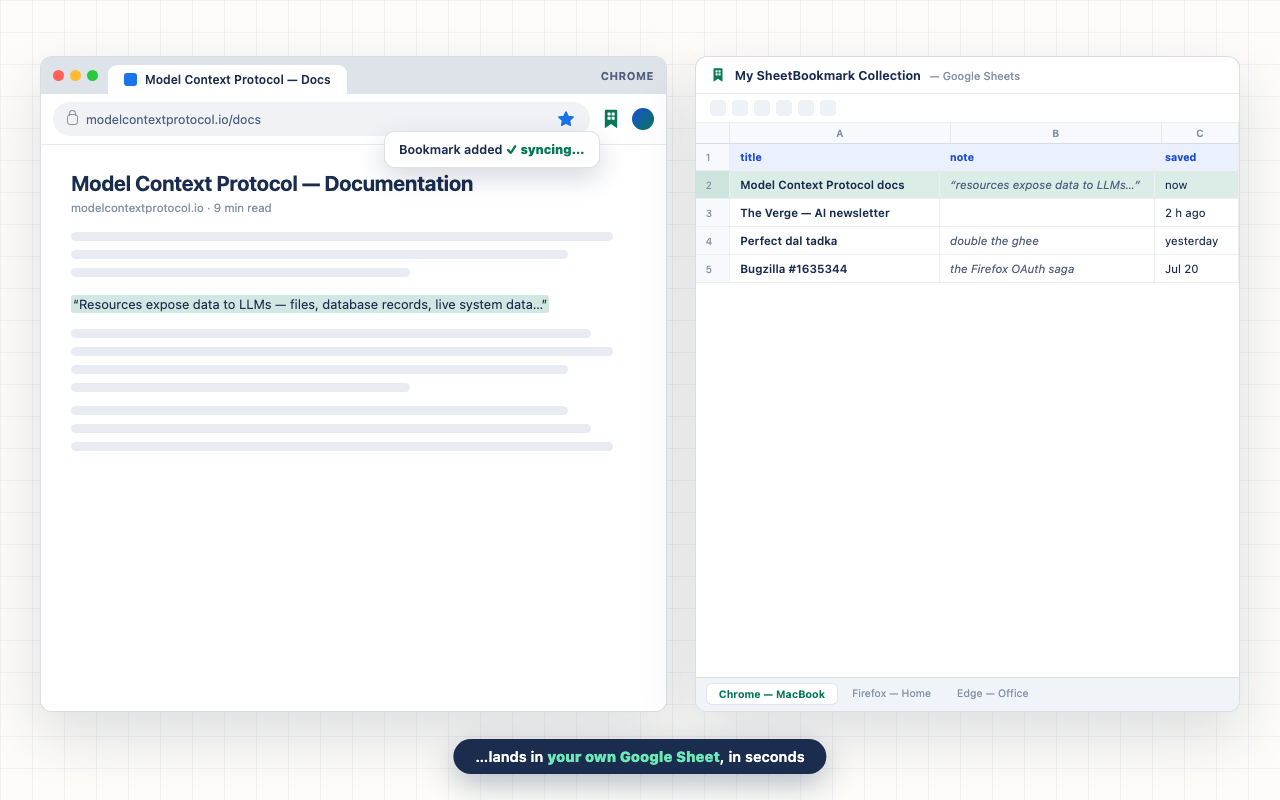
简介
SheetBookmark is a streamlined browser extension designed to centralize and simplify your bookmark management by syncing all your bookmarks into a single Google Sheet stored in your own Google Drive. Unlike traditional bookmarking systems limited to one browser or device, this extension lets you consolidate bookmarks seamlessly, organizing each browser’s bookmarks into dedicated tabs within the same sheet. This approach provides a unified, searchable, and fully accessible bookmark archive that stays with you across all environments and devices.
By eliminating fragmented bookmark silos, SheetBookmark empowers users to maintain a consistent bookmark library that can be filtered, sorted, and enhanced with notes or tags directly from the extension or Google Sheets. Its lightweight design avoids intrusive content scripts or background processes—activating only when you save a bookmark—ensuring efficient performance and minimal privacy risks. Authentication leverages a secure Google OAuth process giving the extension limited access to your specific spreadsheet only, protecting your broader Drive content from exposure.
The extension supports flexible sync frequencies—ranging from instant updates to batch syncing intervals or manual control with clear badge indicators—so you can tailor the workflow to your pace. Notes are intelligently pre-filled based on highlighted page text when saving, with easy editing available afterward. All bookmark data remains encrypted and private within your own Google Drive, with no external servers, no telemetry, and zero tracking involved.
SheetBookmark’s popup interface serves as a powerful search and management hub. You can browse bookmarks collectively, open any link with a single click, and annotate entries with added notes or tags. The integration with Google Sheets means you gain access to full spreadsheet capabilities—advanced filtering, scripting, sharing, and permanent archival of your bookmarks. Changes sync reliably and gracefully handle duplicates and concurrent edits, maintaining seamless data integrity.
For anyone looking to upgrade their bookmarking experience into an extendable, cross-platform system fully under their control, SheetBookmark makes bookmark syncing easy, private, and powerful.
Key Features:
- Consolidates bookmarks into one Google Sheet with a separate tab per browser profile for neat organization.
- Secure OAuth authentication accessing only your bookmark spreadsheet with no extra Drive permissions.
- Instant or scheduled sync options, including manual sync mode with pending badge notifications.
- Unified popup interface showing bookmarks from all browsers together, searchable and easy to navigate.
- Supports adding, editing, and viewing notes for each bookmark directly within the extension or sheet.
- Lightweight operation—no background polling or content scripts until interaction occurs.
- Data privacy assured—bookmarks remain only in your Google Drive with no external data transfers.
How It Works:
1. Install the extension and connect it to your Google account through the OAuth consent screen.
2. The extension creates or locates your dedicated Google Sheet bookmark collection in your Drive.
3. Save bookmarks with one click; they are instantly appended to the browser-specific tab in your sheet.
4. Use the popup to browse, search, open, and edit bookmarks or notes across all browser tabs.
5. Adjust sync settings to your preferred cadence or use manual syncing with a clear pending count.
6. All bookmark changes are chunked and synced safely, preventing duplicates and ensuring consistency.
7. Manage or share your bookmarks easily from the Google Sheet itself, leveraging its full spreadsheet features.
Privacy: - No personal data collected. All bookmark information is stored exclusively in your personal Google Drive spreadsheet and is never transmitted to third parties. See our privacy policy.
SheetBookmark 是做什么的
SheetBookmark 是一款面向 Edge 的效率工具类扩展,主要用来管住注意力、屏蔽干扰站点、记录时间。官方对它的介绍是:Save bookmarks from every browser into one Google Sheet in your own Drive — a tab per browser, searchable everywhere.在微软 Edge 加载项商店上,它当前版本 1.0.3,约 1 名用户。
适合什么人用
从功能定位看,SheetBookmark 更适合想专注工作学习、减少无效刷网页的用户。如果你平时只是偶尔遇到相关需求,用浏览器自带功能也能凑合;但如果这件事每天都发生,装一个专门处理它的扩展通常比手动操作省事得多。
怎么安装 SheetBookmark
- 打开微软 Edge 加载项商店上的官方页面;
- 点「添加到浏览器」并确认权限提示;
- 装好后在扩展列表里固定图标,方便随时开关。
本站只做索引与介绍,安装包来自官方商店。如果商店页面提示当前地区不可用,说明该扩展未在你所在区域上架。
常见问题
SheetBookmark 是免费的吗?
SheetBookmark 在微软 Edge 加载项商店免费提供下载。它是浏览器扩展,装上就能直接用,不需要注册账号。
SheetBookmark 安全吗?
它只申请了 0 项权限,范围比较克制,没有申请「读取所有网站数据」这种大权限。
SheetBookmark 支持哪些浏览器?
当前收录的版本来自微软 Edge 加载项商店,适用于 Edge。同一个扩展在其他商店可能有对应版本,但功能与版本号不一定相同。
怎么卸载 SheetBookmark?
在扩展管理页找到 SheetBookmark,点移除即可。它在本地保存的设置会一起清掉,不会残留数据。
权限清单 来自 manifest.json 原文
接口权限 6
activeTabalarmsbookmarksidentityscriptingstorage