
ServiceNow Power Search EN
RAUNAK KAPOOR · EEdge MV3
Keyboard-first ServiceNow query builder with dynamic field selection, multi-condition search, and reference field resolver.
截图



简介
ServiceNow Power Search is a keyboard-first query builder that lets developers,
administrators, and power users build complex ServiceNow encoded queries in
seconds — directly from the browser toolbar.
SMART FIELD AUTOCOMPLETE
Fetches real field names and labels live from your instance's sys_dictionary.
Type to filter from hundreds of fields instantly, including fields inherited
from parent tables via the full super_class chain.
MULTI-CONDITION BUILDER
Stack multiple AND conditions using the + Add button or Ctrl+Enter. Each
condition becomes a removable chip. All chips combine automatically into a
single encoded query joined with ^.
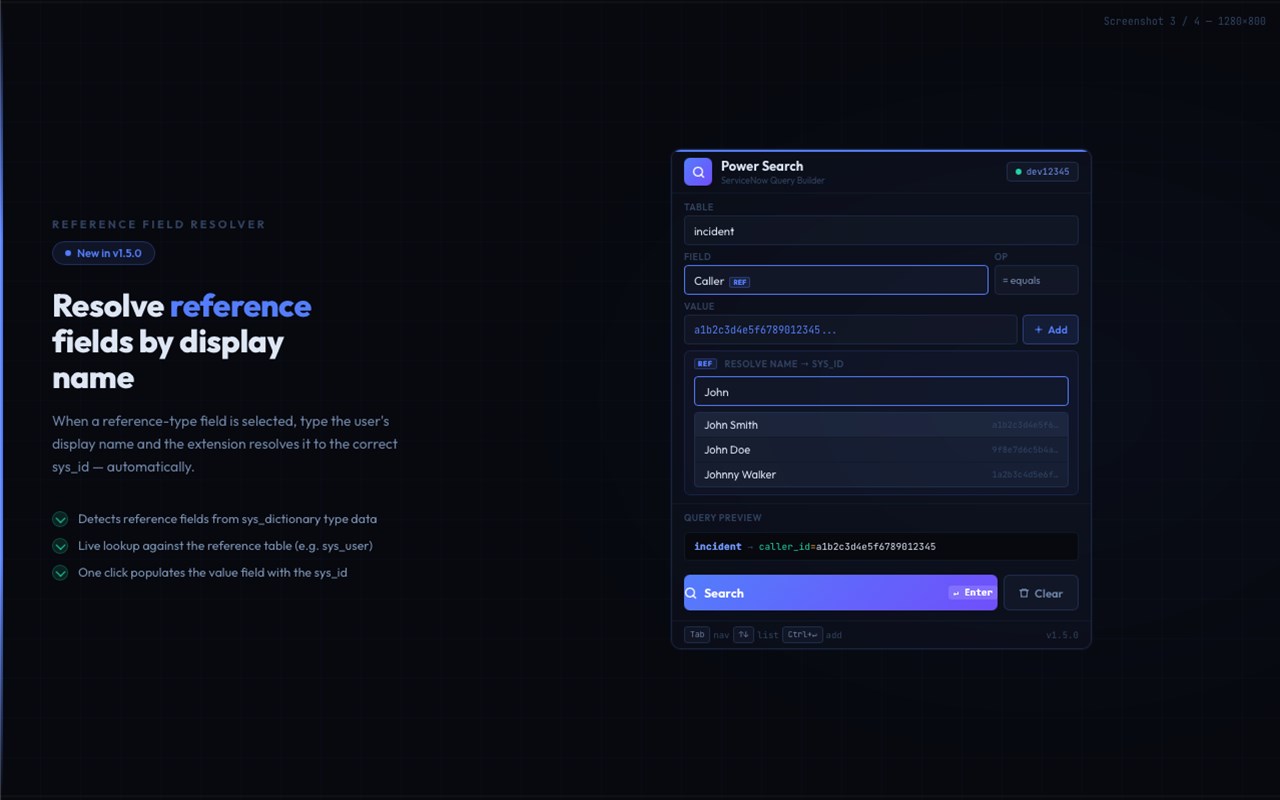
REFERENCE FIELD RESOLVER
Automatically detects reference-type fields (Assigned To, Caller, etc.). Type
a display name and the extension resolves it to the correct sys_id using a
live lookup against the reference table — no manual copying of sys_ids.
SAVED TEMPLATES & HISTORY
Save named search templates with one click. Export them as JSON to share with
teammates. Import theirs in return. The last 8 searches are also saved
automatically as quick-access chips.
ZERO SETUP REQUIRED
Opens with your ServiceNow instance already detected. If you are viewing a
list page, the table is pre-selected automatically. All API calls run inside
your existing browser session — no re-authentication, no credential prompts.
SUPPORTED TABLES
Incidents, Change Requests, Problems, Service Requests, Tasks, CMDB CIs,
Users, Groups, Knowledge Articles, and any custom table.
KEYBOARD SHORTCUTS
↑↓ navigate fields · Enter/Tab select · Ctrl+Enter add condition · Esc close
PRIVACY
No data is collected or transmitted externally. Everything stays in local
browser storage on your own device.
ServiceNow Power Search 是做什么的
ServiceNow Power Search 是一款面向 Edge 的效率工具类扩展,主要用来管住注意力、屏蔽干扰站点、记录时间。官方对它的介绍是:Keyboard-first ServiceNow query builder with dynamic field selection, multi-condition search, and reference field resolver.在微软 Edge 加载项商店上,它当前版本 2.2.0,约 9 名用户。
适合什么人用
从功能定位看,ServiceNow Power Search 更适合想专注工作学习、减少无效刷网页的用户。如果你平时只是偶尔遇到相关需求,用浏览器自带功能也能凑合;但如果这件事每天都发生,装一个专门处理它的扩展通常比手动操作省事得多。
怎么安装 ServiceNow Power Search
- 打开微软 Edge 加载项商店上的官方页面;
- 点「添加到浏览器」并确认权限提示;
- 装好后在扩展列表里固定图标,方便随时开关。
本站只做索引与介绍,安装包来自官方商店。如果商店页面提示当前地区不可用,说明该扩展未在你所在区域上架。
常见问题
ServiceNow Power Search 是免费的吗?
ServiceNow Power Search 在微软 Edge 加载项商店免费提供下载。它是浏览器扩展,装上就能直接用,不需要注册账号。
ServiceNow Power Search 安全吗?
它只申请了 0 项权限,范围比较克制,没有申请「读取所有网站数据」这种大权限。
ServiceNow Power Search 支持哪些浏览器?
当前收录的版本来自微软 Edge 加载项商店,适用于 Edge。同一个扩展在其他商店可能有对应版本,但功能与版本号不一定相同。
怎么卸载 ServiceNow Power Search?
在扩展管理页找到 ServiceNow Power Search,点移除即可。它在本地保存的设置会一起清掉,不会残留数据。
权限清单 来自 manifest.json 原文
接口权限 4
activeTabscriptingstoragetabs