
SEOpeck: SEO Checker & Website Analyzer EN
SEOpeck · EEdge MV3
Free SEO checker for any page: on-page score, PageSpeed, schema checker, meta tags, tech stack, robots.txt and sitemap in one click.
截图
简介
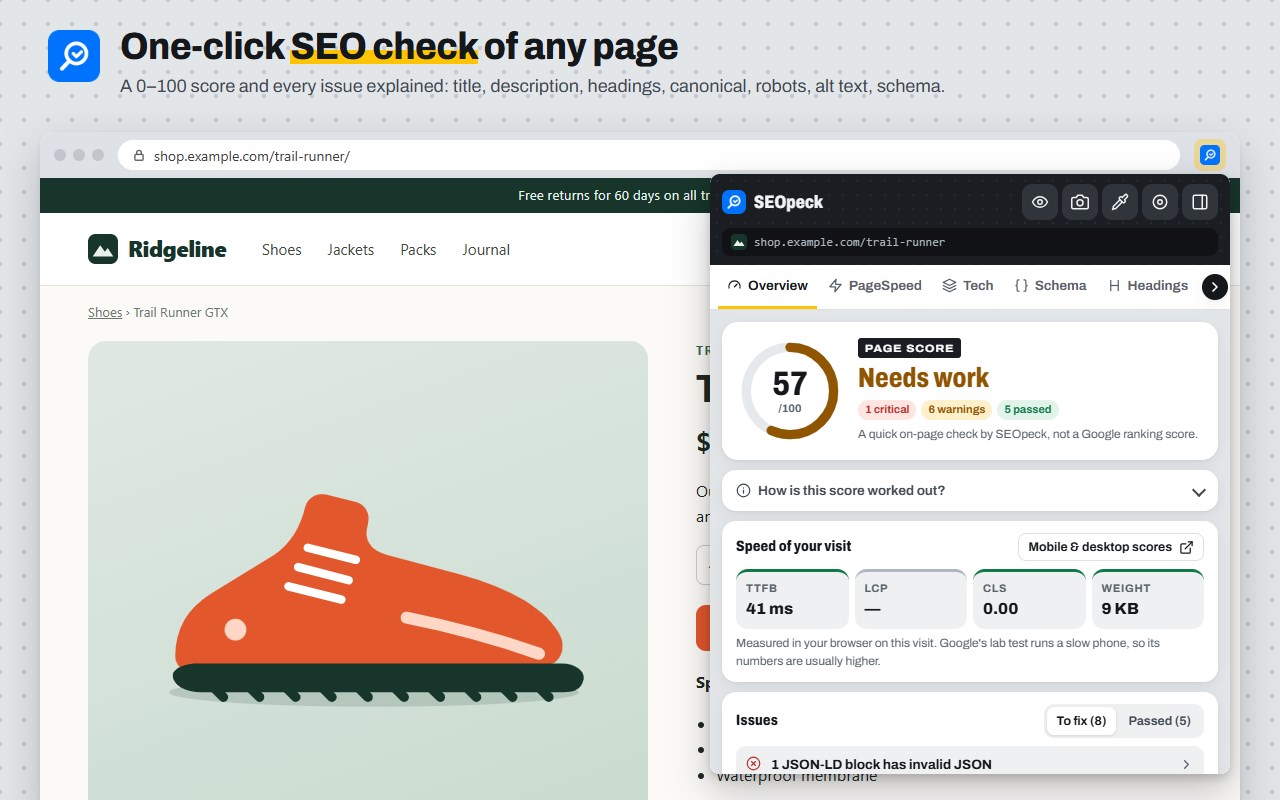
Free SEO checker for any web page: one click shows an on-page SEO score with every issue explained, Google PageSpeed, schema checks and the site's tech stack.
No account, no sign-up. It reads a page only when you click the icon (or press Alt+Shift+S).
ON-PAGE SEO SCORE AND ISSUES
• A quick 0–100 score (our own check, explained in the popup) with each problem and how to fix it
• Title and meta description length in pixels, like Google, with a search result preview
• Missing or multiple H1s and skipped heading levels
• noindex (meta tag or X-Robots-Tag), canonical tags and robots.txt blocking
• Images without alt text, mixed content, viewport, lang and Open Graph tags
• Speed of this visit (server time, LCP, CLS, page weight)
• Copy the report as Markdown or save it as a PDF report
QUICKER CHECKS
• The page's score appears on the toolbar icon after you check it
• Right-click any page or link and choose "Check this page (or link) with SEOpeck" for a full report on seopeck.com
PAGESPEED
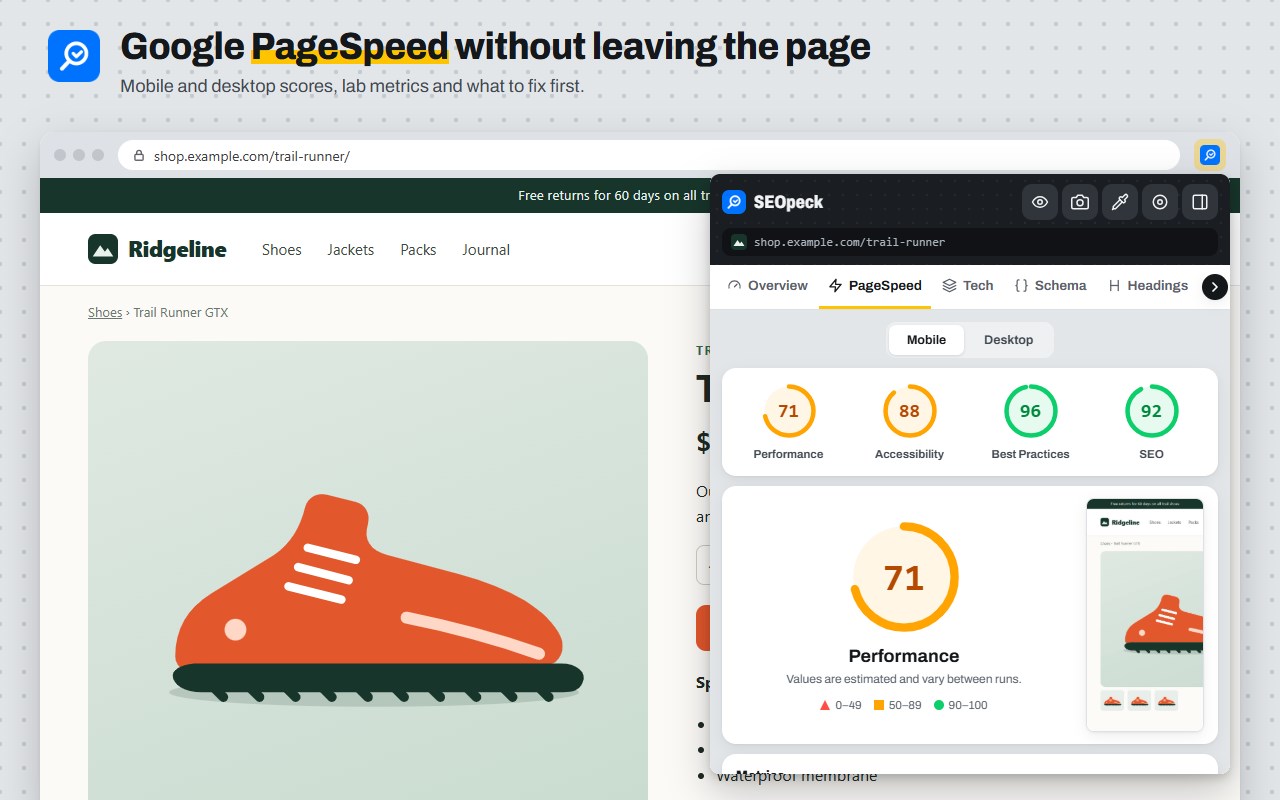
• Google PageSpeed Insights for mobile and desktop: the four category scores, lab metrics, real-user Core Web Vitals when available, and what to fix first
SCHEMA CHECKER
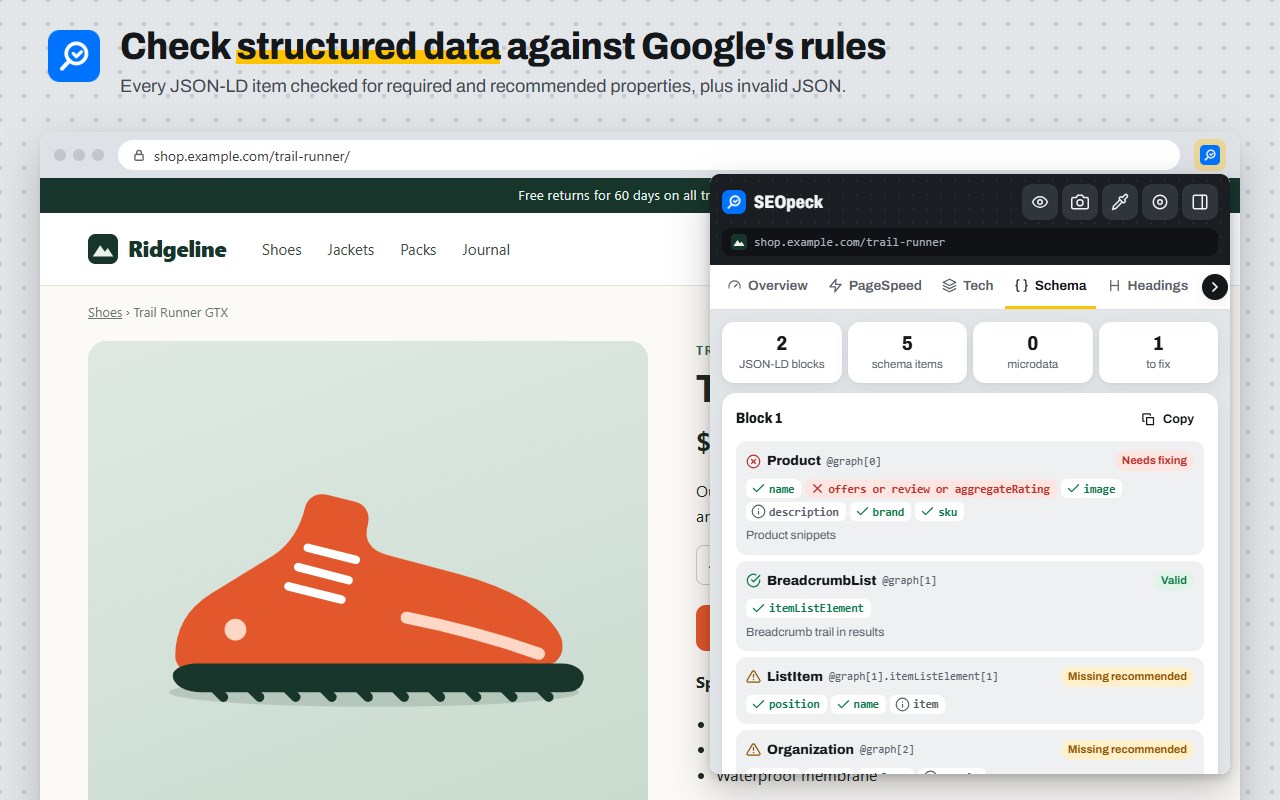
• Every JSON-LD block checked against Google's required and recommended properties (Product, Article, FAQ, Breadcrumb, LocalBusiness, Recipe, Event and more), plus microdata and RDFa types
WEBSITE ANALYZER
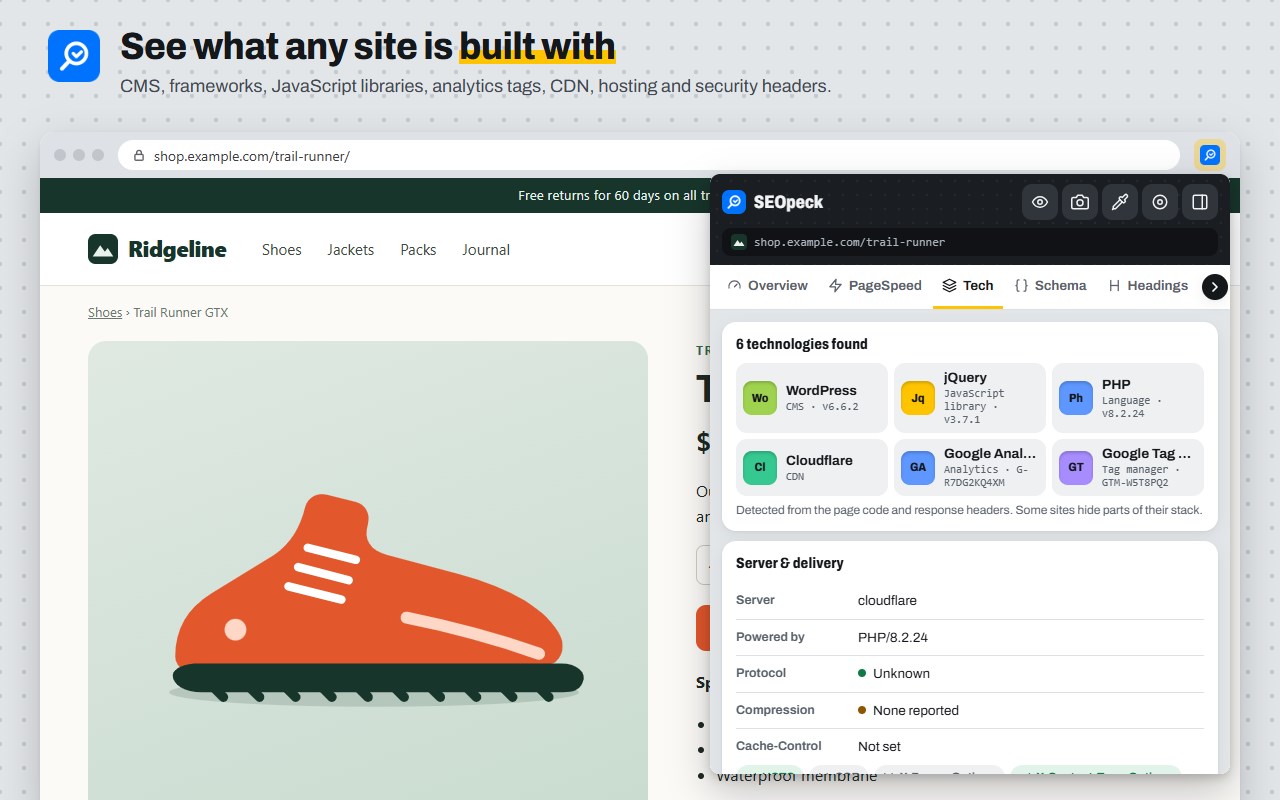
• Technology: CMS, frameworks, JavaScript libraries, analytics, CDN, hosting, web server and security headers
• Site files: robots.txt (including which AI crawlers are blocked), XML sitemap, llms.txt and security.txt
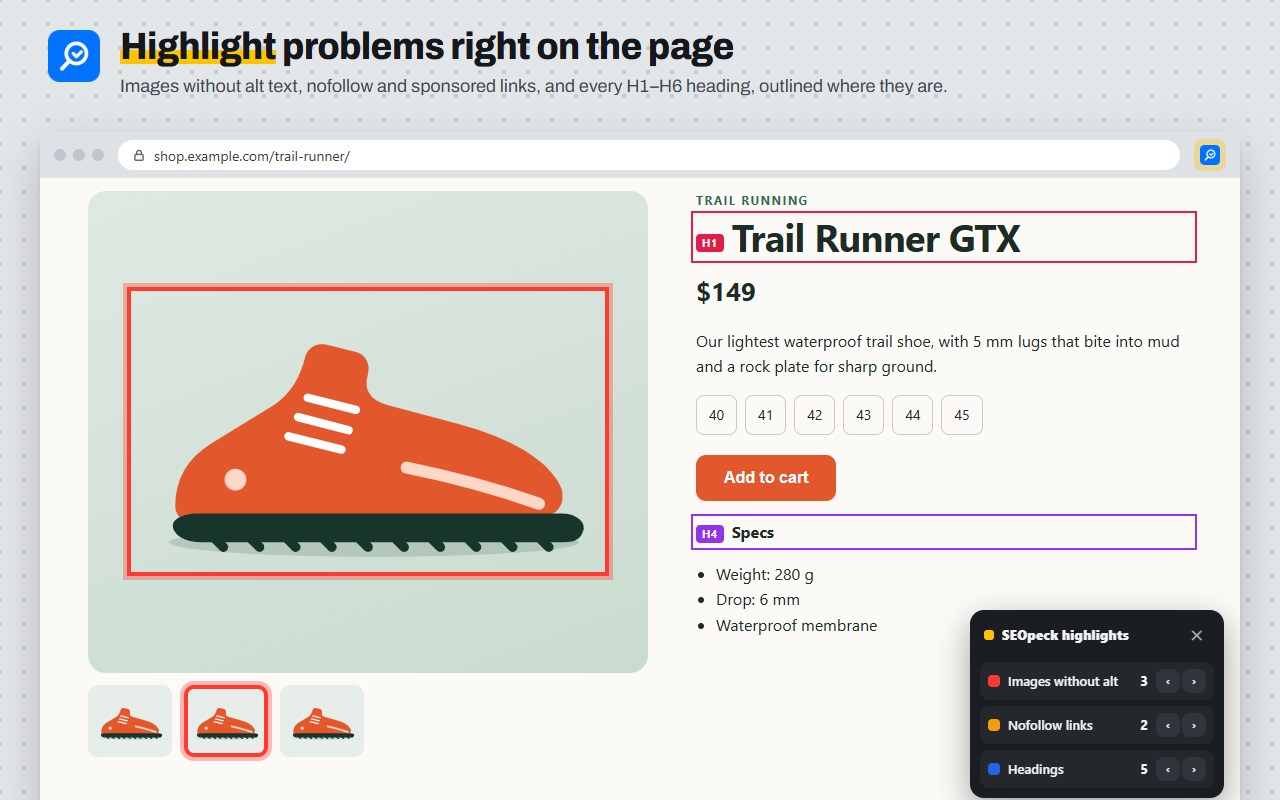
HIGHLIGHT ON THE PAGE
• Outline images without alt text, nofollow links and H1–H6 headings right on the page
BUILT-IN TOOLS
• Screenshot editor, colour picker and screen recorder
• Side panel that stays open while you browse
• Search 340+ free SEOpeck tools, opened with the current page filled in
PRIVACY AND PERMISSIONS
Manifest V3, no remote code. Permissions: activeTab (read the page you clicked on), scripting (read-only checks in that tab), storage (favourites and colours, on your device), sidePanel and contextMenus (the right-click item). "Follow my browsing" in the side panel is optional and asked for only if you turn it on. Results stay in your browser; only the PageSpeed tab sends the page address to seopeck.com to run Google's test. No tracking, no data sold.
Free, with no paid plan. More: https://seopeck.com/page/seo-chrome-extension
SEOpeck: SEO Checker & Website Analyzer 是做什么的
SEOpeck: SEO Checker & Website Analyzer 是一款面向 Edge 的实用工具类扩展,主要用来解决浏览器里某类具体的小问题。官方对它的介绍是:Free SEO checker for any page: on-page score, PageSpeed, schema checker, meta tags, tech stack, robots.txt and sitemap in one click.在微软 Edge 加载项商店上,它当前版本 1.3.0,约 4 名用户。
适合什么人用
从功能定位看,SEOpeck: SEO Checker & Website Analyzer 更适合想补上浏览器原生缺失功能的用户。如果你平时只是偶尔遇到相关需求,用浏览器自带功能也能凑合;但如果这件事每天都发生,装一个专门处理它的扩展通常比手动操作省事得多。
怎么安装 SEOpeck: SEO Checker & Website Analyzer
- 打开微软 Edge 加载项商店上的官方页面;
- 点「添加到浏览器」并确认权限提示;
- 装好后在扩展列表里固定图标,方便随时开关。
本站只做索引与介绍,安装包来自官方商店。如果商店页面提示当前地区不可用,说明该扩展未在你所在区域上架。
常见问题
SEOpeck: SEO Checker & Website Analyzer 是免费的吗?
SEOpeck: SEO Checker & Website Analyzer 在微软 Edge 加载项商店免费提供下载。它是浏览器扩展,装上就能直接用,不需要注册账号。
SEOpeck: SEO Checker & Website Analyzer 安全吗?
它只申请了 0 项权限,范围比较克制,没有申请「读取所有网站数据」这种大权限。
SEOpeck: SEO Checker & Website Analyzer 支持哪些浏览器?
当前收录的版本来自微软 Edge 加载项商店,适用于 Edge。同一个扩展在其他商店可能有对应版本,但功能与版本号不一定相同。
怎么卸载 SEOpeck: SEO Checker & Website Analyzer?
在扩展管理页找到 SEOpeck: SEO Checker & Website Analyzer,点移除即可。它在本地保存的设置会一起清掉,不会残留数据。
权限清单 来自 manifest.json 原文
接口权限 5
activeTabcontextMenusscriptingsidePanelstorage