SEO Master: Website Audit & SEO Analyzer EN
WebEdit & PDF Wizard · Edge MV3
Comprehensive SEO extension for on-page audits, Core Web Vitals, and SERP checks. The best free SEO tool for your browser.
截图
简介
SEO Master: The Ultimate SEO Analysis Extension for Microsoft Edge
Unlock the full potential of your website’s search engine rankings with SEO Master, the most comprehensive and user-friendly SEO analyzer designed specifically for Microsoft Edge. Whether you are an SEO professional, a digital marketer, a web developer, or a business owner, SEO Master provides you with instant, real-time insights to optimize your website and outrank your competitors on Bing, Google, and Yahoo.
With a single click, SEO Master runs a deep SEO audit on any active tab, instantly identifying critical errors, warnings, and optimization opportunities. Save hours of manual checking with our automated SEO tools directly inside your browser!
🔥 Core Features:
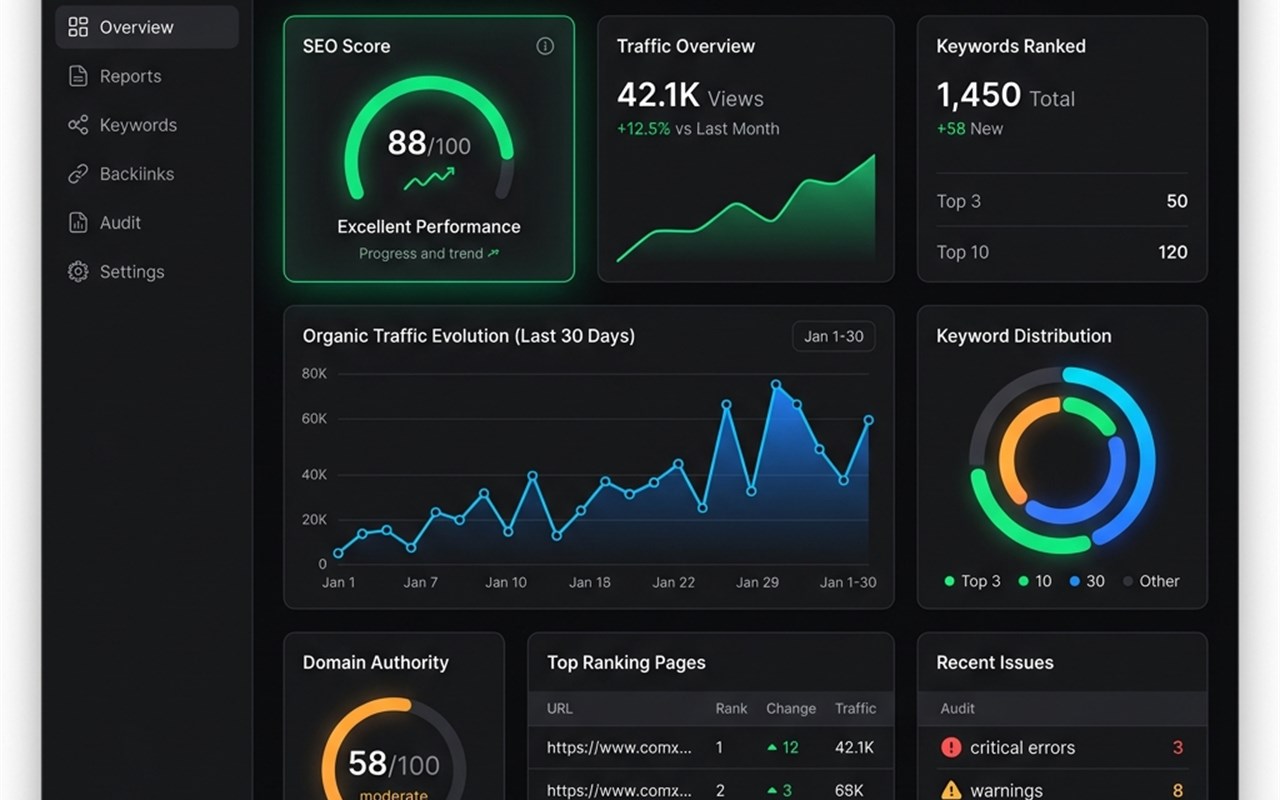
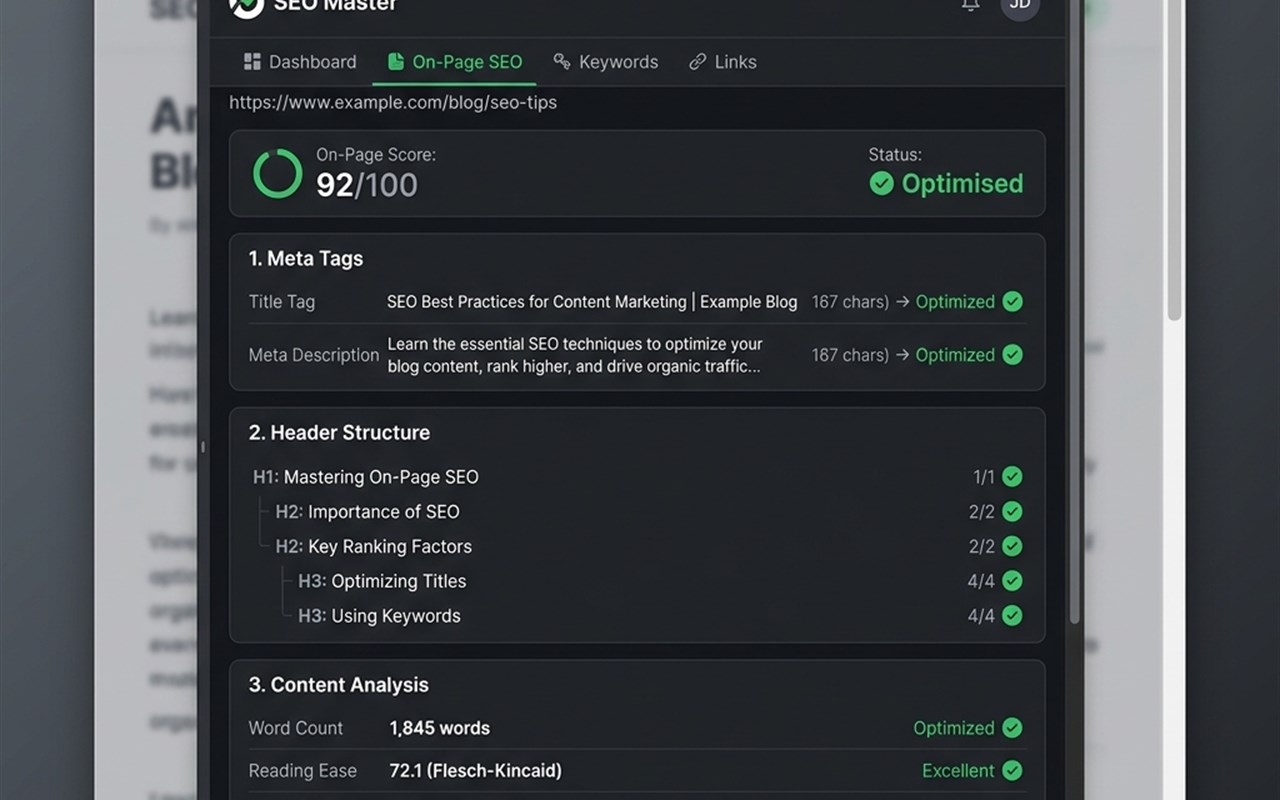
📊 1. Comprehensive On-Page SEO Analysis • Meta Tags Analyzer: Instantly view Title, Meta Description, Canonical URLs, and Meta Robots tags. Checks for optimal length and missing tags. • Header Tag Structure: Extracts all H1, H2, H3, H4, H5, and H6 tags to ensure your content is structured perfectly for search engine crawlers. • Keyword Density Checker: Analyzes the text on the page to identify your most frequently used keywords (1-word, 2-word, and 3-word phrases) to prevent keyword stuffing and ensure topical relevance. • Image Alt Text Auditor: Highlights images with missing Alt attributes so you never miss out on image search traffic. • Link Analyzer: Summarizes all internal and external links on the page, identifying broken links (404s) and proper anchor text usage.
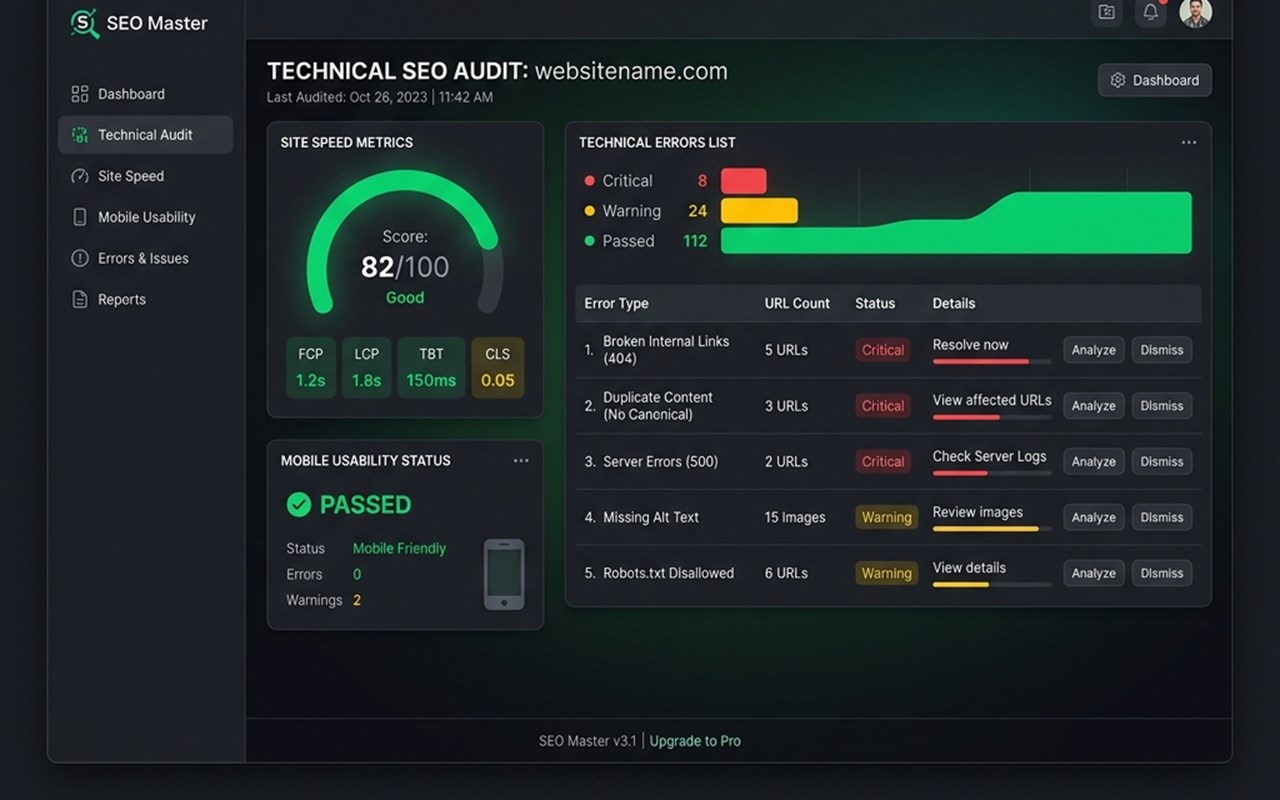
⚡ 2. Technical SEO & Performance Auditing • Core Web Vitals: Get real-time page speed metrics, including LCP (Largest Contentful Paint), CLS (Cumulative Layout Shift), and FID/INP to ensure lightning-fast user experiences. • Mobile Usability: Verify viewport meta tags and mobile-friendliness. • Structured Data (Schema Markup): Detects and validates JSON-LD and Microdata schema to help you secure rich snippets in search results. • Social Tags: Checks Open Graph (OG) and Twitter Card meta tags for optimal sharing on Facebook, X (Twitter), and LinkedIn.
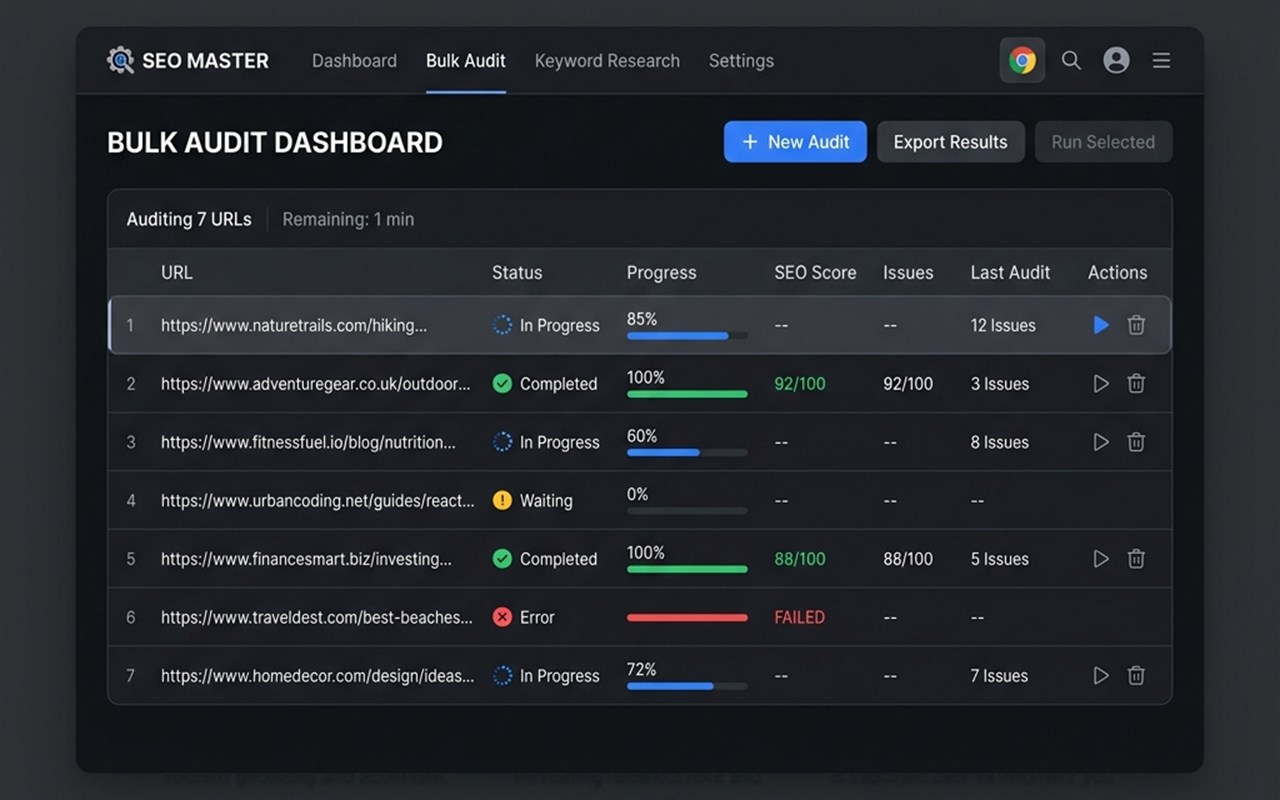
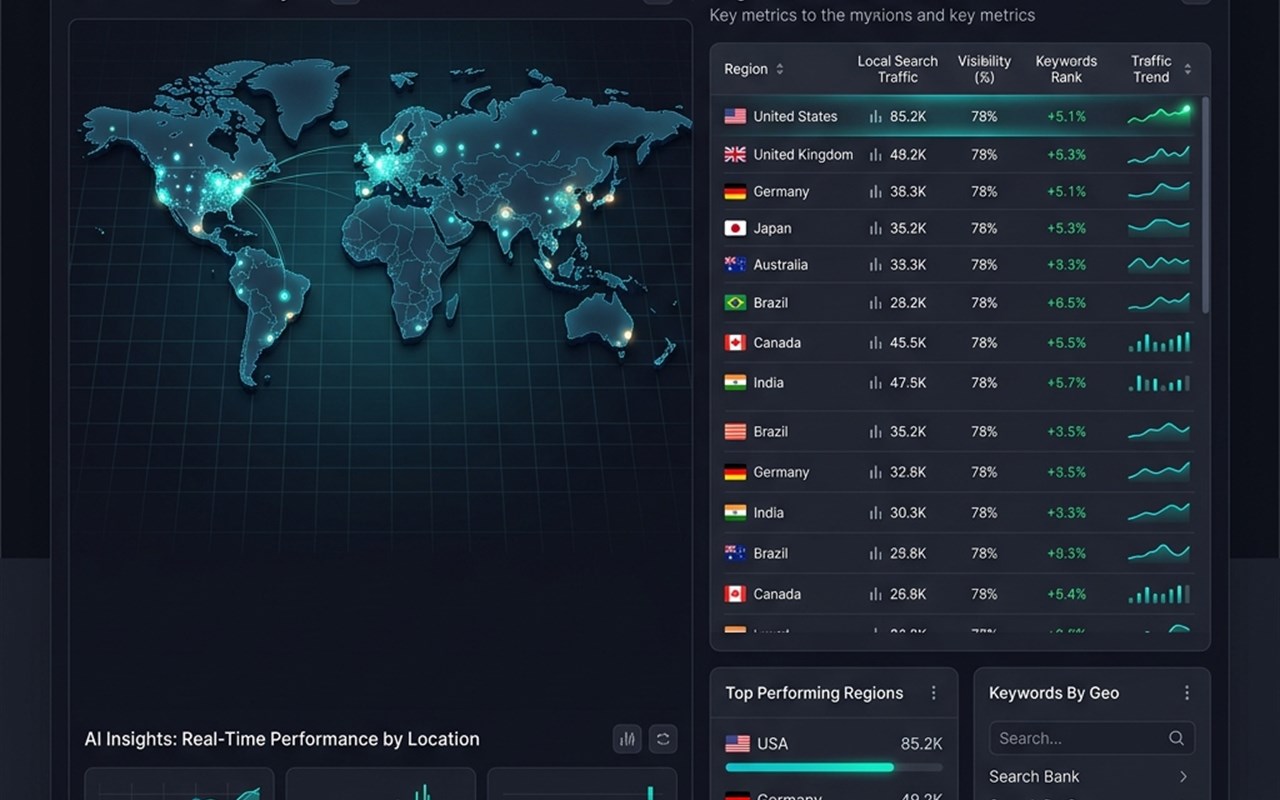
🚀 3. Advanced Bulk Auditing & Tools • Bulk URL Analyzer: Check the status codes, titles, and meta descriptions of multiple URLs at once without leaving your browser. • SERP Overlay: View hidden metrics directly on search engine results pages. • AI Geo-Location: Simulate search results from different countries and regions to track international SEO performance.
🎨 4. Beautiful, Dark-Mode Interface • Enjoy a sleek, modern, premium UI built right into the Edge side panel. • Export your SEO reports to CSV or PDF with a single click to share with clients or your team.
🎯 Why Choose SEO Master for Microsoft Edge? Unlike other heavy, bloated extensions, SEO Master is lightweight, blazingly fast, and respects your privacy. We do not require you to create an account, log in, or pay for premium subscriptions to access our core features. Your data stays local!
Stop guessing and start optimizing. Add SEO Master to Microsoft Edge today and take control of your website's search engine visibility, organic traffic, and technical health!
SEO Master: Website Audit & SEO Analyzer 是做什么的
SEO Master: Website Audit & SEO Analyzer 是一款面向 Edge 的实用工具类扩展,主要用来解决浏览器里某类具体的小问题。官方对它的介绍是:Comprehensive SEO extension for on-page audits, Core Web Vitals, and SERP checks. The best free SEO tool for your browser.在微软 Edge 加载项商店上,它当前版本 1.0.0,约 64 名用户。
适合什么人用
从功能定位看,SEO Master: Website Audit & SEO Analyzer 更适合想补上浏览器原生缺失功能的用户。如果你平时只是偶尔遇到相关需求,用浏览器自带功能也能凑合;但如果这件事每天都发生,装一个专门处理它的扩展通常比手动操作省事得多。
怎么安装 SEO Master: Website Audit & SEO Analyzer
- 打开微软 Edge 加载项商店上的官方页面;
- 点「添加到浏览器」并确认权限提示;
- 装好后在扩展列表里固定图标,方便随时开关。
本站只做索引与介绍,安装包来自官方商店。如果商店页面提示当前地区不可用,说明该扩展未在你所在区域上架。
常见问题
SEO Master: Website Audit & SEO Analyzer 是免费的吗?
SEO Master: Website Audit & SEO Analyzer 在微软 Edge 加载项商店免费提供下载。它是浏览器扩展,装上就能直接用,不需要注册账号。
SEO Master: Website Audit & SEO Analyzer 安全吗?
它只申请了 0 项权限,范围比较克制,没有申请「读取所有网站数据」这种大权限。
SEO Master: Website Audit & SEO Analyzer 支持哪些浏览器?
当前收录的版本来自微软 Edge 加载项商店,适用于 Edge。同一个扩展在其他商店可能有对应版本,但功能与版本号不一定相同。
怎么卸载 SEO Master: Website Audit & SEO Analyzer?
在扩展管理页找到 SEO Master: Website Audit & SEO Analyzer,点移除即可。它在本地保存的设置会一起清掉,不会残留数据。
权限清单 来自 manifest.json 原文
接口权限 5
activeTabscriptingsidePanelstoragetabs