
SEO Checker EN
Axeman Technology Solutions LLP · EEdge MV3
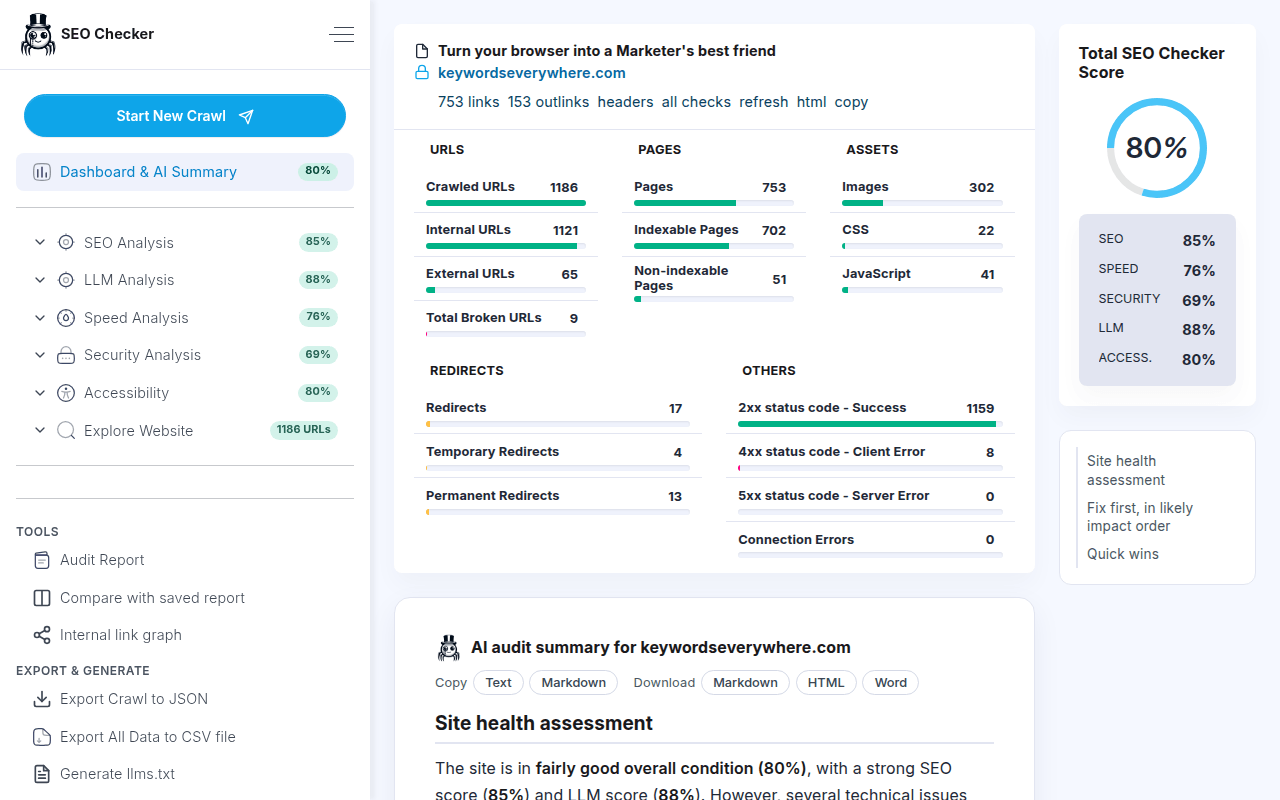
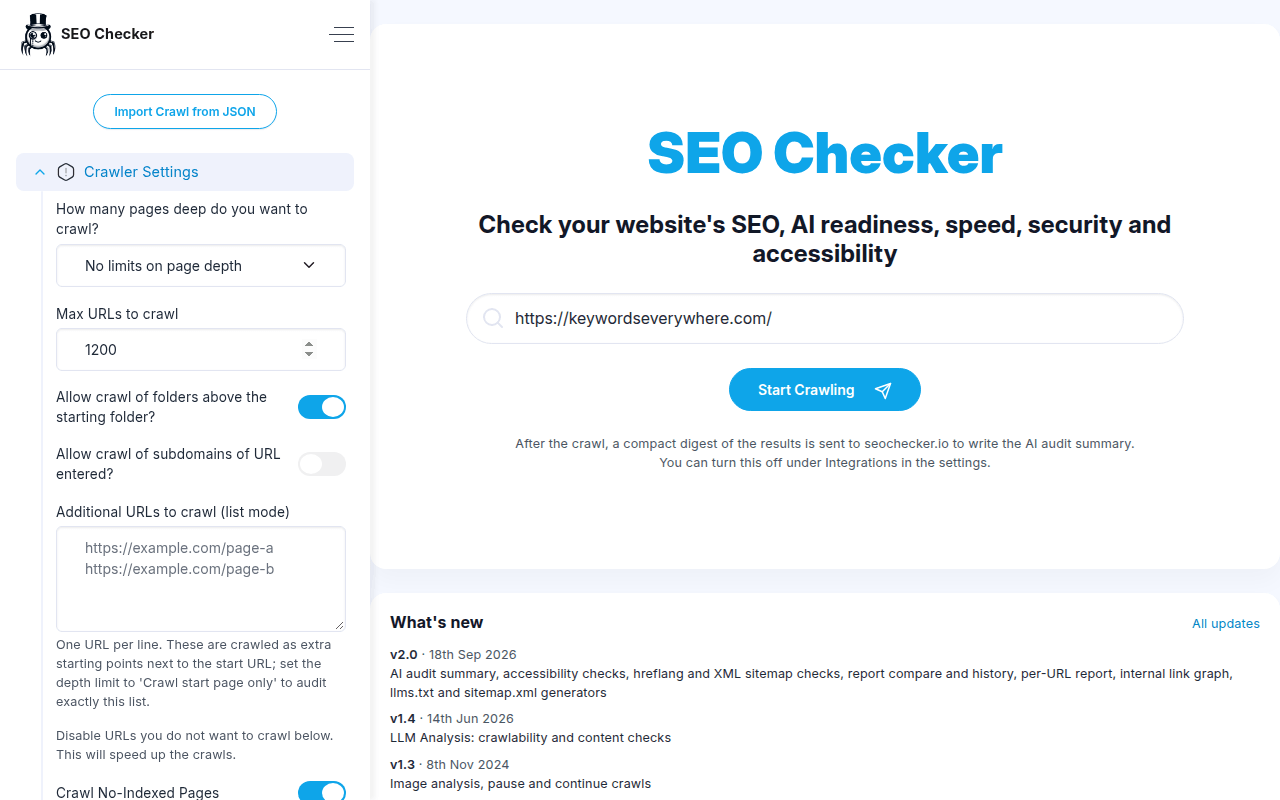
Crawl any website and audit its SEO, AI readiness, speed, security and accessibility, with an AI summary of what to fix first.
<all_urls>),意味着它可以读取你在任意站点的页面内容,包括已登录的页面。这是许多扩展正常工作的必要条件,但也值得你确认来源可信。
截图
简介
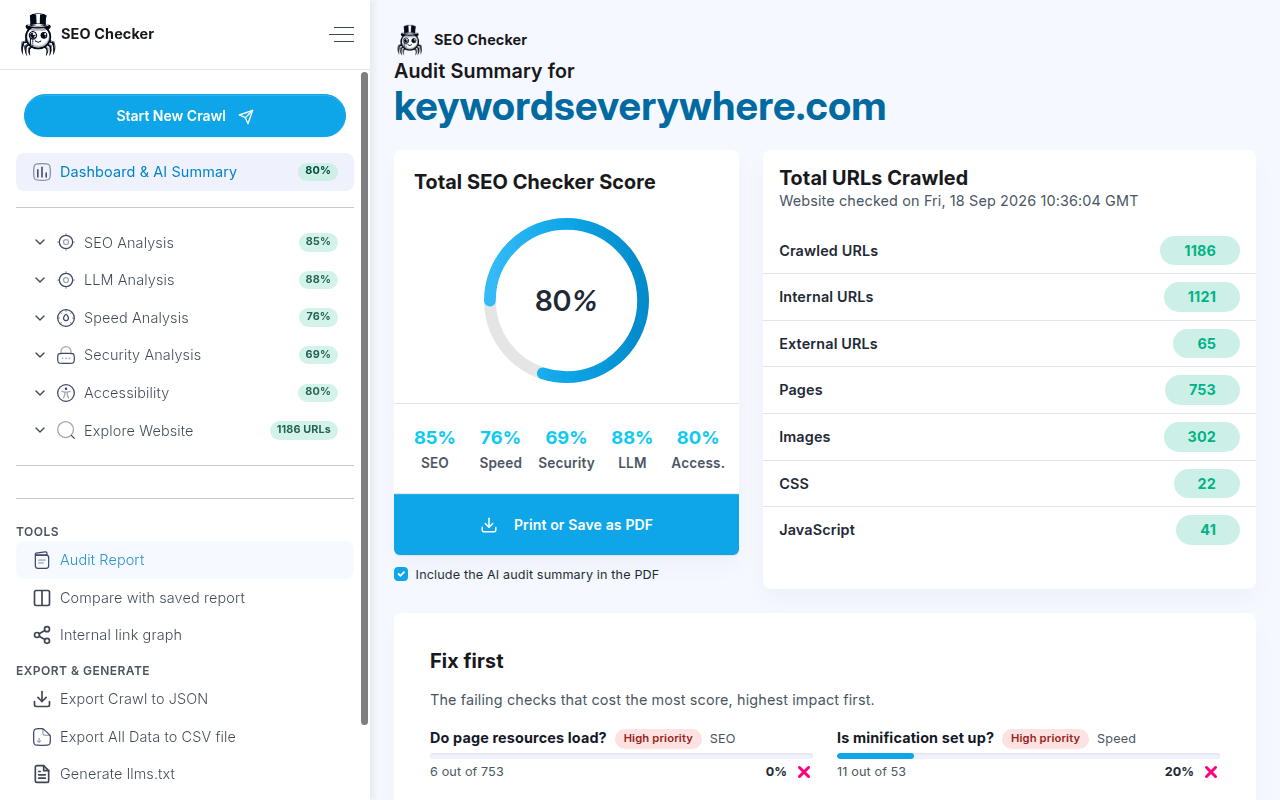
SEO Checker is an easy to use browser extension that audits your website's SEO, page speed, security, accessibility and AI readability. It crawls thousands of pages, scores each one against 87 checks and tells you in plain language what to fix and how.
New in version 2.0:
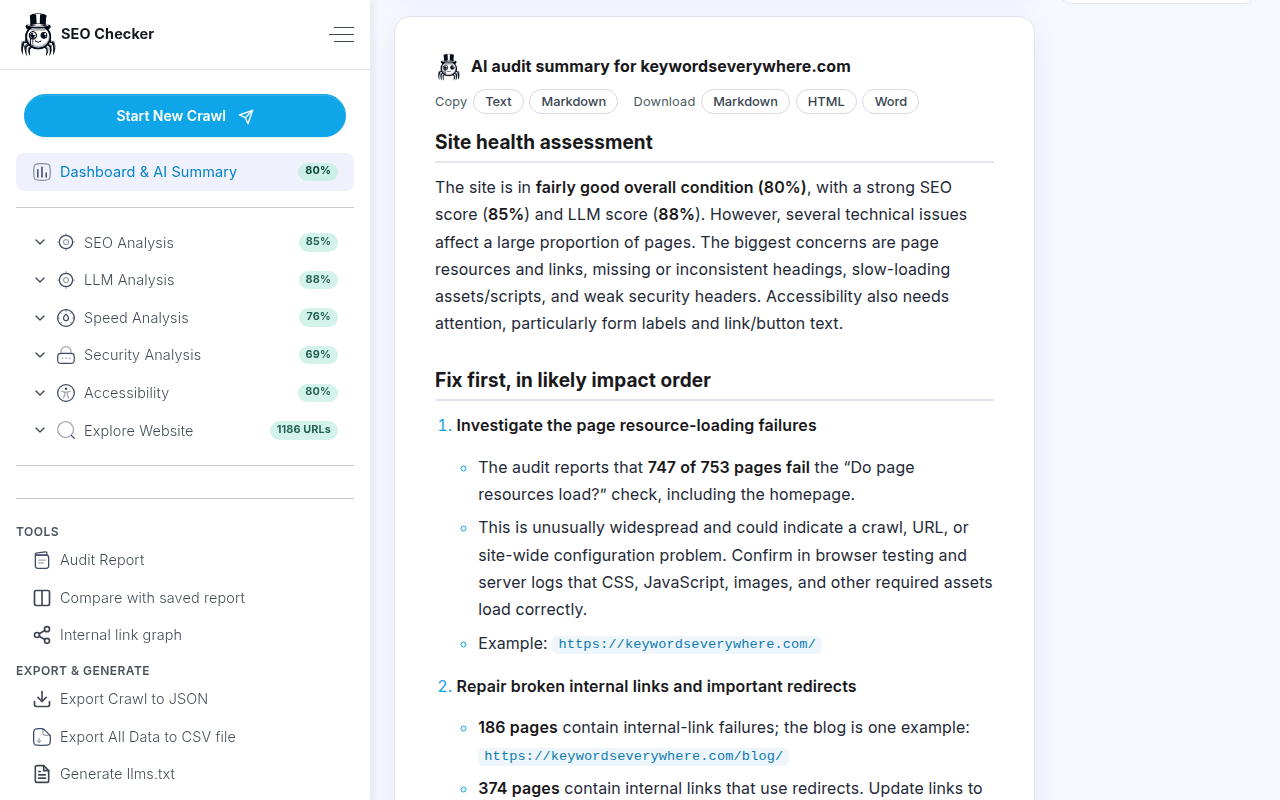
- AI audit summary: after every crawl the dashboard shows a short assessment of your site, the issues to fix first in order of impact, and the quick wins. No API key or account needed.
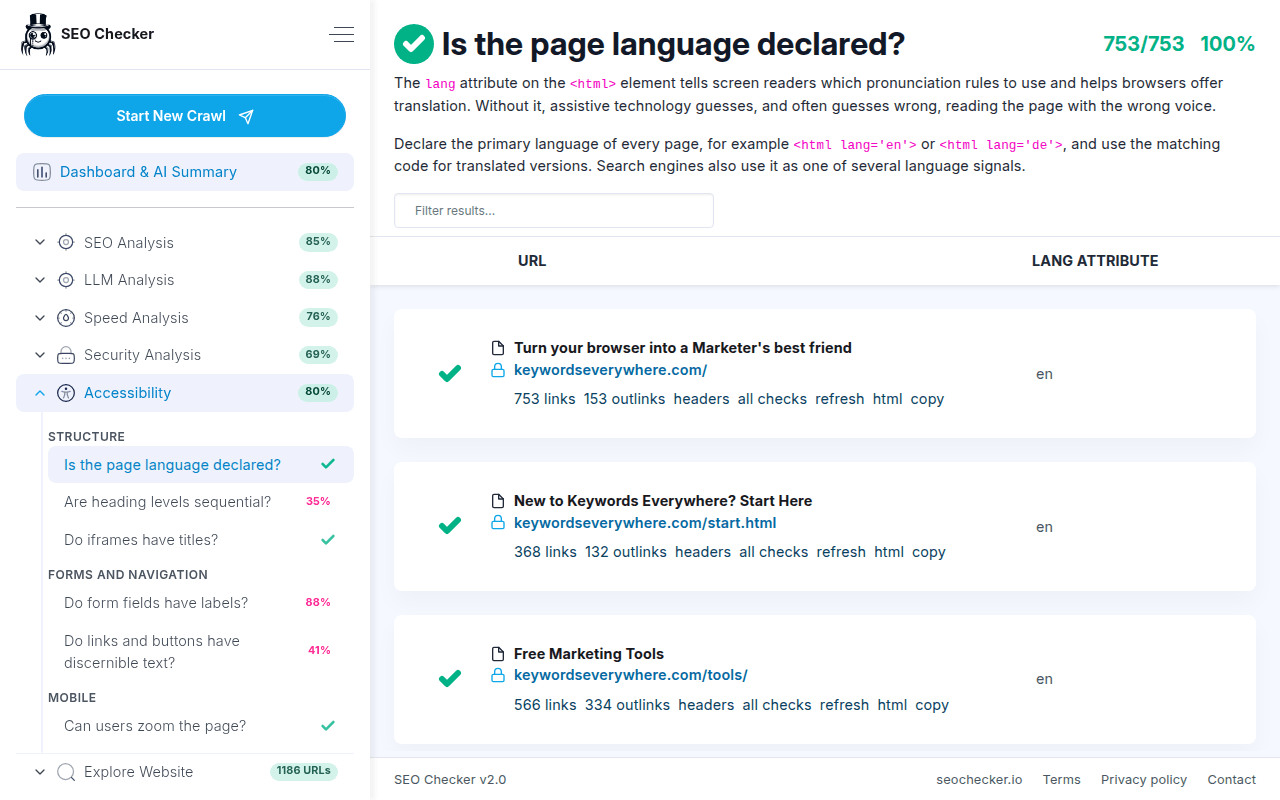
- Accessibility checks: page language, heading order, iframe titles, form labels, descriptive link text and page zoom.
- AI readability: is your content visible without JavaScript, does it carry structured data, are links plain HTML, is there an llms.txt file, and are AI crawlers allowed in.
- International SEO: hreflang validity, self-reference, x-default and reciprocity.
- XML sitemap: validity, orphan pages that only the sitemap links to, and indexable pages missing from it.
- More checks: favicon, Open Graph tags, Twitter card, broken in-page anchor links, server response time, and the Content-Security-Policy, Referrer-Policy and Permissions-Policy headers.
- Compare two audits to see which checks improved or regressed, page by page.
- Per-URL report with a Google search snippet preview, an internal link graph, and a search filter in every results table.
- Report history: your last 20 audits stay in the extension so you can reopen them any time.
- Generate an llms.txt or a sitemap.xml from the crawled pages.
- White-label PDF reports with your own name and logo, crawling behind basic authentication, URL list mode, and crawl settings remembered per domain.
What SEO Checker checks:
- Page titles and meta descriptions: too long, too short, missing or duplicated.
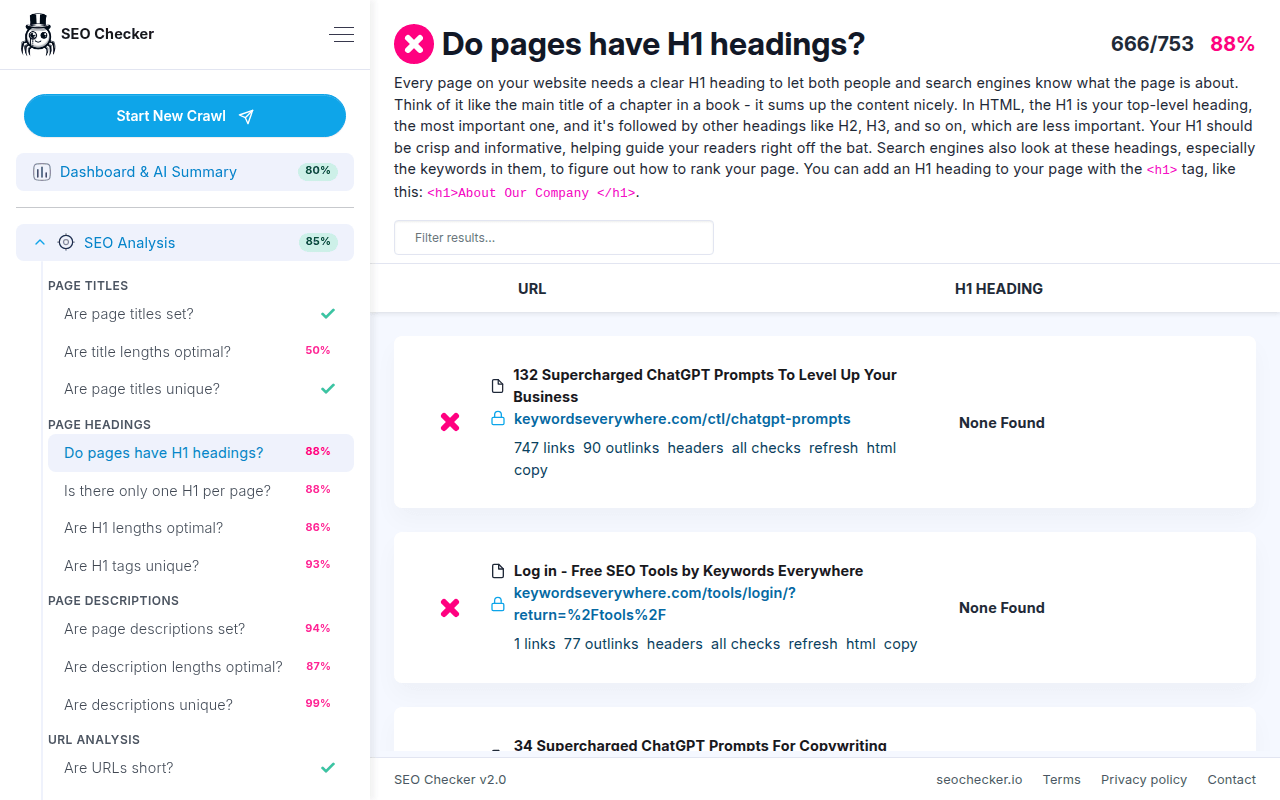
- Headings: one well-sized, unique H1 on every page.
- URLs: short, lowercase, without parameters, symbols, underscores or deep nesting.
- Content: duplicate or thin pages, image alt text, mobile scaling, canonical tags.
- Broken links and resources, 404 handling and server errors.
- Redirects: temporary and permanent redirects, chains and loops.
- Robots.txt presence and sitemap locations.
- Code validity of your HTML, CSS and JavaScript.
- Speed: compression, minification, inline code, render-blocking scripts, caching and cache lifetimes, duplicate resources, server response time.
- Security: HTTPS, HSTS, MIME types, content sniffing, clickjacking and XSS protection, hidden server information, modern security headers.
Export any audit to Excel or CSV, save the whole crawl to a file and load it again later, or print the audit report as a PDF. SEO Checker runs in your browser; only a compact summary of the audit results is sent to our server to produce the AI summary.
Information on updates to the extension can be found at https://seochecker.io/news
SEO Checker 是做什么的
SEO Checker 是一款面向 Edge 的实用工具类扩展,主要用来解决浏览器里某类具体的小问题。官方对它的介绍是:Crawl any website and audit its SEO, AI readiness, speed, security and accessibility, with an AI summary of what to fix first.在微软 Edge 加载项商店上,它当前版本 2.0,评分 5(1 人评价),约 1,087 名用户。
适合什么人用
从功能定位看,SEO Checker 更适合想补上浏览器原生缺失功能的用户。如果你平时只是偶尔遇到相关需求,用浏览器自带功能也能凑合;但如果这件事每天都发生,装一个专门处理它的扩展通常比手动操作省事得多。需要注意的是它作用于所有网站,装上后建议先观察一两天,确认不影响常用站点的正常使用。
怎么安装 SEO Checker
- 打开微软 Edge 加载项商店上的官方页面;
- 点「添加到浏览器」并确认权限提示;
- 装好后在扩展列表里固定图标,方便随时开关。
本站只做索引与介绍,安装包来自官方商店。如果商店页面提示当前地区不可用,说明该扩展未在你所在区域上架。
常见问题
SEO Checker 是免费的吗?
SEO Checker 在微软 Edge 加载项商店免费提供下载。它是浏览器扩展,装上就能直接用,不需要注册账号。
SEO Checker 安全吗?
它只申请了 0 项权限,范围比较克制,没有申请「读取所有网站数据」这种大权限。
SEO Checker 支持哪些浏览器?
当前收录的版本来自微软 Edge 加载项商店,适用于 Edge。同一个扩展在其他商店可能有对应版本,但功能与版本号不一定相同。
怎么卸载 SEO Checker?
在扩展管理页找到 SEO Checker,点移除即可。它在本地保存的设置会一起清掉,不会残留数据。
权限清单 来自 manifest.json 原文
站点访问(可选) 2
http://*/*https://*/*
接口权限 2
storagewebRequest