
Sentence Focus Reader EN
Pranjal Rai · EEdge MV3
Distraction-free sentence-by-sentence reading assistant with customizable underlines, highlights, and dimming.
截图
简介
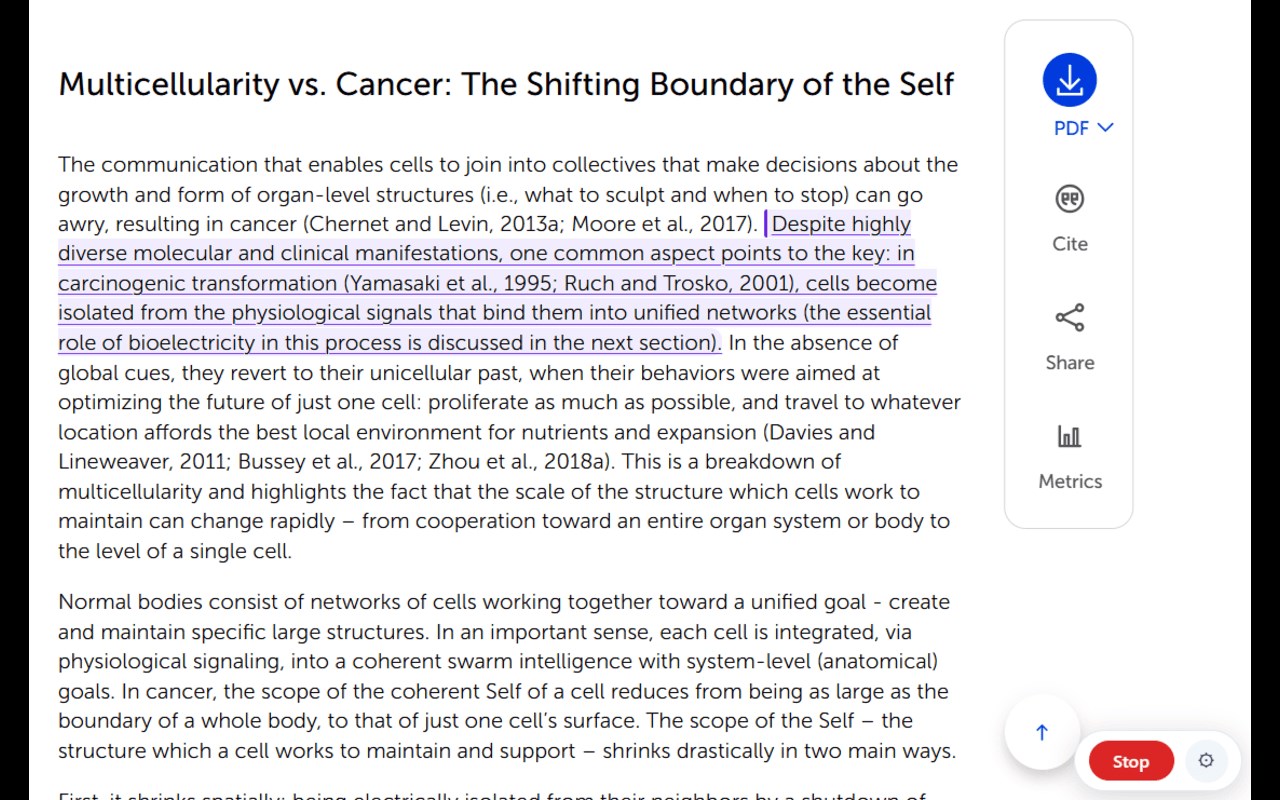
Read faster, retain more, and reduce cognitive fatigue with Sentence Focus Reader.
Sentence Focus Reader is a lightweight, distraction-free reading assistant designed for students, researchers, developers, and avid readers. By breaking long, dense articles into clean sentence units and anchoring your attention, it eliminates regressions (re-reading the same line twice) and prevents eye strain.
✨ KEY FEATURES:
🎯 Modular Visual Reading Guides
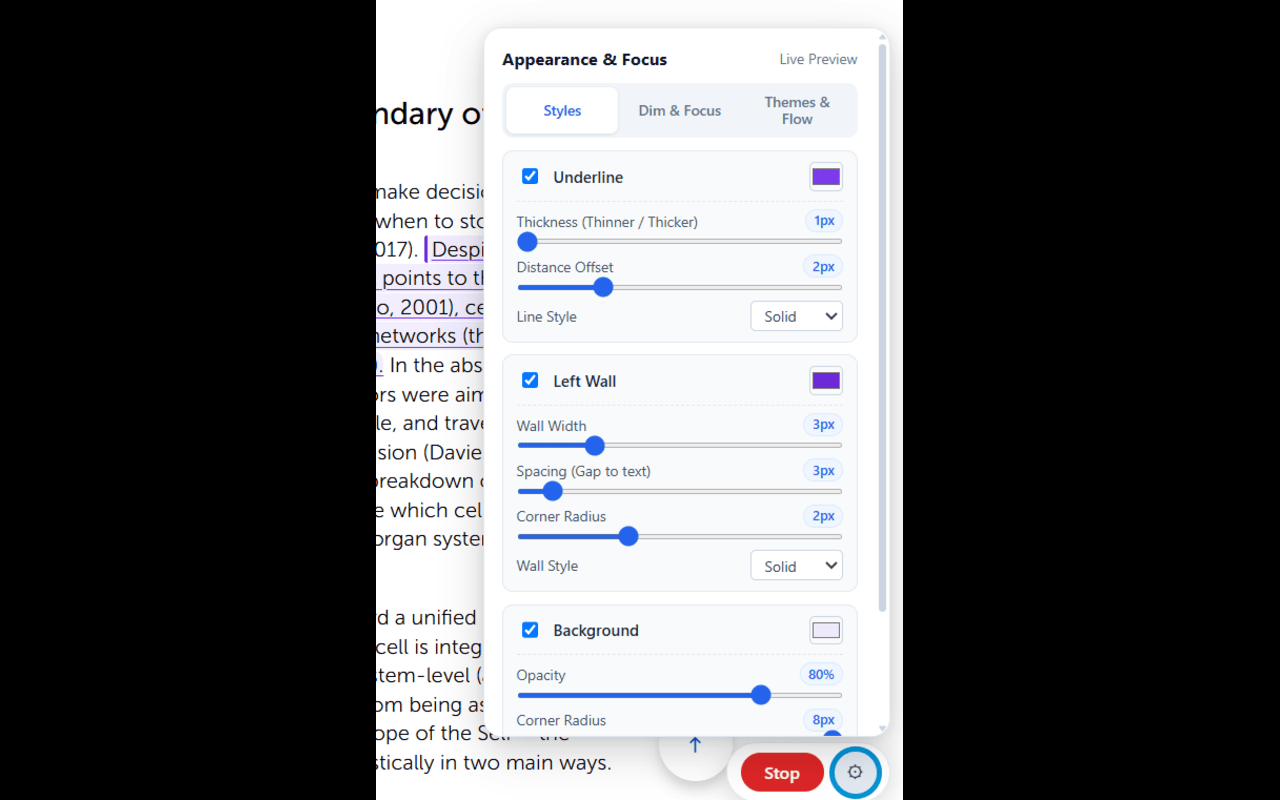
• Left-Wall Anchor: A vertical landmark at the start of each sentence to instantly re-orient your eyes.
• Customizable Underline: Choose line thickness (from 1px hairline to 6px), offset distance, and styles (solid, dashed, wavy, double).
• Soft Highlight: Warm, soothing background highlighting with adjustable opacity and rounded corners.
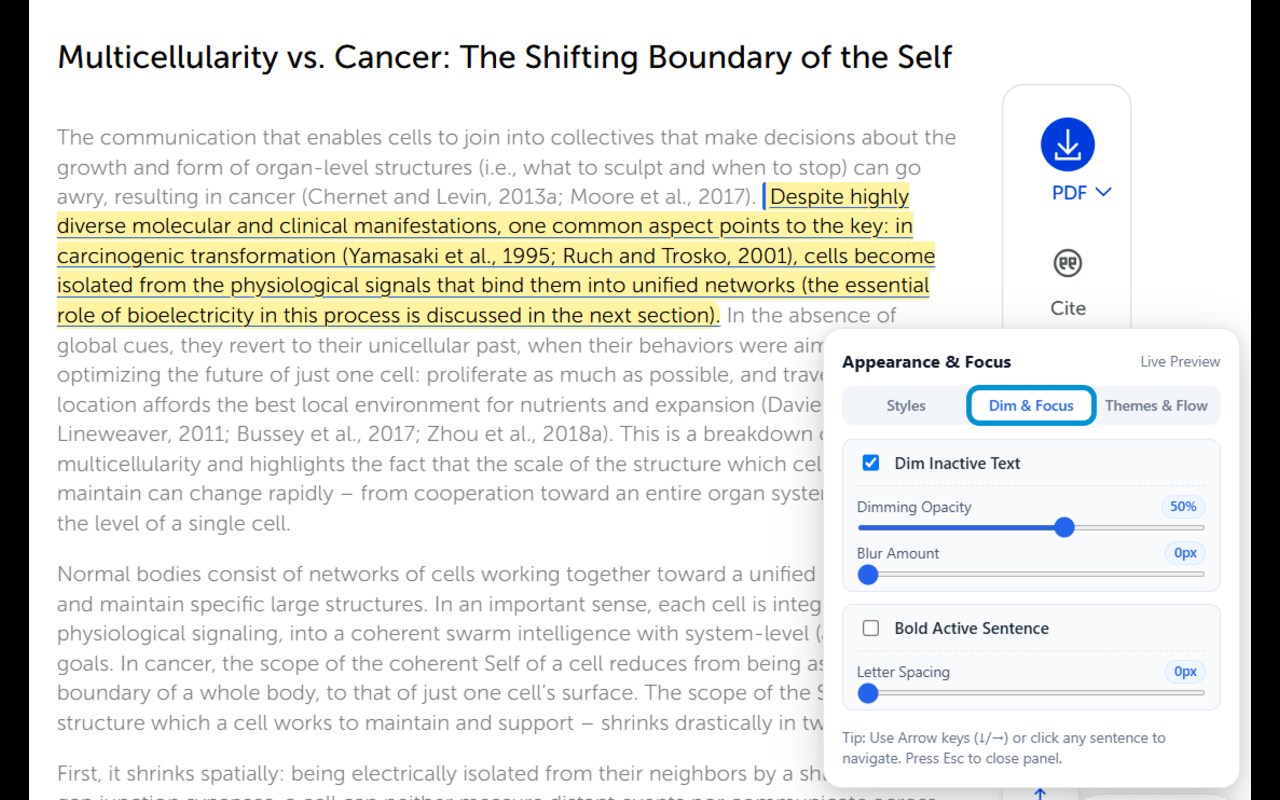
🌫️ Customizable Background Dimming
• Dim surrounding inactive text to eliminate visual noise.
• Fully adjustable opacity slider (5% to 80%) and optional blur strength.
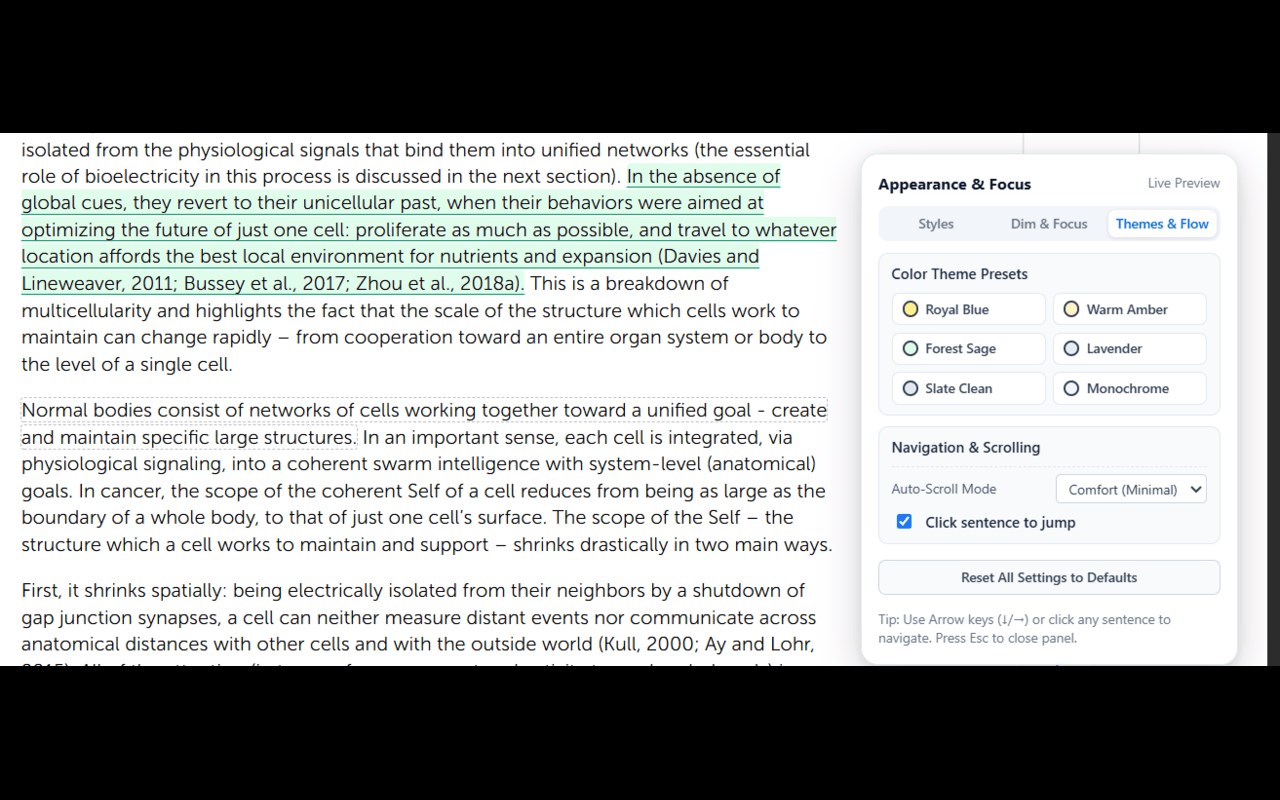
🎨 1-Click Aesthetic Presets
• Royal Blue & Butter (High focus, classic editorial look)
• Warm Amber & Parchment (Zero blue-light fatigue, Kindle-style)
• Forest Sage & Mint (Calming, natural reading flow)
• Lavender Twilight (Gentle contrast)
• Monochromatic Slate & Clean Minimalist
⚡ Effortless Navigation
• Keyboard shortcuts: Use Arrow Down / Arrow Right to advance, Arrow Up / Arrow Left to go back.
• Click-to-Jump: Click any sentence on the page to start reading right from where you clicked.
• Zero Scroll Disruption: Starting the reader never resets your scroll position or jumps to the top of the article.
• Smart Comfort-Zone Scrolling: The page only scrolls smoothly when you approach the screen edges.
🔒 Privacy First
• 100% Client-Side: Works completely offline on your device.
• Zero Tracking: No analytics, no telemetry, no network calls. Your reading habits remain strictly private.
Sentence Focus Reader 是做什么的
Sentence Focus Reader 是一款面向 Edge 的实用工具类扩展,主要用来解决浏览器里某类具体的小问题。官方对它的介绍是:Distraction-free sentence-by-sentence reading assistant with customizable underlines, highlights, and dimming.在微软 Edge 加载项商店上,它当前版本 2.3.0,评分 5(1 人评价),约 2 名用户。
适合什么人用
从功能定位看,Sentence Focus Reader 更适合想补上浏览器原生缺失功能的用户。如果你平时只是偶尔遇到相关需求,用浏览器自带功能也能凑合;但如果这件事每天都发生,装一个专门处理它的扩展通常比手动操作省事得多。
怎么安装 Sentence Focus Reader
- 打开微软 Edge 加载项商店上的官方页面;
- 点「添加到浏览器」并确认权限提示;
- 装好后在扩展列表里固定图标,方便随时开关。
本站只做索引与介绍,安装包来自官方商店。如果商店页面提示当前地区不可用,说明该扩展未在你所在区域上架。
常见问题
Sentence Focus Reader 是免费的吗?
Sentence Focus Reader 在微软 Edge 加载项商店免费提供下载。它是浏览器扩展,装上就能直接用,不需要注册账号。
Sentence Focus Reader 安全吗?
它只申请了 0 项权限,范围比较克制,没有申请「读取所有网站数据」这种大权限。
Sentence Focus Reader 支持哪些浏览器?
当前收录的版本来自微软 Edge 加载项商店,适用于 Edge。同一个扩展在其他商店可能有对应版本,但功能与版本号不一定相同。
怎么卸载 Sentence Focus Reader?
在扩展管理页找到 Sentence Focus Reader,点移除即可。它在本地保存的设置会一起清掉,不会残留数据。
权限清单 来自 manifest.json 原文
接口权限 2
activeTabstorage