
SecurePass Pro - Password Manager EN
Ave Netvs · EEdge MV3
Secure password generator and manager with advanced features. Generate strong passwords, store securely, and autofill with ease.
截图
简介
SecurePass Pro is a powerful, free, and open-source password manager that helps you create ultra-secure passwords and manage them safely. All features are completely free with no limitations!
🔐 KEY FEATURES
Password Generator
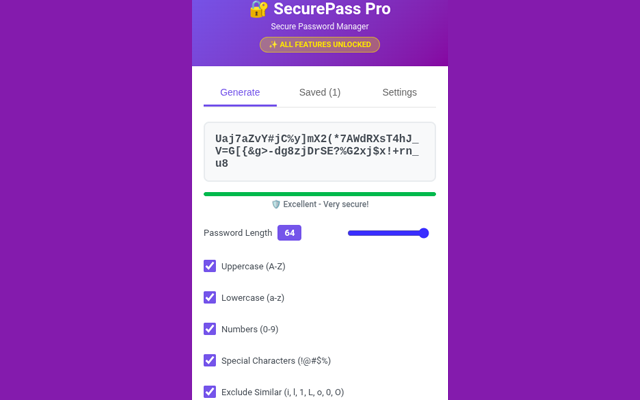
Generate passwords up to 64 characters long
Customize with uppercase, lowercase, numbers, and special characters
Exclude similar characters (i, l, 1, L, o, 0, O) for better readability
Real-time password strength analyzer
One-click copy to clipboard
Secure Storage
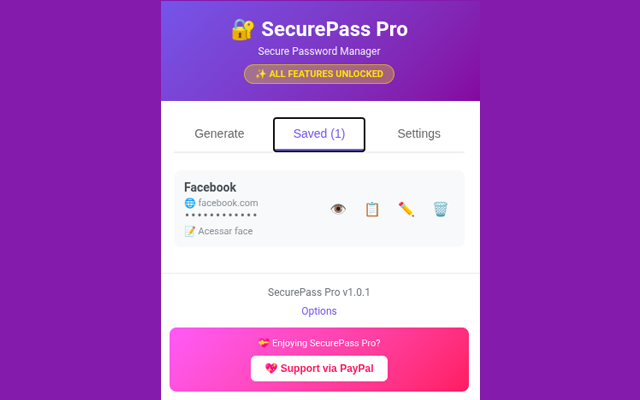
Store unlimited passwords locally in your browser
All data stored securely using Edge's built-in encryption
Additional fields for website URLs and notes
Quick search and easy organization
Edit passwords anytime
Security Features
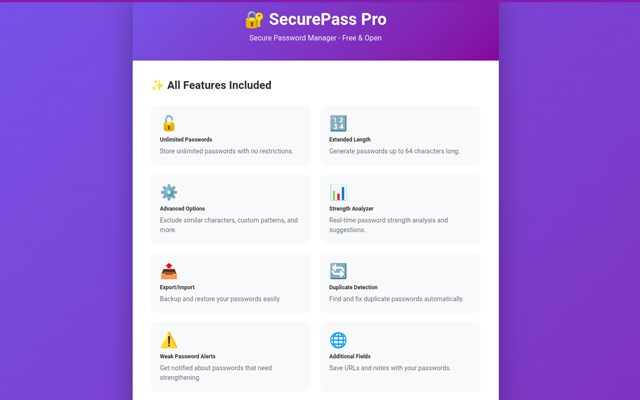
Duplicate password detection
Weak password alerts with detailed analysis
Password strength scoring system
Security recommendations
No data sent to external servers
Backup & Restore
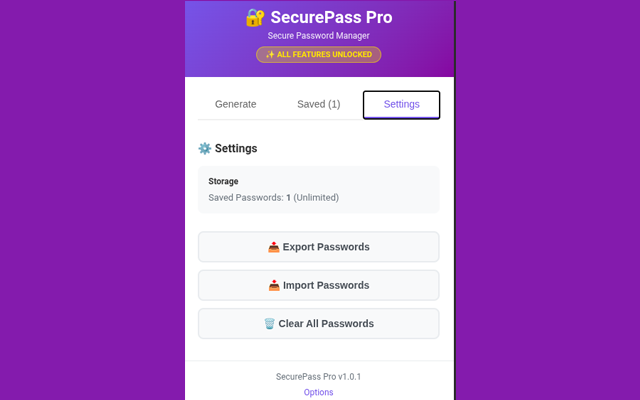
Export all passwords to JSON format
Import from backup files
Easy migration between devices
Complete data portability
Privacy First
100% local storage - your passwords never leave your device
No tracking, no analytics, no data collection
Open-source and transparent
No account registration required
✨ WHY CHOOSE SECUREPASS PRO?
Completely Free
All features are available to everyone at no cost. No premium tiers, no subscriptions, no hidden fees.
User-Friendly Interface
Clean, modern design with intuitive controls. Generate and manage passwords in seconds.
Secure by Design
Uses cryptographically secure random number generation for maximum password strength.
Lightweight & Fast
Minimal resource usage with instant password generation and quick access to your vault.
No Internet Required
Works completely offline after installation. Your passwords stay on your device.
🎯 PERFECT FOR
Individuals who want to improve their online security
Users tired of weak, reused passwords
Privacy-conscious people who want local-only storage
Anyone looking for a simple, powerful password solution
Teams and families who need secure password management
🚀 HOW IT WORKS
Generate: Click the extension icon and customize your password settings
Save: Store generated passwords with titles, URLs, and notes
Use: Copy passwords with one click when you need them
Manage: View all saved passwords, edit details, or export backups
🔒 SECURITY & PRIVACY
Your security is our top priority. SecurePass Pro:
Stores all data locally using Edge's secure storage API
Never transmits your passwords over the internet
Uses industry-standard encryption
Provides transparent, open-source code
Includes no third-party tracking or analytics
💝 SUPPORT THE PROJECT
SecurePass Pro is completely free and open-source. If you find it useful and want to support continued development and improvements, consider supporting via PayPal. Your contribution helps keep this project alive and free for everyone.
📋 PERMISSIONS EXPLAINED
Storage: To save your passwords locally in your browser
Active Tab: To access the current page for context menu features
Clipboard Write: To copy passwords to clipboard
Notifications: To show success messages and alerts
🔄 REGULAR UPDATES
We're committed to keeping SecurePass Pro secure, stable, and feature-rich. Expect regular updates with improvements and new features.
Download SecurePass Pro today and take control of your online security!
🔐 Generate Strong Passwords • 💾 Store Securely • 🚀 Manage Easily • 💯 Completely Free
SecurePass Pro - Password Manager 是做什么的
SecurePass Pro - Password Manager 是一款面向 Edge 的效率工具类扩展,主要用来管住注意力、屏蔽干扰站点、记录时间。官方对它的介绍是:Secure password generator and manager with advanced features. Generate strong passwords, store securely, and autofill with ease.在微软 Edge 加载项商店上,它当前版本 1.0.1。
适合什么人用
从功能定位看,SecurePass Pro - Password Manager 更适合想专注工作学习、减少无效刷网页的用户。如果你平时只是偶尔遇到相关需求,用浏览器自带功能也能凑合;但如果这件事每天都发生,装一个专门处理它的扩展通常比手动操作省事得多。
怎么安装 SecurePass Pro - Password Manager
- 打开微软 Edge 加载项商店上的官方页面;
- 点「添加到浏览器」并确认权限提示;
- 装好后在扩展列表里固定图标,方便随时开关。
本站只做索引与介绍,安装包来自官方商店。如果商店页面提示当前地区不可用,说明该扩展未在你所在区域上架。
常见问题
SecurePass Pro - Password Manager 是免费的吗?
SecurePass Pro - Password Manager 在微软 Edge 加载项商店免费提供下载。它是浏览器扩展,装上就能直接用,不需要注册账号。
SecurePass Pro - Password Manager 安全吗?
它只申请了 0 项权限,范围比较克制,没有申请「读取所有网站数据」这种大权限。
SecurePass Pro - Password Manager 支持哪些浏览器?
当前收录的版本来自微软 Edge 加载项商店,适用于 Edge。同一个扩展在其他商店可能有对应版本,但功能与版本号不一定相同。
怎么卸载 SecurePass Pro - Password Manager?
在扩展管理页找到 SecurePass Pro - Password Manager,点移除即可。它在本地保存的设置会一起清掉,不会残留数据。
权限清单 来自 manifest.json 原文
接口权限 4
activeTabclipboardWritenotificationsstorage