
SearchLens for YouTube EN
Eric_Dev · EEdge MV3
Advanced YouTube search controls for custom dates, strict matching, duration, views, channels, and cleaner results.
截图
简介
SearchLens for YouTube – Advanced YouTube Search & Filters
SearchLens for YouTube gives you more control over YouTube search with advanced filters for custom dates, keywords, titles, channels, video duration, view counts, and cleaner search results.
YouTube’s built-in search filters are useful, but they can be limiting when you need to find a specific video, search within an exact time period, discover older content, remove Shorts, or narrow down noisy results. SearchLens adds a dedicated advanced search panel directly to YouTube so you can refine searches with greater precision.
ADVANCED YOUTUBE SEARCH
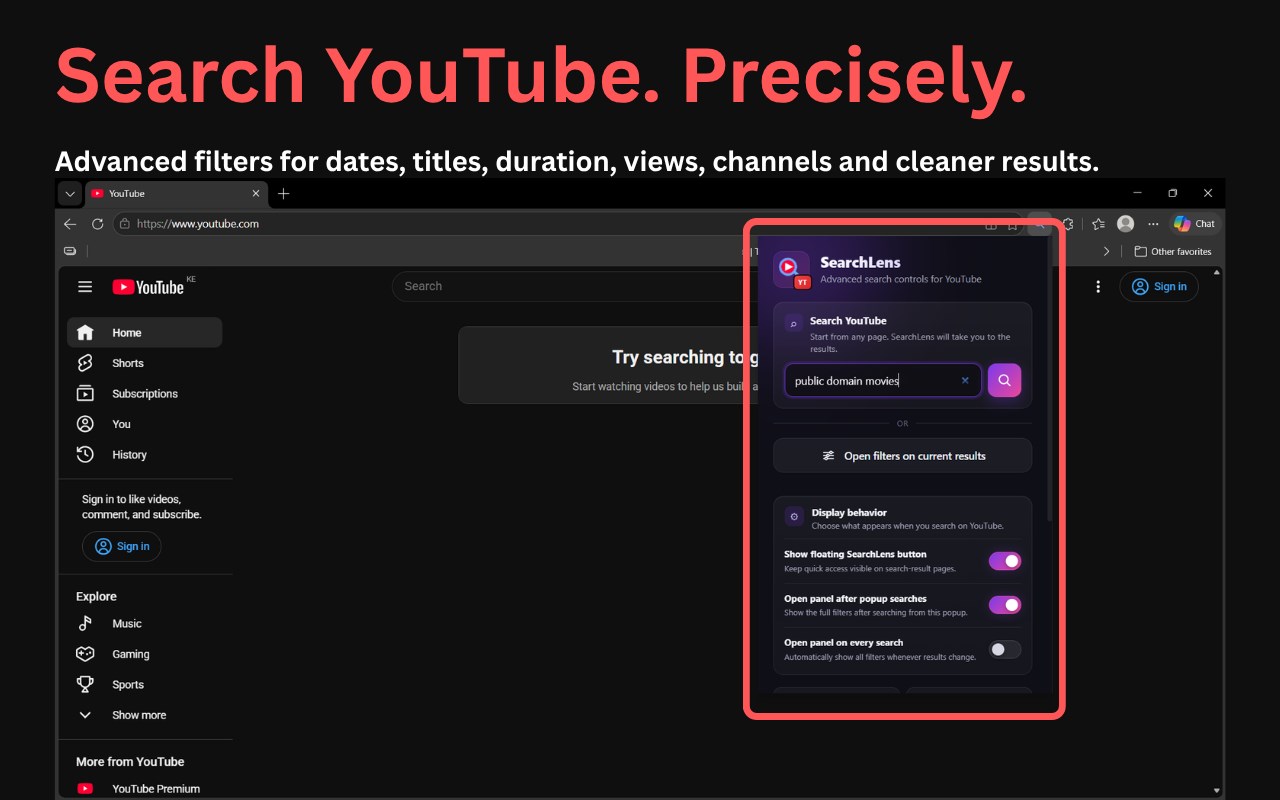
Start a YouTube search directly from the SearchLens extension popup or open the advanced filter panel on an existing YouTube search-results page.
SearchLens includes:
• Custom From and To date ranges
• Search by year, month, or exact date
• Built-in calendar and year picker
• Strict keyword matching
• Exact phrase matching in video titles
• Exclude unwanted words
• Include or exclude specific channels
• Minimum and maximum video duration
• Minimum and maximum view counts
• Advanced result sorting
• YouTube search-result cleanup controls
CUSTOM DATE RANGE SEARCH
Go beyond broad YouTube upload-date filters such as “This week” or “This year.”
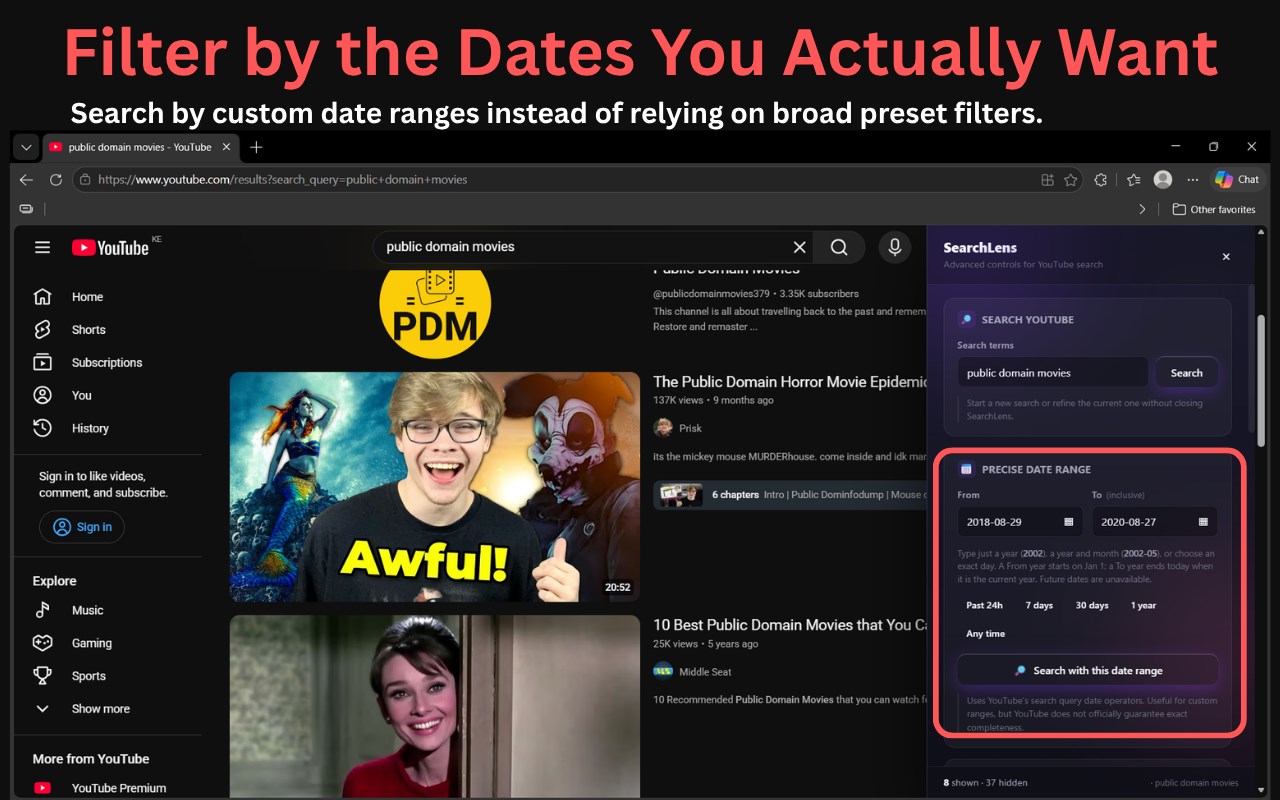
SearchLens lets you search using a year, a year and month, an exact date, or a custom From and To date range.
Examples:
2020
2020-06
2020-06-15
Quick date options are also available for:
• Past 24 hours
• Past 7 days
• Past 30 days
• Past year
• Any time
The built-in calendar includes fast month and year navigation, making it practical to search for videos uploaded many years ago.
KEYWORD AND TITLE FILTERS
Improve YouTube search relevance with more precise text controls.
You can:
• Require all specified words
• Require an exact phrase in the video title
• Exclude unwanted words
• Show only titles containing every word from your search query
These controls are useful when YouTube returns videos that are only loosely related to what you searched for.
CHANNEL FILTERS
SearchLens lets you narrow results using channel information.
You can:
• Show only channels containing a specified name or keyword
• Exclude channels containing selected words
This is useful for researching particular creators, avoiding clip channels, or focusing on specific sources.
FILTER YOUTUBE VIDEOS BY DURATION
YouTube’s standard duration filters can be too broad.
SearchLens lets you set your own minimum and maximum video duration. For example, you can search specifically for videos between 20 and 60 minutes.
FILTER YOUTUBE VIDEOS BY VIEWS
Set minimum and maximum view-count limits to control the popularity range of your results.
This can help you:
• Discover smaller YouTube channels
• Find lower-view videos
• Focus on popular content
• Avoid extremely high-view mainstream results
• Narrow research to a particular audience size
CLEANER YOUTUBE SEARCH RESULTS
SearchLens includes controls for reducing clutter in YouTube search.
You can hide:
• YouTube Shorts
• Shorts shelves
• Recommendation shelves and interruptions
• Playlists
• Mixes
• Channel cards
• Live streams
• Watched or previously clicked videos
A Focused Search Layout option can also simplify the page by hiding additional elements such as the sidebar, filter chips, video descriptions, result menus, promotions, and other distractions.
SORT YOUTUBE SEARCH RESULTS
SearchLens can reorganize currently loaded matching videos using:
• Original YouTube order
• Newest shown first
• Most views first
• Fewest views first
• Longest videos first
• Shortest videos first
Sorting applies to results already loaded by YouTube. Scroll down to load more videos and SearchLens will continue applying your selected filters.
FLOATING SEARCHLENS LAUNCHER
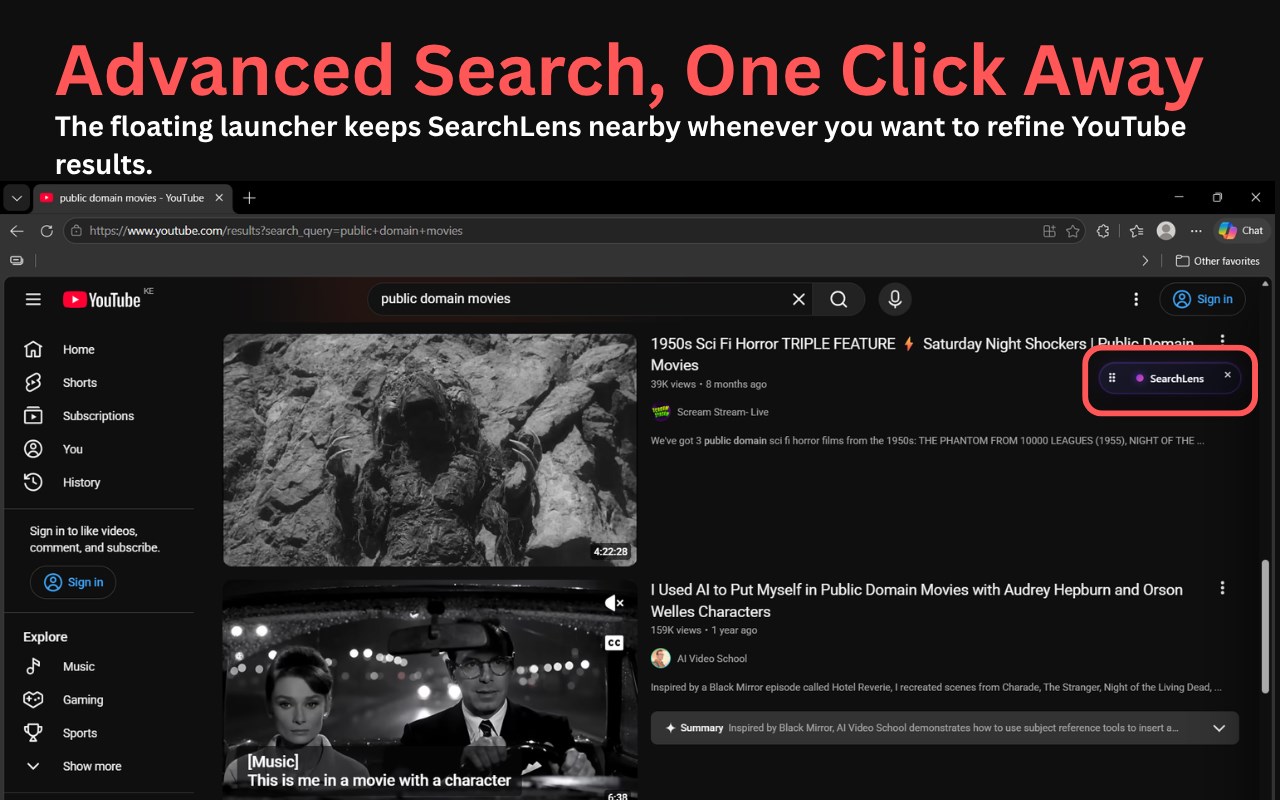
A compact floating SearchLens button appears on YouTube search-result pages for quick access to advanced filters.
The launcher can be dragged to a convenient position or hidden when you do not need it.
SearchLens also lets you choose how the interface behaves:
• Show or hide the floating SearchLens button
• Open the full filter panel after searches started from SearchLens
• Open the full panel automatically on every YouTube search
This lets you keep SearchLens unobtrusive or make its advanced filters immediately available.
SEARCH YOUTUBE DIRECTLY FROM THE EXTENSION
You do not need to visit YouTube and perform a search first.
Open SearchLens from the Microsoft Edge toolbar, enter your search term, and go directly to YouTube search results. From there, you can use the advanced filters whenever you need more precise results.
USEFUL FOR
SearchLens can be especially useful for:
• Advanced YouTube search
• Searching YouTube by date
• Searching YouTube by year
• Finding old YouTube videos
• Custom YouTube date-range searches
• YouTube research
• Finding long-form videos
• Discovering smaller YouTube channels
• Filtering YouTube by views
• Filtering YouTube by duration
• Removing Shorts from search results
• Finding tutorials and guides
• Researching documentaries and reviews
• Narrowing broad or noisy YouTube searches
• Finding videos with specific words in their titles
IMPORTANT NOTES
Some SearchLens features filter or reorganize search results that YouTube has already returned and loaded on the page. SearchLens cannot force YouTube to return videos that are absent from YouTube’s own search results.
Custom date searches use YouTube search query operators. Their behavior and completeness are controlled by YouTube and may change over time.
SearchLens for YouTube is an independent browser extension and is not affiliated with, endorsed by, or sponsored by YouTube, Google, or Microsoft.
YouTube is a trademark of Google LLC.
SearchLens for YouTube 是做什么的
SearchLens for YouTube 是一款面向 Edge 的搜索增强类扩展,主要用来补充搜索结果、切换搜索引擎、过滤无效结果。官方对它的介绍是:Advanced YouTube search controls for custom dates, strict matching, duration, views, channels, and cleaner results.在微软 Edge 加载项商店上,它当前版本 1.2.30,约 22 名用户。
适合什么人用
从功能定位看,SearchLens for YouTube 更适合每天大量搜索、希望结果更干净准确的用户。如果你平时只是偶尔遇到相关需求,用浏览器自带功能也能凑合;但如果这件事每天都发生,装一个专门处理它的扩展通常比手动操作省事得多。
怎么安装 SearchLens for YouTube
- 打开微软 Edge 加载项商店上的官方页面;
- 点「添加到浏览器」并确认权限提示;
- 装好后在扩展列表里固定图标,方便随时开关。
本站只做索引与介绍,安装包来自官方商店。如果商店页面提示当前地区不可用,说明该扩展未在你所在区域上架。
常见问题
SearchLens for YouTube 是免费的吗?
SearchLens for YouTube 在微软 Edge 加载项商店免费提供下载。它是浏览器扩展,装上就能直接用,不需要注册账号。
SearchLens for YouTube 安全吗?
它只申请了 0 项权限,范围比较克制,没有申请「读取所有网站数据」这种大权限。
SearchLens for YouTube 支持哪些浏览器?
当前收录的版本来自微软 Edge 加载项商店,适用于 Edge。同一个扩展在其他商店可能有对应版本,但功能与版本号不一定相同。
怎么卸载 SearchLens for YouTube?
在扩展管理页找到 SearchLens for YouTube,点移除即可。它在本地保存的设置会一起清掉,不会残留数据。
权限清单 来自 manifest.json 原文
接口权限 1
storage
其他商店也有这款
同一款扩展在不同浏览器下的版本,权限与更新节奏可能不同
