
Search Select EN
trishul17tech · EEdge MV3
Select anything. Search everything. Select text, links, and images on any webpage to search or open in new tabs.
截图
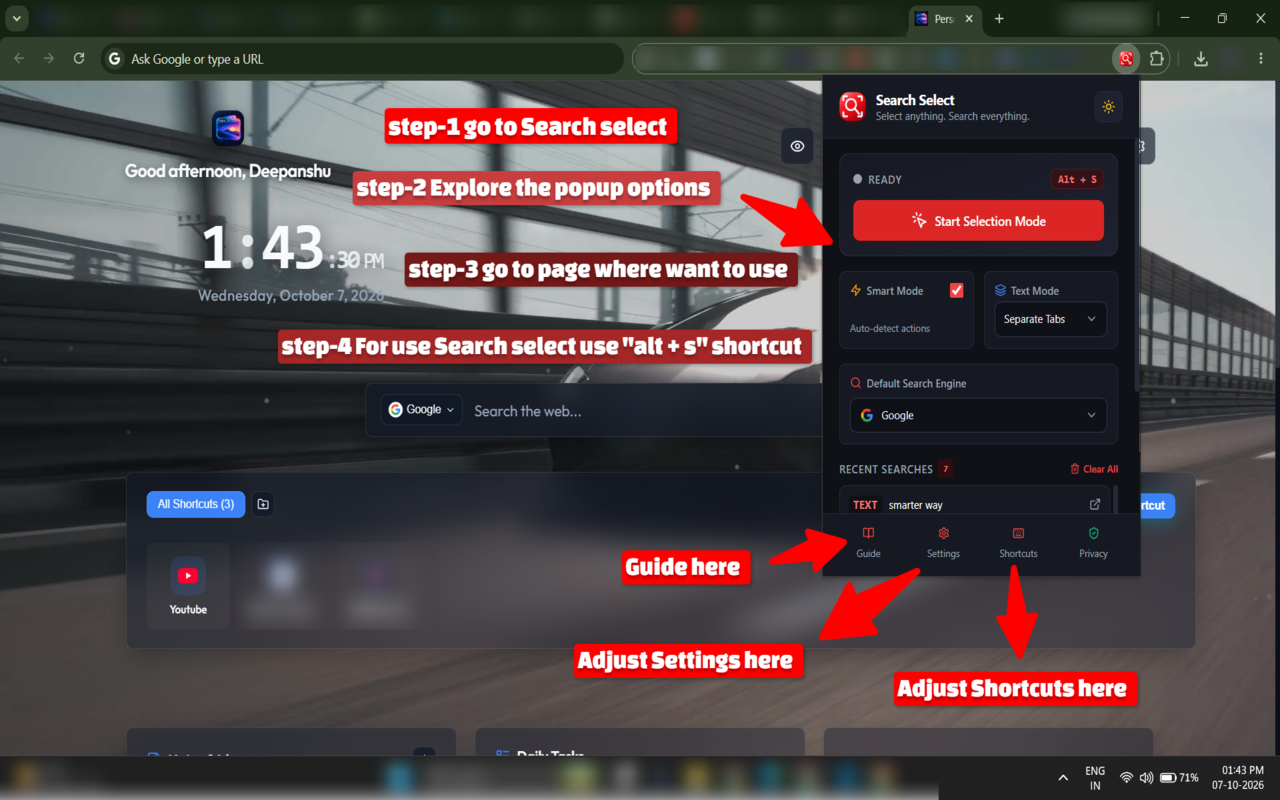
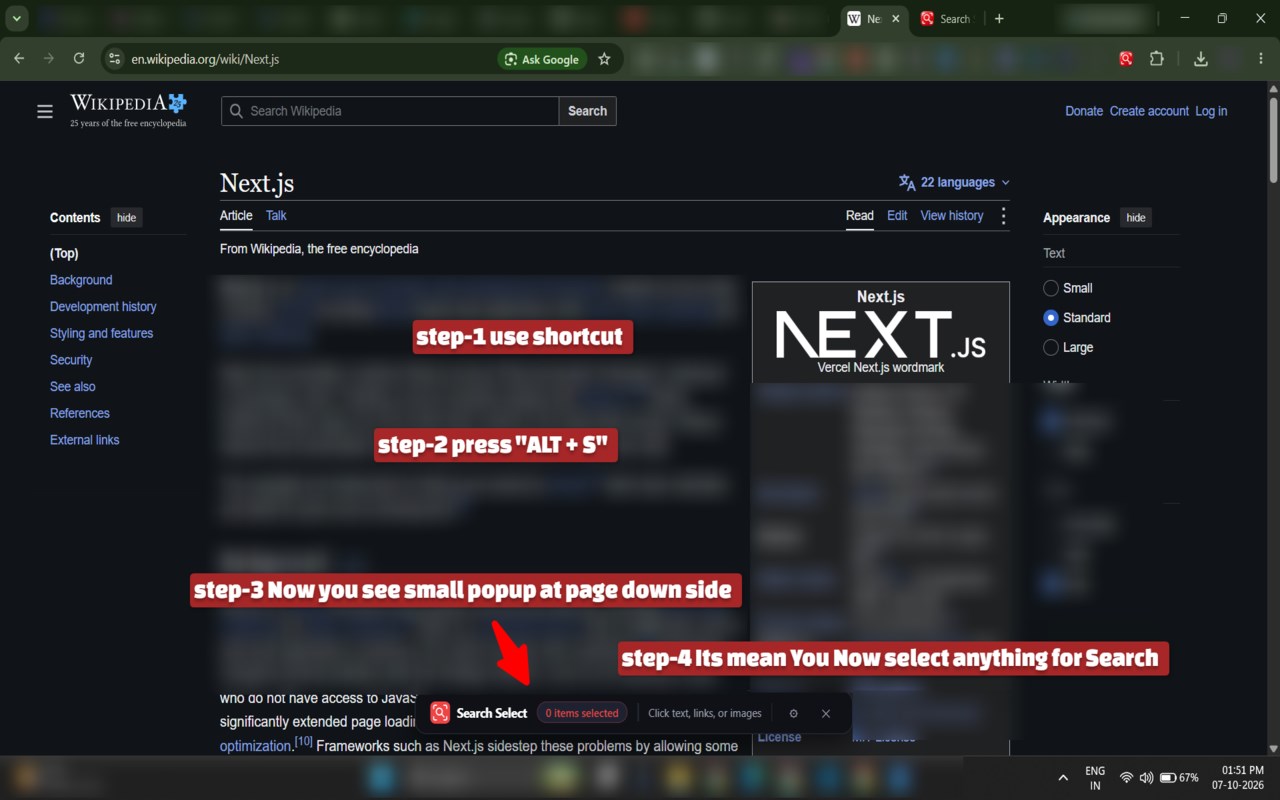
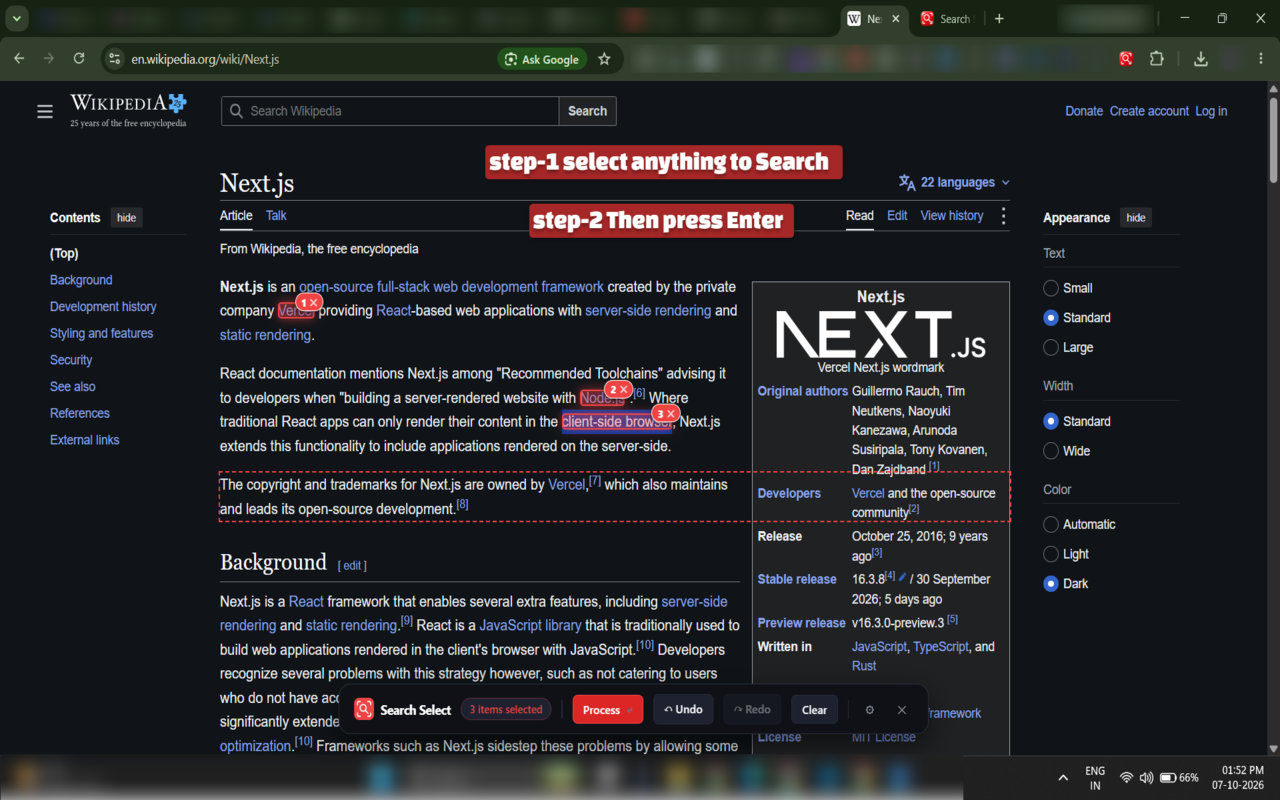
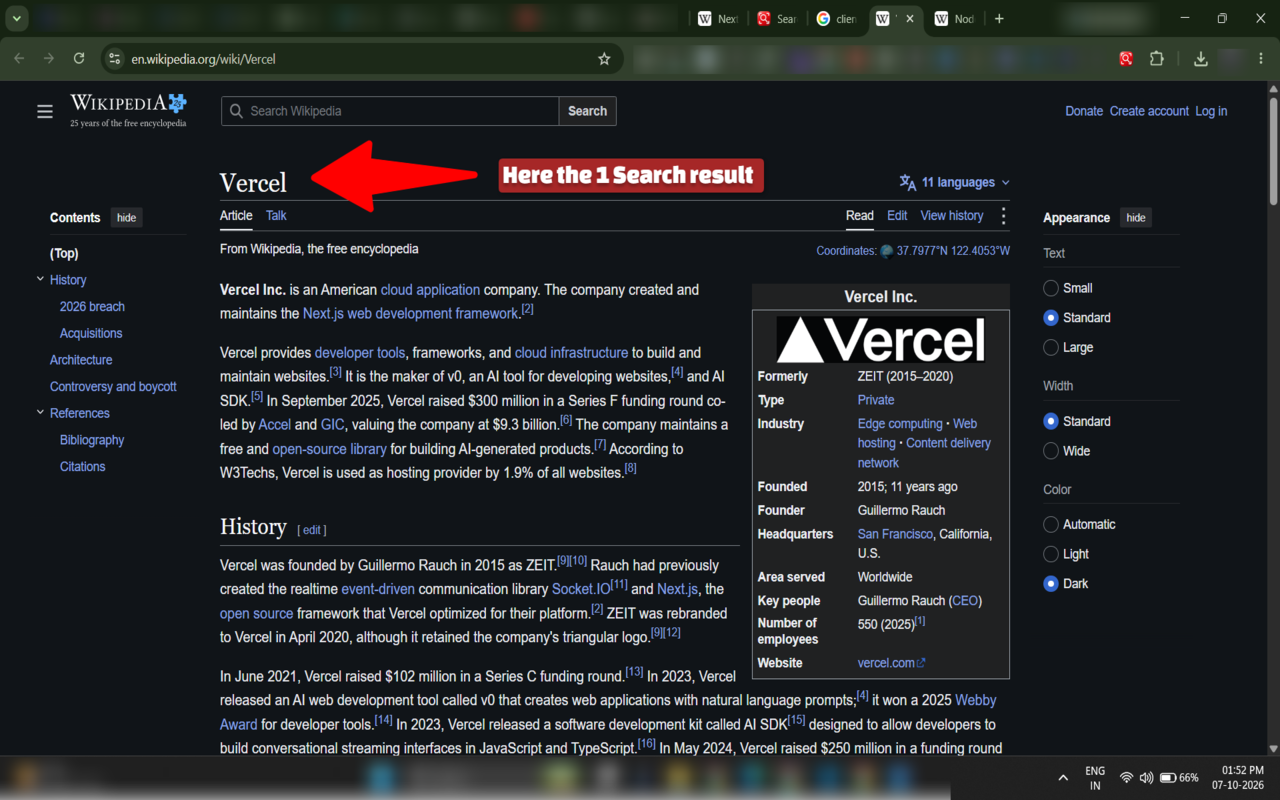
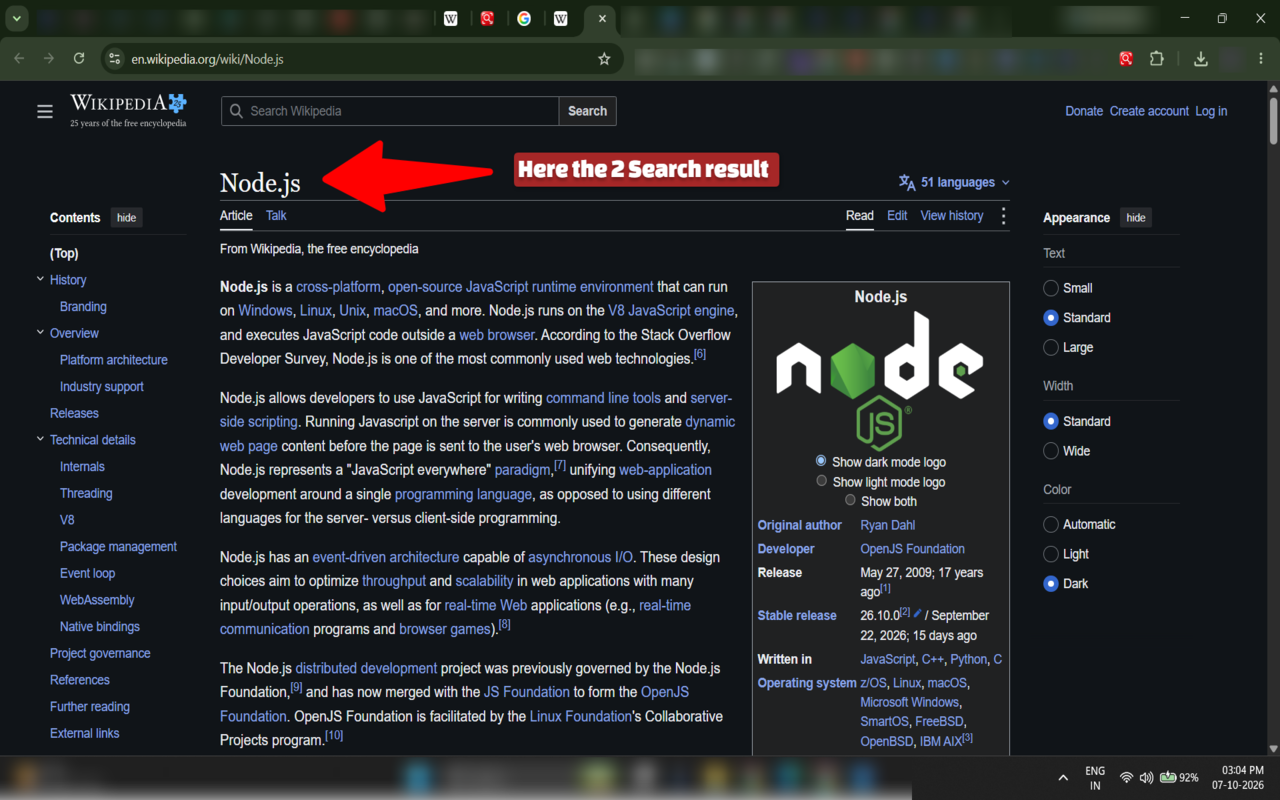
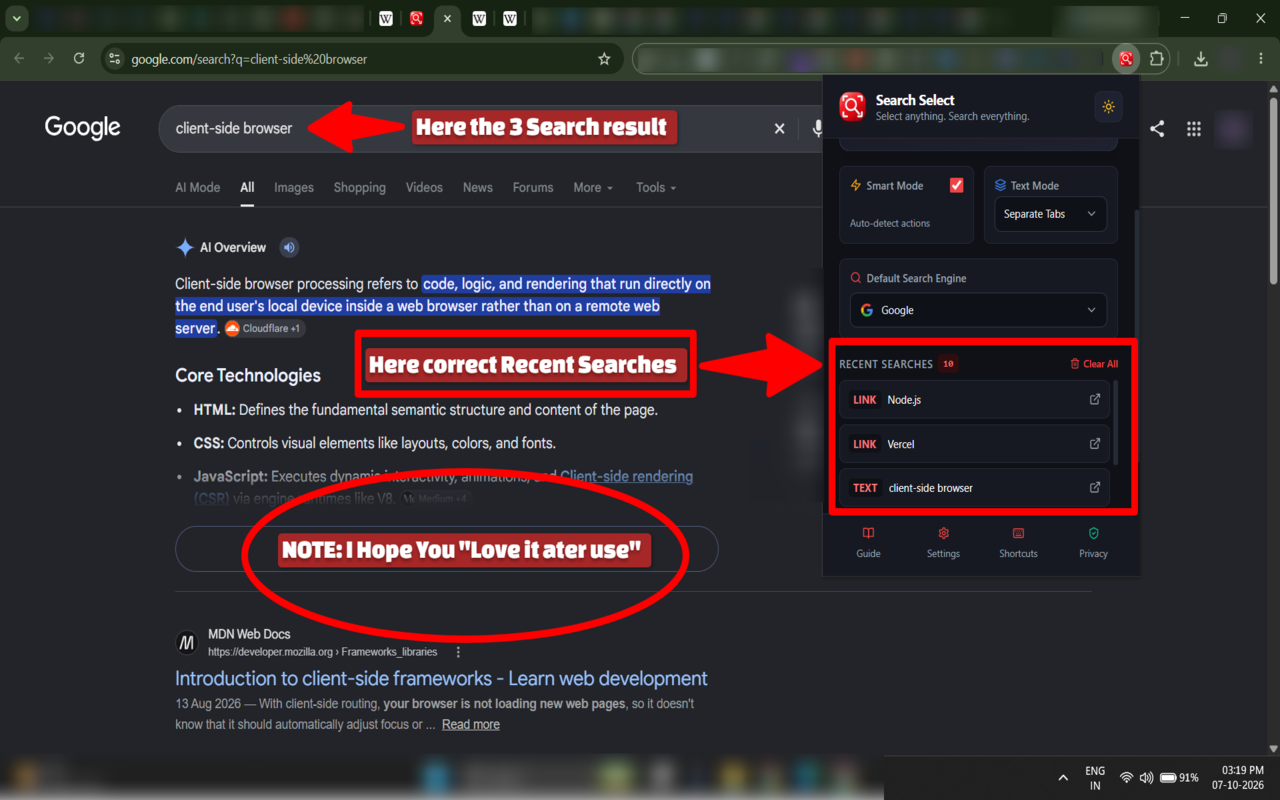
简介
Search Select — Select anything. Search everything.
Search Select is a fast, privacy-conscious browser extension that makes web research and everyday browsing easier.
Instead of copying text, right-clicking links, or opening image-search tools manually, simply select what you want on a webpage and let Search Select handle the next action.
Find something → Select it → Act on it.
KEY FEATURES
• Select and Search
Select text on supported webpages and quickly search it using your preferred search engine.
• Multi-Item Selection
Select multiple independent items and process them together.
For example:
React
Next.js
GitHub
can be processed as three separate selections.
A continuous selection such as:
100% offline
is treated as one selection rather than individual characters, words, or webpage elements.
• Smart Actions
Search Select provides appropriate actions based on the selected content.
Text → Search
Links → Open or navigate
Images → Image-related search/action
Multiple selections → Process using your configured workflow
• Multiple Search Workflows
Choose how multiple selected items should be handled, including separate searches or combined search workflows where supported.
• Your Preferred Search Engine
Configure your preferred search engine and quickly switch between supported providers.
Search Select supports popular search providers such as Google, Bing, DuckDuckGo, Brave Search, and custom search engines.
• Custom Search Engines
Add your own search-engine template when you want Search Select to work with a search service that isn't included by default.
• Keyboard-Friendly Workflow
Use keyboard shortcuts to activate selection mode and process selections without constantly reaching for the mouse.
• Context Menu Support
Use optional right-click actions for quick access to Search Select functionality.
• Clean, Non-Destructive Selection
Search Select provides its interaction layer without replacing the webpage or permanently modifying website content.
• Customizable Settings
Configure search engines, interface preferences, themes, actions, and other available extension options.
• Local-First Design
Search Select processes its core selection workflow locally in your browser and stores extension configuration locally.
The current version does not include advertising or developer-owned analytics or telemetry.
IMPORTANT PRIVACY NOTE
Search Select does not mean that every piece of information stays on your device.
When you explicitly perform a search, the selected search query is sent to the search provider you chose, such as Google, Bing, DuckDuckGo, Brave Search, or another configured provider.
Those third-party providers have their own privacy policies and data practices.
Search Select does not require an account and does not intentionally collect personal information such as passwords, payment information, or authentication credentials.
WHO IS SEARCH SELECT FOR?
Search Select is useful for:
• Students researching topics online
• Developers searching documentation, code, and technical terms
• Researchers collecting information from multiple webpages
• Writers and creators researching references
• Professionals working with links and online resources
• Anyone who frequently searches text, links, or images while browsing
A FASTER WAY TO RESEARCH
Traditional workflow:
Find text → highlight → copy → open search engine → paste → search
Search Select:
Find text → select → search
Whether you're researching a technical topic, comparing information, opening several links, or quickly searching something you just found, Search Select is designed to reduce unnecessary steps.
PRIVACY & DATA
Search Select follows a local-first approach.
• Core selection processing happens locally in the browser.
• Extension settings are stored locally.
• Optional search history is stored locally.
• Search Select does not operate a developer-owned browsing-activity database.
• The current version does not include advertising or developer-owned analytics or telemetry.
• Search requests are sent to the search provider when you explicitly perform a search.
• Search Select does not intentionally sell your personal information.
The complete privacy policy is provided in the Privacy section of this listing.
SUPPORTED BROWSERS
Search Select is designed for modern Chromium-based browsers and is being developed with compatibility across browsers such as Microsoft Edge, Google Chrome, Brave, and Opera in mind.
Availability of individual browser features and keyboard shortcuts may vary by browser.
SEARCH SELECT
Select anything.
Search everything.
Built by Trishul17Tech.
Search Select 是做什么的
Search Select 是一款面向 Edge 的效率工具类扩展,主要用来管住注意力、屏蔽干扰站点、记录时间。官方对它的介绍是:Select anything. Search everything. Select text, links, and images on any webpage to search or open in new tabs.在微软 Edge 加载项商店上,它当前版本 1.0.1,约 3 名用户。
适合什么人用
从功能定位看,Search Select 更适合想专注工作学习、减少无效刷网页的用户。如果你平时只是偶尔遇到相关需求,用浏览器自带功能也能凑合;但如果这件事每天都发生,装一个专门处理它的扩展通常比手动操作省事得多。
怎么安装 Search Select
- 打开微软 Edge 加载项商店上的官方页面;
- 点「添加到浏览器」并确认权限提示;
- 装好后在扩展列表里固定图标,方便随时开关。
本站只做索引与介绍,安装包来自官方商店。如果商店页面提示当前地区不可用,说明该扩展未在你所在区域上架。
常见问题
Search Select 是免费的吗?
Search Select 在微软 Edge 加载项商店免费提供下载。它是浏览器扩展,装上就能直接用,不需要注册账号。
Search Select 安全吗?
它只申请了 0 项权限,范围比较克制,没有申请「读取所有网站数据」这种大权限。
Search Select 支持哪些浏览器?
当前收录的版本来自微软 Edge 加载项商店,适用于 Edge。同一个扩展在其他商店可能有对应版本,但功能与版本号不一定相同。
怎么卸载 Search Select?
在扩展管理页找到 Search Select,点移除即可。它在本地保存的设置会一起清掉,不会残留数据。
权限清单 来自 manifest.json 原文
接口权限 5
activeTabcontextMenusscriptingstoragetabs