
Search for the best shopping prices EN
VectorRight · EEdge MV3
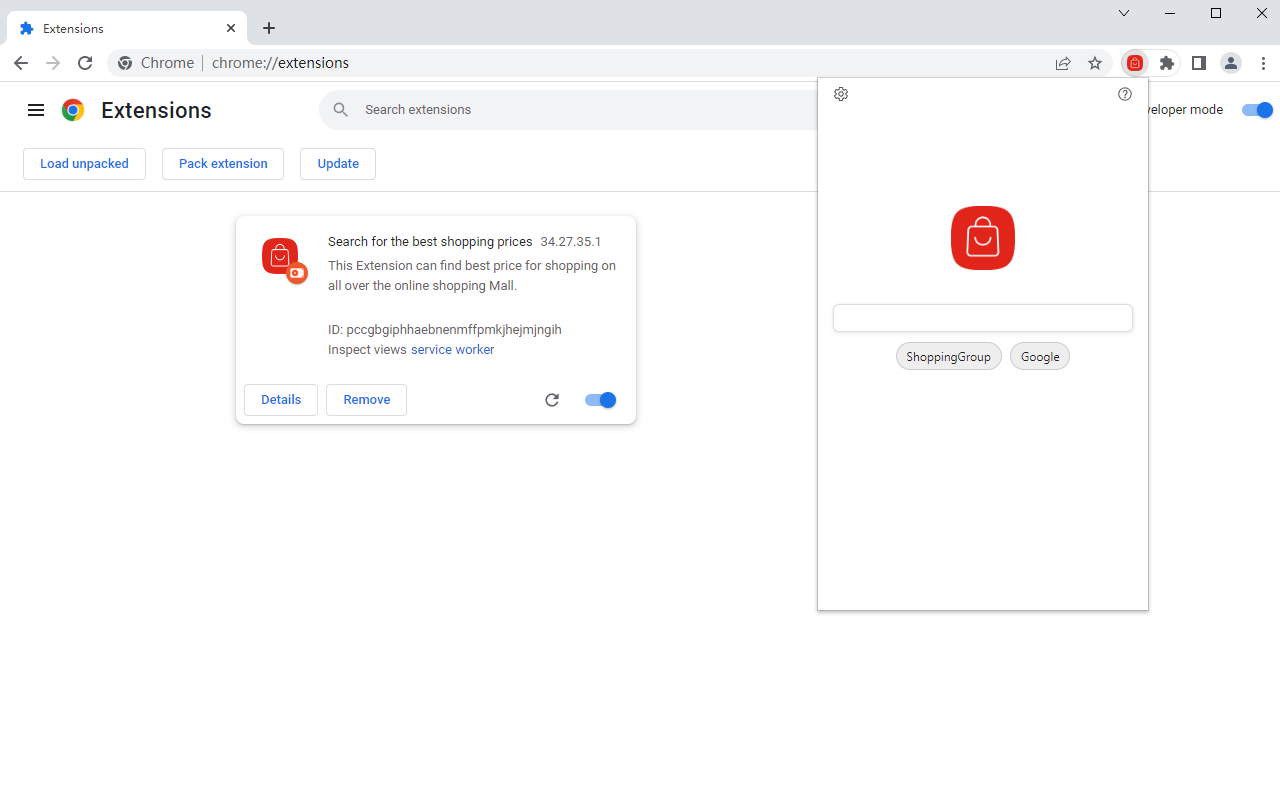
This Extension can find best price for shopping on all over the online shopping Mall.
<all_urls>),意味着它可以读取你在任意站点的页面内容,包括已登录的页面。这是许多扩展正常工作的必要条件,但也值得你确认来源可信。
截图
简介
Search for the best shopping prices is a simple yet powerful extension to search multiple sites with one click. You can compare the price in all online shopping platforms
FEATURES
---------------------------------------
- Simple and fast UI for quick searches
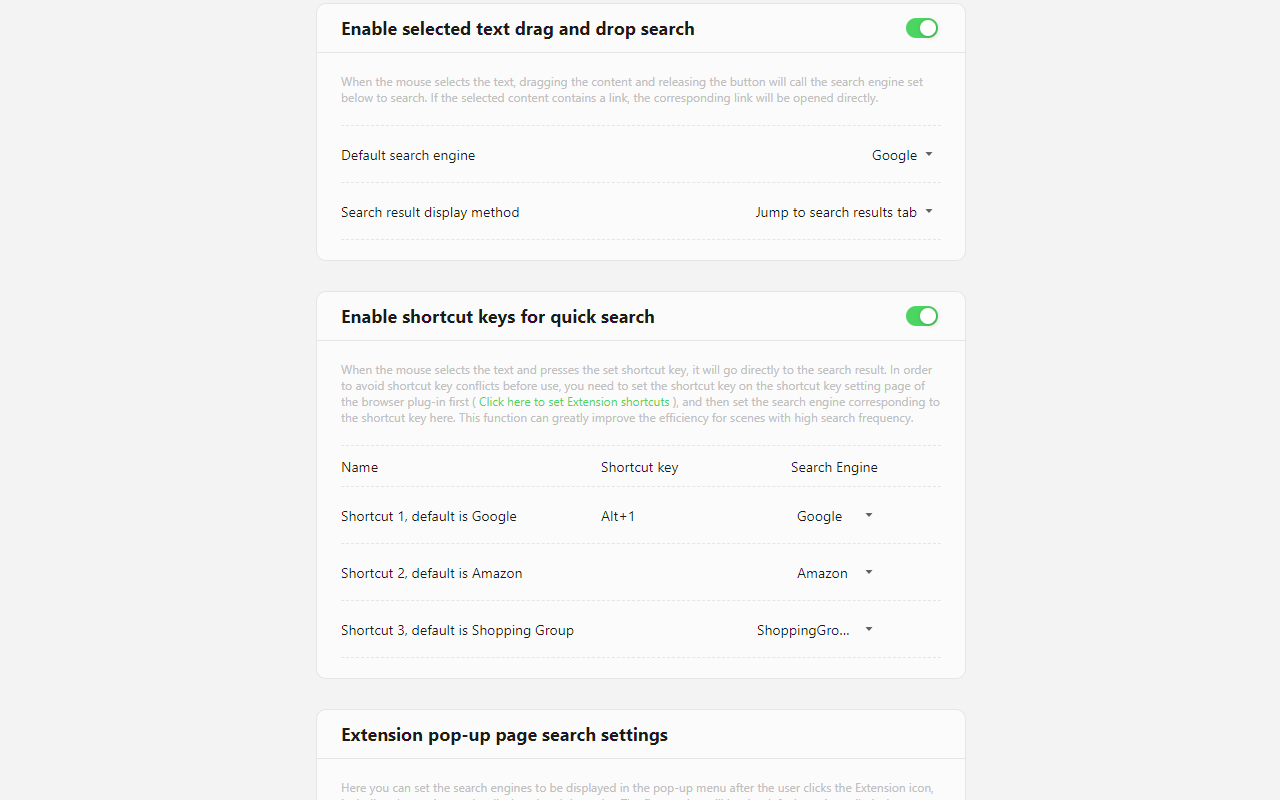
- support shortcut search.
- support drag and drop search.
- support Selection Search & Copy.
- support right mouse button search.
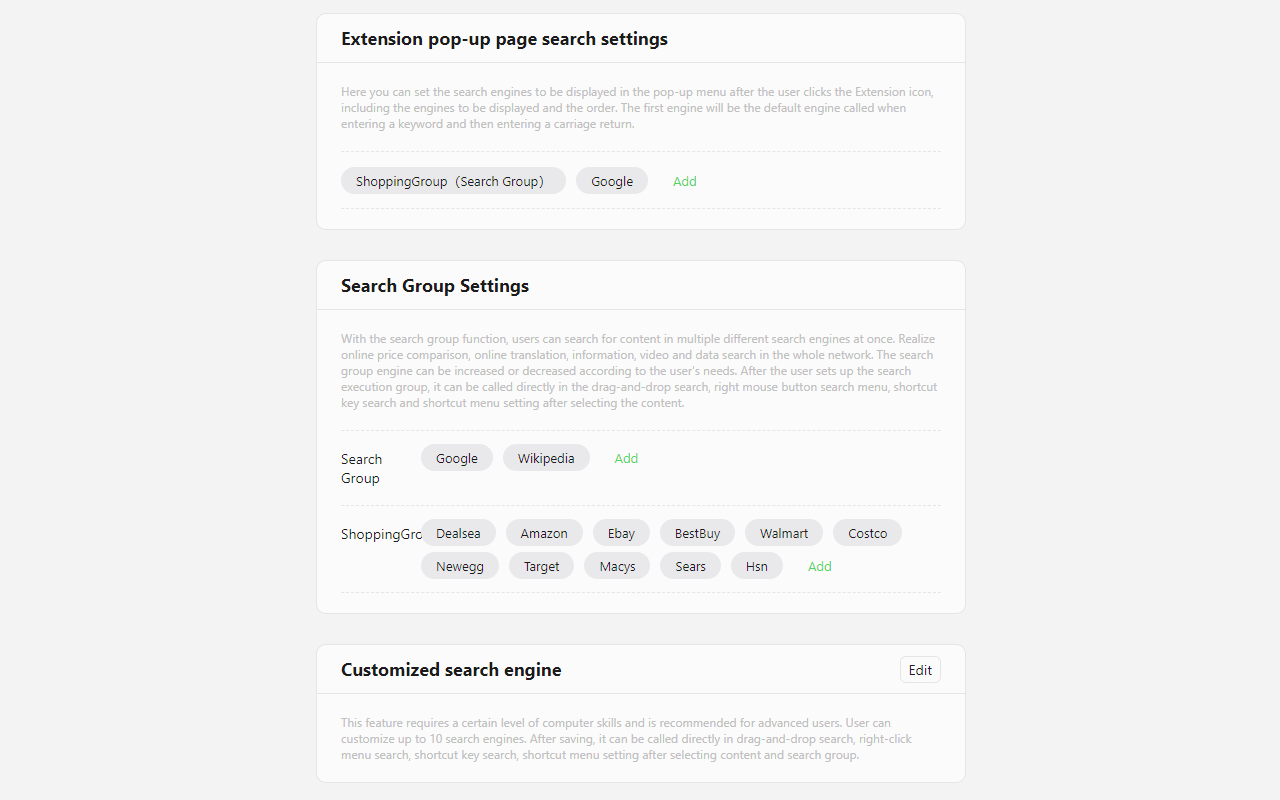
- Users can also customize the search engine
- With the search group function, users can search for content in multiple different search engines at once
DEFAULT SEARCH ENGINES
---------------------------------------
Global:
Amazon, Ebay, Alibaba, AliExpress
United States:
Dealsea, BestBuy, Walmart, Costco, Newegg, Target, Macys, Sears, Hsn
Europe:
Fnac, Otto, Allegro, Bol, Cdiscount, Ozon, eMAG
India:
Amazon(India), Flipkart, Snapdeal
Japan:
Paypay Mall, Amazon(JP), Yahoo Shopping, Rakuten, Rebates
China:
JD, Tmall, TaoBao
Search for the best shopping prices 是做什么的
Search for the best shopping prices 是一款面向 Edge 的购物比价类扩展,主要用来比价、查历史价格、自动套用优惠券、返现。官方对它的介绍是:This Extension can find best price for shopping on all over the online shopping Mall.在微软 Edge 加载项商店上,它当前版本 34.45.41.1,约 724 名用户。
适合什么人用
从功能定位看,Search for the best shopping prices 更适合经常网购、想在下单前确认是否真便宜的用户。如果你平时只是偶尔遇到相关需求,用浏览器自带功能也能凑合;但如果这件事每天都发生,装一个专门处理它的扩展通常比手动操作省事得多。需要注意的是它作用于所有网站,装上后建议先观察一两天,确认不影响常用站点的正常使用。
怎么安装 Search for the best shopping prices
- 打开微软 Edge 加载项商店上的官方页面;
- 点「添加到浏览器」并确认权限提示;
- 装好后在扩展列表里固定图标,方便随时开关。
本站只做索引与介绍,安装包来自官方商店。如果商店页面提示当前地区不可用,说明该扩展未在你所在区域上架。
常见问题
Search for the best shopping prices 是免费的吗?
Search for the best shopping prices 在微软 Edge 加载项商店免费提供下载。它是浏览器扩展,装上就能直接用,不需要注册账号。
Search for the best shopping prices 安全吗?
它只申请了 0 项权限,范围比较克制,没有申请「读取所有网站数据」这种大权限。
Search for the best shopping prices 支持哪些浏览器?
当前收录的版本来自微软 Edge 加载项商店,适用于 Edge。同一个扩展在其他商店可能有对应版本,但功能与版本号不一定相同。
怎么卸载 Search for the best shopping prices?
在扩展管理页找到 Search for the best shopping prices,点移除即可。它在本地保存的设置会一起清掉,不会残留数据。
权限清单 来自 manifest.json 原文
站点访问(可选) 1
<all_urls>
接口权限 5
activeTabcontextMenusscriptingstoragetabs