Screenzard EN
Toolaby · EEdge MV3
Stage any webpage for polished screenshots — hide, blur, edit, redact, then capture — without touching the real site.
<all_urls>),意味着它可以读取你在任意站点的页面内容,包括已登录的页面。这是许多扩展正常工作的必要条件,但也值得你确认来源可信。
截图

简介
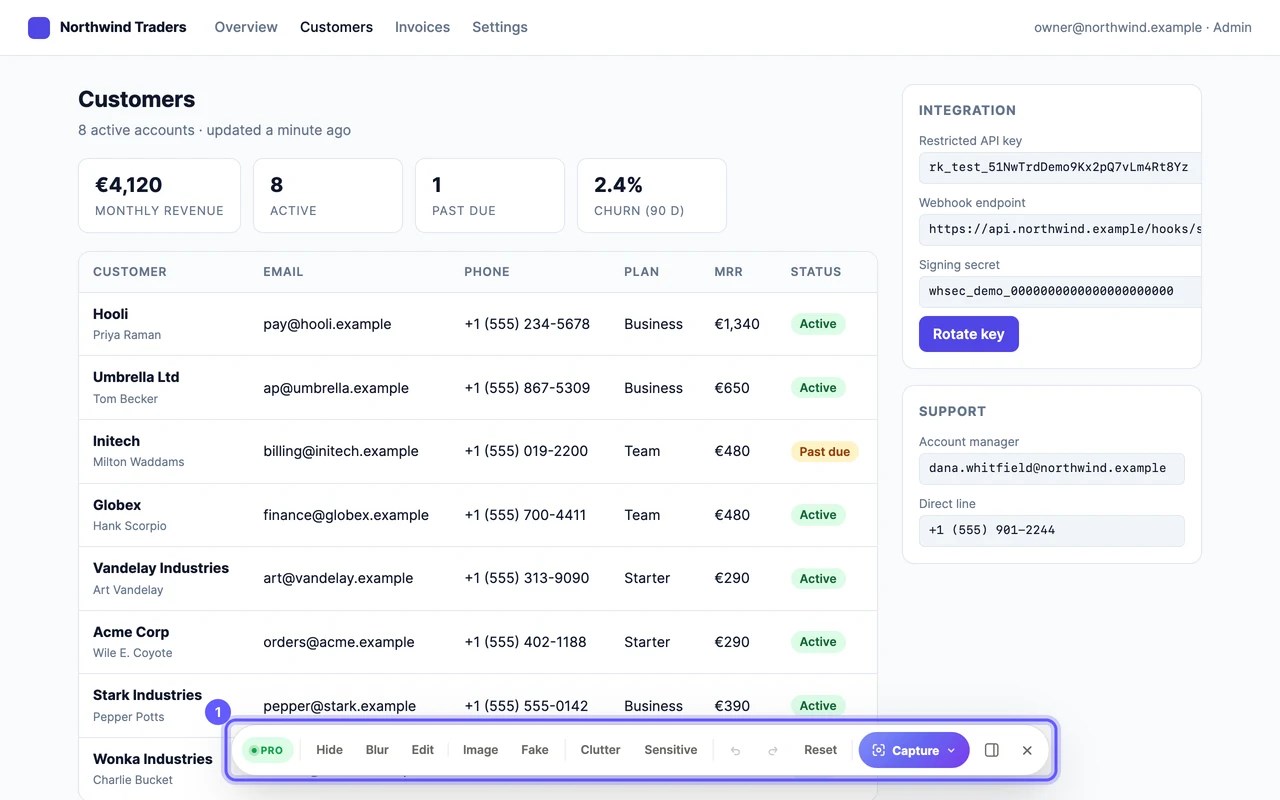
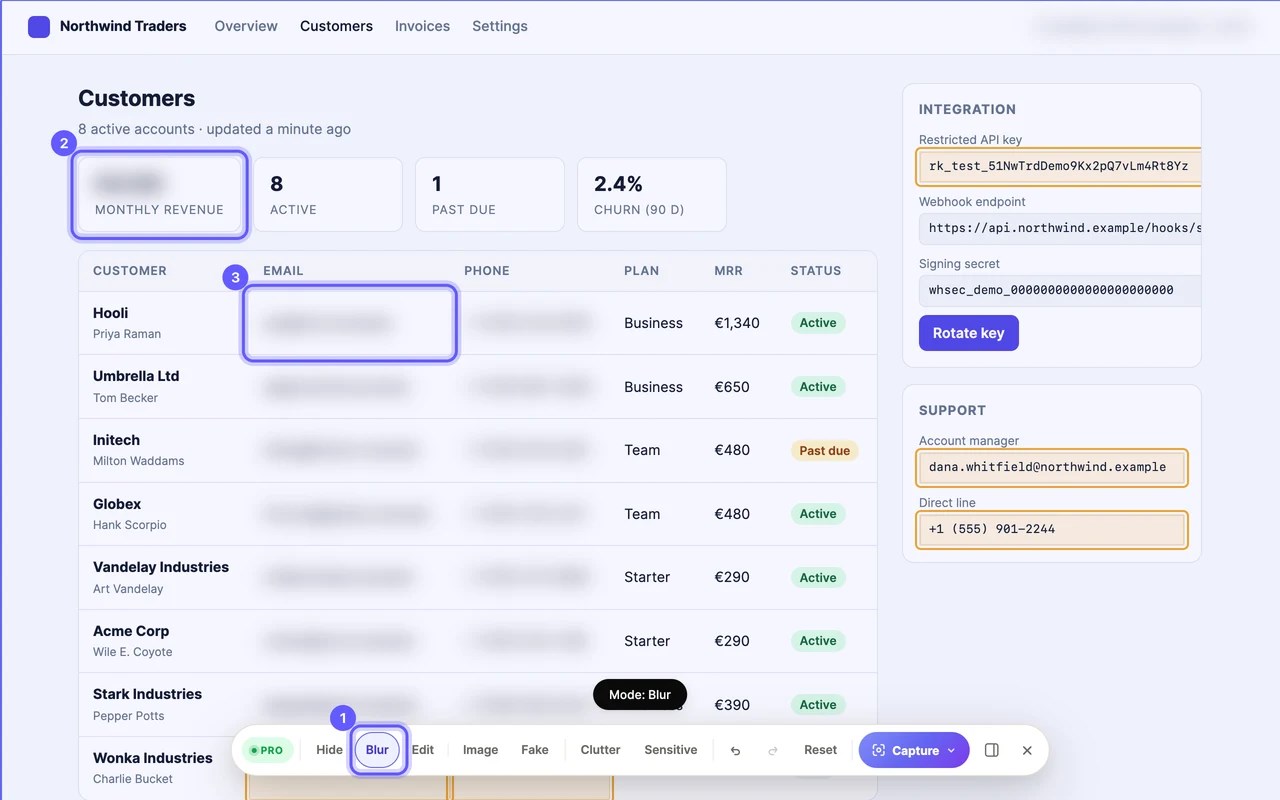
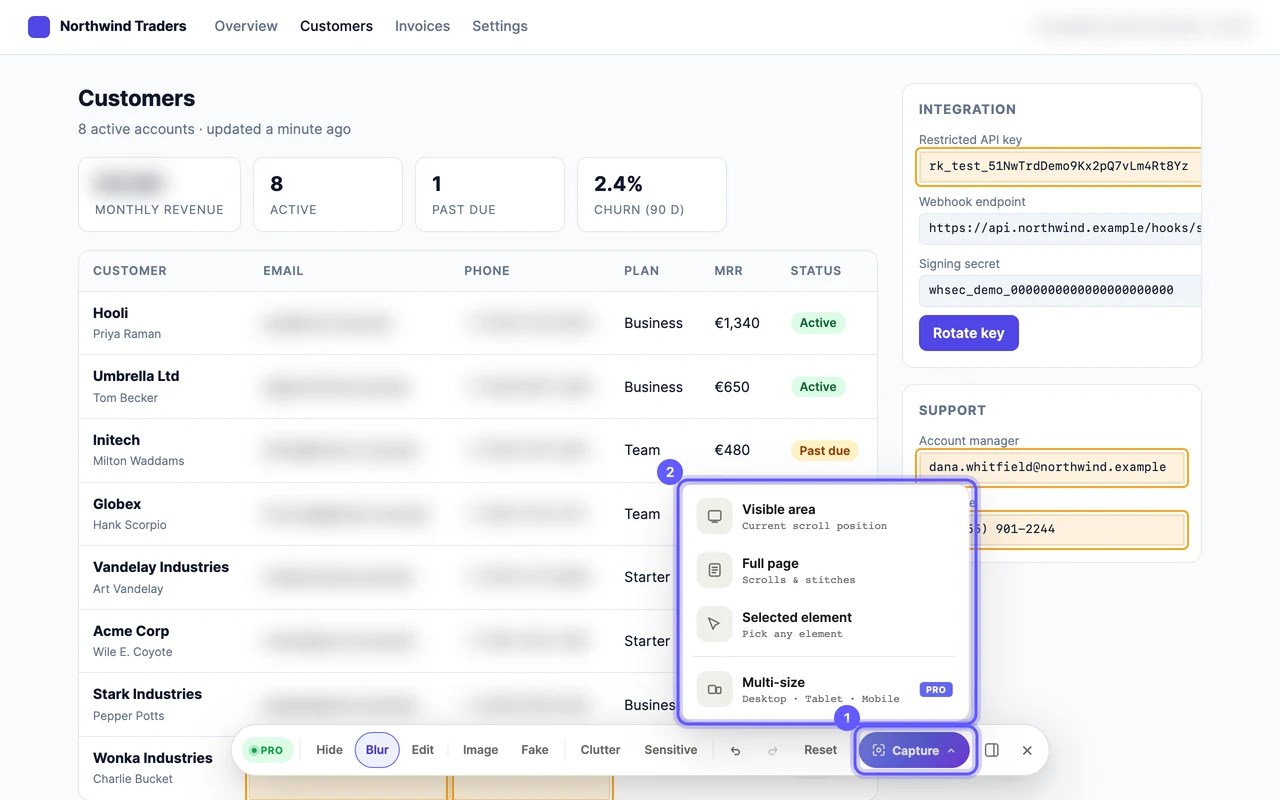
Screenzard puts a toolbar on the page you are looking at, so you can tidy it before you take the screenshot. Hide a cookie banner. Blur a customer's email. Type a fake name over a real one. Then capture, and reload the page and it is exactly as it was: nothing is sent to the site and nothing is changed for anyone else.
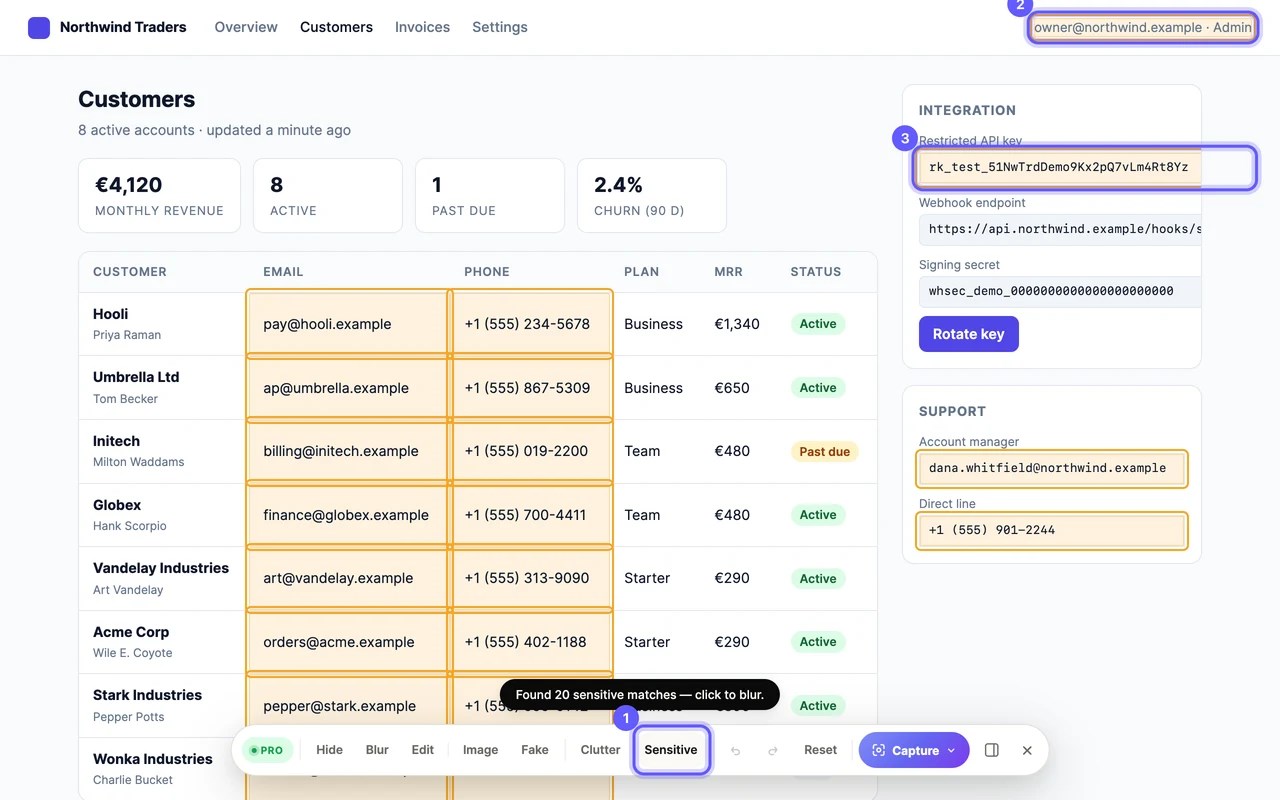
Prep Mode has eight tools. Hide removes an element from the layout. Blur blurs one. Edit lets you type over its text. Image swaps a picture for one of yours. Fake fills a form with plausible fake data. Clutter finds cookie banners and chat widgets and hides them in one click. Sensitive outlines what looks like an email address, a card number, a phone number or an API key, so you can blur them all before you miss one. Reset puts everything back. Undo and redo work as you expect.
Capture the visible area, the whole scrollable page stitched into one image, or a single element you point at. Full-page capture pauses animations and hides the scrollbar first, and keeps a sticky header at the top rather than repeating it in every slice.
The editor opens with the result. Download a PNG, copy it to the clipboard, or export a simple PDF. All of that is free, with no watermark and no time limit.
Pro, a one-time purchase, adds the rest of the editor: Crop with aspect-ratio presets; Annotate with arrows, callouts, numbered steps, highlights and freeform blur regions; and Frame, which sets the capture in a device or a browser window on a gradient background, with the URL and date stamped if you want them. It also adds multi-size capture, which takes the page at desktop, tablet and phone widths in one go, and a smarter PDF export that finds clean page breaks.
Per-domain presets remember your setup for a site and restore it in one click next time. They are stored on your device.
After buying, sign in from the extension with the email you bought with and Pro unlocks itself. The licence key also comes by email, as a backup.
It works on almost any page you can open, including pages behind a login. A few sites with strict content security policies block the toolbar; capture still works there.
Nothing leaves your browser. Screenshots are built and saved on your machine. The only network calls go to Toolaby's account service, to sign you in and to check what your device holds; they carry nothing from the pages you capture.
Screenzard 是做什么的
Screenzard 是一款面向 Edge 的效率工具类扩展,主要用来管住注意力、屏蔽干扰站点、记录时间。官方对它的介绍是:Stage any webpage for polished screenshots — hide, blur, edit, redact, then capture — without touching the real site.在微软 Edge 加载项商店上,它当前版本 2.0.8。
适合什么人用
从功能定位看,Screenzard 更适合想专注工作学习、减少无效刷网页的用户。如果你平时只是偶尔遇到相关需求,用浏览器自带功能也能凑合;但如果这件事每天都发生,装一个专门处理它的扩展通常比手动操作省事得多。需要注意的是它作用于所有网站,装上后建议先观察一两天,确认不影响常用站点的正常使用。
怎么安装 Screenzard
- 打开微软 Edge 加载项商店上的官方页面;
- 点「添加到浏览器」并确认权限提示;
- 装好后在扩展列表里固定图标,方便随时开关。
本站只做索引与介绍,安装包来自官方商店。如果商店页面提示当前地区不可用,说明该扩展未在你所在区域上架。
常见问题
Screenzard 是免费的吗?
Screenzard 在微软 Edge 加载项商店免费提供下载。它是浏览器扩展,装上就能直接用,不需要注册账号。
Screenzard 安全吗?
它只申请了 0 项权限,范围比较克制,没有申请「读取所有网站数据」这种大权限。
Screenzard 支持哪些浏览器?
当前收录的版本来自微软 Edge 加载项商店,适用于 Edge。同一个扩展在其他商店可能有对应版本,但功能与版本号不一定相同。
怎么卸载 Screenzard?
在扩展管理页找到 Screenzard,点移除即可。它在本地保存的设置会一起清掉,不会残留数据。
权限清单 来自 manifest.json 原文
站点访问(可选) 1
<all_urls>
接口权限 8
activeTabdebuggerdownloadsoffscreenscriptingsidePanelstoragetabs