ScreenMask: Auto Redact Sensitive Data(PII) EN
Piyush Goyani · EEdge MV3
Automatically detect and mask sensitive data (PII) on web pages to protect your privacy.
<all_urls>),意味着它可以读取你在任意站点的页面内容,包括已登录的页面。这是许多扩展正常工作的必要条件,但也值得你确认来源可信。
截图
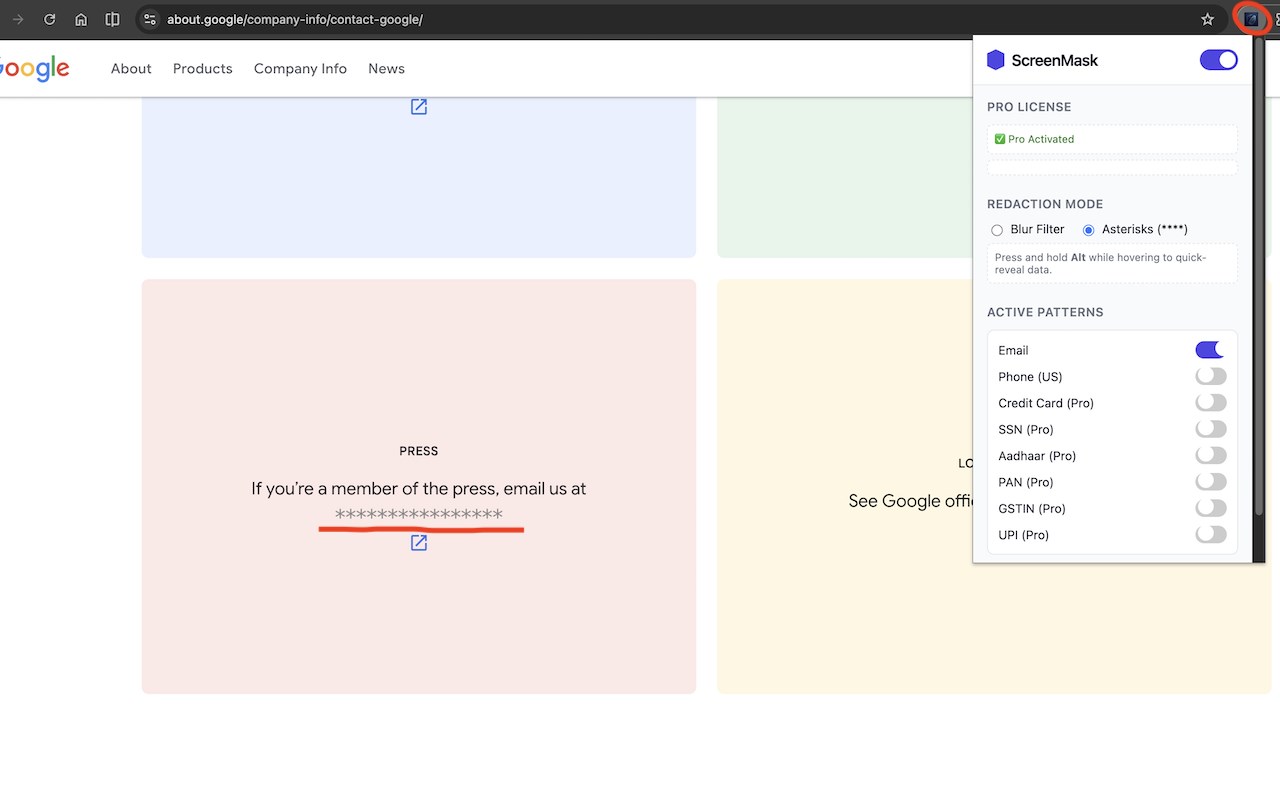
简介
ScreenMask: Auto Redact Sensitive Data (PII)
ScreenMask is an innovative browser extension designed to safeguard your privacy by automatically detecting and masking sensitive data, often referred to as Personally Identifiable Information (PII), on any website you visit. Whether you are sharing your screen, recording tutorials, or working with data-sensitive web applications, ScreenMask operates in real time to conceal emails, phone numbers, credit card details, government IDs, and more. Its seamless integration and customizable settings ensure you are never at risk of unintentionally exposing personal information while browsing or sharing online content.
At the heart of ScreenMask lies an advanced pattern recognition engine that supports a comprehensive array of PII formats, covering both global and region-specific patterns. By default, the extension detects common PII types like email addresses, phone numbers, social security numbers (SSNs), credit card numbers verified through Luhn validation, and country-specific identifiers such as Aadhaar and PAN from India. For users seeking enhanced protection, ScreenMask offers a Pro upgrade that unlocks more extensive data detection and masking, including unique regional and custom ID formats.
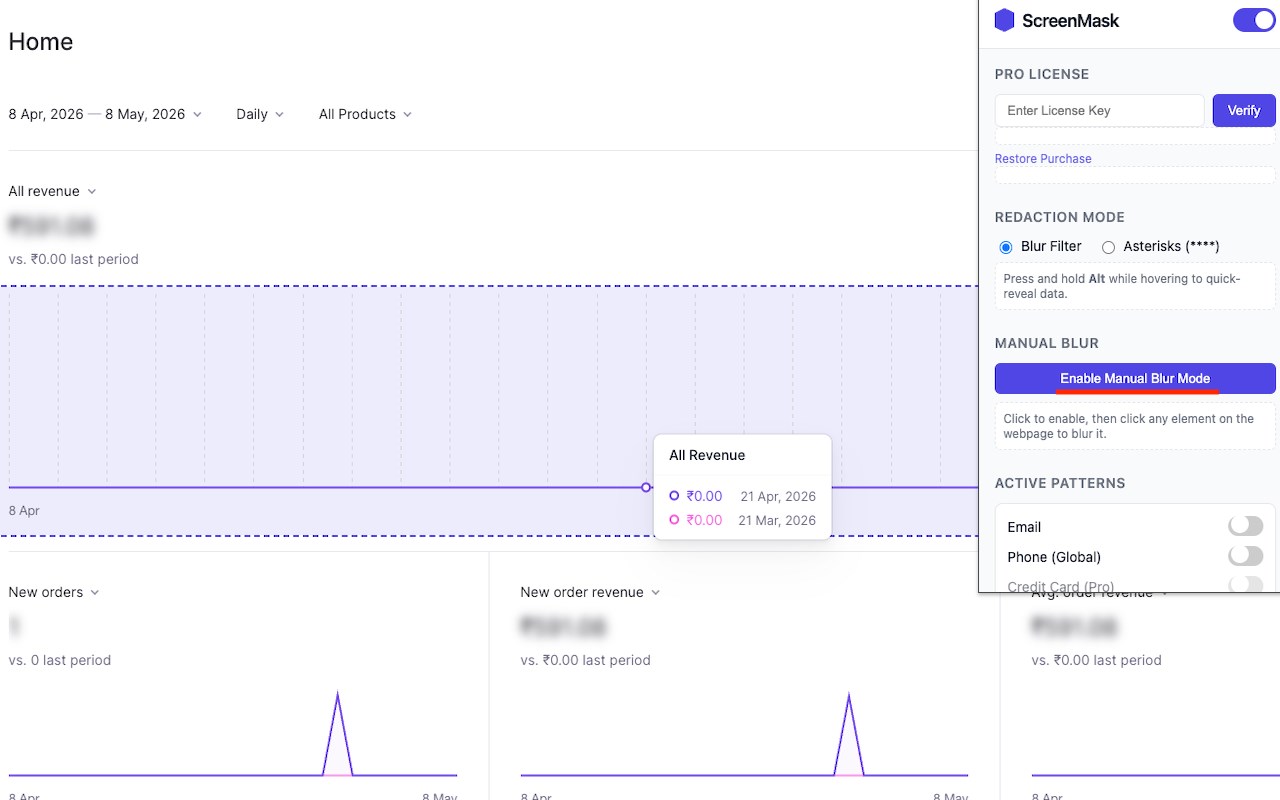
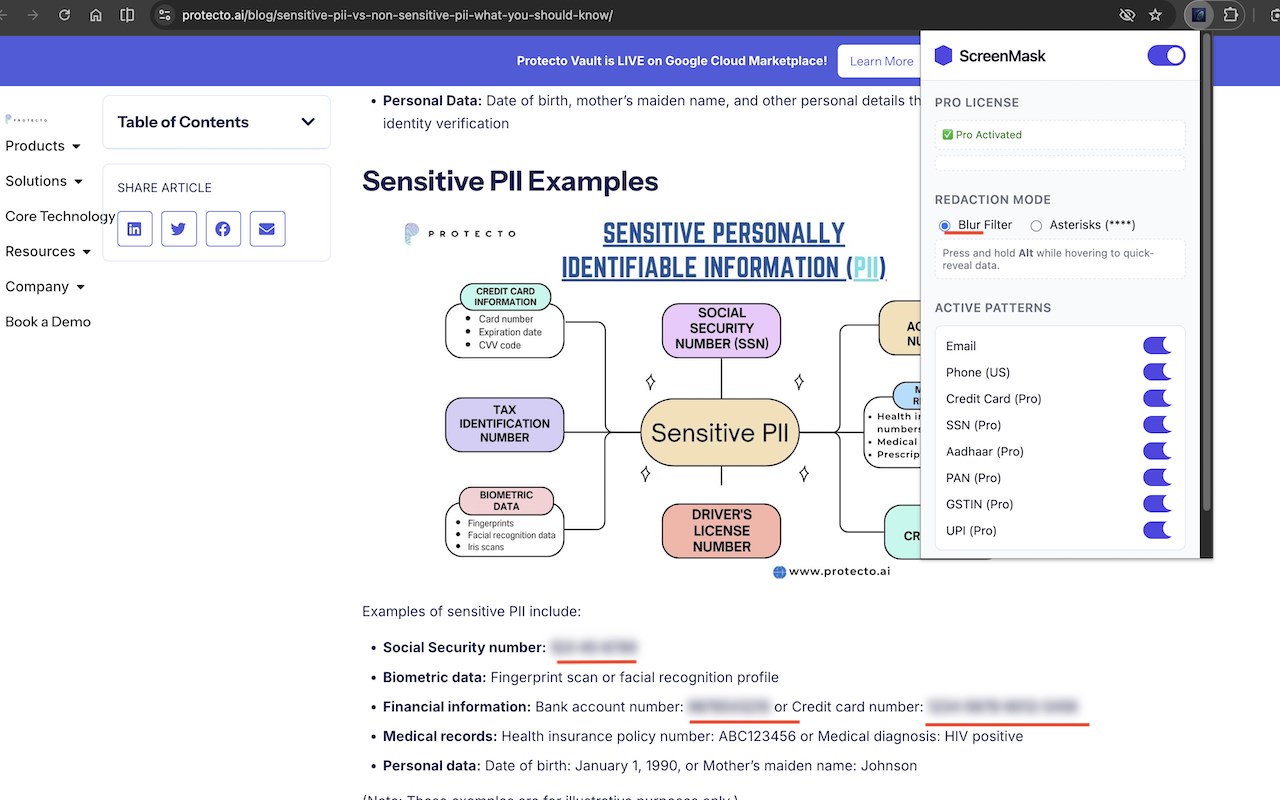
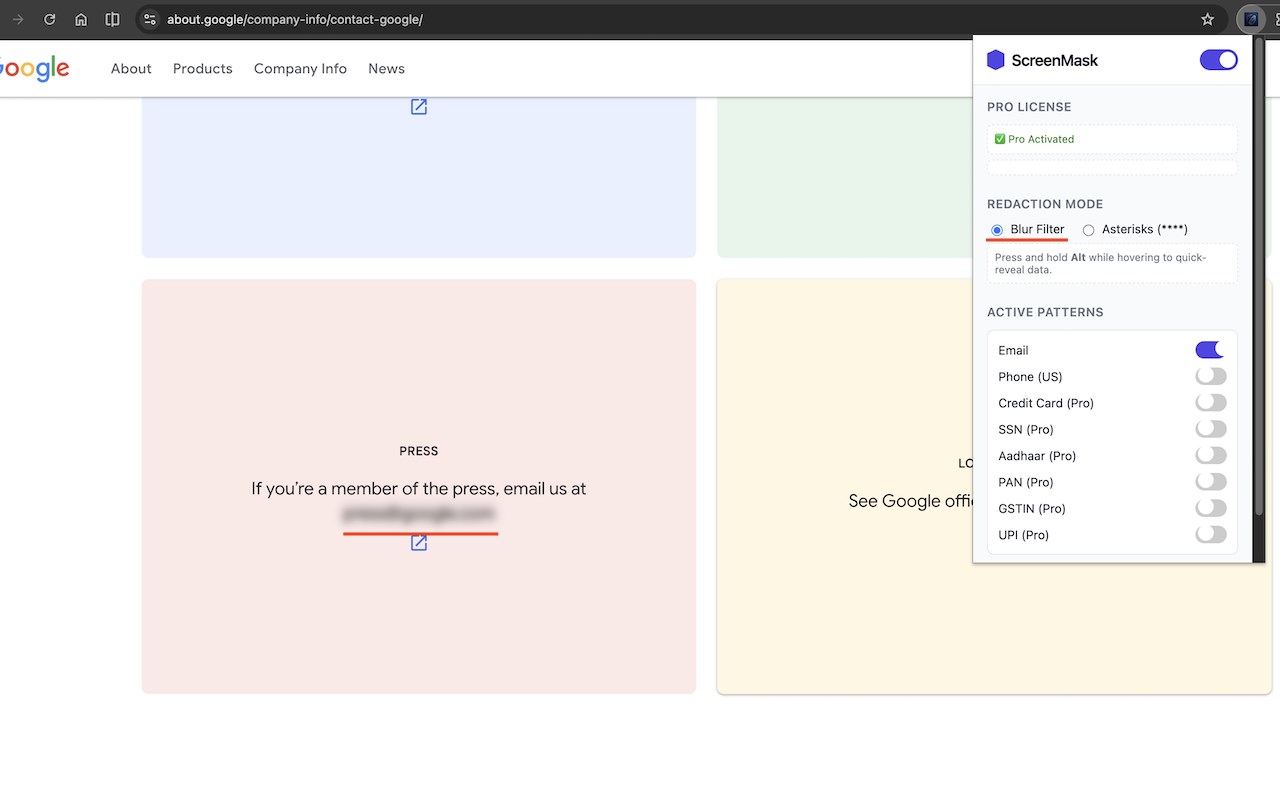
The user interface of ScreenMask is designed for simplicity and efficiency. Through its intuitive popup panel, users can effortlessly enable or disable masking, select between different mask methods—such as applying a CSS-based blur or replacing text with asterisks—and activate or deactivate specific PII categories to tailor protection according to their needs. Users can also add custom pattern rules, allowing the extension to adapt to specialized workflows or organizational data formats. The Pro license feature permits instant access to premium masking functions via an easy in-app license key entry.
Unlike conventional privacy tools that only alert users about sensitive data, ScreenMask takes proactive steps by actively masking the data within the page content itself. This approach guarantees that no personal information can be accidentally revealed in screenshots, video recordings, or remote presentations. The extension is optimized to be lightweight and fast so it can seamlessly blend into your browsing experience while providing robust privacy protection behind the scenes.
Key Features:
- Automatically detects and masks emails, phone numbers, credit card numbers (with Luhn validation), social security numbers, and other global and country-specific PII formats in real time on all websites.
- Supports a broad range of international identification patterns, including Aadhaar, PAN, and more, with regular updates to expand coverage.
- Offers multiple masking methods, allowing you to choose between CSS blur for visual obfuscation or full redaction using asterisks.
- User-friendly settings panel that enables toggling of global masking, selecting preferred mask types, and specifying which PII categories to redact.
- Pro license upgrade unlocks advanced PII detection patterns, ideal for businesses and compliance-focused organizations.
- Custom pattern rule feature permits defining your own regular expressions to recognize and mask specialized or organizational-specific sensitive data.
- Fully automatic operation on all websites you visit, requiring no manual input after initial configuration.
How It Works:
1. Install the ScreenMask extension in your browser and pin its icon for easy access.
2. Click the ScreenMask icon to open the settings popup, where you can toggle masking on or off for all websites.
3. Select your preferred method of masking—either apply a CSS blur for subtle concealment or replace sensitive data with asterisks for complete redaction.
4. Choose which PII types to mask by enabling or disabling detection of emails, credit card numbers, phone numbers, and others from the available options.
5. Optionally, upgrade to the Pro version by entering your license key directly in the popup to unlock additional data detection patterns and features.
6. Optionally, create and add custom pattern rules to extend the extension’s capabilities for unique or company-specific sensitive data formats.
7. As you browse, ScreenMask automatically scans webpage content and masks all detected PII in real time, preventing inadvertent exposure during screenshots, screen sharing, or recordings.
Privacy: - No personal data collected.
ScreenMask: Auto Redact Sensitive Data(PII) 是做什么的
ScreenMask: Auto Redact Sensitive Data(PII) 是一款面向 Edge 的效率工具类扩展,主要用来管住注意力、屏蔽干扰站点、记录时间。官方对它的介绍是:Automatically detect and mask sensitive data (PII) on web pages to protect your privacy.在微软 Edge 加载项商店上,它当前版本 1.2.0,约 4 名用户。
适合什么人用
从功能定位看,ScreenMask: Auto Redact Sensitive Data(PII) 更适合想专注工作学习、减少无效刷网页的用户。如果你平时只是偶尔遇到相关需求,用浏览器自带功能也能凑合;但如果这件事每天都发生,装一个专门处理它的扩展通常比手动操作省事得多。需要注意的是它作用于所有网站,装上后建议先观察一两天,确认不影响常用站点的正常使用。
怎么安装 ScreenMask: Auto Redact Sensitive Data(PII)
- 打开微软 Edge 加载项商店上的官方页面;
- 点「添加到浏览器」并确认权限提示;
- 装好后在扩展列表里固定图标,方便随时开关。
本站只做索引与介绍,安装包来自官方商店。如果商店页面提示当前地区不可用,说明该扩展未在你所在区域上架。
常见问题
ScreenMask: Auto Redact Sensitive Data(PII) 是免费的吗?
ScreenMask: Auto Redact Sensitive Data(PII) 在微软 Edge 加载项商店免费提供下载。它是浏览器扩展,装上就能直接用,不需要注册账号。
ScreenMask: Auto Redact Sensitive Data(PII) 安全吗?
它只申请了 0 项权限,范围比较克制,没有申请「读取所有网站数据」这种大权限。
ScreenMask: Auto Redact Sensitive Data(PII) 支持哪些浏览器?
当前收录的版本来自微软 Edge 加载项商店,适用于 Edge。同一个扩展在其他商店可能有对应版本,但功能与版本号不一定相同。
怎么卸载 ScreenMask: Auto Redact Sensitive Data(PII)?
在扩展管理页找到 ScreenMask: Auto Redact Sensitive Data(PII),点移除即可。它在本地保存的设置会一起清掉,不会残留数据。
权限清单 来自 manifest.json 原文
站点访问(可选) 1
<all_urls>
接口权限 1
storage