
Screen Ruler - Measure and Inspect the Web EN
Mr Violets · EEdge MV3
Web inspector for designers & developers. Measure elements, extract CSS & colors, capture screenshots & more.
截图
简介
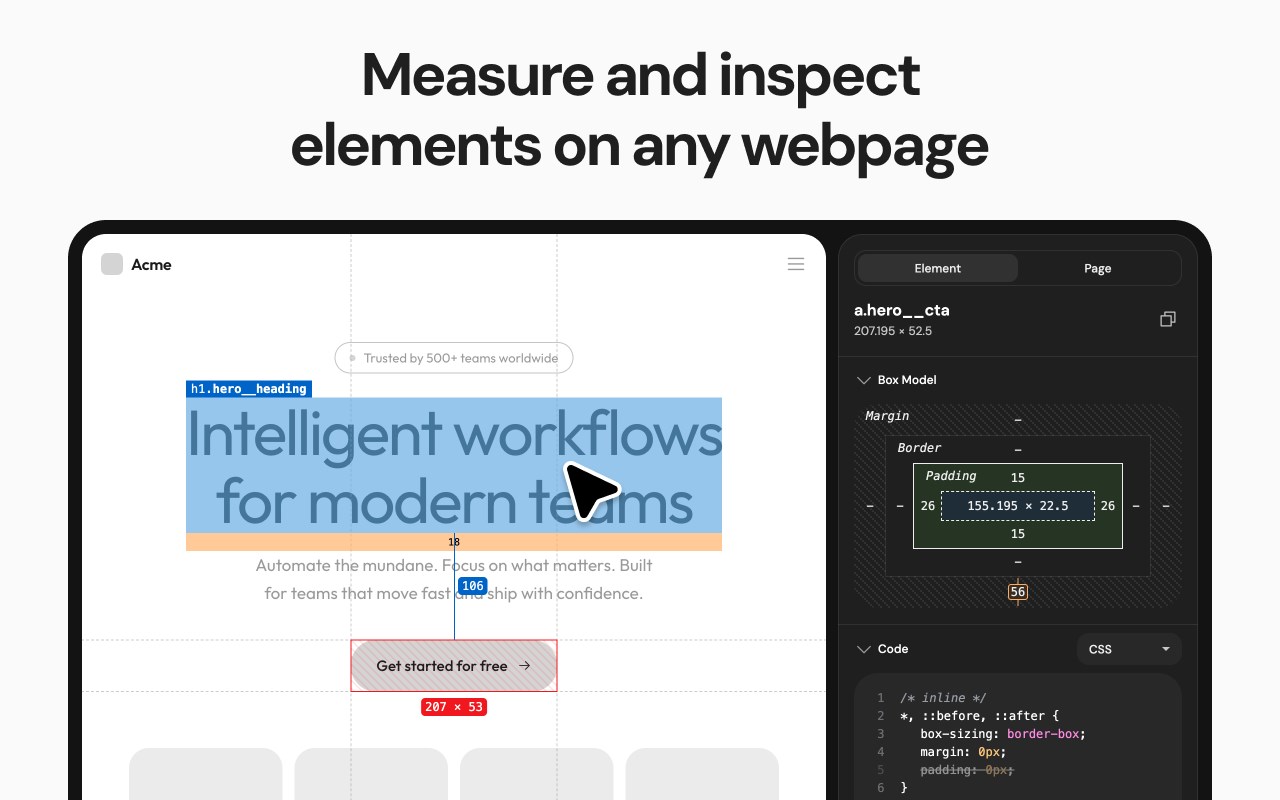
Screen Ruler is the perfect companion for web developers and designers wanting to validate the implementation of their websites. Once activated, Screen Ruler allows you to view the sizes, margins, paddings, tag names, IDs, and classes simply by hovering over any element. You can also select an element to measure distances to other elements.
Usage
- Toggle Screen Ruler by clicking the extension icon, selecting “Screen Ruler” from the right-click context menu, or using the shortcut `Alt/Option + Shift + R`.
- Hover over elements on web pages to display their sizes, margins, paddings, tag names, IDs, and classes.
- Select an element by clicking on it directly, this will turn the highlight red. To deselect, click again, press Escape or select a different element.
- To select the parent of an element, use `Alt/Option + Up`, moving your selection to the parent element instead, use `Alt/Option + Down` to reverse your selection.
- View the computed CSS of the currently selected element in the side panel. Click the "Copy CSS" button to copy the computed CSS of the currently selected item to your clipboard.
Features
- Measure the pixel size of any element.
- Measure the pixel distance between any two elements.
- HTML tag names, class names and IDs.
- Parent/child selection shortcuts.
- Responsive selections resize with your browser window.
- Access from the context menu.
- Computed CSS inspect.
- Copy CSS to clipboard.
- Works on any web page.
- Customize keyboard shortcuts by visiting `edge://extensions/shortcuts`.
Screen Ruler PRO
Screen Ruler also offers a PRO tier which unlocks additional features.
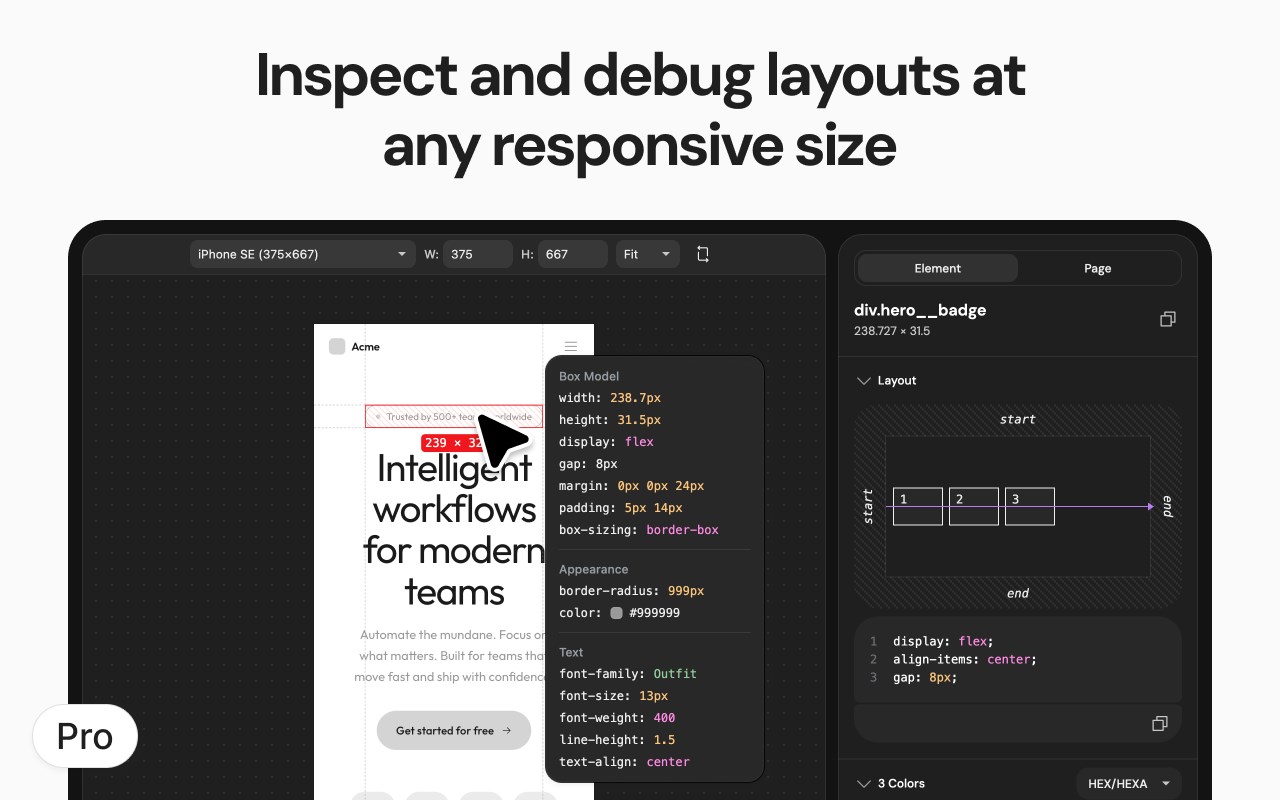
1. Floating Inspector: See detailed element properties when you hover, including position, size, rendered font, colors and more.
2. Box Model Visualization: Box model diagram showing margins, borders, padding, and content dimensions.
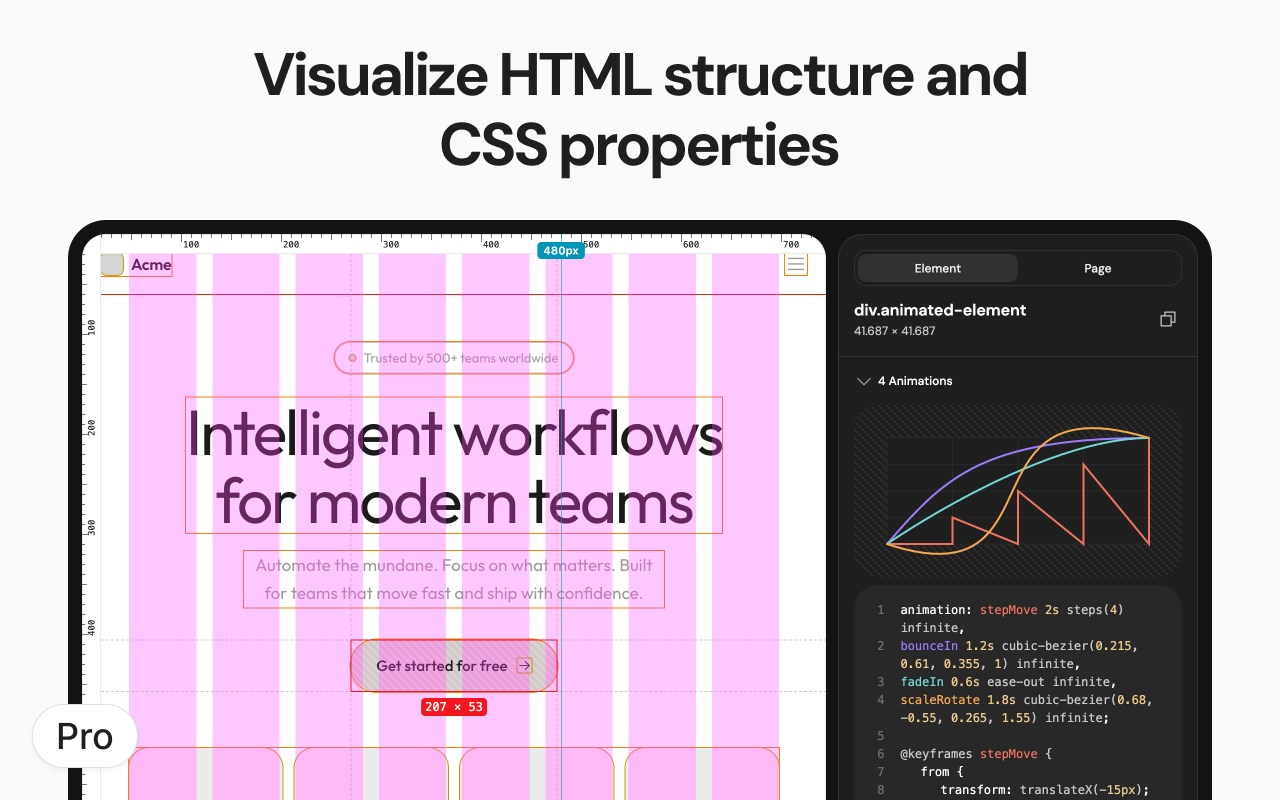
3. Animation Analysis: Visualize CSS animation timing curves and copy animation CSS properties.
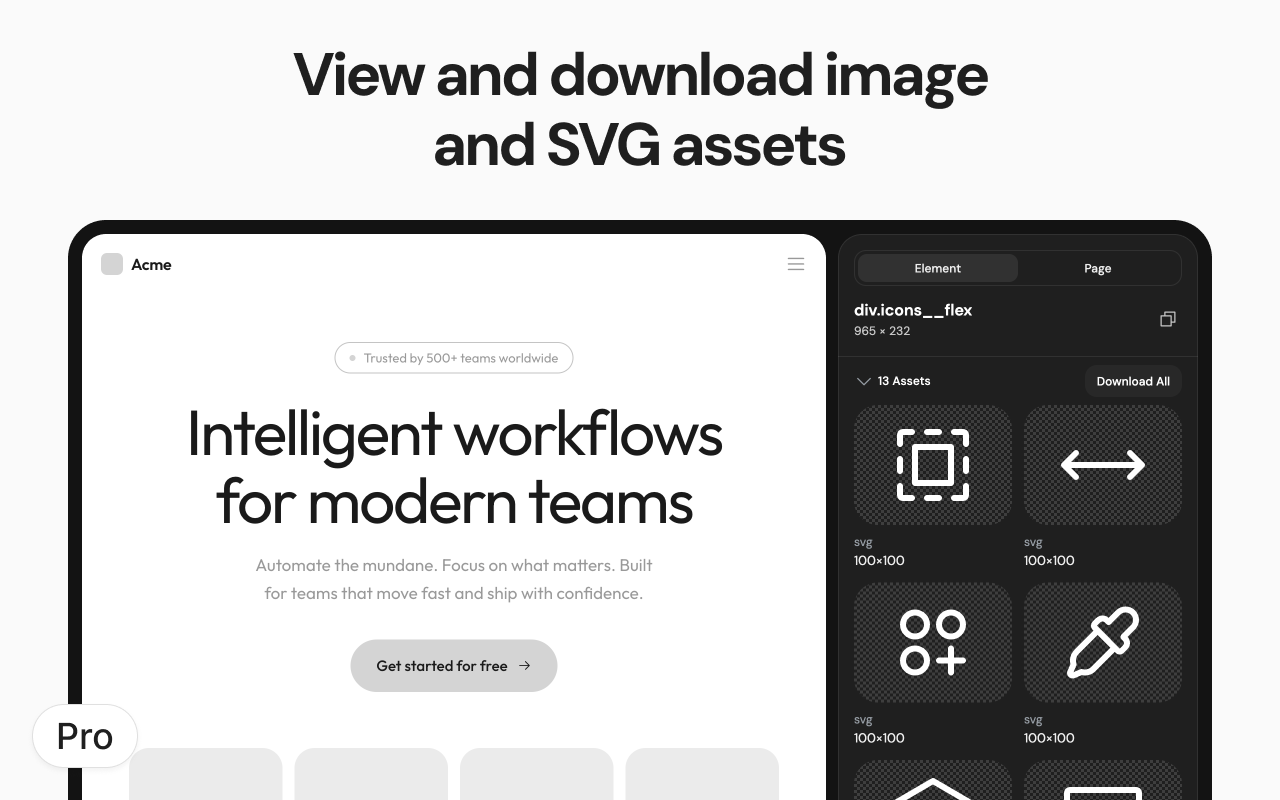
4. Asset Extraction: Extract and download images, SVGs, and vector assets directly from any webpage.
5. Color Extraction: Extract and copy color palettes from selected elements with hex, RGB, and HSL values.
6. Layout Grid Overlay: Overlay a customizable layout grid for perfect design alignment.
7. Element Screenshots: Capture cropped screenshots of selected elements using Ctrl/Cmd + Shift + S.
8. CSS Selector Search: Find and highlight elements using CSS selectors..
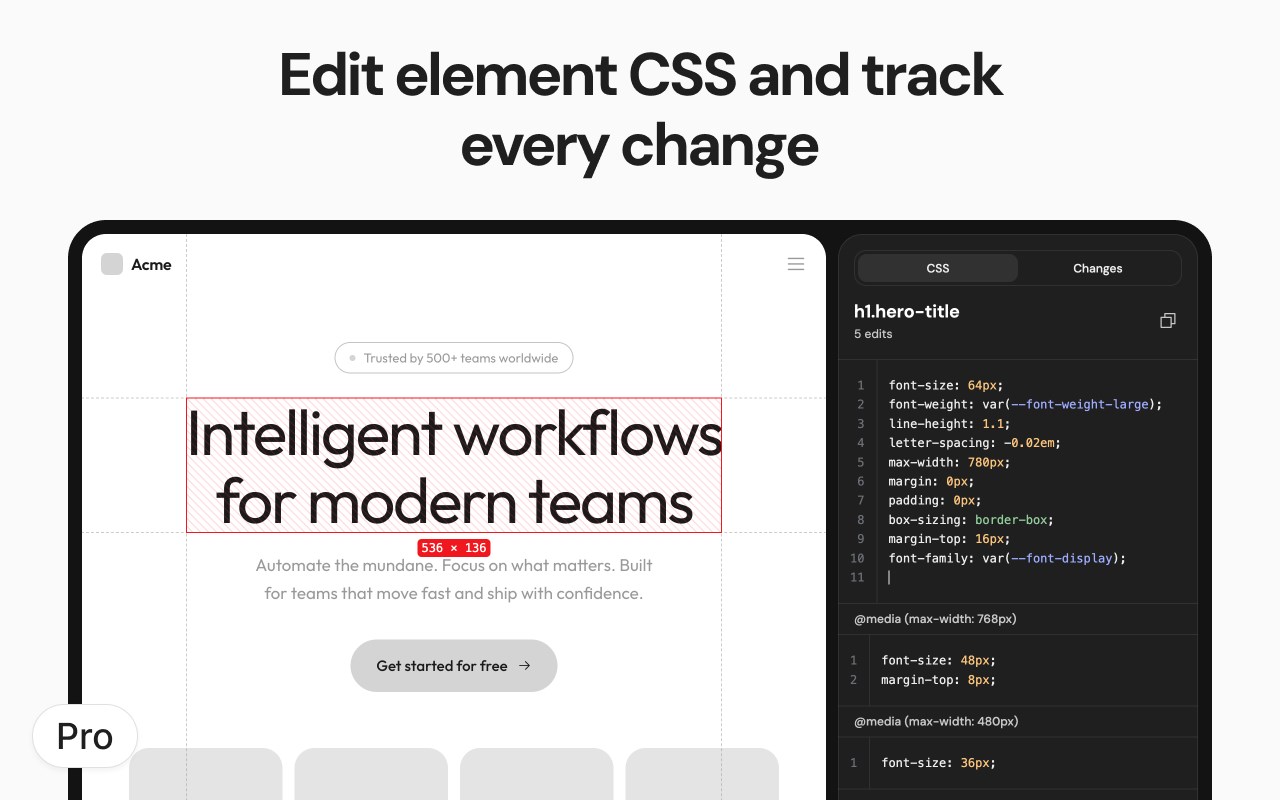
9. Advanced Side Panel: Complete element analysis including computed styles, box model, colors, assets, and animations.
Screen Ruler PRO requires a one-off payment for lifetime access.
Screen Ruler is Made For
- Developers: Spotting layout issues or identify alignment problems. Whether you're tweaking margins and paddings, or just making sure everything lines up correctly, Screen Ruler becomes an indispensable addition of your development toolkit.
- Designers: Ensure your designs have been implemented with pixel-perfect accuracy. Screen Ruler acts as a bridge between design and development, allowing you to check is every element aligns exactly as you intended.
Installation
- Screen Ruler is designed specifically for stability in modern browsers.
- Screen Ruler is installable on any Chromium browser however, for the best experience make sure your browser supports all the required APIs (like Side Panel and Offscreen). If there are any issues with installation, update your browser to the latest version and try again.
Screen Ruler - Measure and Inspect the Web 是做什么的
Screen Ruler - Measure and Inspect the Web 是一款面向 Edge 的实用工具类扩展,主要用来解决浏览器里某类具体的小问题。官方对它的介绍是:Web inspector for designers & developers. Measure elements, extract CSS & colors, capture screenshots & more.在微软 Edge 加载项商店上,它当前版本 4.21.1,约 1,848 名用户。
适合什么人用
从功能定位看,Screen Ruler - Measure and Inspect the Web 更适合想补上浏览器原生缺失功能的用户。如果你平时只是偶尔遇到相关需求,用浏览器自带功能也能凑合;但如果这件事每天都发生,装一个专门处理它的扩展通常比手动操作省事得多。
怎么安装 Screen Ruler - Measure and Inspect the Web
- 打开微软 Edge 加载项商店上的官方页面;
- 点「添加到浏览器」并确认权限提示;
- 装好后在扩展列表里固定图标,方便随时开关。
本站只做索引与介绍,安装包来自官方商店。如果商店页面提示当前地区不可用,说明该扩展未在你所在区域上架。
常见问题
Screen Ruler - Measure and Inspect the Web 是免费的吗?
Screen Ruler - Measure and Inspect the Web 在微软 Edge 加载项商店免费提供下载。它是浏览器扩展,装上就能直接用,不需要注册账号。
Screen Ruler - Measure and Inspect the Web 安全吗?
它只申请了 0 项权限,范围比较克制,没有申请「读取所有网站数据」这种大权限。
Screen Ruler - Measure and Inspect the Web 支持哪些浏览器?
当前收录的版本来自微软 Edge 加载项商店,适用于 Edge。同一个扩展在其他商店可能有对应版本,但功能与版本号不一定相同。
怎么卸载 Screen Ruler - Measure and Inspect the Web?
在扩展管理页找到 Screen Ruler - Measure and Inspect the Web,点移除即可。它在本地保存的设置会一起清掉,不会残留数据。
权限清单 来自 manifest.json 原文
接口权限 8
activeTabcontextMenusdeclarativeContentdeclarativeNetRequestWithHostAccessoffscreenscriptingsidePanelstorage
接口权限(可选) 2
clipboardWritedownloads