Screen Recorder Pro EN
ANMOL GUPTA · EEdge MV3
Professional screen recording extension for Chrome and Edge. Record, download, and manage your screen recordings.
<all_urls>),意味着它可以读取你在任意站点的页面内容,包括已登录的页面。这是许多扩展正常工作的必要条件,但也值得你确认来源可信。
截图
简介
Screen Recorder Pro
Screen Recorder Pro is a professional browser extension for Chrome and Edge that lets you capture your screen directly from your browser. It is designed for tutorials, presentations, software demonstrations, meetings, gameplay, documentation, and content creation, with recording data processed and stored locally on your device.
Powerful Recording Options
Choose the recording method that fits your task:
* Entire Screen — capture your complete screen, including windows and applications.
* Browser Tab — record the selected browser tab.
* Window — capture a specific application window.
* System Audio — capture audio from the selected screen, tab, or window.
* Microphone — record your voice together with system audio.
* Audio Mixing — combine system audio and microphone input through the Web Audio API.
Professional Recording Quality
Choose from multiple recording quality options:
* Highest: 1080p at 60fps
* High: 1080p at 30fps
* Medium: 720p at 30fps
* Low: 360p at 24fps
This allows you to balance recording quality, performance, and file size according to your requirements.
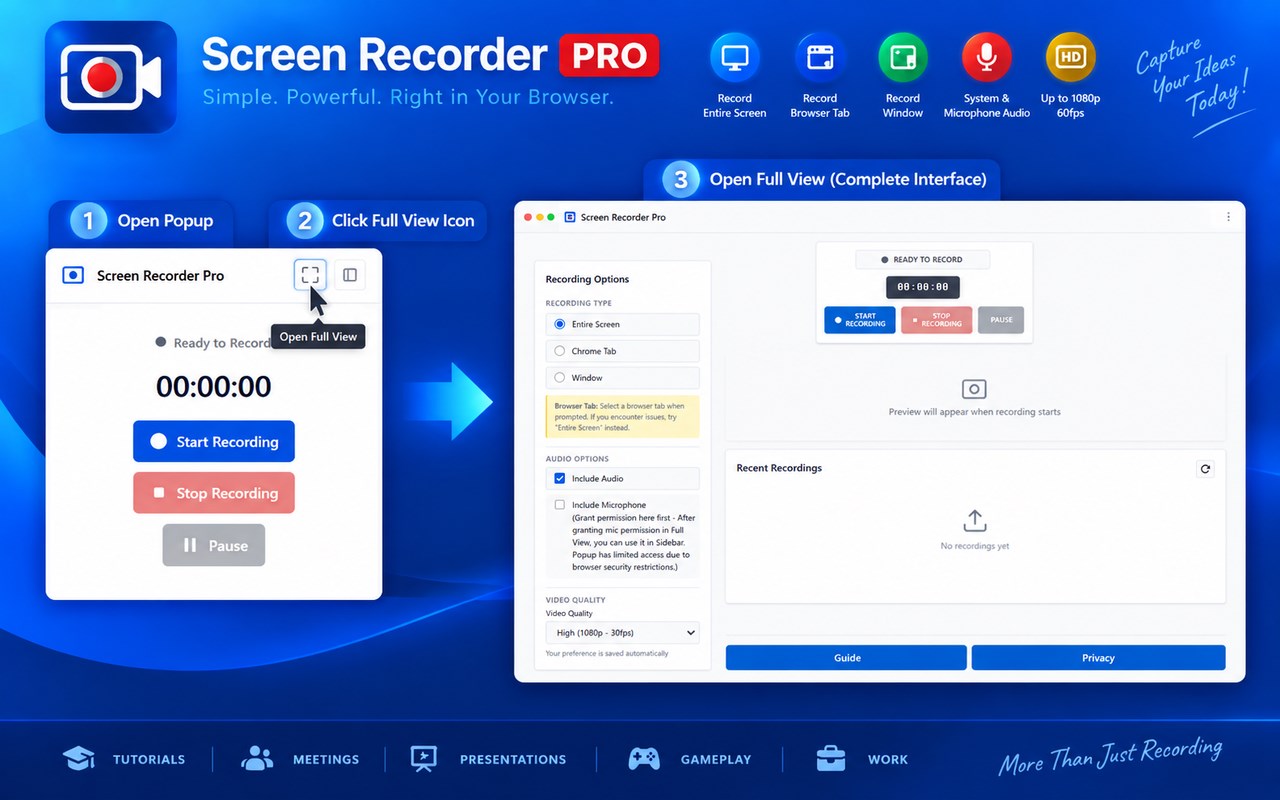
Three Recording Interfaces
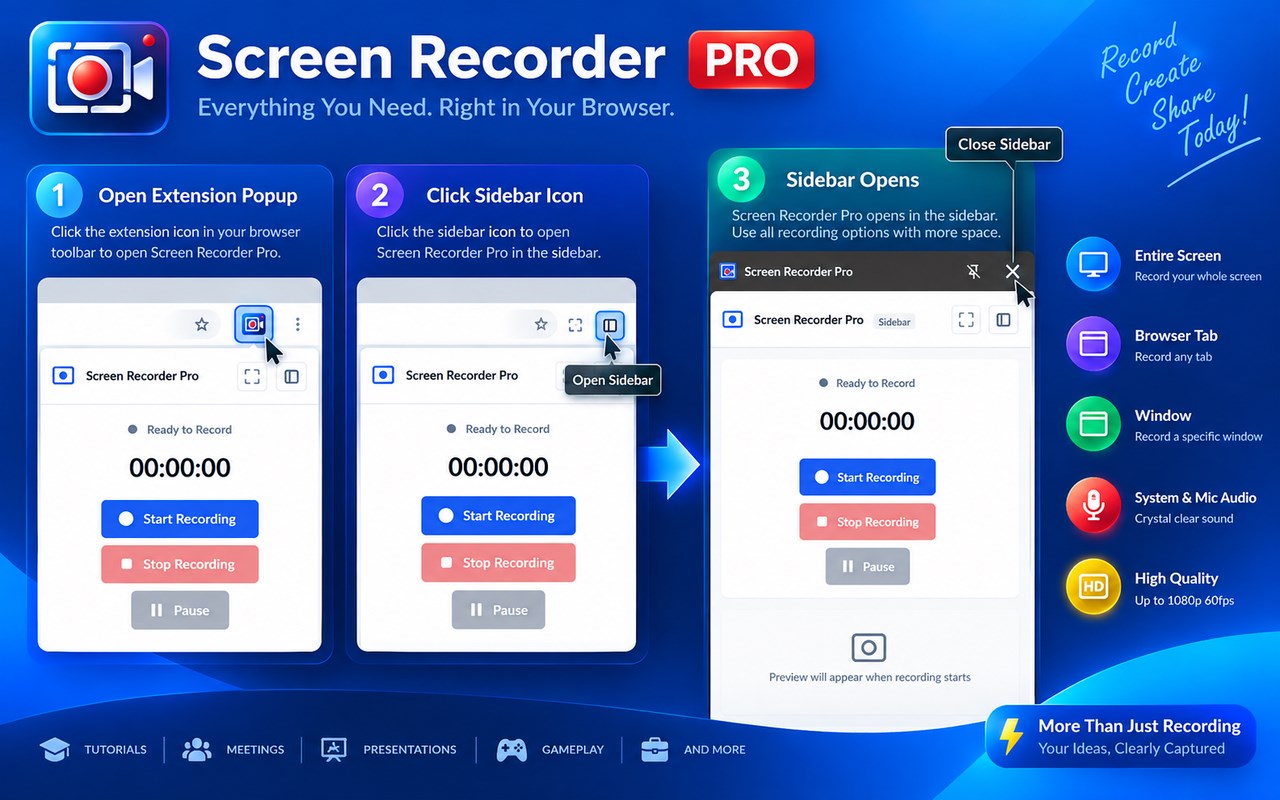
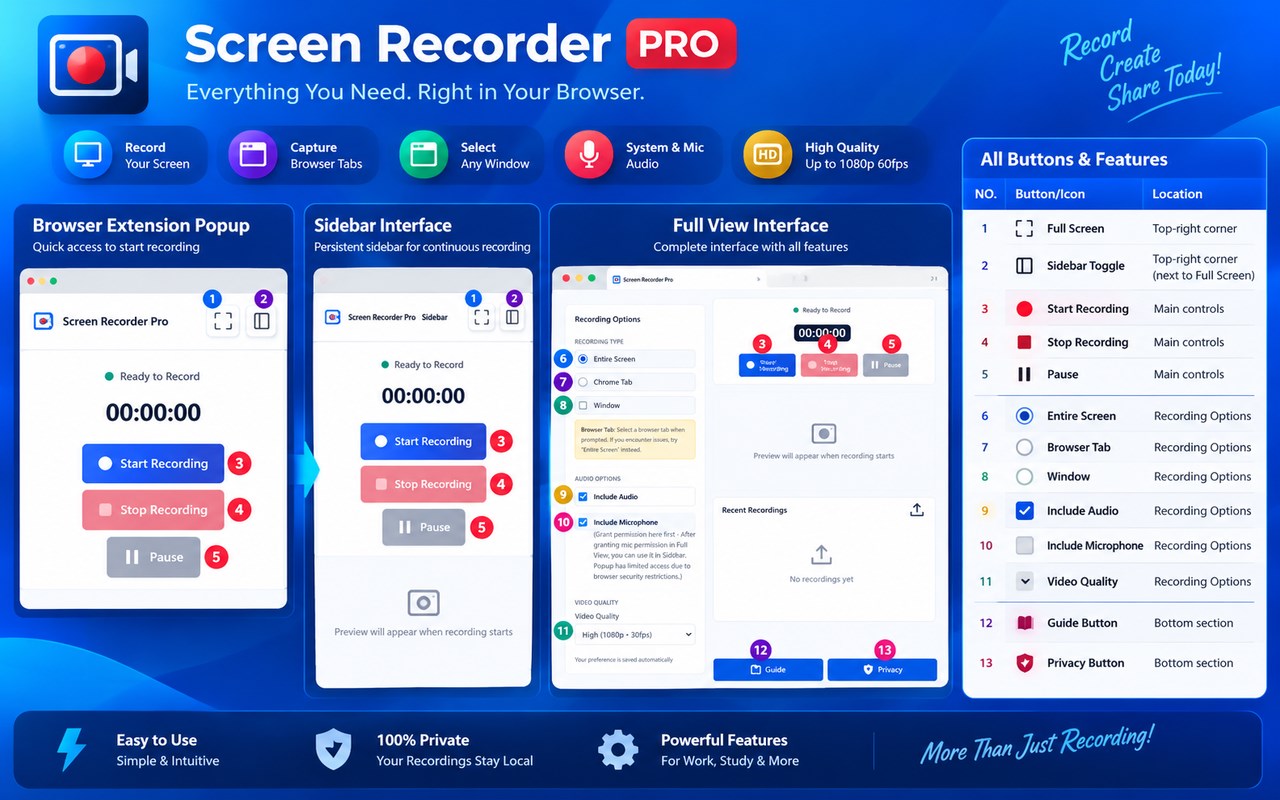
Screen Recorder Pro provides three ways to work:
* Popup Mode — quick access for short, ad-hoc recordings.
* Sidebar Mode — a persistent recording interface that keeps controls accessible while browsing and is suited to longer recording sessions.
* Full-Screen Mode — a dedicated recording environment with a larger preview area for professional workflows.
The extension also provides cross-interface synchronization and background recording capabilities.
Complete Recording Controls
Control your recording directly from the extension:
* Start Recording
* Stop Recording
* Pause
* Resume
* Live Preview
* Recording Timer
The extension also includes emergency-save protection designed to help protect recording data if an interface closes unexpectedly.
Manage Your Recordings
After recording, use the “Recent Recordings” section to:
* Review available recordings
* Play recordings using the built-in video player
* Download recordings to your local computer
* Delete unwanted recordings
Recordings are stored locally using IndexedDB rather than being uploaded to an external server.
Privacy-First and Offline
Screen Recorder Pro is designed around local processing and user control:
* No account or registration is required.
* Recording data is stored locally on your device.
* Recording data is not sent to external servers.
* No analytics, tracking, or telemetry collection is described in the documentation.
* The extension works offline after installation.
* Audio and video processing takes place locally in the browser.
* No third-party cloud service is required.
Built for Different Workflows
Screen Recorder Pro can be used for:
* Software tutorials
* Online demonstrations
* Presentations
* Documentation
* Training and education
* Business meetings
* Gameplay recording
* Software reviews
* Content creation
* Bug and workflow documentation
The extension is designed to provide a practical recording workflow while keeping recorded data under the user's control.
Built-In Guide and Privacy Information
The extension provides “Guide” and “Privacy” buttons for accessing documentation and privacy information directly from the interface. Users can review recording instructions, feature information, troubleshooting guidance, privacy details, and best practices.
Important Recording Information
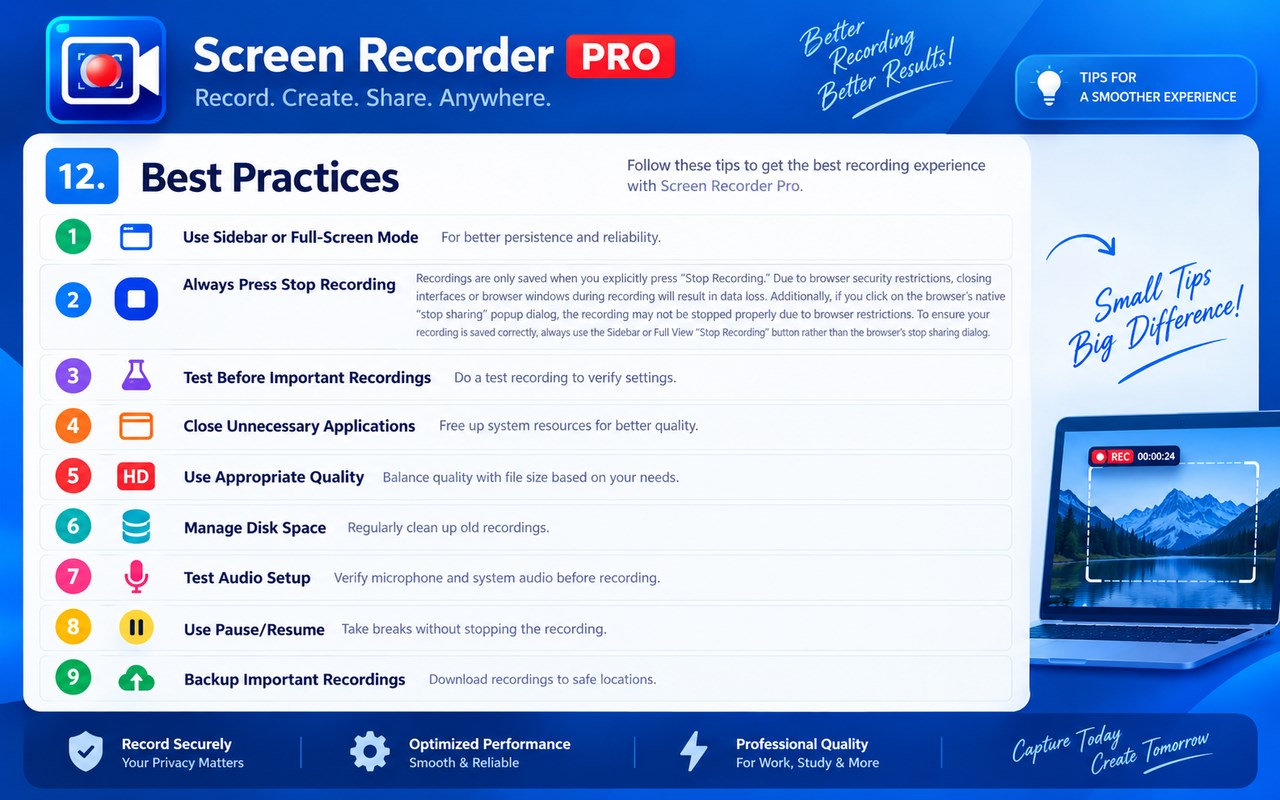
For important or longer recordings, the documentation recommends using “Sidebar or Full-Screen mode” rather than Popup mode. Recordings are saved when “Stop Recording” is explicitly pressed. Closing the recording interface or browser during an active recording can result in the recording not being saved because of browser security restrictions.
Screen Recorder Pro provides a complete browser-based recording workflow with flexible capture modes, audio controls, quality settings, live preview, pause/resume, local recording management, multiple interfaces, and privacy-focused local processing.
Screen Recorder Pro 是做什么的
Screen Recorder Pro 是一款面向 Edge 的效率工具类扩展,主要用来管住注意力、屏蔽干扰站点、记录时间。官方对它的介绍是:Professional screen recording extension for Chrome and Edge. Record, download, and manage your screen recordings.在微软 Edge 加载项商店上,它当前版本 1.0.0,约 4 名用户。
适合什么人用
从功能定位看,Screen Recorder Pro 更适合想专注工作学习、减少无效刷网页的用户。如果你平时只是偶尔遇到相关需求,用浏览器自带功能也能凑合;但如果这件事每天都发生,装一个专门处理它的扩展通常比手动操作省事得多。需要注意的是它作用于所有网站,装上后建议先观察一两天,确认不影响常用站点的正常使用。
怎么安装 Screen Recorder Pro
- 打开微软 Edge 加载项商店上的官方页面;
- 点「添加到浏览器」并确认权限提示;
- 装好后在扩展列表里固定图标,方便随时开关。
本站只做索引与介绍,安装包来自官方商店。如果商店页面提示当前地区不可用,说明该扩展未在你所在区域上架。
常见问题
Screen Recorder Pro 是免费的吗?
Screen Recorder Pro 在微软 Edge 加载项商店免费提供下载。它是浏览器扩展,装上就能直接用,不需要注册账号。
Screen Recorder Pro 安全吗?
它只申请了 0 项权限,范围比较克制,没有申请「读取所有网站数据」这种大权限。
Screen Recorder Pro 支持哪些浏览器?
当前收录的版本来自微软 Edge 加载项商店,适用于 Edge。同一个扩展在其他商店可能有对应版本,但功能与版本号不一定相同。
怎么卸载 Screen Recorder Pro?
在扩展管理页找到 Screen Recorder Pro,点移除即可。它在本地保存的设置会一起清掉,不会残留数据。
权限清单 来自 manifest.json 原文
站点访问(可选) 1
<all_urls>
接口权限 5
activeTabdownloadssidePanelstoragetabCapture
其他商店也有这款
同一款扩展在不同浏览器下的版本,权限与更新节奏可能不同