
Safe Screen Share | Blur Screen Privacy App EN
Safe Screen Share · EEdge MV3
Blur or black out sensitive info while screen sharing on Zoom, Meet, Teams, Loom and OBS. Auto-hide names and words on every site.
<all_urls>),意味着它可以读取你在任意站点的页面内容,包括已登录的页面。这是许多扩展正常工作的必要条件,但也值得你确认来源可信。
截图
简介
Blur your screen before you share it. Safe Screen Share is the screen privacy app for live calls, screen recordings, demos, and tutorials.
Every time you share your screen, Zoom, Meet, Teams, Loom, OBS — you risk exposing things you didn't mean to show: inbox previews, client emails, credit cards, API keys, browser tabs you forgot were open. Safe Screen Share blurs them automatically. Zero post-production. Zero stress.
━━━━━━━━━━━━━━━━━━━━━━━━
⚡ WHAT IT DOES
━━━━━━━━━━━━━━━━━━━━━━━━
🆕 New: Always hide
Add a name, account number or keyword once and it stays hidden on every website you open, even when the text is split across the page, inside form fields or in tab titles. Use wildcards, paste an example to hide every similar number, or right-click selected text and choose Always hide. Link words to a blur profile so they only hide when you need them to.
⬛ New: Blackout
Prefer solid black boxes to blur? Switch to Blackout and every redaction turns black, including the ones you already made.
🔒 SmartBlur: Auto-detection that finds what you forgot
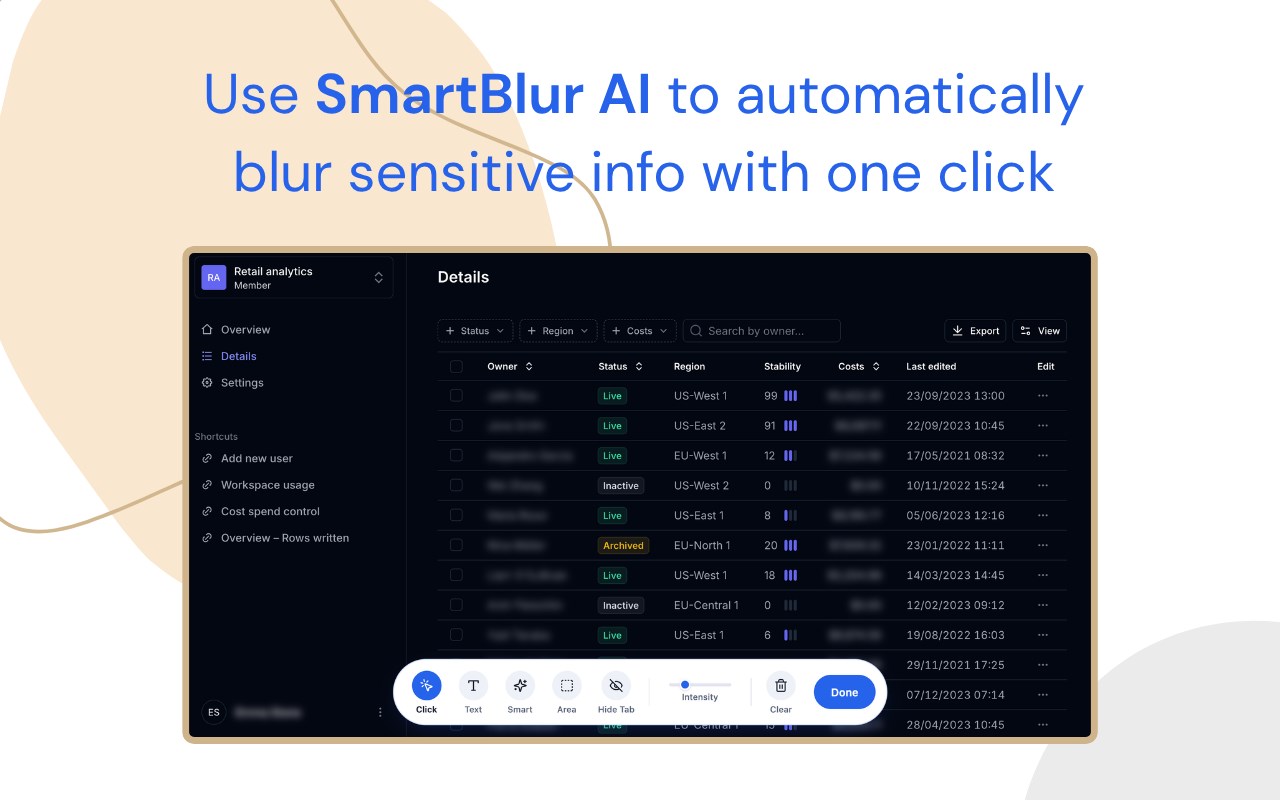
SmartBlur scans your page and hides emails, phone numbers, credit cards, SSNs, IBANs, Secret tokens, API keys and around two dozen other sensitive token formats. Plus inboxes on Gmail, Slack, Notion, and more.
✨ SmartBlur with AI: The AI powered Smartblur provides deeper redaction by understanding the context of the page.
🎯 One-click blur
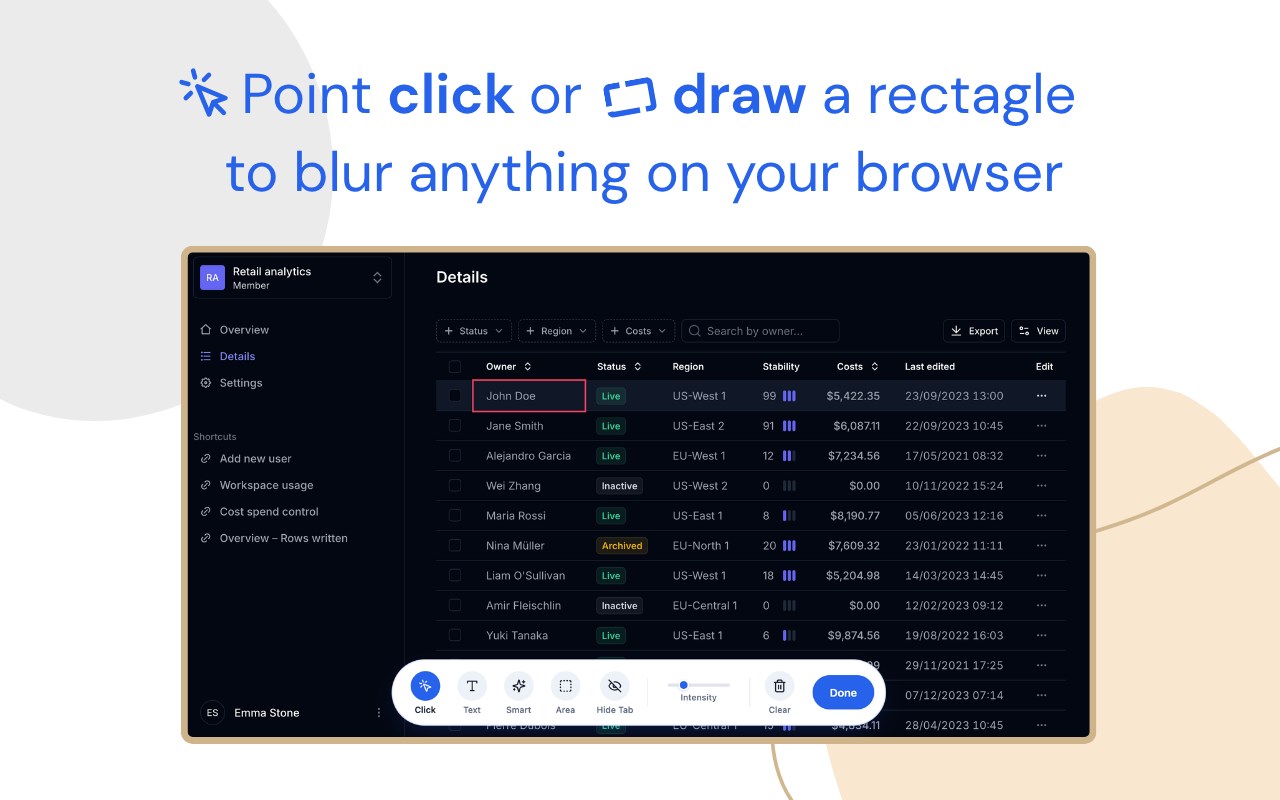
Click any element on the page — a row, a div, a block of text. Hidden instantly. Click again to reveal.
🟦 Area blur
Draw a rectangle over anything — a chart, a corner, a row of tabs. Move and resize on the fly.
🔤 Text blur
Select just a word or sentence. Only that range blurs.
📑 Hide tab titles
Redact every tab title and favicon in a single click. Other tabs stay private — even the ones you're not sharing.
⚙️ Blur intensity
Dial it from a subtle fade to completely opaque. Match the blur to the sensitivity.
👤 Blur profiles
Save different setups — "demo mode," "streaming," "client calls" — and switch in a single click.
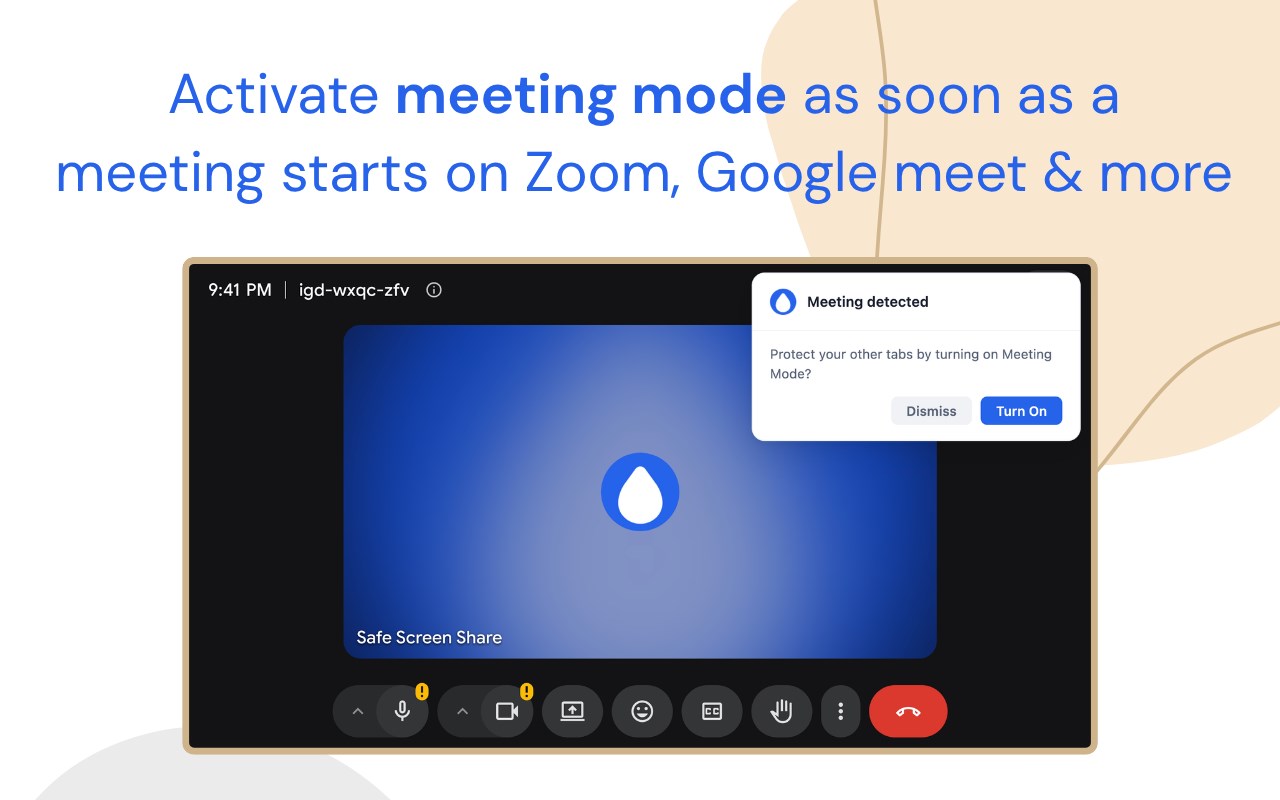
🎥 Meeting Mode — auto-protects you the second a call starts
Meeting Mode detects when you join a Google Meet, Zoom, or Microsoft Teams call. Your saved Blur Profile snaps into place across every open tab. Hangs up, drops off. You never think about it.
👀 Peek
Hold Alt (Option on Mac) to take a quick look at anything hidden. Turn it on in settings.
⌨️ Keyboard shortcuts
Start blurring, pause Always hide on a site, or switch between Blur and Blackout without opening the menu.
🛡️ 100% on your device
Nothing is captured, uploaded, or stored. Your blur rules and detected content never leave your browser. Your data is not collected, sold, or shared.
━━━━━━━━━━━━━━━━━━━━━━━━
💼 WHO IT'S FOR
━━━━━━━━━━━━━━━━━━━━━━━━
• Content creators recording tutorials and walkthroughs
• Online educators sharing screens with students on live Zoom or Meet calls
• Freelancers and consultants presenting client work
• Sales teams running live product demos
• Software founders demoing their product
• Anyone who's ever had an "uh, wait" moment mid-share
━━━━━━━━━━━━━━━━━━━━━━━━
🙋 COMMON QUESTIONS
━━━━━━━━━━━━━━━━━━━━━━━━
Does this record or read my screen?
No. Everything runs locally in your browser. Nothing is captured, uploaded, or stored.
Will it slow my browser down?
You won't feel it. SmartBlur scans on demand — it's idle when you're not sharing.
What if I share a window instead of my whole screen?
Still works. The extension blurs the page itself, so whatever framing the call software does, the blur travels with it.
Can it hide the same names on every website?
Yes. Add them to Always hide once and they stay hidden everywhere.
Does it work on Loom or OBS, not just video calls?
Yes. Tutorials, screencasts, Loom recordings, OBS streams, even screenshot-and-DM moments — anywhere your screen is in front of someone else.
━━━━━━━━━━━━━━━━━━━━━━━━
Stop worrying. Start sharing.
→ Website: https://safescreenshare.com
→ Support: support@safescreenshare.com
→ Privacy: https://safescreenshare.com/privacy
→ Terms: https://safescreenshare.com/terms
Get a license at https://safescreenshare.com to unlock the full toolkit.
Safe Screen Share | Blur Screen Privacy App 是做什么的
Safe Screen Share | Blur Screen Privacy App 是一款面向 Edge 的效率工具类扩展,主要用来管住注意力、屏蔽干扰站点、记录时间。官方对它的介绍是:Blur or black out sensitive info while screen sharing on Zoom, Meet, Teams, Loom and OBS. Auto-hide names and words on every site.在微软 Edge 加载项商店上,它当前版本 3.2.0。
适合什么人用
从功能定位看,Safe Screen Share | Blur Screen Privacy App 更适合想专注工作学习、减少无效刷网页的用户。如果你平时只是偶尔遇到相关需求,用浏览器自带功能也能凑合;但如果这件事每天都发生,装一个专门处理它的扩展通常比手动操作省事得多。需要注意的是它作用于所有网站,装上后建议先观察一两天,确认不影响常用站点的正常使用。
怎么安装 Safe Screen Share | Blur Screen Privacy App
- 打开微软 Edge 加载项商店上的官方页面;
- 点「添加到浏览器」并确认权限提示;
- 装好后在扩展列表里固定图标,方便随时开关。
本站只做索引与介绍,安装包来自官方商店。如果商店页面提示当前地区不可用,说明该扩展未在你所在区域上架。
常见问题
Safe Screen Share | Blur Screen Privacy App 是免费的吗?
Safe Screen Share | Blur Screen Privacy App 在微软 Edge 加载项商店免费提供下载。它是浏览器扩展,装上就能直接用,不需要注册账号。
Safe Screen Share | Blur Screen Privacy App 安全吗?
它只申请了 0 项权限,范围比较克制,没有申请「读取所有网站数据」这种大权限。
Safe Screen Share | Blur Screen Privacy App 支持哪些浏览器?
当前收录的版本来自微软 Edge 加载项商店,适用于 Edge。同一个扩展在其他商店可能有对应版本,但功能与版本号不一定相同。
怎么卸载 Safe Screen Share | Blur Screen Privacy App?
在扩展管理页找到 Safe Screen Share | Blur Screen Privacy App,点移除即可。它在本地保存的设置会一起清掉,不会残留数据。
权限清单 来自 manifest.json 原文
站点访问(可选) 1
<all_urls>
接口权限 7
activeTabalarmscontextMenusoffscreenscriptingstorageunlimitedStorage