
S3 Any Viewer EN
Mohanlal S · EEdge MV3
View any S3 object in the browser, formatted: CSV, JSON, Parquet, Excel and many more. No AWS keys.
截图
简介
Stop downloading files just to look at them.
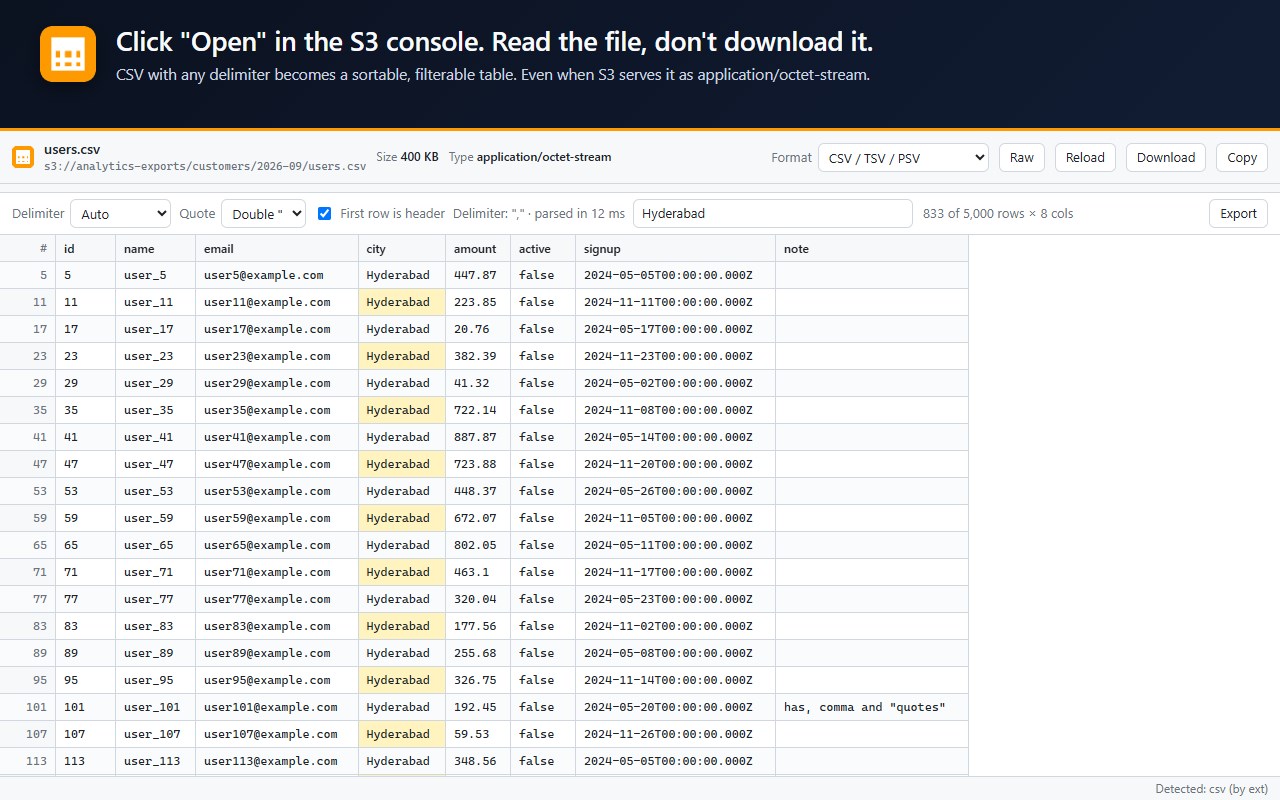
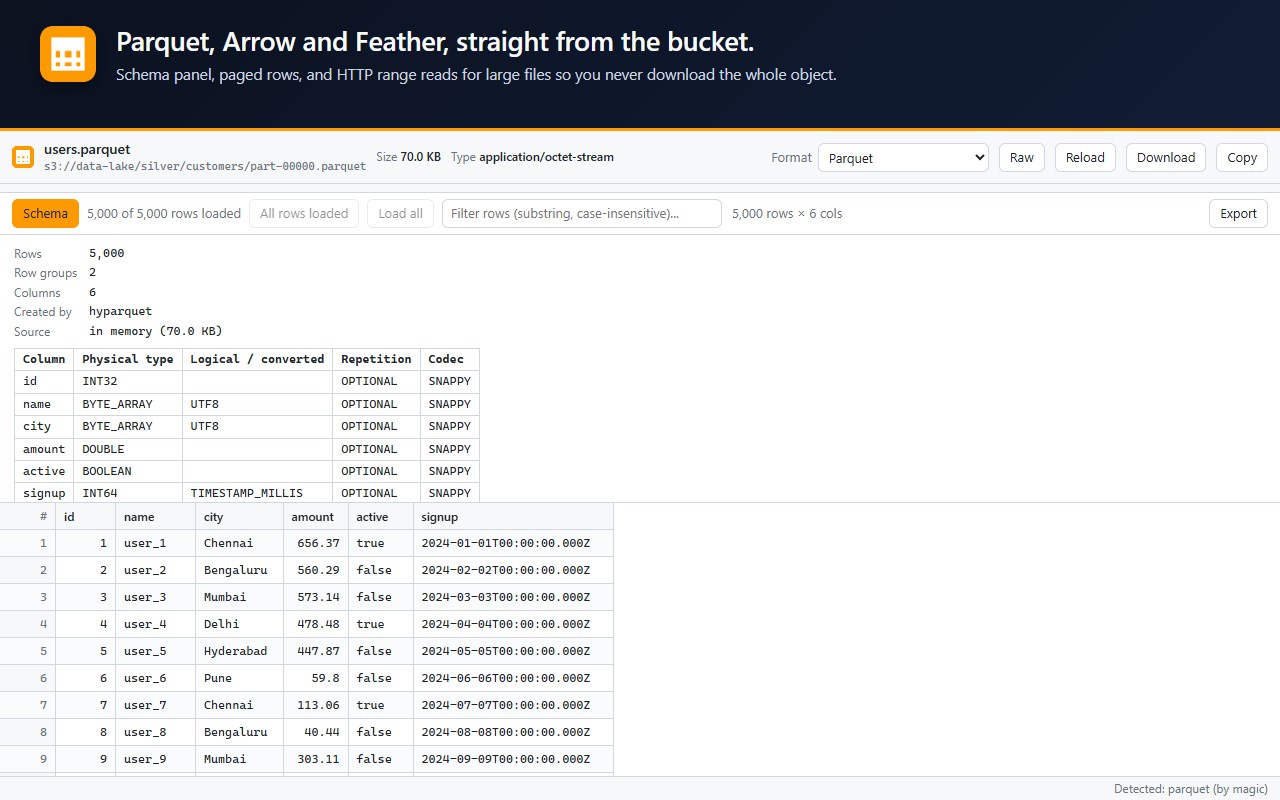
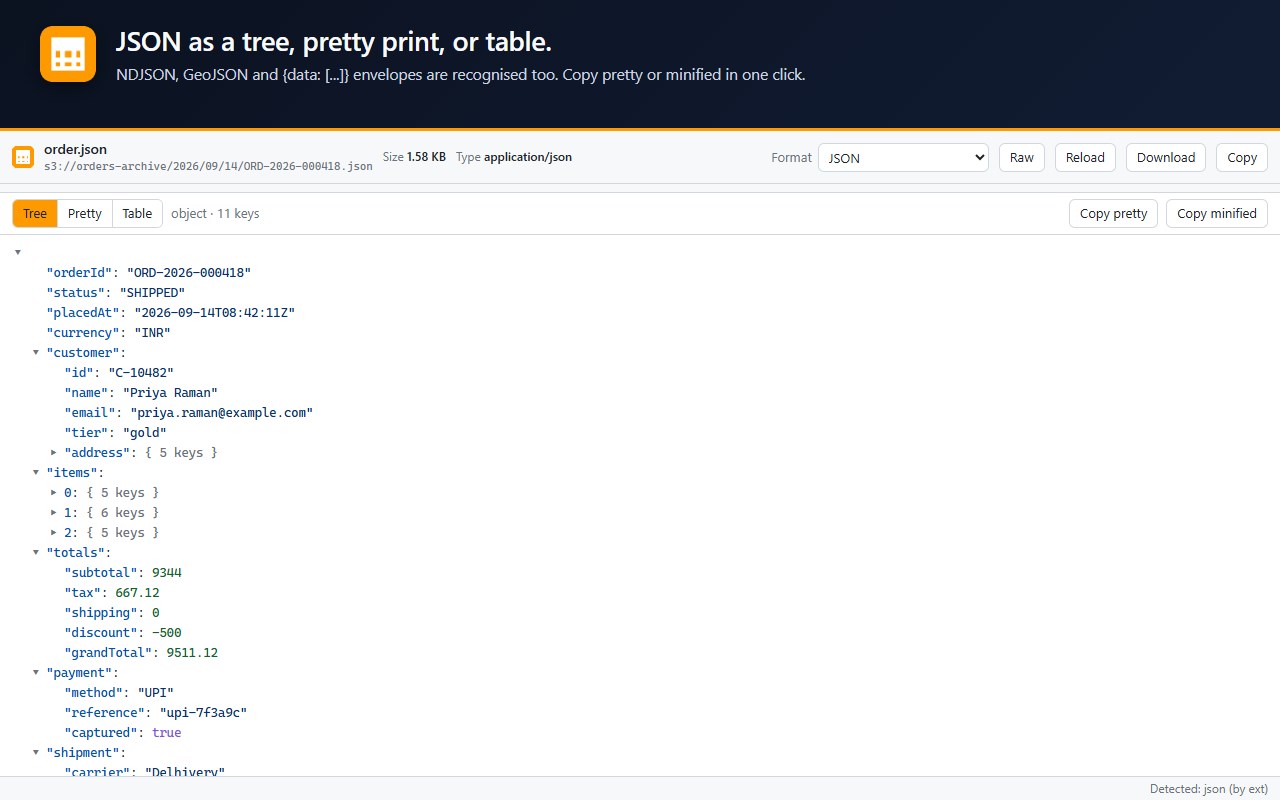
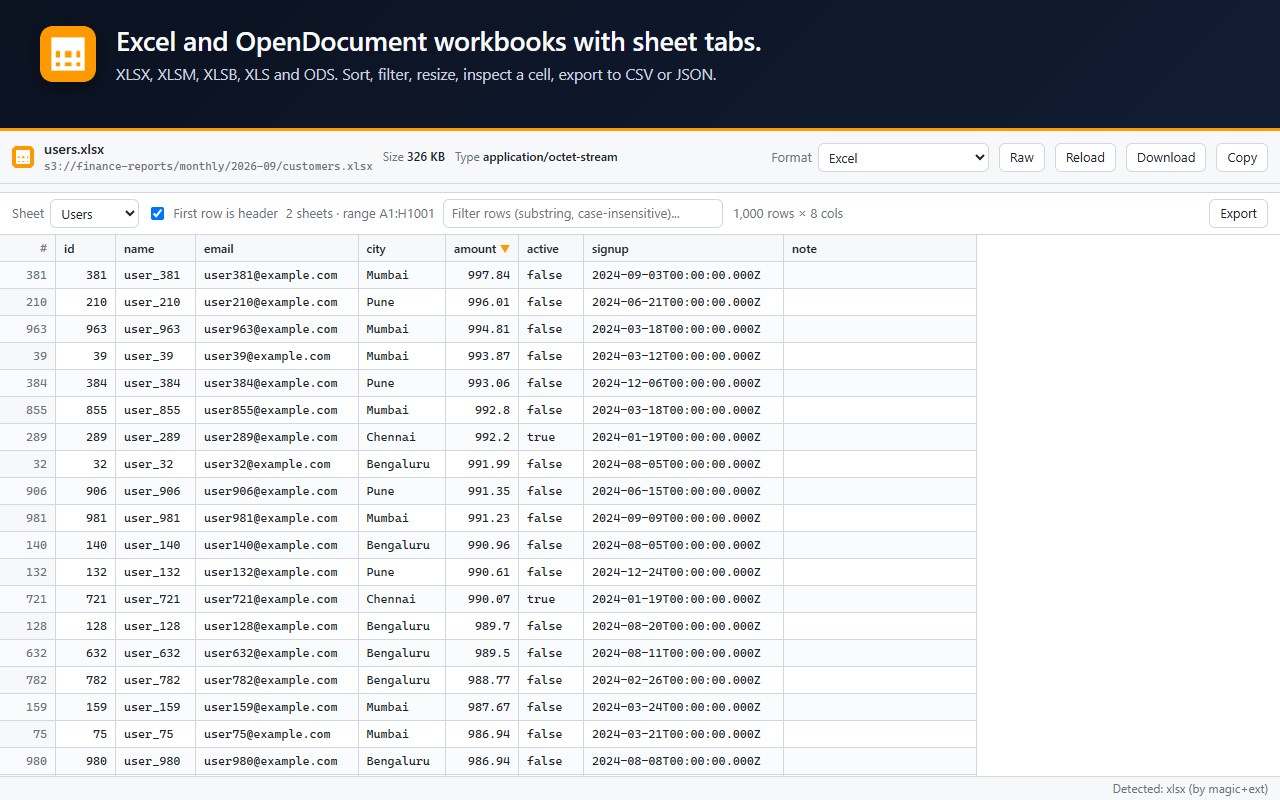
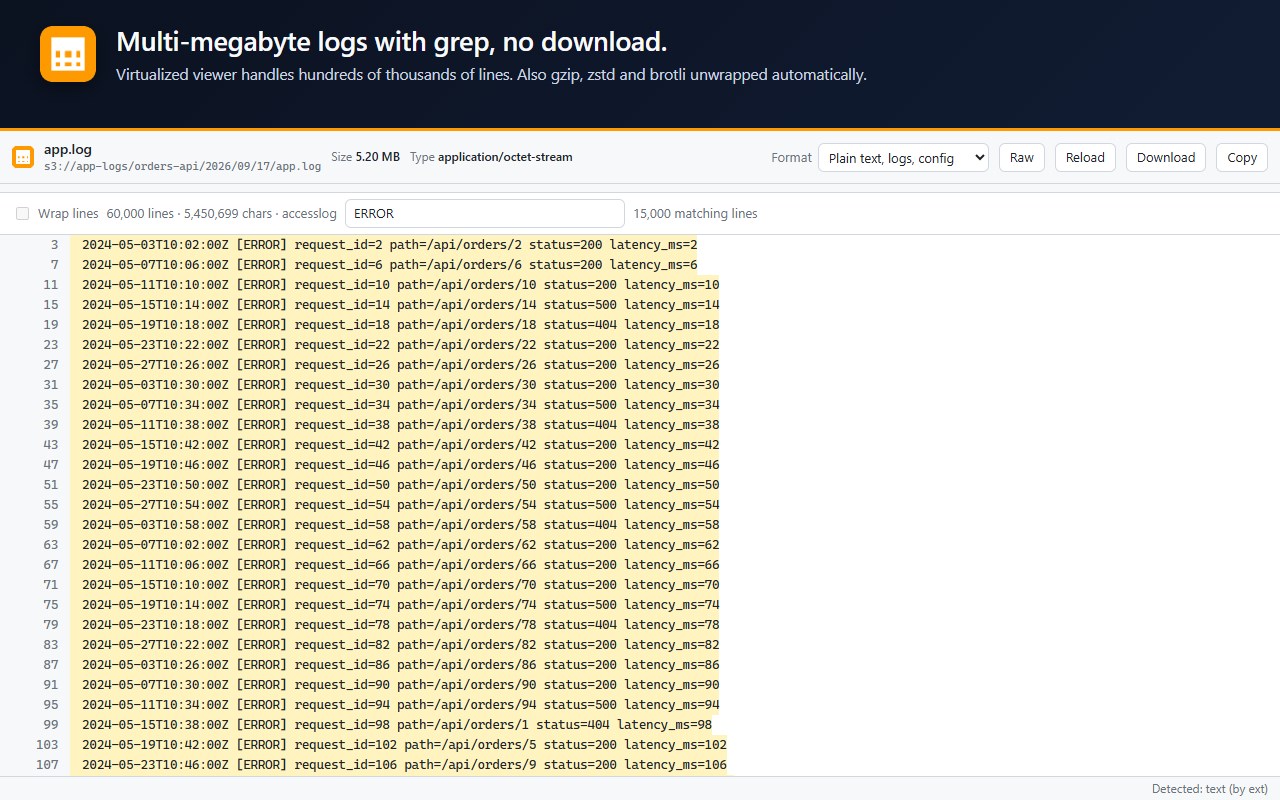
S3 Any Viewer turns the "Open" button in the AWS console into a real file viewer. Click Open on any object and it renders in a new tab, formatted for its type: CSV, JSON, Parquet, Excel, PDF and many more, including compressed and archived files. Tables you can sort and filter, trees you can fold, documents and media shown inline, and a hex dump for anything else instead of a silent download.
Every table supports sorting, substring filtering across all columns, column resizing, double-click to inspect a cell, and export to CSV, TSV, JSON or the clipboard.
NO AWS CREDENTIALS
The extension never asks for access keys, session tokens or cookies. The console already generates a short-lived presigned URL when you click it. The extension simply intercepts that navigation and renders the bytes in the browser. The only network request is the one that would have been made anyway. The console's Download button keeps working as before.
WORKS WITH
• Amazon S3 console (all regions, including AWS China)
• Any presigned link, via right-click → "Open link in S3 Any Viewer"
• Compatible object stores such as MinIO and Cloudflare R2, and CloudFront URLs, after a one-time permission prompt
• Local files, via the toolbar popup
COMMON QUESTIONS
Why does Edge say it can "read and change" data on amazonaws.com?
That is Edge's standard wording for site access. Many popular developer tools, such as data formatters, show the same message for every website; this one is limited to amazonaws.com. All it does with that is send the tab to the viewer instead of a download. It has no content scripts, so it cannot read or alter any web page.
Why is access to another site requested?
Only when you view a non-Amazon address yourself, from the popup or the right-click menu. Edge asks for that one site, and you can remove it at any time under Site access in the extension's details.
I selected several items and only one tab appeared.
Edge blocks the extra tabs the first time. Click the blocked pop-up icon at the end of the address bar, choose "Always allow", then try again.
Does it store, share or change anything?
No. Content stays in the tab's memory until you close it, nothing is sent anywhere, and the signed URL it uses can only read, never change or delete. Scripts inside the documents you view never run.
Do I need keys, and can it reach more than I can?
No keys are needed, and it never sees more than you can. It only uses the short-lived signed URL your account already received, which stops working when it expires.
Does the Download button still work?
Yes, it saves as usual. The popup lets you change that or pause the extension.
How can I check the code?
It is all public under the MIT license. The security guide explains the data flow and how to compare an installed copy with the source: https://github.com/mohan-lal/s3-any-viewer/blob/main/SECURITY.md
More answers: https://github.com/mohan-lal/s3-any-viewer#faq
PRIVACY
No analytics, no telemetry, no remote code. All parsing happens in your browser tab. The only stored data is two on/off preferences. Full policy: https://github.com/mohan-lal/s3-any-viewer/blob/main/PRIVACY.md
OPEN SOURCE
MIT licensed. Source, issues and roadmap: https://github.com/mohan-lal/s3-any-viewer
S3 Any Viewer 是做什么的
S3 Any Viewer 是一款面向 Edge 的实用工具类扩展,主要用来解决浏览器里某类具体的小问题。官方对它的介绍是:View any S3 object in the browser, formatted: CSV, JSON, Parquet, Excel and many more. No AWS keys.在微软 Edge 加载项商店上,它当前版本 0.3.1,约 3 名用户。
适合什么人用
从功能定位看,S3 Any Viewer 更适合想补上浏览器原生缺失功能的用户。如果你平时只是偶尔遇到相关需求,用浏览器自带功能也能凑合;但如果这件事每天都发生,装一个专门处理它的扩展通常比手动操作省事得多。
怎么安装 S3 Any Viewer
- 打开微软 Edge 加载项商店上的官方页面;
- 点「添加到浏览器」并确认权限提示;
- 装好后在扩展列表里固定图标,方便随时开关。
本站只做索引与介绍,安装包来自官方商店。如果商店页面提示当前地区不可用,说明该扩展未在你所在区域上架。
常见问题
S3 Any Viewer 是免费的吗?
S3 Any Viewer 在微软 Edge 加载项商店免费提供下载。它是浏览器扩展,装上就能直接用,不需要注册账号。
S3 Any Viewer 安全吗?
它只申请了 0 项权限,范围比较克制,没有申请「读取所有网站数据」这种大权限。
S3 Any Viewer 支持哪些浏览器?
当前收录的版本来自微软 Edge 加载项商店,适用于 Edge。同一个扩展在其他商店可能有对应版本,但功能与版本号不一定相同。
怎么卸载 S3 Any Viewer?
在扩展管理页找到 S3 Any Viewer,点移除即可。它在本地保存的设置会一起清掉,不会残留数据。
权限清单 来自 manifest.json 原文
接口权限 3
contextMenusdeclarativeNetRequestWithHostAccessstorage