
Requestly: Supercharge your Development & QA EN
RQ Labs India Pvt Ltd · Edge MV3
Features: Intercept & Modify HTTPs Requests, API Mocking, GraphQL Mocking, Rest API Client, API Testing, Modify HTTP Headers, etc
<all_urls>),意味着它可以读取你在任意站点的页面内容,包括已登录的页面。这是许多扩展正常工作的必要条件,但也值得你确认来源可信。
截图


简介
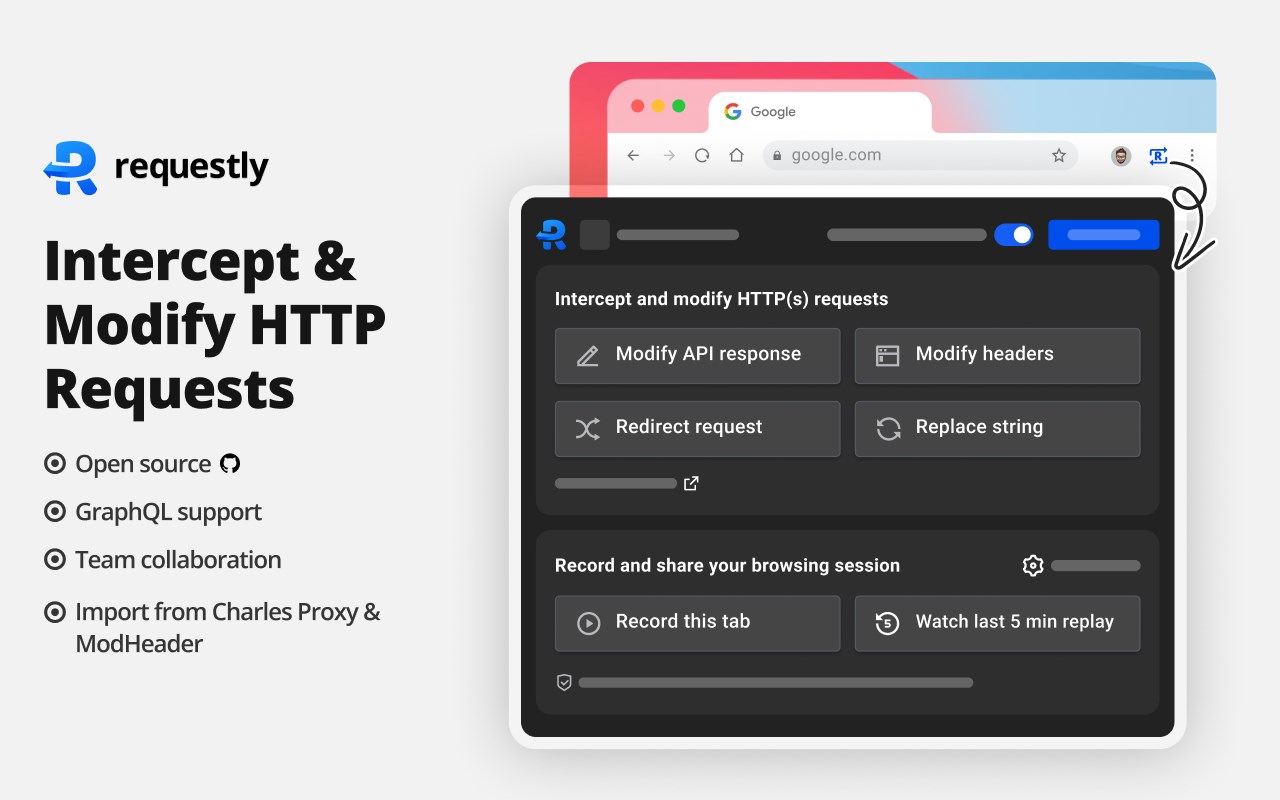
Edge’s favorite Open-Source DevTool of 2024! Named one of the best Edge extensions to Modify HTTP Requests by the Edge team & rated 5 stars by 200,000+ users.
Best alternative to Charles Proxy, Fiddler and ModHeader that works directly in Edge with beautiful, modern UI and team collaboration features.
Top Use Cases
→ Test JavaScript changes directly on your production site without code changes.
→ Use Redirect Rule to load scripts from local or staging environment on production sites.
→ Modify and Mock API Request payload, Response body & Status Code.
→ Override GraphQL Requests
Unlike Charles Proxy & Fiddler, Requestly doesn’t set up a proxy in your browser and hence developers don’t face VPN issues or lags while using it.
Requestly leverages Edge Extension APIs under the hood to hit API endpoints, intercept & modify requests.
**Top Features**
👉 Mock XHR & Fetch API requests
→ Define Custom Response for your APIs requested by XHR/fetch
→ Modify API response directly on Staging or Production sites
→ Works with GraphQL APIs
→ Simulate fake HTTP Status Code (400s or 500s) for your APIs
📌 Demo Video – [https://www.youtube.com/watch?v=KIPbxUGUYq8](https://youtu.be/DNv_tlhoT90)
👉 Redirect URLs, Change Host, Modify Query Params (Map Remote or Map Local)
→ Use dev/staging APIs in production sites & test local changes without code changes
→ Debug remote Javascript by loading locally running JS in production sites
→ Switch Hosts (e.g. [abc.com/*](http://abc.com/*) to [xyz.com/*](http://xyz.com/*)) using Replace Rule
→ Debug Ad Tracking Pixels, Debug A/B Test Campaigns, etc
→ Remote Debugging with Requestly on Production sites
→ Swap Adobe Launch (Adobe DTM) scripts in production with staging script
📌 Demo Video -- [https://www.youtube.com/watch?v=85GVaOWTnlE](https://www.youtube.com/watch?v=J9I0Sf6IPpY)
👉 Insert Scripts to any Webpage like TamperMonkey or GreaseMonkey Scripts
→ UserScripts are simple javascript, CSS code that can change the layout of a page, add or remove new functionality and content, or automate actions.
→ Use File Server to upload long scripts and Inject them using Script Rule
→ Inject your JS tags on potential customers' sites and test your features
→ The sales/product team can use this to demo the product directly on the prospect’s website (10x engaging demo)
📌 Demo -- [https://www.youtube.com/watch?v=4dvucRjLwGY](https://www.youtube.com/watch?v=b3TzuxkNdgM)
👉 Mock Server
→ Create Mock API calls
→ Generate Mock data (random data) in the API response
→ Test Mock API endpoints using API client
→ Add delay to the endpoints
→ Define custom HTTP status code & custom headers in the API Mock
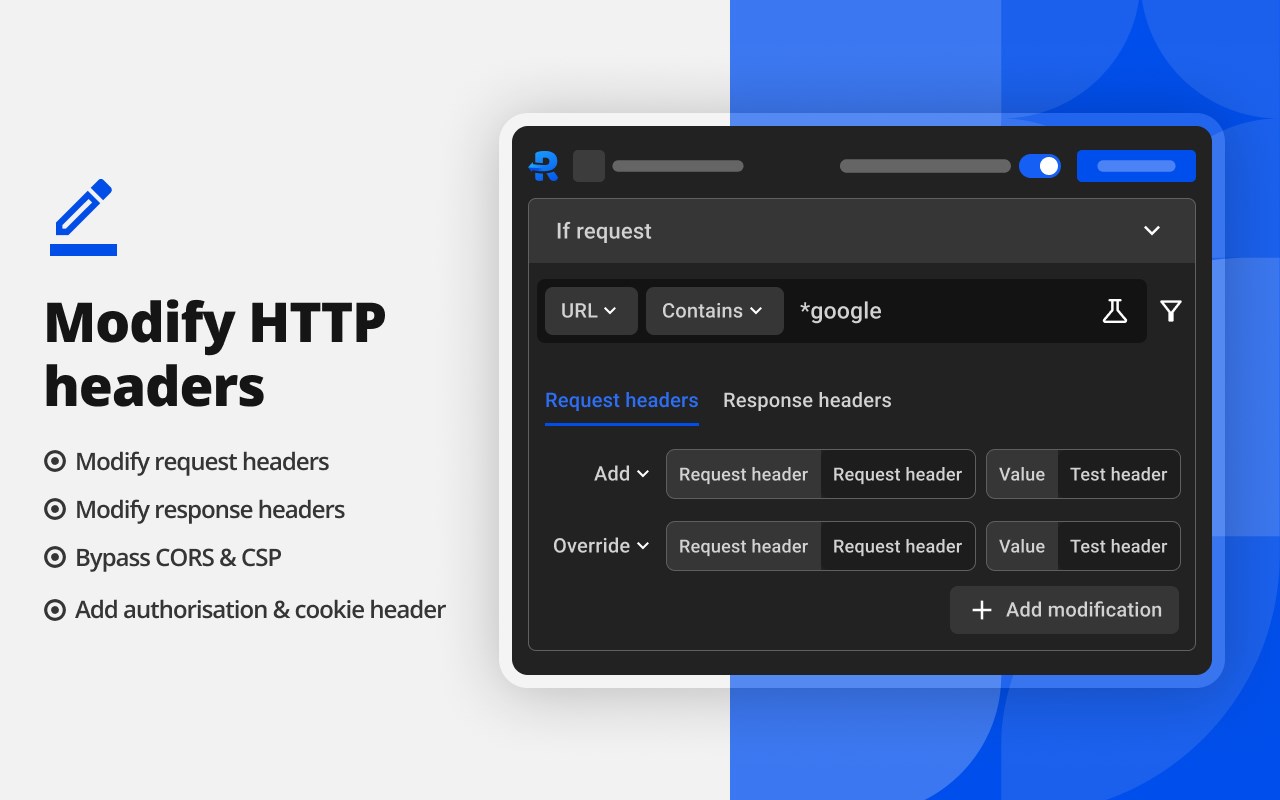
→ CORS enabled. Mock endpoint will work seamlessly without CORS errors.
📌 https://requestly.com/products/file-server/
👉 Session Recording
→ Visual Bug Reporting Tool
→ Cut down your bug reporting time & debugging time
→ Automatically capture browsing video, Console logs, Network logs & env details
→ Get quality bug reports from QAs, Customer Support & other non-technical people
→ Never deal with asking for Steps to Reproduce
→ Never deal with generating & Sharing Har files
→ Attach the session recording link in Jira Tickets, Emails, or Slack anywhere
→ Much better experience than Fiddler Jam, BirdEatsBug, Jam.dev (Jam dev) or Marker.
📌 https://requestly.com/products/session-book/
👉 Additional Features
→ Enable/Disable rules with a single click
→ Export and import the rules and maintain a backup for your rules
→ Easy collaboration with others. Share Rules with other Users in one click
📌 Demo -- https://www.youtube.com/watch?v=BM7kTFy-vdc
References
🏡 Website - [https://requestly.io](https://requestly.io/)
📖 Docs - [https://docs.requestly.io](https://docs.requestly.io/)
🥷 Github - https://github.com/requestly/requestly
▶️ YouTube- https://www.youtube.com/@requestly
💻 Desktop App - https://requestly.io/desktop
📳 Issues - https://github.com/requestly/requestly/issues
🔓Privacy - https://requestly.io/privacy
🔓Terms & Conditions - https://requestly.io/terms
Mandatory disclosures:
Financial Transactions - This extension does offer subscription based in-product pricing plans which are handled by a secured third party payment provider Stripe.
While a majority of features are free to use but they come with certain limits with requires a premium subscription.
For additional information, please refer to our Terms & Conditions linked above.
Requestly: Supercharge your Development & QA 是做什么的
Requestly: Supercharge your Development & QA 是一款面向 Edge 的实用工具类扩展,主要用来解决浏览器里某类具体的小问题。官方对它的介绍是:Features: Intercept & Modify HTTPs Requests, API Mocking, GraphQL Mocking, Rest API Client, API Testing, Modify HTTP Headers, etc在微软 Edge 加载项商店上,它当前版本 25.9.24,评分 4.1(16 人评价),约 26,952 名用户。
适合什么人用
从功能定位看,Requestly: Supercharge your Development & QA 更适合想补上浏览器原生缺失功能的用户。如果你平时只是偶尔遇到相关需求,用浏览器自带功能也能凑合;但如果这件事每天都发生,装一个专门处理它的扩展通常比手动操作省事得多。需要注意的是它作用于所有网站,装上后建议先观察一两天,确认不影响常用站点的正常使用。
怎么安装 Requestly: Supercharge your Development & QA
- 打开微软 Edge 加载项商店上的官方页面;
- 点「添加到浏览器」并确认权限提示;
- 装好后在扩展列表里固定图标,方便随时开关。
本站只做索引与介绍,安装包来自官方商店。如果商店页面提示当前地区不可用,说明该扩展未在你所在区域上架。
常见问题
Requestly: Supercharge your Development & QA 是免费的吗?
Requestly: Supercharge your Development & QA 在微软 Edge 加载项商店免费提供下载。它是浏览器扩展,装上就能直接用,不需要注册账号。
Requestly: Supercharge your Development & QA 安全吗?
它只申请了 0 项权限,范围比较克制,没有申请「读取所有网站数据」这种大权限。
Requestly: Supercharge your Development & QA 支持哪些浏览器?
当前收录的版本来自微软 Edge 加载项商店,适用于 Edge。同一个扩展在其他商店可能有对应版本,但功能与版本号不一定相同。
怎么卸载 Requestly: Supercharge your Development & QA?
在扩展管理页找到 Requestly: Supercharge your Development & QA,点移除即可。它在本地保存的设置会一起清掉,不会残留数据。
权限清单 来自 manifest.json 原文
站点访问(可选) 1
<all_urls>
接口权限 9
contextMenusdeclarativeNetRequestproxyscriptingstoragetabsunlimitedStoragewebNavigationwebRequest