
小红书评论助手 rednote Comment Assistant
Qingpeng Li · EEdge MV3
帮助你更高效地阅读并节省时间 Helping you read more efficiently and save time
截图


简介
帮助你更高效地阅读并节省时间 Helping you read more efficiently and save time
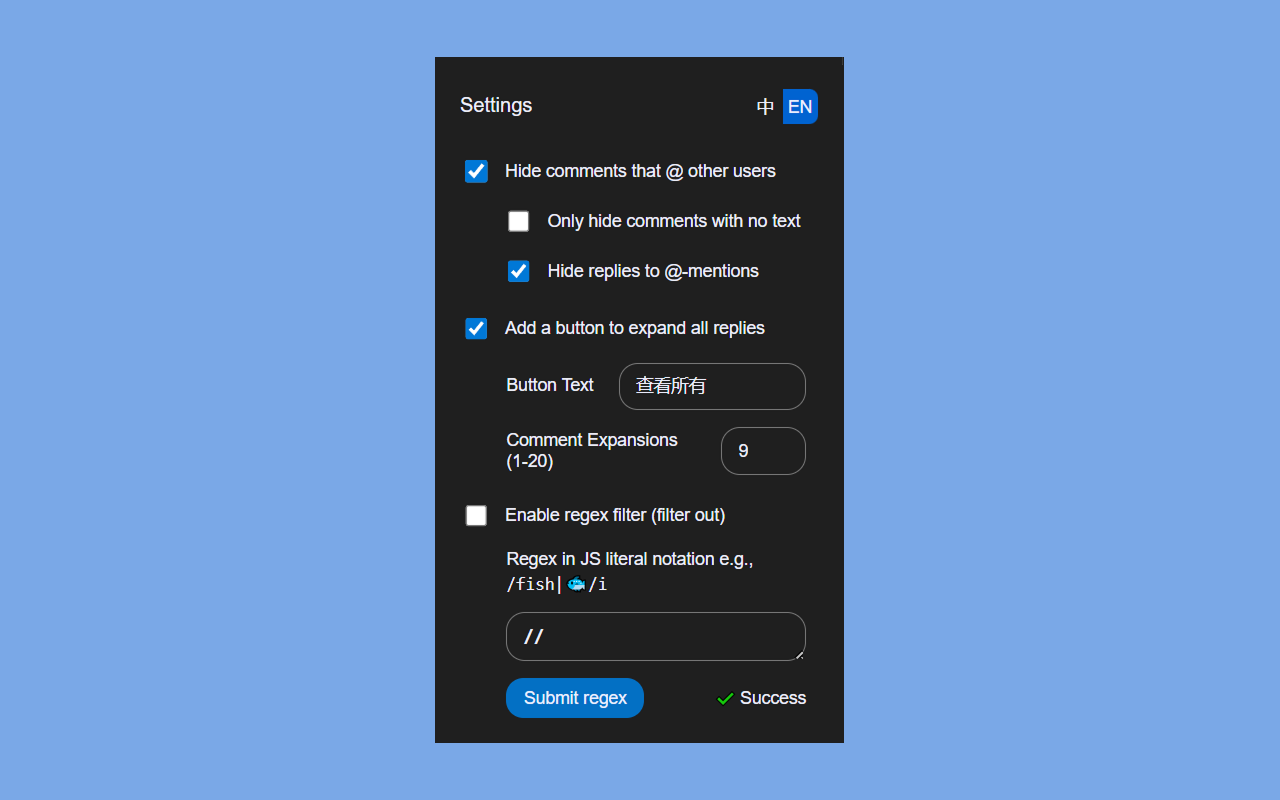
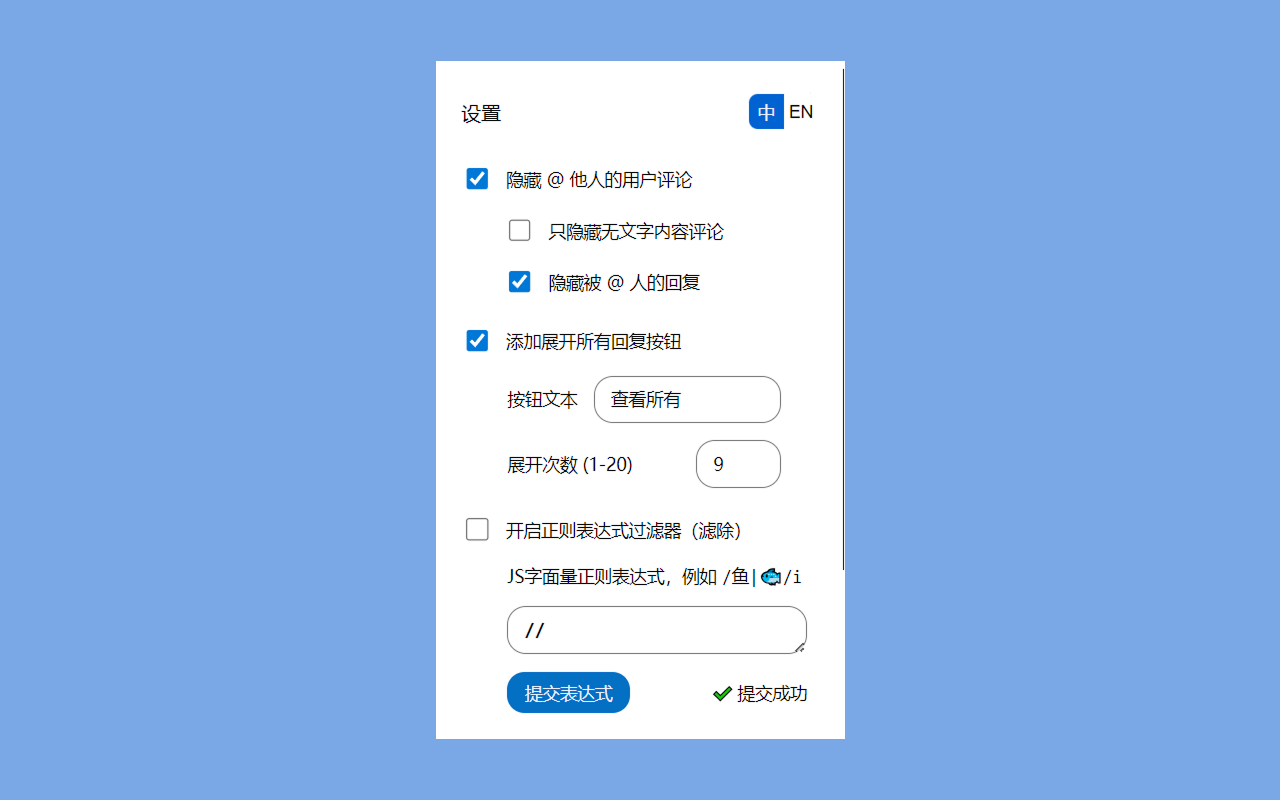
🧑 隐藏 @ 他人的用户评论
隐藏评论内容里含有 @user(例如 @AAA王哥) 的评论,不必成为他人 play 的一环
📵 只隐藏无文字内容评论
只隐藏评论内容里没有文字内容的评论,例如:
隐藏:@吃瓜专家
显示:@吃瓜专家 哈哈哈
↪️ 隐藏被 @ 人的回复
隐藏之前@到的人的进一步回复,必须双向匹配,即隐藏此处评论2:
评论1:AAA王哥| @吃瓜专家 来看
评论2:吃瓜专家| 回复 AAA王哥:哈哈哈
💬 添加展开所有回复按钮
在 展开更多回复 旁,添加 查看所有 按钮。可自定义按钮文字。
注意,默认一次最多展开 50 条(展开次数 10),以防止服务器限流接口而不能继续查看评论。
可通过 展开次数 来自定义总展开条数,总展开条数 = 展开次数 × 5
🚧 开启正则表达式过滤器(滤除)
使用正则表达式滤除目标评论,目标评论将被隐藏
正则表达式为JS字面量风格,见 MDN Regular expressions 和 regex101.com
例如,字符串 /鱼|fish|🐟/i
提交表达式成功后,表达式将会立即生效。如果表达式无效,将会提示提交失败。
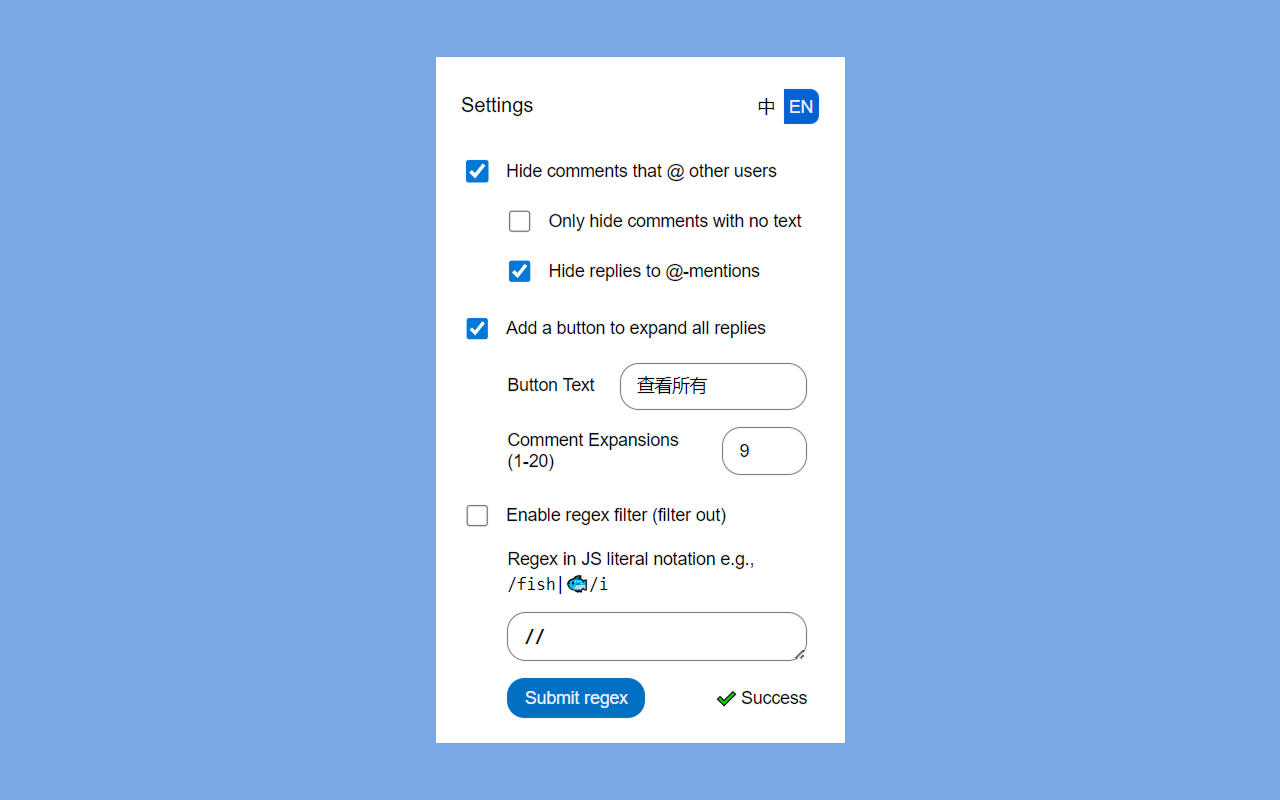
🧑 Hide comments that @ other users
Hide comments that contain @user mentions (e.g., @AAA王哥). You don't have to join their game.
📵 Only hide comments with no text
Only hide comments containing @-mentions that have no additional text content. For example:
Hide: @吃瓜专家
Show: @吃瓜专家 哈哈哈
↪️ Hide replies to @-mentions
Hide subsequent replies from users who were previously @-mentioned. This requires a two-direction match. For example, hide Comment 2 here:
Comment 1: AAA王哥| @吃瓜专家 来看
Comment 2: 吃瓜专家| 回复 AAA王哥:哈哈哈
💬 Add a button to expand all replies
Add a 查看所有 button next to the existing 展开更多回复 button.
Note: By default, a maximum of 50 comments are expanded at a time (Comment Expansions 10) to prevent server rate-limiting, which could block further requests to view comments.
You can customize the number of comments to expand by adjusting the Comment Expansions, where number_of_comments = Comment Expansions × 5.
🚧 Enable regex filter (filter out)
Use a regular expression to filter out and hide target comments.
The regular expression must be in JS literal style. See MDN Regular expressions and regex101.com.
Example string: /鱼|fish|🐟/i
After submitted successfully, the expression will take effect immediately. If the expression is invalid, there will be a failure message.
源码可见 Source Available: https://github.com/qingpeng9802/rednote_helper
小红书评论助手 rednote Comment Assistant 是做什么的
小红书评论助手 rednote Comment Assistant 是一款面向 Edge 的效率工具类扩展,主要用来管住注意力、屏蔽干扰站点、记录时间。官方对它的介绍是:帮助你更高效地阅读并节省时间 Helping you read more efficiently and save time在微软 Edge 加载项商店上,它当前版本 0.0.5,约 22 名用户。
适合什么人用
从功能定位看,小红书评论助手 rednote Comment Assistant 更适合想专注工作学习、减少无效刷网页的用户。如果你平时只是偶尔遇到相关需求,用浏览器自带功能也能凑合;但如果这件事每天都发生,装一个专门处理它的扩展通常比手动操作省事得多。
怎么安装 小红书评论助手 rednote Comment Assistant
- 打开微软 Edge 加载项商店上的官方页面;
- 点「添加到浏览器」并确认权限提示;
- 装好后在扩展列表里固定图标,方便随时开关。
本站只做索引与介绍,安装包来自官方商店。如果商店页面提示当前地区不可用,说明该扩展未在你所在区域上架。
常见问题
小红书评论助手 rednote Comment Assistant 是免费的吗?
小红书评论助手 rednote Comment Assistant 在微软 Edge 加载项商店免费提供下载。它是浏览器扩展,装上就能直接用,不需要注册账号。
小红书评论助手 rednote Comment Assistant 安全吗?
它只申请了 0 项权限,范围比较克制,没有申请「读取所有网站数据」这种大权限。
小红书评论助手 rednote Comment Assistant 支持哪些浏览器?
当前收录的版本来自微软 Edge 加载项商店,适用于 Edge。同一个扩展在其他商店可能有对应版本,但功能与版本号不一定相同。
怎么卸载 小红书评论助手 rednote Comment Assistant?
在扩展管理页找到 小红书评论助手 rednote Comment Assistant,点移除即可。它在本地保存的设置会一起清掉,不会残留数据。
权限清单 来自 manifest.json 原文
接口权限 1
storage