Redactopia: Privacy Guard EN
Snipetic · EEdge MV3
Warns before you send sensitive info to AI assistants.
截图
简介
Redactopia prevents sensitive data from leaving your browser — before you send it to an AI, and before you share your screen.
You're pasting code into ChatGPT and there's a database password in line 47. You're asking Claude to debug an error and the stack trace has an API key. It happens faster than you think — and once you hit Send, it's gone.
Redactopia catches it before that.
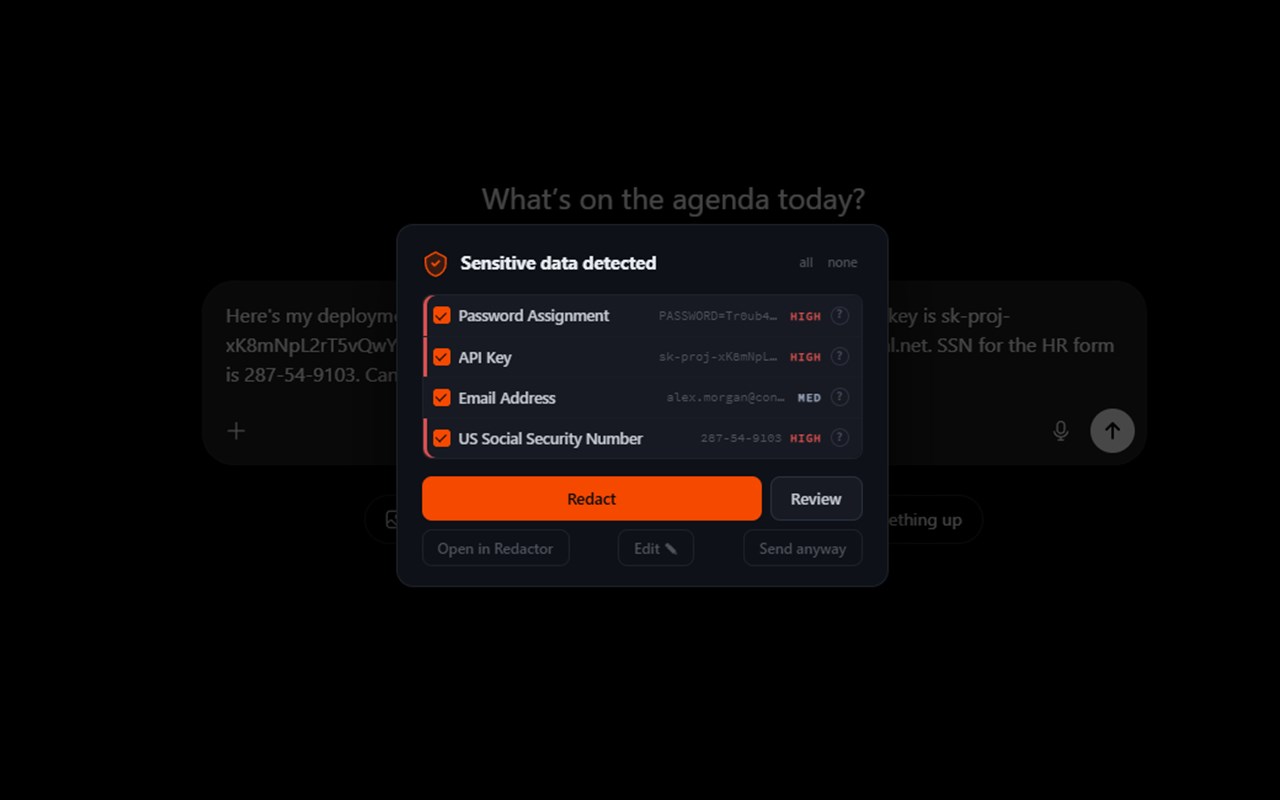
On the major AI chat sites — ChatGPT, Claude, Gemini, and more — Redactopia scans every prompt as you type. When it finds something sensitive, it stops the send and shows you exactly what it found. You choose what to do: redact it, review it, or send anyway. Always your call.
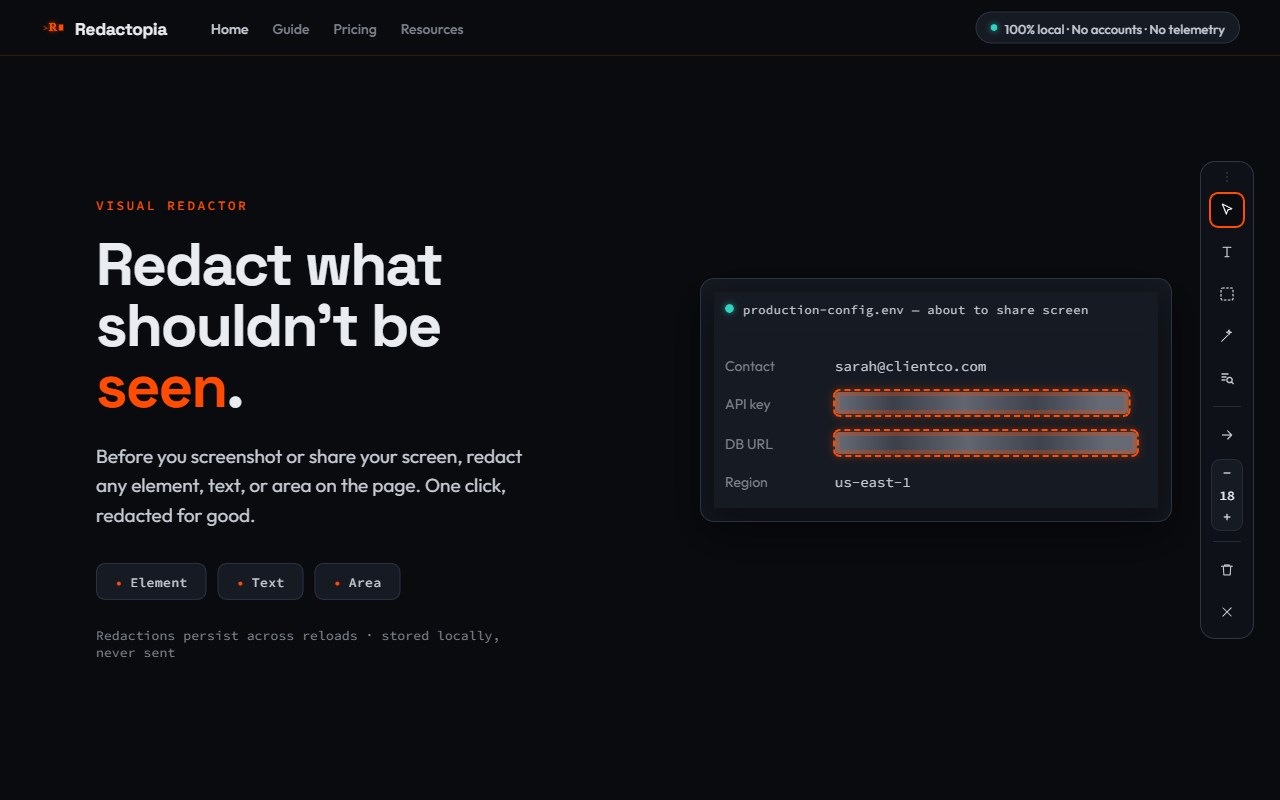
The Visual Redactor lets you redact content on any page before a screenshot or screen-share — redact any element, drag-select text, or draw a rectangle over any region of the screen. One permission upfront, no per-site prompts. Persists across reloads.
Two features, one purpose. AI-chat protection stops sensitive data before it's sent. The Visual Redactor stops sensitive data before it's shown on screen. Both run entirely in your browser — no cloud service, no remote analysis, no data collection. Your prompts never leave your machine. The only network request Redactopia ever makes is an optional Pro license check — it carries your license key, never your prompt text.
What it catches:
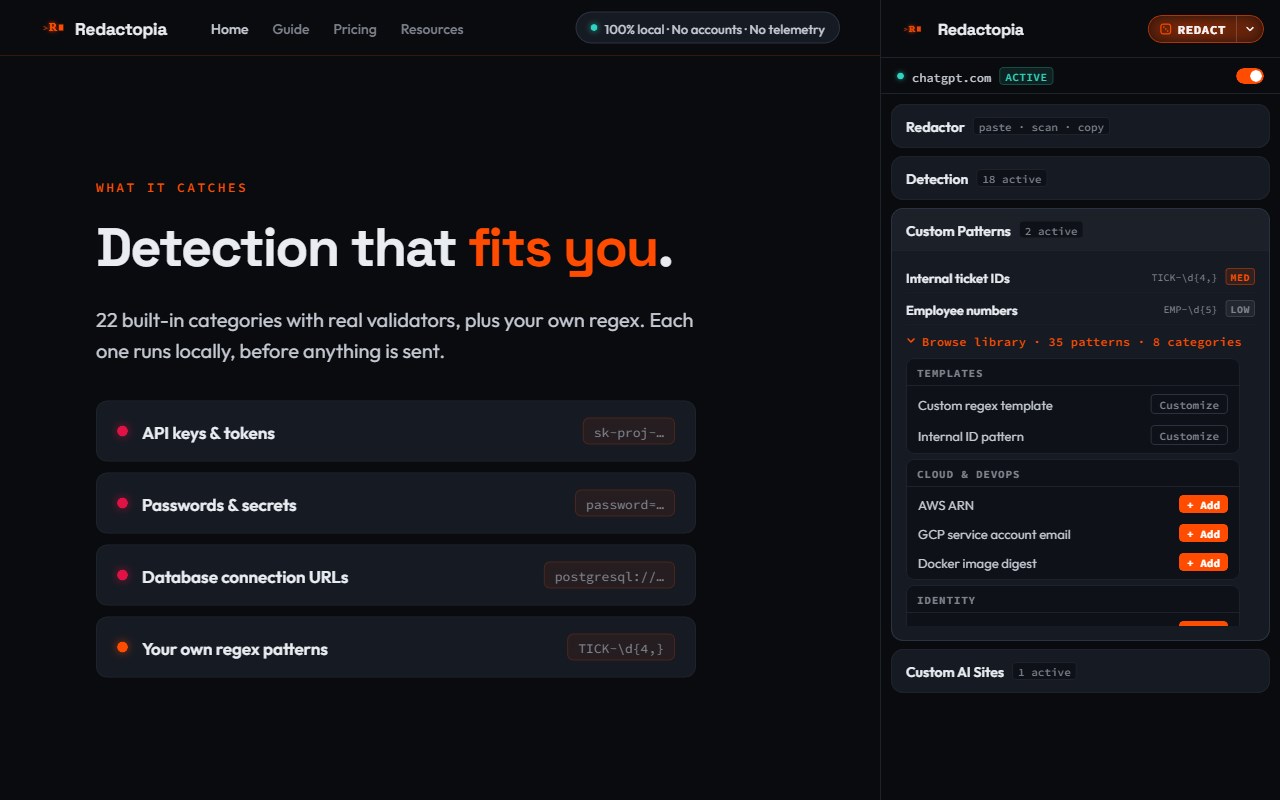
API keys and tokens from major providers (OpenAI, Stripe, GitHub, AWS, Telegram, and more)
Passwords (assignment patterns like password=…)
Database connection strings (postgresql://, mysql://, mongodb://, redis://, and more)
Secret-like strings (entropy-based detection for unrecognized tokens)
Private/internal URLs (RFC-1918 IPs, localhost, *.internal, URLs with secret query parameters)
US Social Security Numbers
Credit card numbers (Luhn-validated)
IBANs and US bank routing numbers (checksum-validated)
Webhook URLs that embed a secret (Slack, Discord)
Email addresses
US phone numbers
JWT tokens
PEM private keys
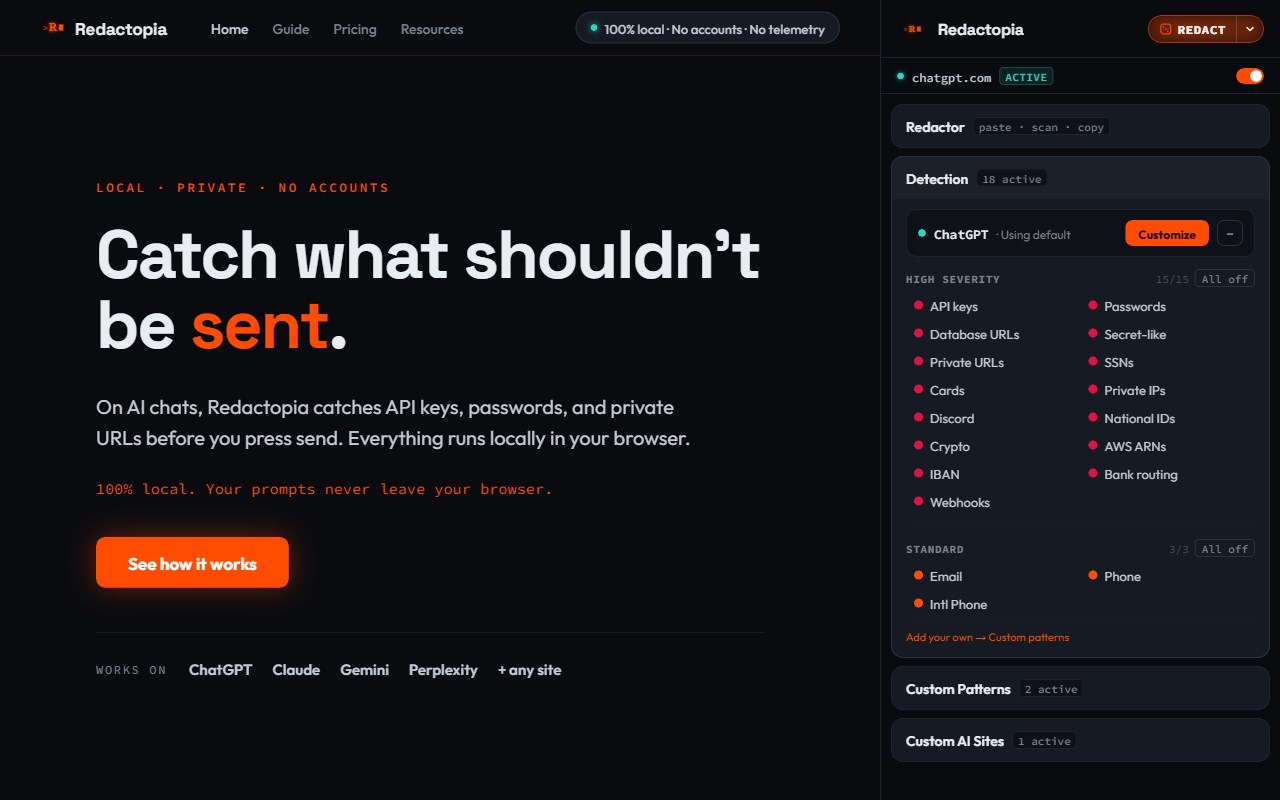
Toggle any category on or off. Add your own regex patterns for things specific to your work — internal ticket IDs, employee badges, project codes. A library of 35 starter patterns ships with the extension.
Visual Redactor — the dock:
Element picker — click any element to redact it
Text picker — drag-select text to redact just the selection
Area picker — draw a rectangle over any region of the page
Auto-redact — one click scans the whole page and redacts every detected value at once
Page review — before a screenshot or screen-share, scan the page and see a list of the sensitive values it finds, then redact them
Density control, undo per redaction, clear-all per page
Keyboard shortcut: Alt+Shift+B opens the dock on the current tab
More:
Custom AI sites — extend prompt protection to any AI tool with one click. Pre-calibrated for 30+ popular AI tools, with add-your-own for anything else.
Per-site detection (Pro) — give each AI site its own detection rules. Turn categories on or off for one site without changing the others; two tabs can run different rules at the same time.
Redactor sidepanel — paste any text, see what's flagged, redact, and copy the clean version. Right-click any selected text on any page to send it here.
Custom patterns — add your own regex with a name, severity, and toggle. Test it against sample text right in the panel. Starter library of 35 patterns included.
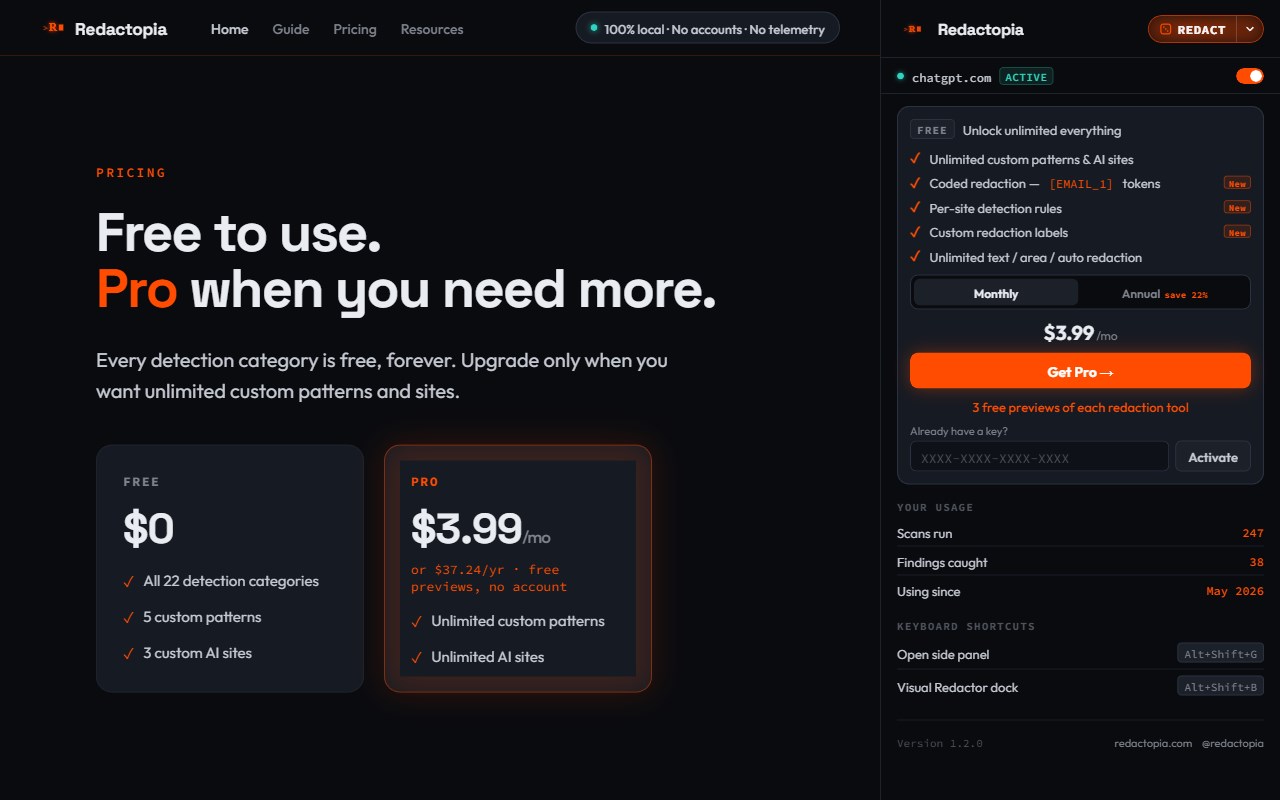
Free & Pro — detection, the pre-send warning, and element redaction are free forever (plus 5 custom patterns and 3 custom AI sites). The text, area, and auto-redact tools give you 3 free previews each; Pro ($3.99/mo or $37.24/yr) unlocks unlimited use, unlimited patterns and sites, the stats dashboard, coded redaction (consistent tokens like [EMAIL_1] so the AI can still tell values apart), per-site detection rules, and custom redaction labels you edit right on the page. No account, no trial — just a license key when you're ready.
Sync across devices (optional, off by default) — mirror your custom patterns and site list to your other devices through your browser's own encrypted sync. It never touches a Redactopia server, and your prompts and page content never sync.
Privacy
All scanning runs locally in your browser. Prompt text, detected pattern matches, and redacted output are not stored and not sent to Redactopia. The only network request the extension makes is an optional Pro license check, which carries your license key — never your prompts. Pro payments are handled by LemonSqueezy.
Limitations
Detection is pattern-based and may be incomplete. Redactopia may not detect all sensitive content and may occasionally flag content that is not sensitive. Always review prompts before sending.
Support: support@redactopia.com
@redactopia on X
What's new in 1.2.0
Per-site detection rules (Pro) — each AI site can now have its own detection settings. Customize one site without touching the others, and two tabs can run different rules at the same time.
Page review — before a screenshot or screen-share, scan the whole page from the Visual Redactor dock and see a list of the sensitive values it finds, then redact them.
More detection (now 22 categories) — added IBANs, US bank routing numbers, and Slack and Discord webhook URLs, plus more API-key formats including Telegram.
Turn protection off for one site — flip a single AI site off without disabling Redactopia everywhere.
Redactopia: Privacy Guard 是做什么的
Redactopia: Privacy Guard 是一款面向 Edge 的效率工具类扩展,主要用来管住注意力、屏蔽干扰站点、记录时间。官方对它的介绍是:Warns before you send sensitive info to AI assistants.在微软 Edge 加载项商店上,它当前版本 1.2.0。
适合什么人用
从功能定位看,Redactopia: Privacy Guard 更适合想专注工作学习、减少无效刷网页的用户。如果你平时只是偶尔遇到相关需求,用浏览器自带功能也能凑合;但如果这件事每天都发生,装一个专门处理它的扩展通常比手动操作省事得多。
怎么安装 Redactopia: Privacy Guard
- 打开微软 Edge 加载项商店上的官方页面;
- 点「添加到浏览器」并确认权限提示;
- 装好后在扩展列表里固定图标,方便随时开关。
本站只做索引与介绍,安装包来自官方商店。如果商店页面提示当前地区不可用,说明该扩展未在你所在区域上架。
常见问题
Redactopia: Privacy Guard 是免费的吗?
Redactopia: Privacy Guard 在微软 Edge 加载项商店免费提供下载。它是浏览器扩展,装上就能直接用,不需要注册账号。
Redactopia: Privacy Guard 安全吗?
它只申请了 0 项权限,范围比较克制,没有申请「读取所有网站数据」这种大权限。
Redactopia: Privacy Guard 支持哪些浏览器?
当前收录的版本来自微软 Edge 加载项商店,适用于 Edge。同一个扩展在其他商店可能有对应版本,但功能与版本号不一定相同。
怎么卸载 Redactopia: Privacy Guard?
在扩展管理页找到 Redactopia: Privacy Guard,点移除即可。它在本地保存的设置会一起清掉,不会残留数据。
权限清单 来自 manifest.json 原文
接口权限 5
activeTabcontextMenusscriptingsidePanelstorage