
RawVamp: Dark Aesthetic Photo Editor & Free Image Darkener EN
CepeshRC · EEdge MV3
Instantly darken images using the ultimate dark aesthetic photo editor for Y2K glitch, grunge filters, shadow overlays and PFPs.
<all_urls>),意味着它可以读取你在任意站点的页面内容,包括已登录的页面。这是许多扩展正常工作的必要条件,但也值得你确认来源可信。
截图
简介
RawVamp: The Ultimate Dark Aesthetic Photo Editor & Image Darkener
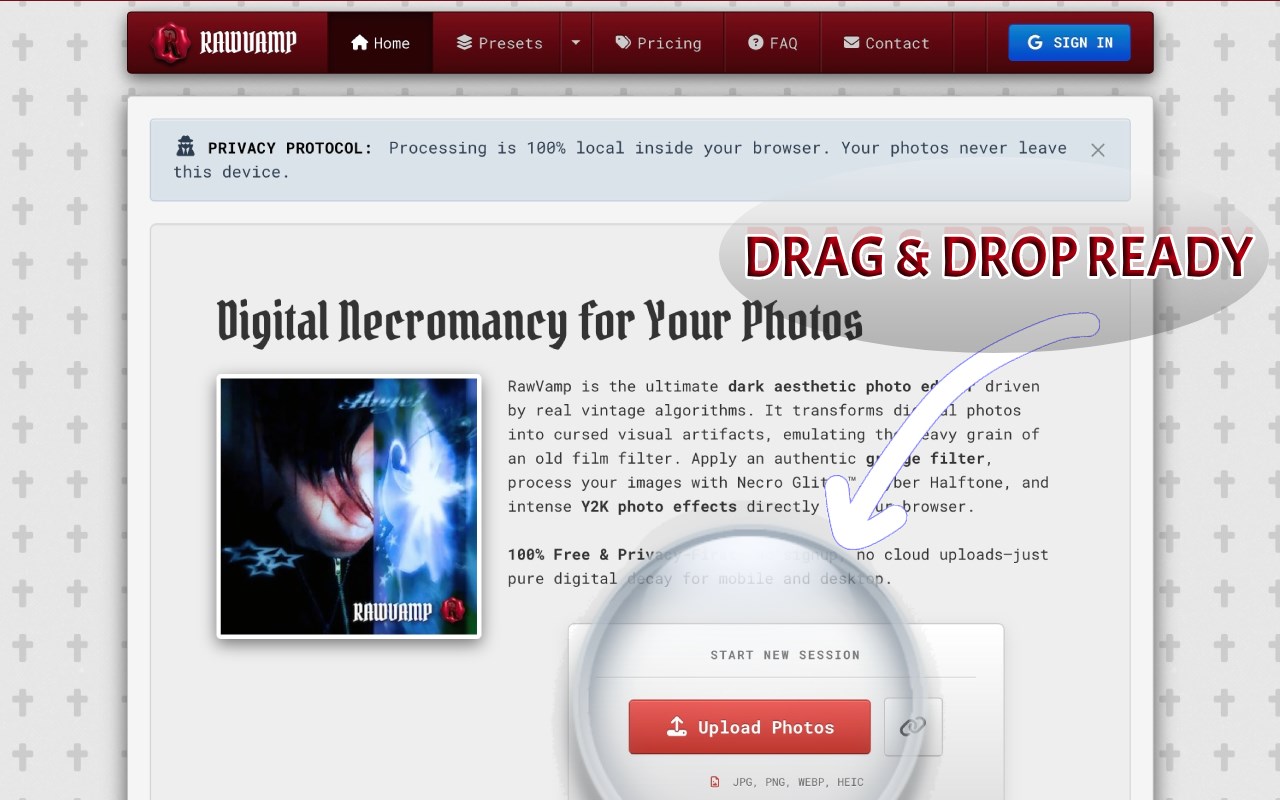
Looking for a free image darkener or a dark aesthetic photo editor? RawVamp is your ultimate in-browser solution for Microsoft Edge. Transform ordinary web images into cursed artifacts, apply an authentic grunge filter, and craft the ultimate Y2K aesthetic without ever leaving your current tab.
🌑 RawVamp is a specialized aesthetic photo editor designed to instantly darken images and apply heavy digital decay. Whether you need to decrease photo exposure, design a unique scenecore PFP, or explore a vintage goth aesthetic, our WebGL engine provides the perfect canvas. We reject the sterile perfection of modern photography.
🏆 WHY WE ARE BETTER THAN COMPETITORS (THE FREE & SAFE ALTERNATIVE)
Tired of bloated software or generic mobile apps? Here is why RawVamp stands out:
• vs. Adobe Photoshop & Photopea: They are heavy, complex, and require a steep learning curve. RawVamp is a lightweight, 1-click free Photoshop alternative specifically engineered for grunge, glitch, and dark aesthetics.
• vs. Canva, VSCO & Picsart: Mainstream editors focus on bright, "clean" aesthetics and force you to upload your personal photos to their cloud servers. RawVamp is dedicated strictly to the darkroom aesthetic. More importantly, we are 100% secure. We process everything locally in your browser's memory using Client-Side Rendering. Zero cloud uploads. Zero data collection. Maximum privacy.
👁️ IMMERSIVE UX/UI DESIGN & VERIFIED IDENTITY
We built RawVamp for late-night creators. Our user interface features a super comfortable, distraction-free dark mode UX/UI natively optimized for Microsoft Edge. The calm, neutral burgundy and charcoal color palette prevents eye strain, allowing you to focus purely on your art.
💎 Exclusive Status: Upgrade to a premium tier and instantly unlock the prestigious "Verified Artist" badge. Stand out from the crowd with a unique identity and glowing profile status that proves you are a professional creator.
🦇 EXTENSION SUPERPOWERS (SEAMLESS EDGE WORKFLOW)
• Right-Click to Corrupt: Found an inspiring image on Pinterest, Tumblr, Reddit, or X? Just right-click -> "Edit in RawVamp". The Edge side panel opens instantly. No need to download files to your desktop first.
• Capture Tabs (Webcore Scraper): Want to turn a website's interface into glitch art? Use the Glitch Tab feature to capture your active page and apply heavy CRT filters or VHS data corruption.
• Drag & Drop Portal: Open the side panel and simply drag any image from the web straight into the darkroom drop zone.
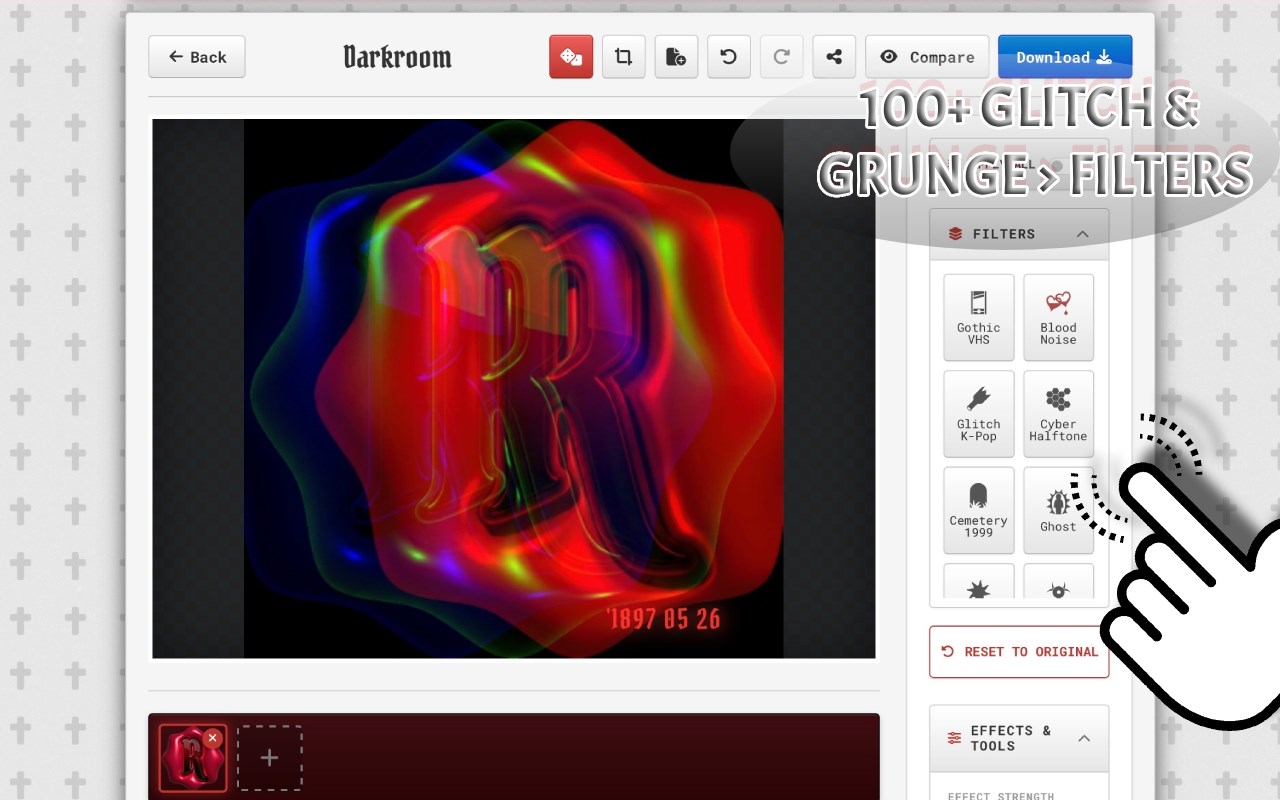
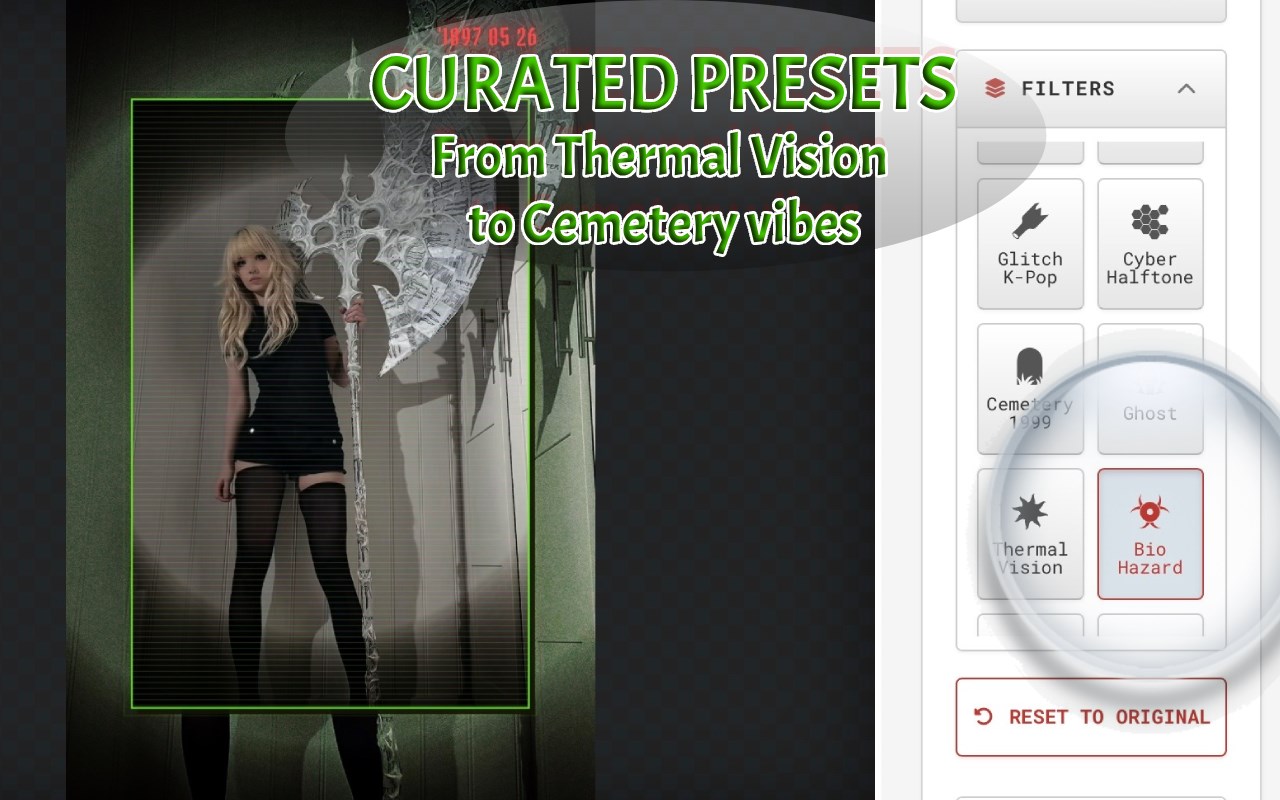
🩸 THE AESTHETIC ARSENAL (100+ CURATED FILTERS)
• Professional Image Darkener: Need to make a picture darker or dim photo lighting naturally? Use our engine to decrease exposure while preserving micro-contrast. Add a cinematic shadow overlay to create moody dark mode pictures instantly.
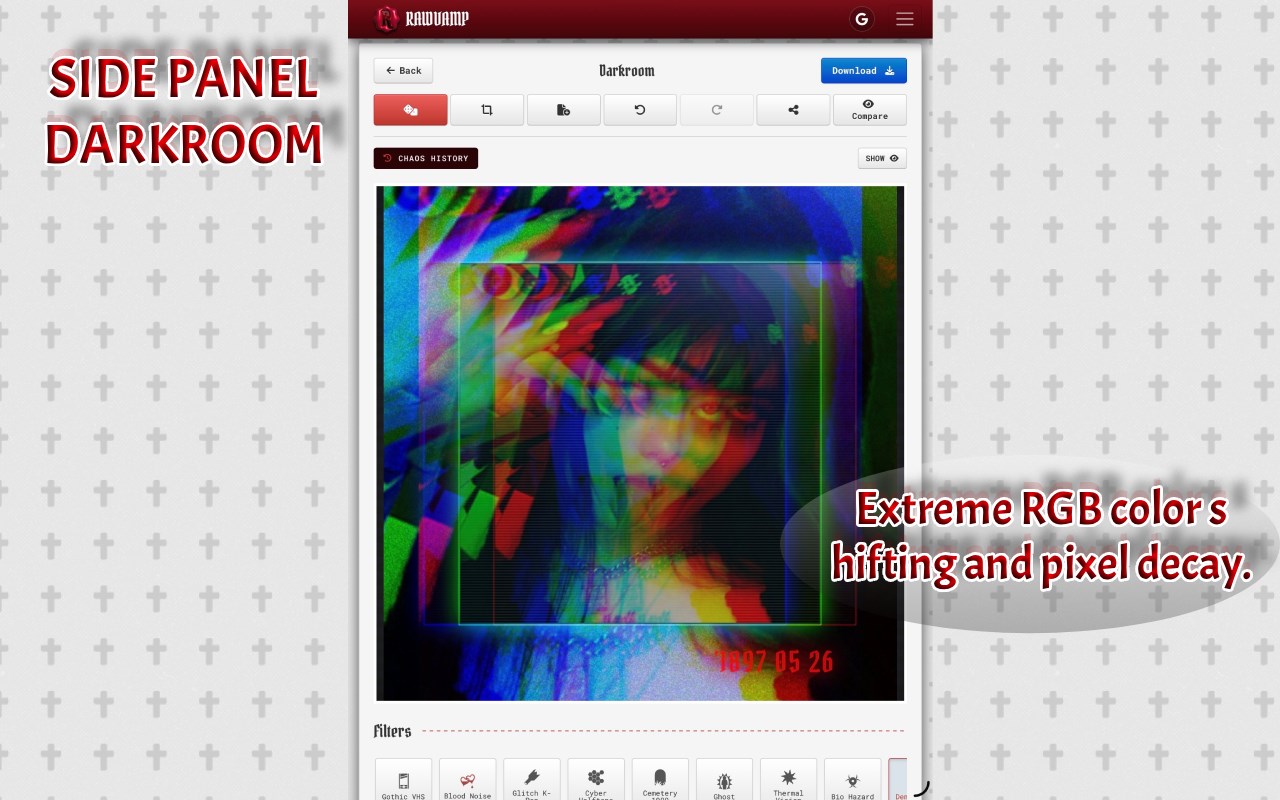
• Glitch Art & VHS Decay: True RGB color shifting and pixel sorting to simulate broken monitors. Apply a genuine CRT filter online, severe data corruption, and retro VHS error effects.
• Negative & Evil Photo Filters: Use our smart invert logic to apply a negative photo filter or generate a truly evil photo aesthetic for high-contrast noir styling.
• Black & White Converter: Need to turn a photo black and white instantly? Use our dedicated monochrome engine for pure gothcore, vampiric, and emo photo editor styling.
• Cyber Halftone & Dithering: Turn photos into retro webcore filter graphics and brutalist art using our built-in 1-bit photo filter.
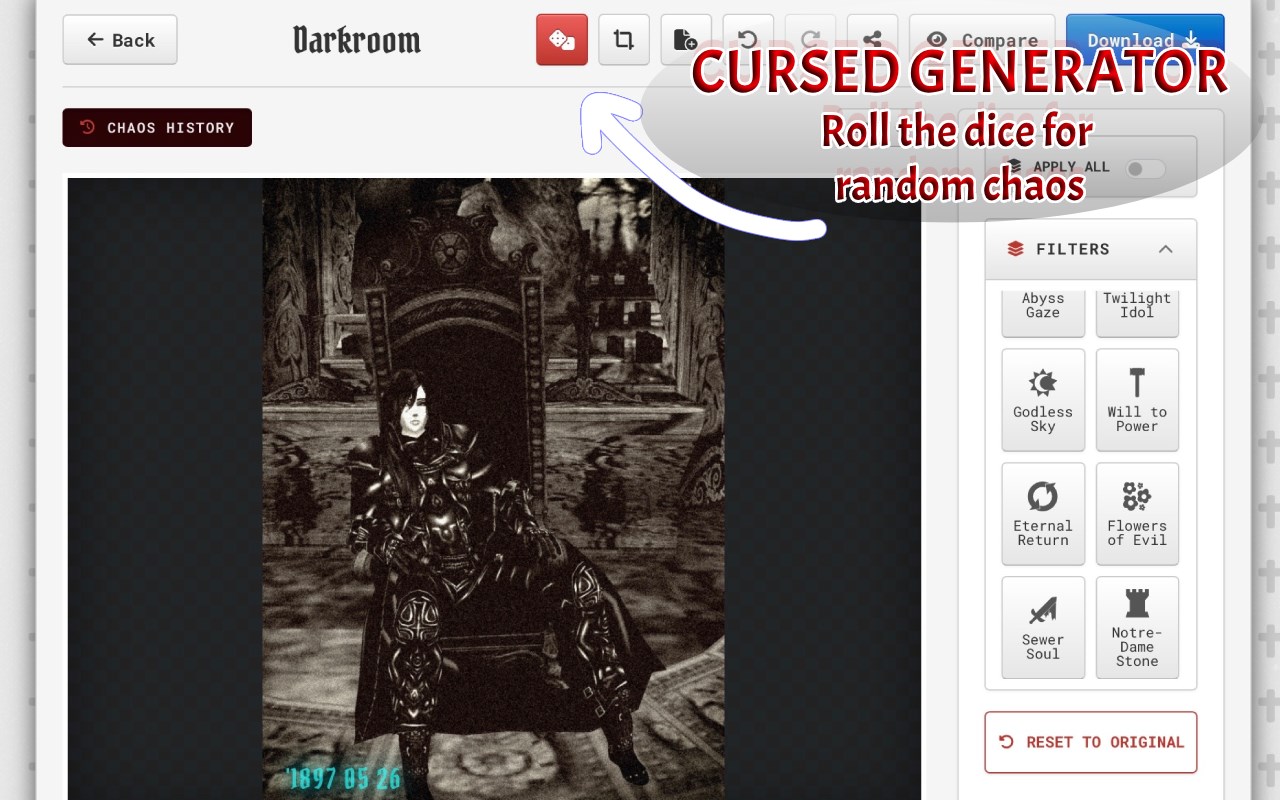
• Cursed Generator: Don't know what to choose? Let the algorithm roll the dice and generate a completely random, chaotic dark aesthetic edit.
⚙️ PROFESSIONAL BATCH TOOLKIT
• Batch Processing: Sync your dark aesthetic across multiple photos and export them as a ZIP archive in one click.
• Lossless 4K Export: Download your artifacts in standard JPG, next-gen WEBP, or completely lossless PNG format up to 8192px.
• Smart Session Recovery: Closed Microsoft Edge by accident? Your unsaved glitch photo effects are safely cached locally.
⛓️ HOW TO MAKE A DARK AESTHETIC PFP (IN 3 STEPS)
1. Import: Right-click any web image, drop a file, or capture your current tab to open the picture darkener.
2. Corrupt: Lower the exposure to dim photo details, add a heavy shadow overlay, or invoke our curated grunge effect online presets.
3. Export: Instantly download your high-res dark mode profile picture.
⚖️ THE AESTHETIC COMPASS (HUMAN-TO-HUMAN FAQ)
❓ How to darken a picture online without losing quality?
➤ Unlike basic brightness sliders that wash out colors and destroy pixels, RawVamp acts as a professional image darkener. It mathematically decreases exposure while preserving deep shadows and high-resolution details, allowing you to make a picture darker safely directly in your browser.
❓ What is the best free alternative to Photoshop for grunge and glitch effects?
➤ RawVamp is widely considered the best lightweight alternative. Instead of paying subscriptions or navigating complex layers in Photoshop, RawVamp gives you 1-click access to professional pixel-sorting, CRT filters, and authentic grunge effects online.
❓ How to make a dark aesthetic PFP for Discord, TikTok, or X?
➤ Simply capture an image, apply our TV static or VHS decay effects, add a darkening filter, and crop it to a 1:1 square using our built-in tool. It is the perfect generator for your scenecore PFP, dreamcore avatar, or black PFP aesthetic identity.
❓ Is my data safe? Do you upload my photos to the cloud?
➤ Yes, your data is completely safe because we do not collect it. RawVamp uses 100% Client-Side Rendering (WebGL). Every edit happens locally inside Microsoft Edge using your device's memory. Zero cloud uploads, zero server storage, absolute privacy.
❓ Is this dark photo editor free to use?
➤ Yes! The core engine and basic darkening tools are completely free forever. For professional creators, we offer VIP and Platinum upgrades to unlock 4K Ultra-HD exports, Max Batc…
RawVamp: Dark Aesthetic Photo Editor & Free Image Darkener 是做什么的
RawVamp: Dark Aesthetic Photo Editor & Free Image Darkener 是一款面向 Edge 的实用工具类扩展,主要用来解决浏览器里某类具体的小问题。官方对它的介绍是:Instantly darken images using the ultimate dark aesthetic photo editor for Y2K glitch, grunge filters, shadow overlays and PFPs.在微软 Edge 加载项商店上,它当前版本 2.0.0,评分 5(1 人评价),约 17 名用户。
适合什么人用
从功能定位看,RawVamp: Dark Aesthetic Photo Editor & Free Image Darkener 更适合想补上浏览器原生缺失功能的用户。如果你平时只是偶尔遇到相关需求,用浏览器自带功能也能凑合;但如果这件事每天都发生,装一个专门处理它的扩展通常比手动操作省事得多。需要注意的是它作用于所有网站,装上后建议先观察一两天,确认不影响常用站点的正常使用。
怎么安装 RawVamp: Dark Aesthetic Photo Editor & Free Image Darkener
- 打开微软 Edge 加载项商店上的官方页面;
- 点「添加到浏览器」并确认权限提示;
- 装好后在扩展列表里固定图标,方便随时开关。
本站只做索引与介绍,安装包来自官方商店。如果商店页面提示当前地区不可用,说明该扩展未在你所在区域上架。
常见问题
RawVamp: Dark Aesthetic Photo Editor & Free Image Darkener 是免费的吗?
RawVamp: Dark Aesthetic Photo Editor & Free Image Darkener 在微软 Edge 加载项商店免费提供下载。它是浏览器扩展,装上就能直接用,不需要注册账号。
RawVamp: Dark Aesthetic Photo Editor & Free Image Darkener 安全吗?
它只申请了 0 项权限,范围比较克制,没有申请「读取所有网站数据」这种大权限。
RawVamp: Dark Aesthetic Photo Editor & Free Image Darkener 支持哪些浏览器?
当前收录的版本来自微软 Edge 加载项商店,适用于 Edge。同一个扩展在其他商店可能有对应版本,但功能与版本号不一定相同。
怎么卸载 RawVamp: Dark Aesthetic Photo Editor & Free Image Darkener?
在扩展管理页找到 RawVamp: Dark Aesthetic Photo Editor & Free Image Darkener,点移除即可。它在本地保存的设置会一起清掉,不会残留数据。
权限清单 来自 manifest.json 原文
站点访问(可选) 1
<all_urls>
接口权限 4
contextMenusidentitysidePanelstorage