
Quiz Solver AI
OnlevelUp · EEdge MV3
您的 AI 驱动的智能学习解决方案。
截图


简介
Introducing QuizSolver – the only powerful AI extension that allows students, professionals, and knowledge-hungry individuals to effectively solve quizzes, homework, and research tasks intelligently and efficiently. Quiz Solver helps you when you're studying for tests, having trouble solving an assignment, or just want instant answers.
🔑 FEATURE HIGHLIGHT – Why Choose QuizSolver?
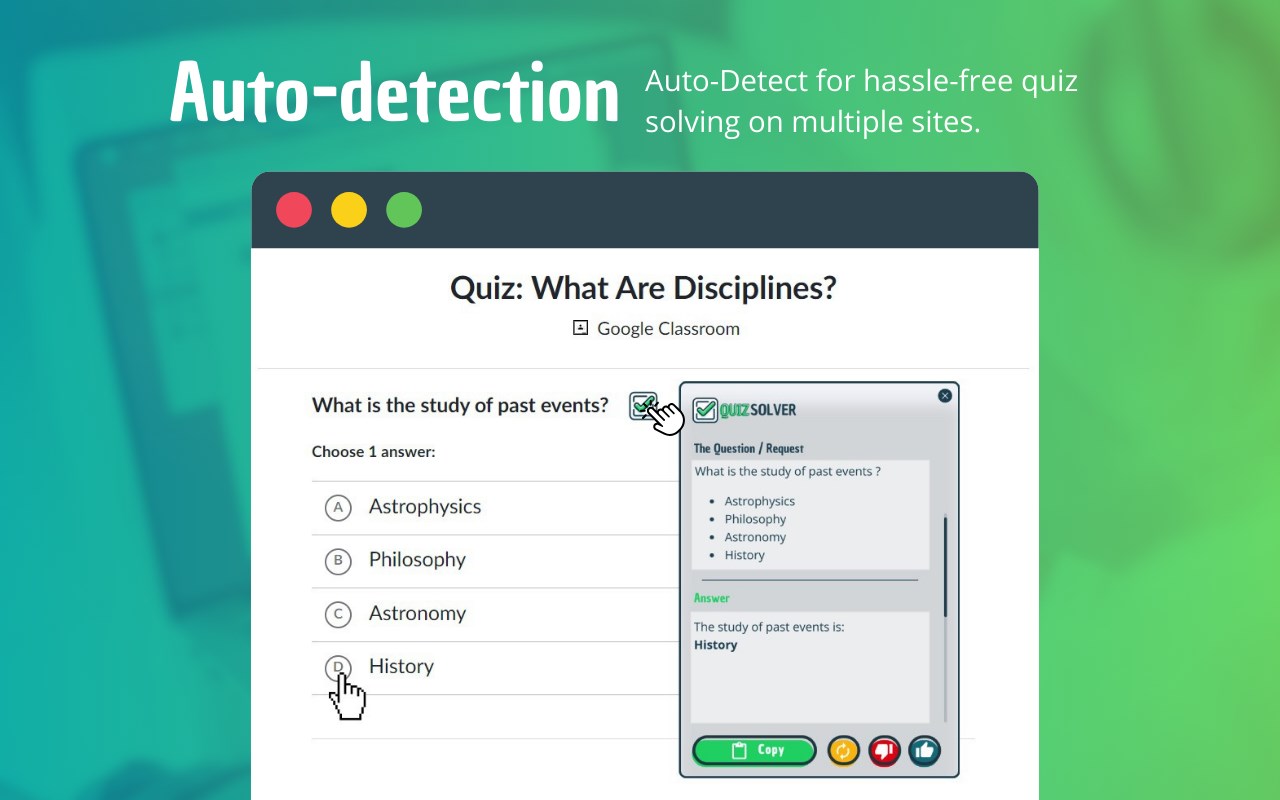
✅ Smart Detection - Detects all quiz formats on 20+ major quiz sites and provides instant solutions.
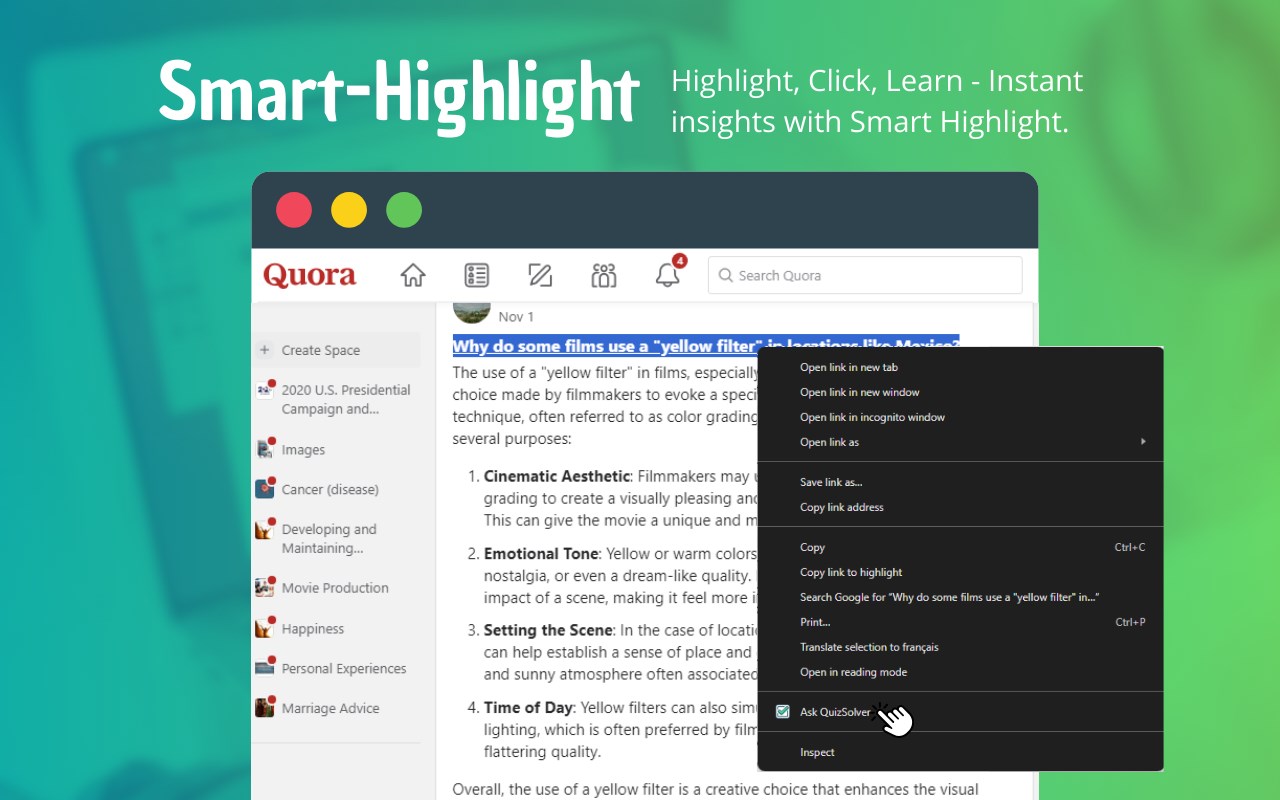
✅ Smart Highlight - Just highlight any text, right-click, and receive an AI response in seconds.
✅ QickSnap Mode - Instantly respond to text from images, PDFs, or other unselectable text.
✅ AI-Powered Solutions - QuizSolver uses advanced machine learning models to provide accurate and fast answers.
✅ Custom to Your Needs Answer Box - Customize how your answer is displayed; you can change the background, text color, and opacity.
✅ Ghost Mode 🕵️♂️ - Make QuizSolver invisible to trackers and use it without anyone knowing. The answer magically folds into the page.
✅ Image Solver - Extract text from screenshots, Books scanned documents, or handwritten2302 documents and solve problems.
✅ Flexible Request Types - Select the way your questions get sorted:
1️⃣ Solve problem
2️⃣ Explain solution
3️⃣ Mathematical calculations
4️⃣ Geometry solutions
5️⃣ Translate text
6️⃣ Extract text from an image
7️⃣ Rewrite text
✅ New Language Auto-Detection — Now, QuizSolver detects your browser’s language and displays its interface based on that.
✅ Keyboard Shortcuts ⌨️ – Instantly trigger QuickSnap (Ctrl + Shift + Q) and Smart Highlight for on-the-spot solving.
✅ Easy & User-Friendly – Clear, straight forward, easy to use and learn.
✅ Flexible Plans – QuizKick Plan is free, and the QuizMaster Plan is affordable!
But then there comes time for learning, where all you need is to dig into your courseworks, time after time, and with QuizSolver, you’re not just installing an extension — you’re installing a powerful AI study assistant that makes studying smarter, quicker and way more efficient. QuizSolver is the solution you need, whether you are a student wishing for academic success or a professional developing your knowledge.
📩 Need Help? Contact Us!
📧 Email: contact@quizsolverai.com
🌍 Website: https://quizsolverai.com?utm_source=store&utm_medium=chrome
💡 Join thousands of students and professionals who use QuizSolver to learn faster and smarter every day! 🚀🔥
🔹 Why This Update?
✔ Smooth & Engaging Flow – Easy to read, exciting text for new users.
✔ Feature Highlights – seamlessly integrated the latest updates (Ghost Mode, Image Solver, Custom Style, etc.).
✔ Clear Call-to-Actions
Quiz Solver AI 是做什么的
Quiz Solver AI 是一款面向 Edge 的实用工具类扩展,主要用来解决浏览器里某类具体的小问题。官方对它的介绍是:您的 AI 驱动的智能学习解决方案。在微软 Edge 加载项商店上,它当前版本 1.8,评分 3.5(10 人评价),约 4,221 名用户。
适合什么人用
从功能定位看,Quiz Solver AI 更适合想补上浏览器原生缺失功能的用户。如果你平时只是偶尔遇到相关需求,用浏览器自带功能也能凑合;但如果这件事每天都发生,装一个专门处理它的扩展通常比手动操作省事得多。
怎么安装 Quiz Solver AI
- 打开微软 Edge 加载项商店上的官方页面;
- 点「添加到浏览器」并确认权限提示;
- 装好后在扩展列表里固定图标,方便随时开关。
本站只做索引与介绍,安装包来自官方商店。如果商店页面提示当前地区不可用,说明该扩展未在你所在区域上架。
常见问题
Quiz Solver AI 是免费的吗?
Quiz Solver AI 在微软 Edge 加载项商店免费提供下载。它是浏览器扩展,装上就能直接用,不需要注册账号。
Quiz Solver AI 安全吗?
它只申请了 0 项权限,范围比较克制,没有申请「读取所有网站数据」这种大权限。
Quiz Solver AI 支持哪些浏览器?
当前收录的版本来自微软 Edge 加载项商店,适用于 Edge。同一个扩展在其他商店可能有对应版本,但功能与版本号不一定相同。
怎么卸载 Quiz Solver AI?
在扩展管理页找到 Quiz Solver AI,点移除即可。它在本地保存的设置会一起清掉,不会残留数据。
权限清单 来自 manifest.json 原文
接口权限 6
activeTabalarmscontextMenusnotificationsstoragetabs
其他商店也有这款
同一款扩展在不同浏览器下的版本,权限与更新节奏可能不同
