
QuillReply for Gmail EN
QuillReply · EEdge MV3
Turn any email into a reminder with the right due date, and draft replies in your own voice. Buttons live inside Gmail.
截图
简介
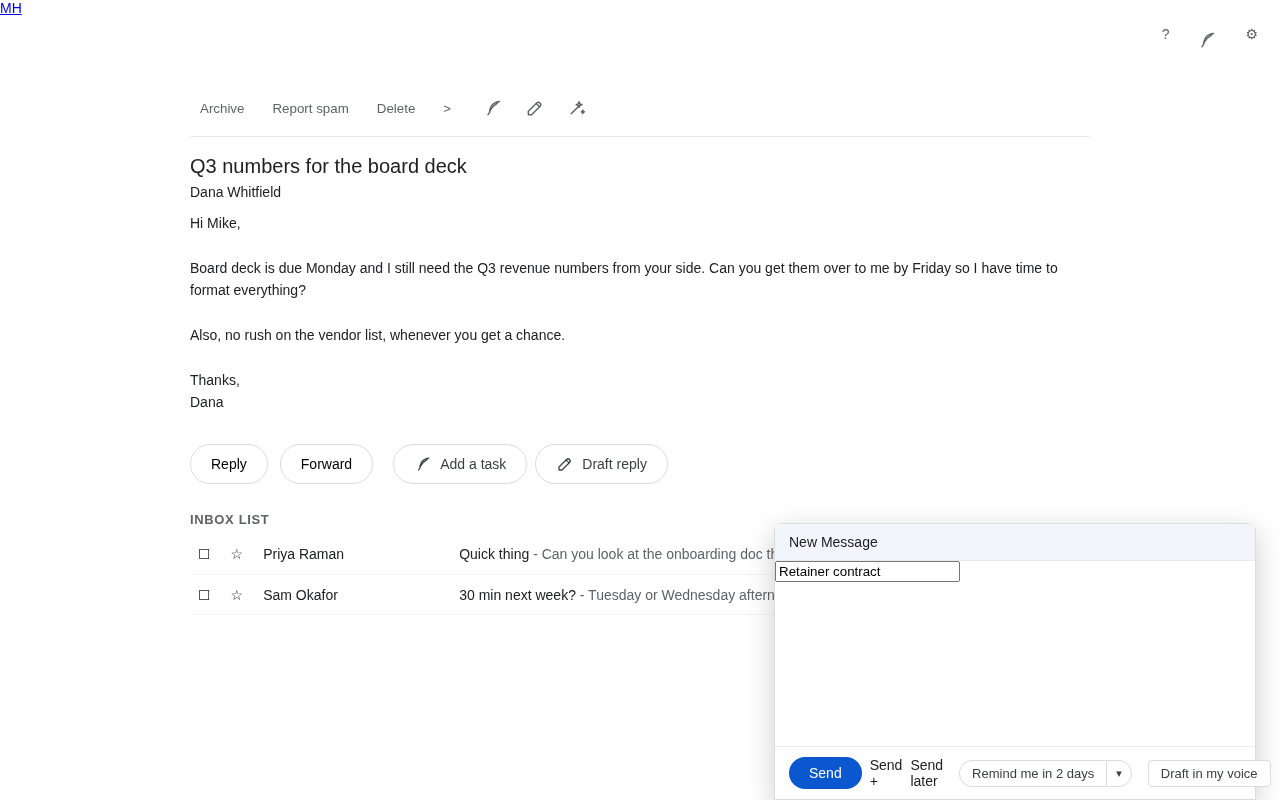
Two buttons on every email in Gmail.
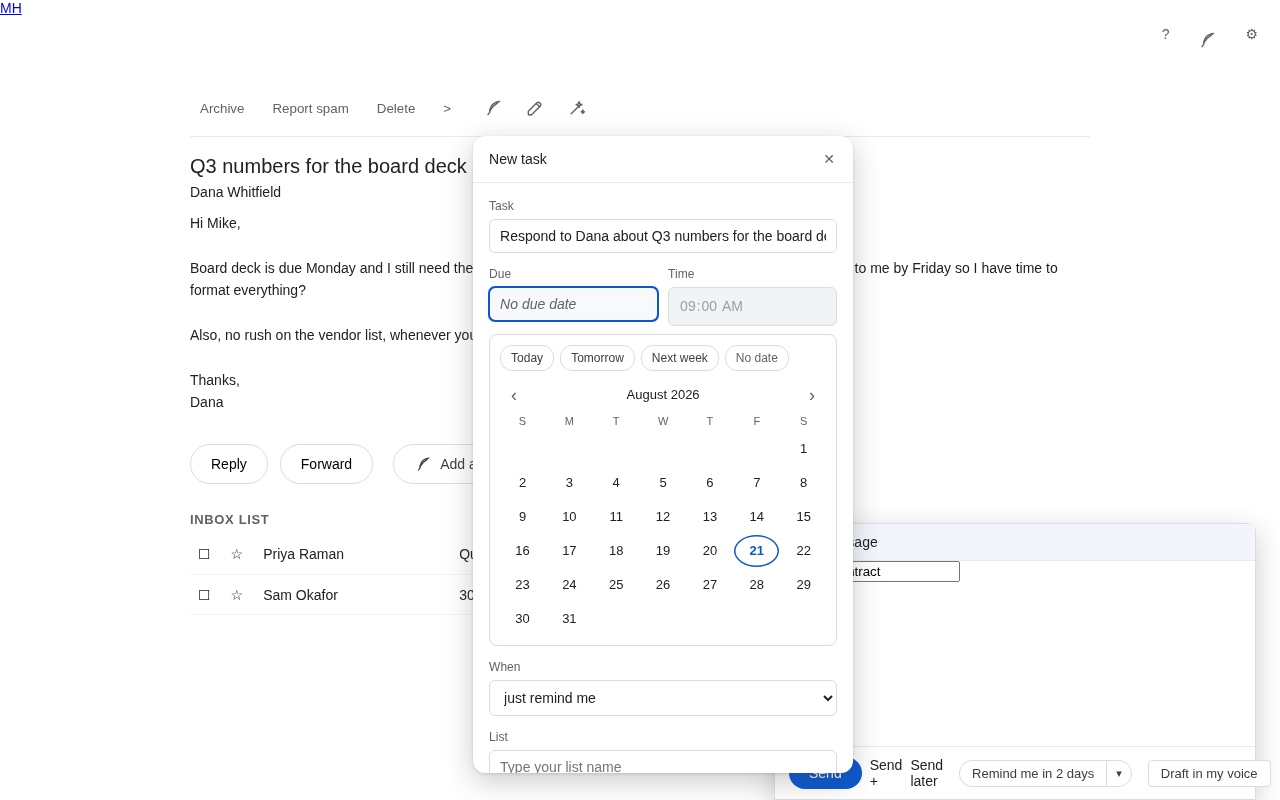
ADD A TASK
Tap it, and QuillReply reads the email and proposes an actual task with an actual due date. Not "Follow up on RE: Q3" filed with no date. Something like "Send Dana the Q3 numbers", due Friday, because Dana asked for them by Friday. You see the suggested date and the one-line reason before anything is saved, so you can change it or drop it.
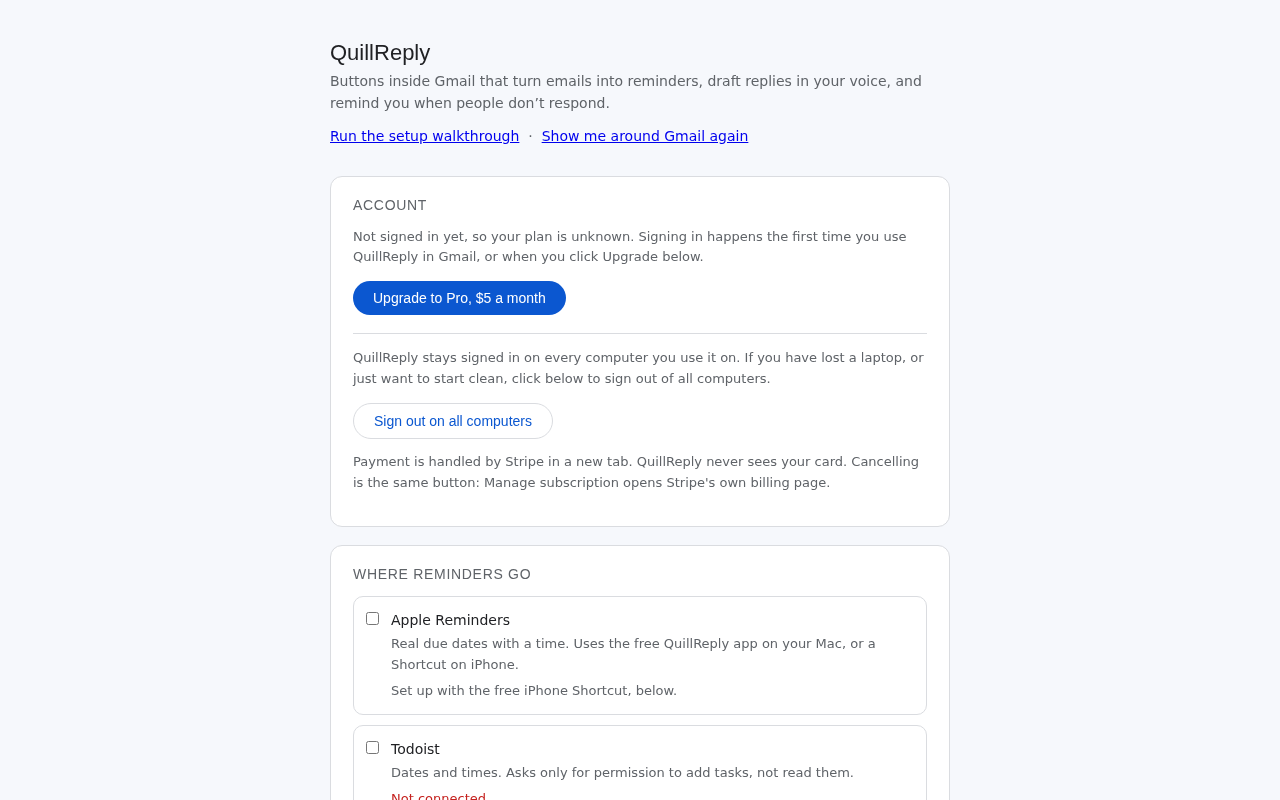
It sends that reminder wherever you already work:
- Apple Reminders, with a real due date including time of day
- Microsoft To Do, into whichever list you pick
- Todoist, into whichever project you pick
- Basecamp, into a specific project and to-do list, assigned to a specific person, who gets told
Every reminder carries a link straight back to the Gmail thread it came from, so opening the task gets you to the email.
APPLE REMINDERS, PROPERLY
Apple gives websites no way to write to Reminders. Most tools solve this by asking for your Apple ID and an app-specific password, which is a credential that also opens your iCloud Mail, Contacts and Calendar. We will never ask you for that.
Instead, QuillReply gives you a small free Mac app, or a Shortcut for iPhone and iPad. Your reminder is written locally, by Apple's own Reminders engine, with the correct due date and time, into whichever list you choose. We never see, hold, or ask for an Apple credential of any kind.
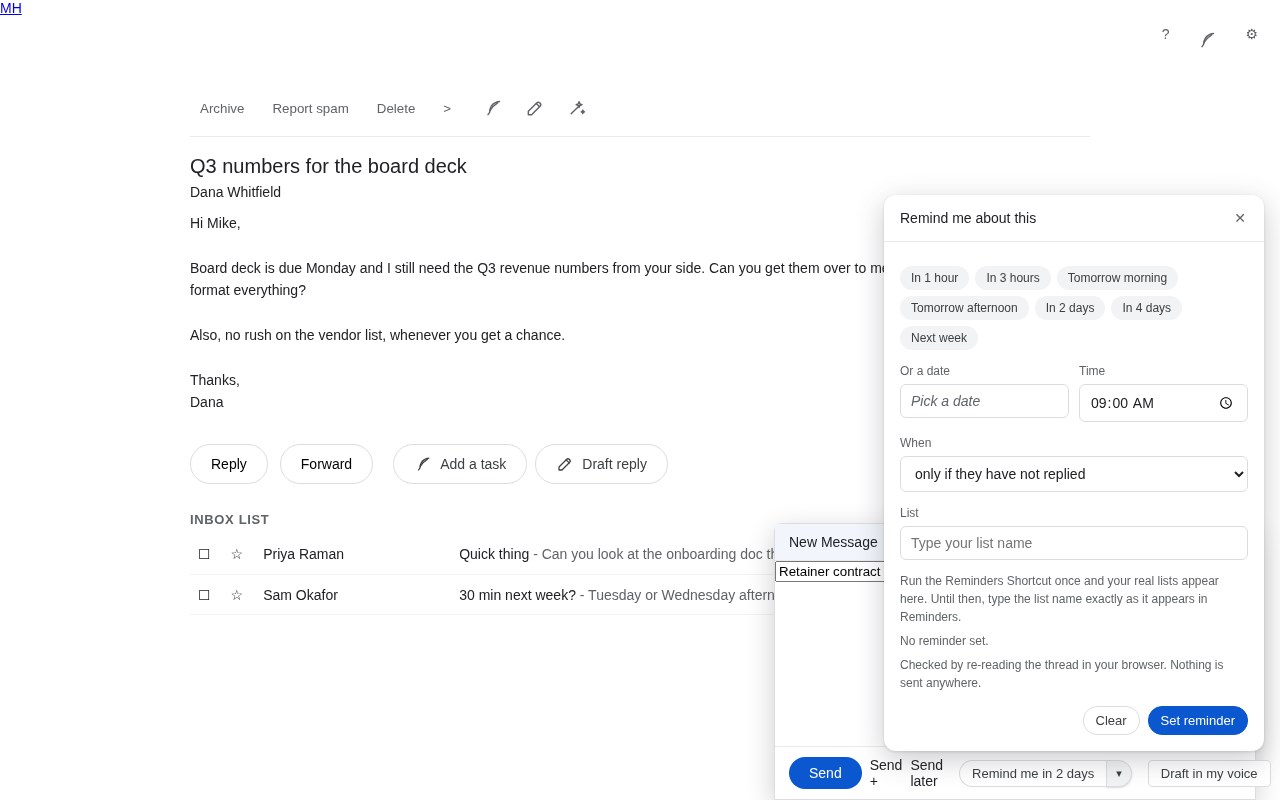
NUDGE ME IF THEY DO NOT REPLY
Send an email, and QuillReply can watch the thread for you. If nobody has replied by the day you picked, it files a reminder with a link back to the conversation. If they do reply, nothing happens and you never think about it again.
When it fires, open the thread and QuillReply drafts the follow-up for you. It never sends it.
WHAT YOU ARE WAITING ON
The Ledger lists every thread you are waiting on, in three lanes: waiting, chased, and cleared. Mark one answered or nudge again without leaving the page. It only ever shows what other people owe you, never what you owe.
DRAFT A REPLY IN YOUR VOICE
Tap Draft reply and QuillReply writes the response the way you write, then puts it in Gmail's compose window for you to check before it goes anywhere. Nothing is ever sent automatically.
If it is not quite right, tap Rewrite shorter, more elaborate, warmer, more direct, less formal or more formal. It rewrites on the spot and remembers the correction, so the next draft starts from what you actually wanted.
Corrections are remembered per person and per company, so the way you write to a client stays different from the way you write to your team. QuillReply stores a scrambled key for that person, never their address.
HOW IT LEARNS YOUR VOICE WITHOUT READING YOUR MAILBOX
Most AI email tools begin by scanning hundreds of your sent emails. QuillReply does not.
QuillReply reads an email only at the moment you tap one of its buttons on that specific email, and only that email. It does not browse your inbox, search your mail, or read anything in the background.
So instead of scanning, you teach it. Open an email you wrote, tap "Teach QuillReply how I write", and it learns from that one message. Three samples is usually enough. Combined with your one-tap corrections, that gets you closer to your real voice than a bulk scan does, because a correction is you telling it directly rather than it guessing.
What we keep is a short style description: roughly how formal you are, your usual length, whether you use contractions, how you tend to sign off. Not your emails. We do not store the text of your messages.
REMINDERS FOLLOW YOU TO YOUR PHONE
File to Apple Reminders and it syncs through iCloud, so the reminder is on your iPhone and iPad without QuillReply needing to be there. Same for Microsoft To Do and Todoist: QuillReply hands the task to an app you already sync, and their apps take it from there.
To be clear about where the buttons themselves live: QuillReply is a browser extension, so the buttons appear in Gmail in a desktop browser. It is your reminders that reach your phone, not the extension.
PRICING
Free: 30 actions to try. One time, not monthly. All destinations, all features.
Pro: $5 a month, unlimited.
No card required to start, and nothing to cancel if you decide it is not for you.
PRIVACY
- We never send email on your behalf. Every draft waits for you.
- We never read a message you did not tap a button on.
- Email content is used to produce your draft or your reminder and is then discarded. It is not stored and it is never used to train any AI model.
- We do not store your email address.
- Delete everything we hold from Settings, at any time, in one tap.
Full policy: https://quillreply.com/privacy
Support: hello@quillreply.com
QuillReply for Gmail 是做什么的
QuillReply for Gmail 是一款面向 Edge 的效率工具类扩展,主要用来管住注意力、屏蔽干扰站点、记录时间。官方对它的介绍是:Turn any email into a reminder with the right due date, and draft replies in your own voice. Buttons live inside Gmail.在微软 Edge 加载项商店上,它当前版本 1.4.1。
适合什么人用
从功能定位看,QuillReply for Gmail 更适合想专注工作学习、减少无效刷网页的用户。如果你平时只是偶尔遇到相关需求,用浏览器自带功能也能凑合;但如果这件事每天都发生,装一个专门处理它的扩展通常比手动操作省事得多。
怎么安装 QuillReply for Gmail
- 打开微软 Edge 加载项商店上的官方页面;
- 点「添加到浏览器」并确认权限提示;
- 装好后在扩展列表里固定图标,方便随时开关。
本站只做索引与介绍,安装包来自官方商店。如果商店页面提示当前地区不可用,说明该扩展未在你所在区域上架。
常见问题
QuillReply for Gmail 是免费的吗?
QuillReply for Gmail 在微软 Edge 加载项商店免费提供下载。它是浏览器扩展,装上就能直接用,不需要注册账号。
QuillReply for Gmail 安全吗?
它只申请了 0 项权限,范围比较克制,没有申请「读取所有网站数据」这种大权限。
QuillReply for Gmail 支持哪些浏览器?
当前收录的版本来自微软 Edge 加载项商店,适用于 Edge。同一个扩展在其他商店可能有对应版本,但功能与版本号不一定相同。
怎么卸载 QuillReply for Gmail?
在扩展管理页找到 QuillReply for Gmail,点移除即可。它在本地保存的设置会一起清掉,不会残留数据。
权限清单 来自 manifest.json 原文
接口权限 4
alarmscontextMenusidentitystorage