QuickType — Local Text Expander
墨墨科技 · EEdge MV3
Local-first text expander. Create snippets, expand them anywhere you type. No account, no cloud, no tracking.
截图
简介
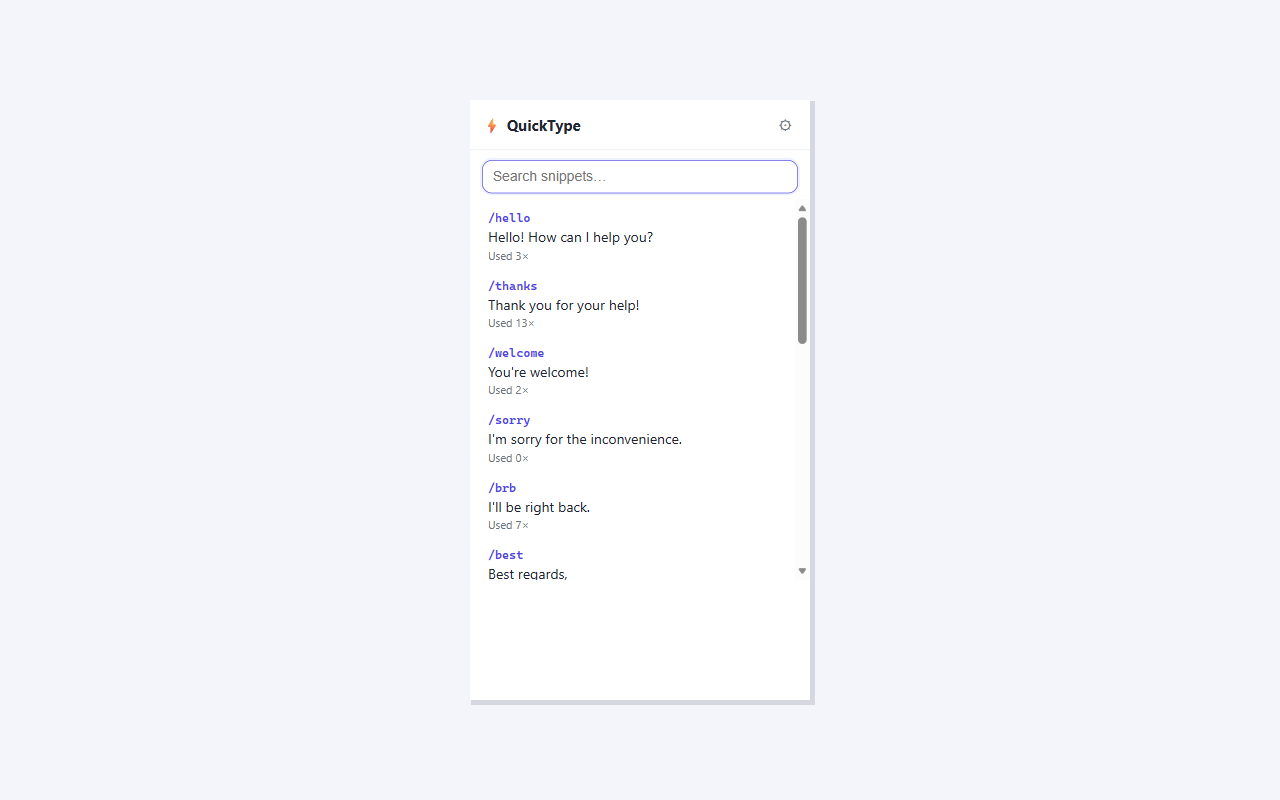
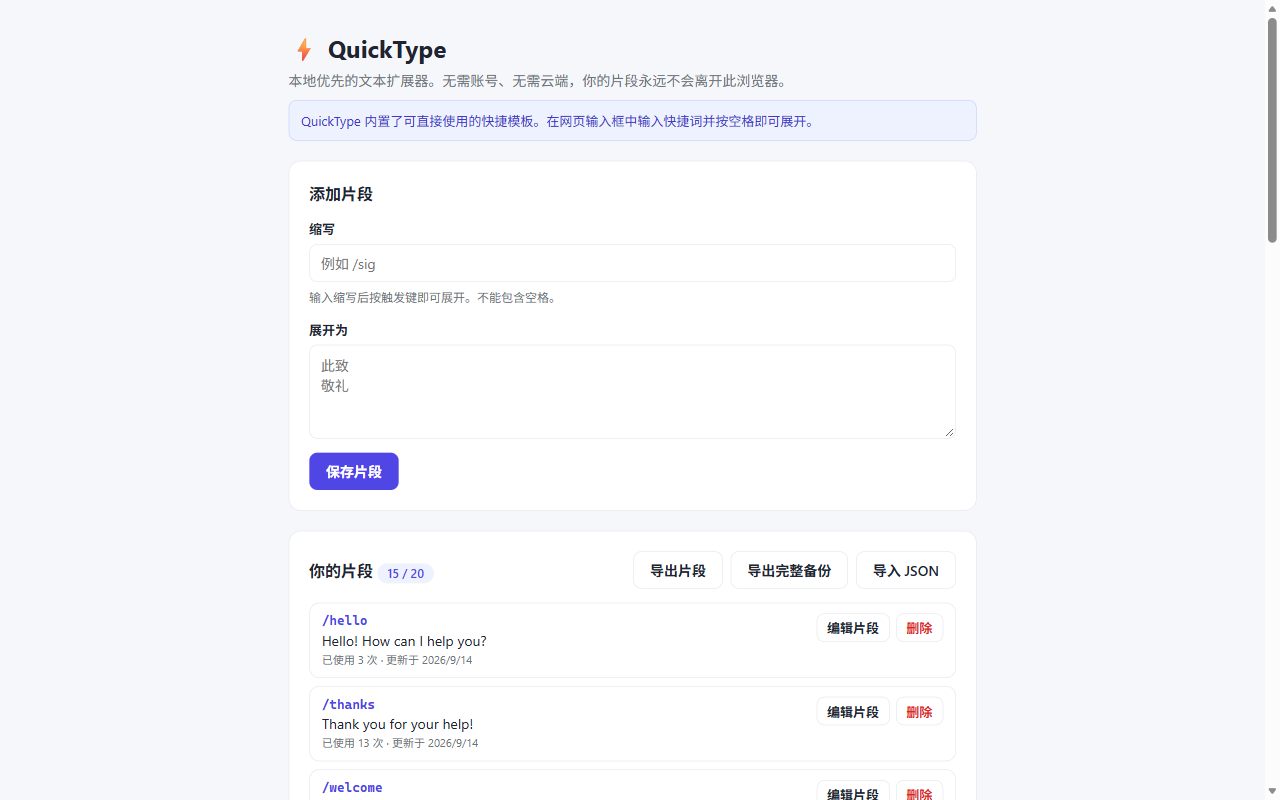
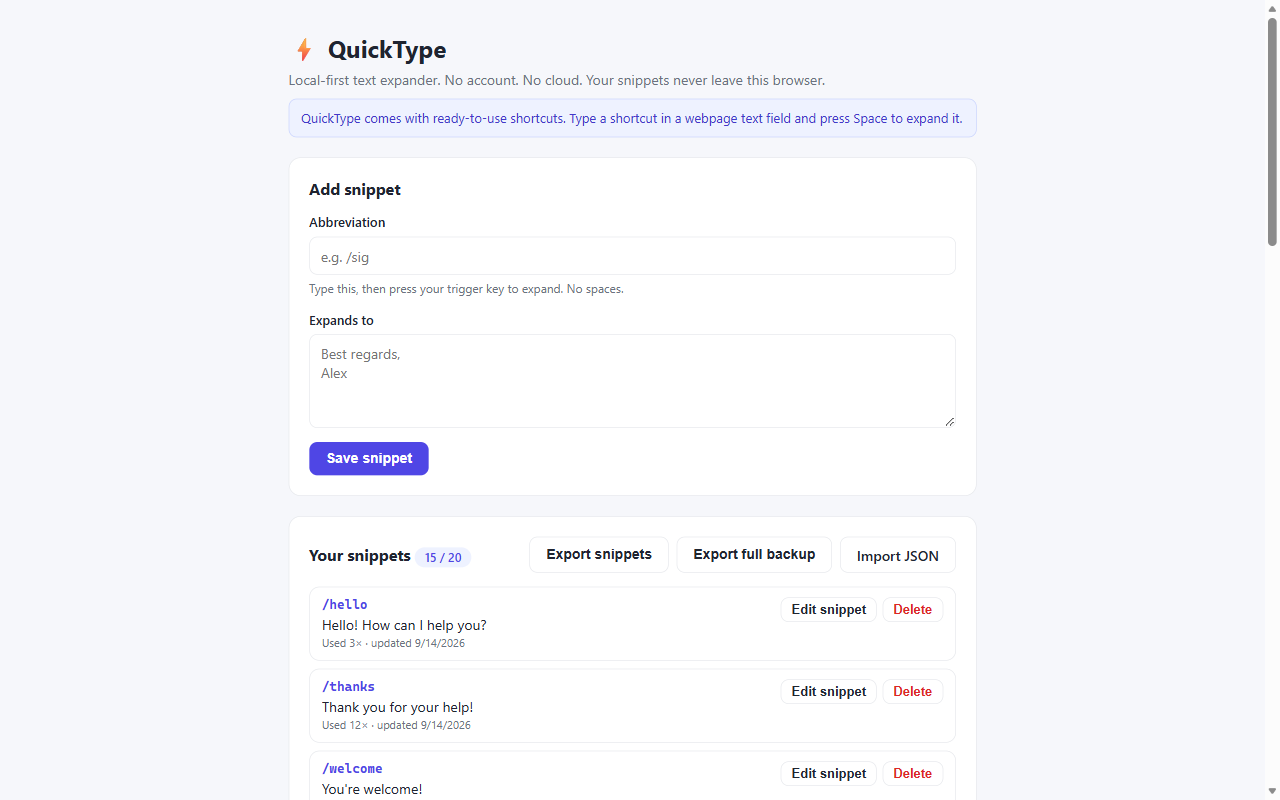
QuickType is a text expander for people who type the same things over and over: signatures, greetings, meeting links, canned replies, addresses, boilerplate paragraphs.
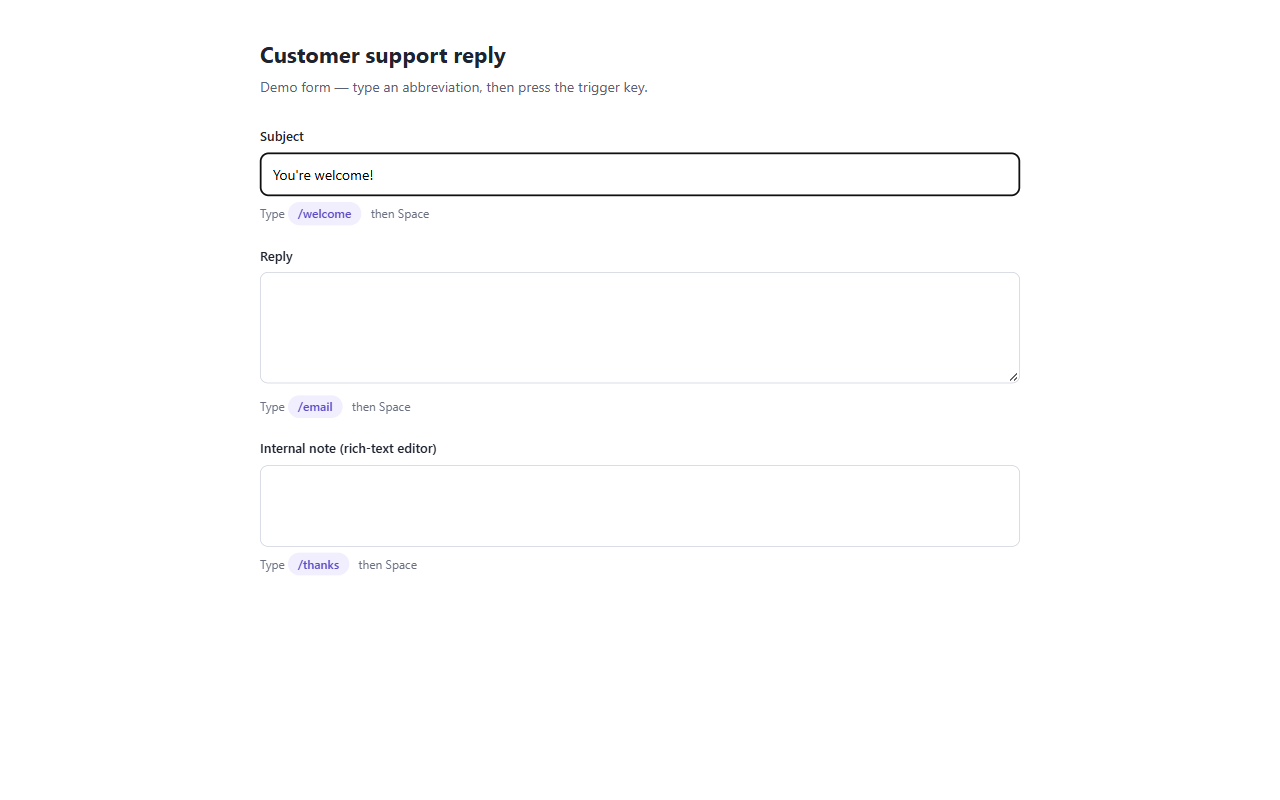
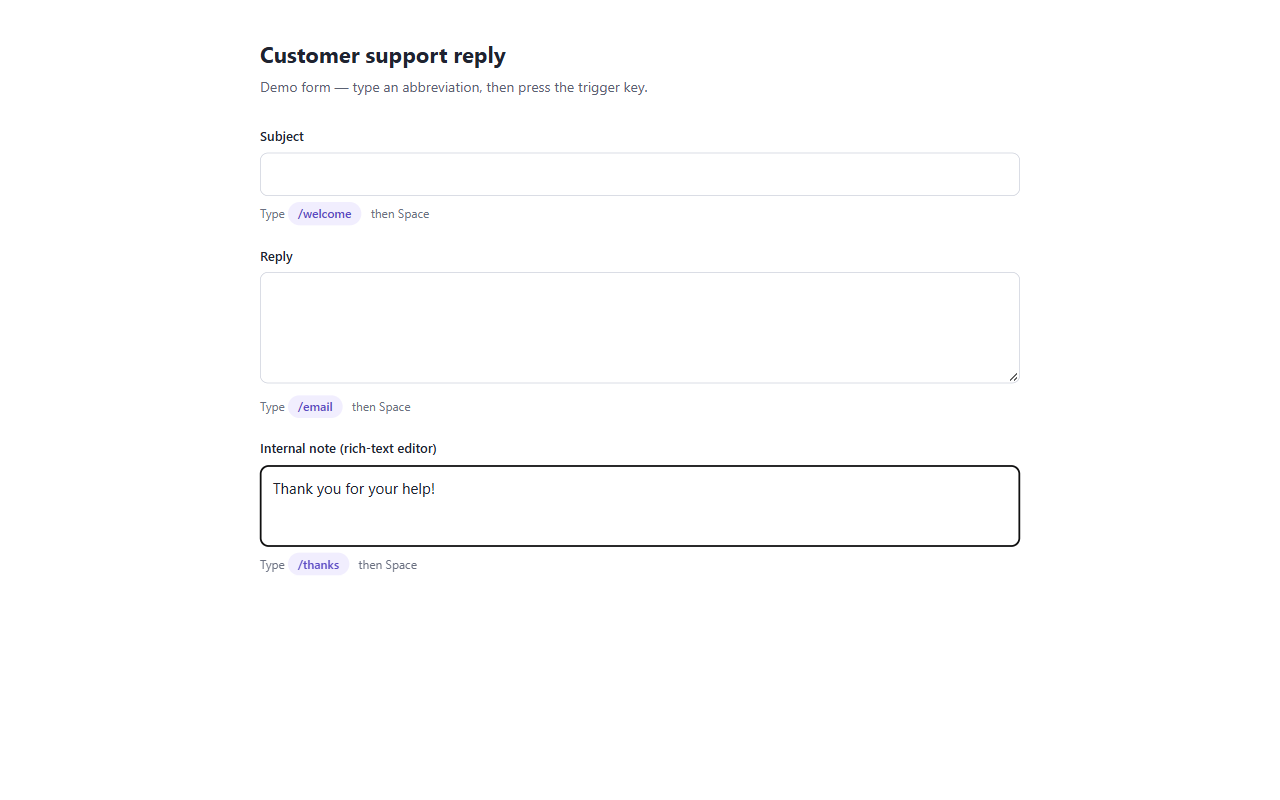
You define a short abbreviation once. After that, you type the abbreviation anywhere you type text and press the trigger key — Space by default — and QuickType replaces it with the full text instantly, in place. No copy, no paste, no switching windows.
WHAT IT DOES
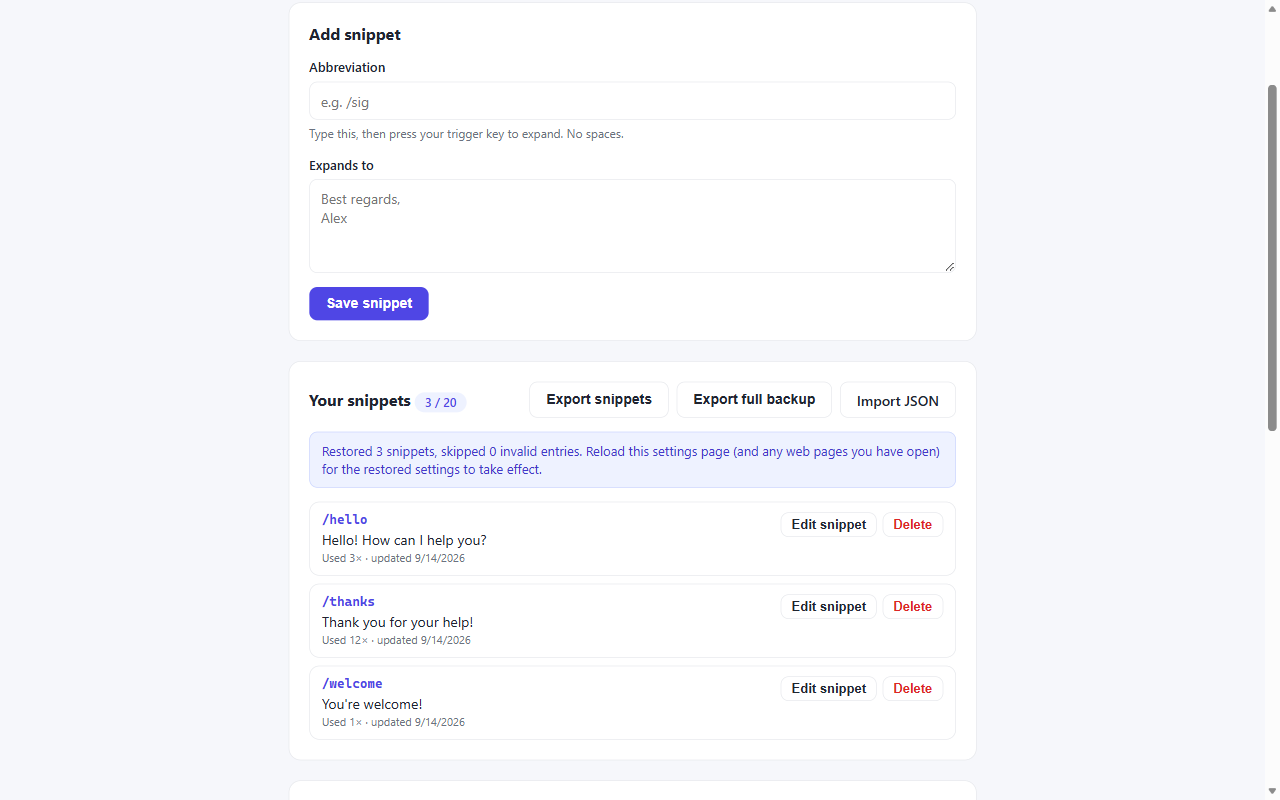
• Create snippets in the settings page: an abbreviation and the text it expands to. Multi-line text, emoji and non-Latin scripts (including Chinese, Japanese and Korean) are stored and expanded exactly as you typed them.
• Expand in the real places you write: fields,
WHERE IT WORKS
QuickType expands in text inputs, textareas and contenteditable rich-text editors, including fields inside iframes. It listens for your trigger key on the page you are already typing in and writes the replacement directly into that field, leaving the surrounding content alone. In plain fields and most rich-text editors Ctrl+Z still undoes an expansion, so there is nothing to clean up if you expand by accident.
WHY IT IS BUILT THIS WAY — LOCAL FIRST
QuickType makes no network requests at all. Your snippets never leave your browser.
• No account, no sign-in, no email address
• No cloud sync, no server, no analytics, no telemetry
• Everything is stored in your browser's local extension storage on your own machine
• Uninstalling the extension deletes the stored data
QuickType requests exactly one permission: storage. It does not read your browsing history, cookies, bookmarks, tabs, downloads, or clipboard contents. The content script runs on web pages only to watch for the trigger key you press; it does not transmit what you type anywhere. If you would rather it not run on a site, add that domain to the disabled list.
DATA YOU CAN TAKE WITH YOU
Settings offers two exports. "Export full backup" saves your snippets together with your interface language, trigger key, enable state and disabled-site list into a single file that restores everything in one step. "Export snippets" saves only the snippet list, in a plain format you can share or move between browsers. Restoring a full backup shows you exactly what will change and asks for confirmation before anything is written; if a file is damaged or unsupported, nothing is touched.
FIVE INTERFACE LANGUAGES
English, 简体中文, 日本語, 한국어 and Español. QuickType detects your browser language automatically and falls back to English if that language isn't available. You can switch manually at any time and your choice is remembered. Only the interface is translated — the contents of your snippets are never translated, rewritten, or modified.
A NOTE ON THE ADDRESS BAR
QuickType expands inside web pages, not in the browser's own address bar. The address bar is part of the browser interface, and no extension can read or write into it — that is a browser security boundary rather than a missing permission. Every real text field on a web page is supported, including rich-text editors and iframes.
WHO IT IS FOR
Anyone who writes the same phrases repeatedly: support and sales replies, developers pasting commands and snippets, students and researchers filling in forms, and anyone whose work is not in English but who keeps a standard set of phrases in a second language.
Free plan: up to 20 snippets, stored locally, with no account and no trial period.
QuickType — Local Text Expander 是做什么的
QuickType — Local Text Expander 是一款面向 Edge 的效率工具类扩展,主要用来管住注意力、屏蔽干扰站点、记录时间。官方对它的介绍是:Local-first text expander. Create snippets, expand them anywhere you type. No account, no cloud, no tracking.在微软 Edge 加载项商店上,它当前版本 0.1.0,约 1 名用户。
适合什么人用
从功能定位看,QuickType — Local Text Expander 更适合想专注工作学习、减少无效刷网页的用户。如果你平时只是偶尔遇到相关需求,用浏览器自带功能也能凑合;但如果这件事每天都发生,装一个专门处理它的扩展通常比手动操作省事得多。
怎么安装 QuickType — Local Text Expander
- 打开微软 Edge 加载项商店上的官方页面;
- 点「添加到浏览器」并确认权限提示;
- 装好后在扩展列表里固定图标,方便随时开关。
本站只做索引与介绍,安装包来自官方商店。如果商店页面提示当前地区不可用,说明该扩展未在你所在区域上架。
常见问题
QuickType — Local Text Expander 是免费的吗?
QuickType — Local Text Expander 在微软 Edge 加载项商店免费提供下载。它是浏览器扩展,装上就能直接用,不需要注册账号。
QuickType — Local Text Expander 安全吗?
它只申请了 0 项权限,范围比较克制,没有申请「读取所有网站数据」这种大权限。
QuickType — Local Text Expander 支持哪些浏览器?
当前收录的版本来自微软 Edge 加载项商店,适用于 Edge。同一个扩展在其他商店可能有对应版本,但功能与版本号不一定相同。
怎么卸载 QuickType — Local Text Expander?
在扩展管理页找到 QuickType — Local Text Expander,点移除即可。它在本地保存的设置会一起清掉,不会残留数据。
权限清单 来自 manifest.json 原文
接口权限 1
storage