
QR Code Reader EN
ASpot Apps · EEdge MV3
A chrome extension for reading QR code from webpage.
截图
简介
QR Code Reader - Your All-in-One QR Code Solution for Edge**
Instantly scan, decode, and create QR codes directly from your browser! QR Code Reader is a powerful yet easy-to-use Edge extension that brings comprehensive QR code functionality to your fingertips.
### 🔍 KEY FEATURES
**Smart QR Code Detection**
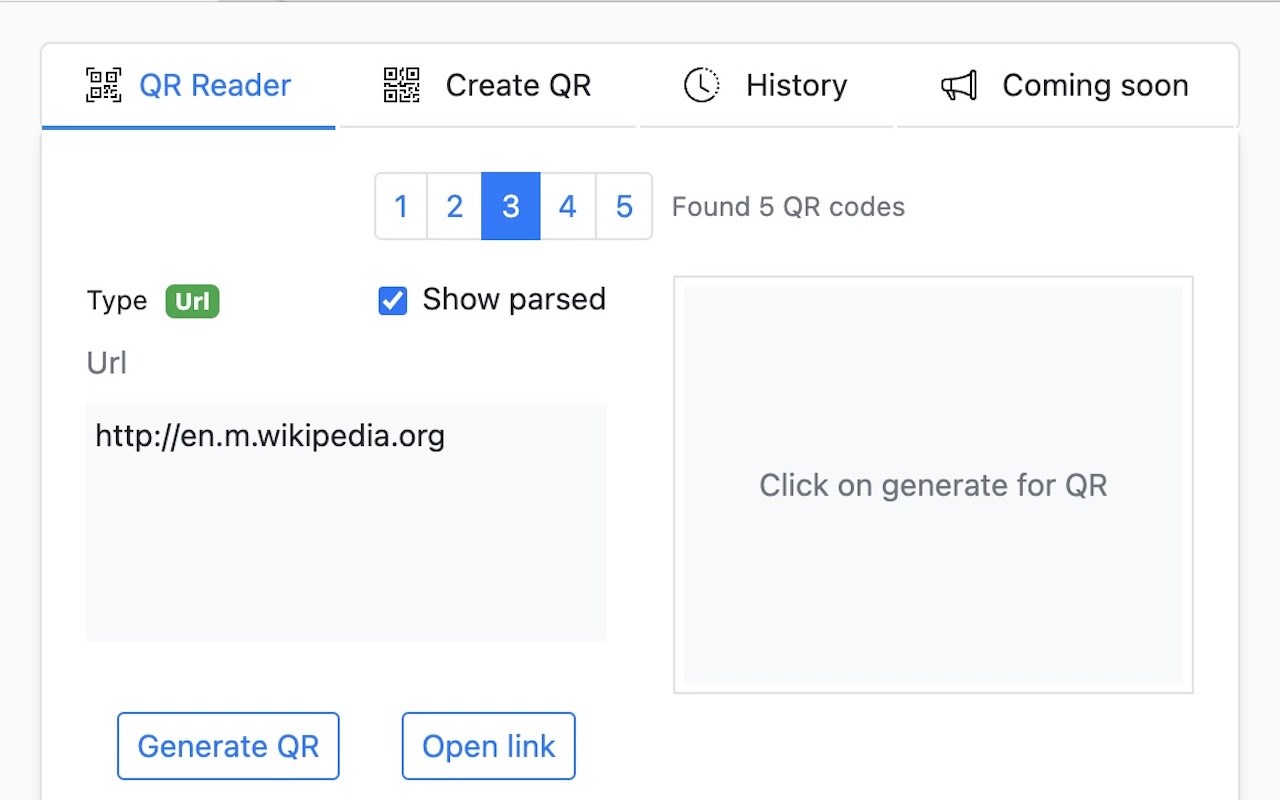
• Automatically detects and decodes QR codes on any webpage
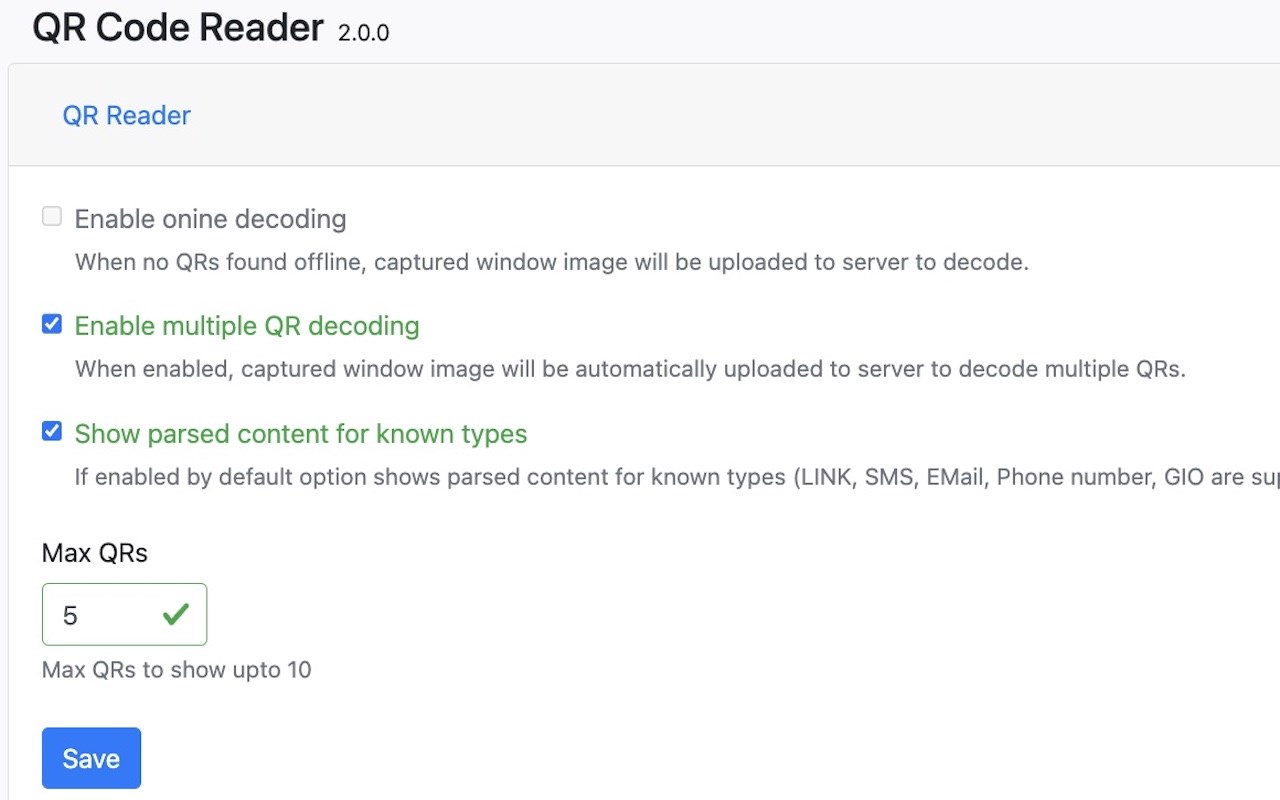
• Support for multiple QR code detection (up to 10 codes)
• Advanced offline and online decoding capabilities
• Instant results with one click (Ctrl+Shift+S / Cmd+Shift+S)
**QR Code Generator**
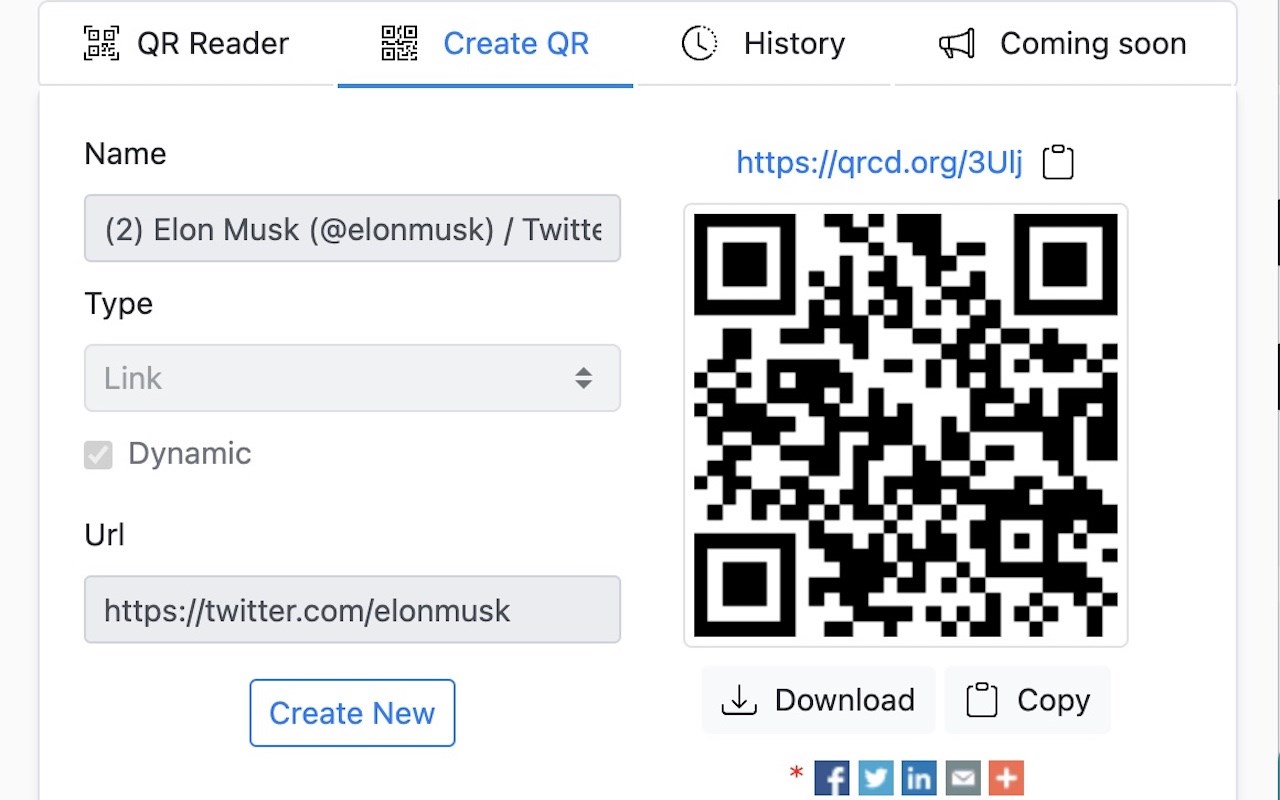
• Create QR codes for URLs, text, SMS, email, phone numbers, and more
• Customizable QR code design (colors, error correction, margins)
• Support for multiple image formats (PNG, JPEG, WebP)
• Dynamic QR codes with short URLs and analytics (coming soon)
**Intelligent Content Recognition**
• Automatically parses and displays formatted content for:
- URLs and web links
- Email addresses
- Phone numbers
- SMS messages
- Geographic locations
- WiFi credentials
- Calendar events
**History & Management**
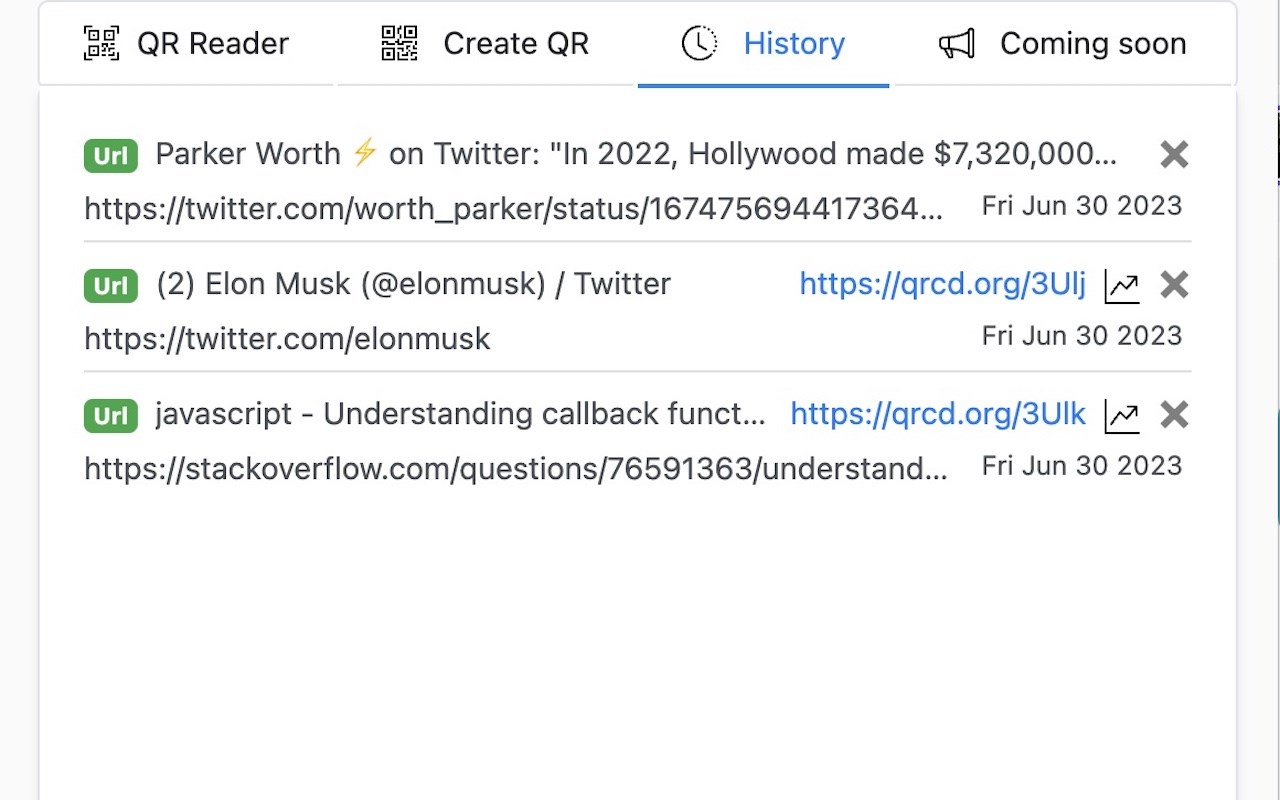
• Comprehensive history tracking for scanned and created QR codes
• Customizable history limit (1-500 items)
• Auto-save scanned QR codes
• Easy export and sharing options
**Context Menu Integration**
• Right-click on any image to scan for QR codes
• Generate QR codes from selected text or links
• Upload and decode local image files
• Quick access to all features
**Advanced Options**
• Enable online decoding for complex QR codes
• Customize QR code appearance (foreground/background colors)
• Adjustable error correction levels (Low/Medium/Quartile/High)
• Configure maximum QR codes to display
### 🌍 MULTI-LANGUAGE SUPPORT
Available in 40+ languages including:
English, Spanish, French, German, Italian, Portuguese, Chinese (Simplified & Traditional), Japanese, Korean, Russian, Arabic, Hindi, and many more!
### 🚀 UPCOMING FEATURES
• User accounts with cloud sync
• Advanced analytics and reporting (10+ metrics)
• Custom short links and branded QR codes
• 8+ additional QR code types
• Enhanced security features
• Password-protected QR codes
• QR code expiry dates
• Scan count and location tracking
### 🔒 PRIVACY & SECURITY
Your privacy is our priority:
• No personal data collection
• Secure processing on trusted cloud platforms
• Optional online decoding (user-controlled)
• No tracking or monitoring of your activities
• Full transparency in data handling
### ⚡ QUICK START
1. Install the extension
2. Click the QR Code Reader icon in your toolbar
3. Choose "QR Reader" to scan QR codes on the current page
4. Choose "Create QR" to generate your own QR codes
5. Access "History" to view previously scanned or created codes
### 💡 USE CASES
Perfect for:
• Digital marketers tracking campaign QR codes
• Business professionals creating contact cards
• Event organizers managing registrations
• Students sharing study materials
• Developers testing QR code implementations
• Anyone who frequently works with QR codes
### 🛠️ TOOLS & INTEGRATIONS
Access additional tools:
• Upload and decode QR code images
• Live camera scanning (web-based)
• Create short links with analytics
• Bulk QR code processing
QR Code Reader 是做什么的
QR Code Reader 是一款面向 Edge 的实用工具类扩展,主要用来解决浏览器里某类具体的小问题。官方对它的介绍是:A chrome extension for reading QR code from webpage.在微软 Edge 加载项商店上,它当前版本 2.0.3,评分 5(1 人评价),约 1,127 名用户。
适合什么人用
从功能定位看,QR Code Reader 更适合想补上浏览器原生缺失功能的用户。如果你平时只是偶尔遇到相关需求,用浏览器自带功能也能凑合;但如果这件事每天都发生,装一个专门处理它的扩展通常比手动操作省事得多。
怎么安装 QR Code Reader
- 打开微软 Edge 加载项商店上的官方页面;
- 点「添加到浏览器」并确认权限提示;
- 装好后在扩展列表里固定图标,方便随时开关。
本站只做索引与介绍,安装包来自官方商店。如果商店页面提示当前地区不可用,说明该扩展未在你所在区域上架。
常见问题
QR Code Reader 是免费的吗?
QR Code Reader 在微软 Edge 加载项商店免费提供下载。它是浏览器扩展,装上就能直接用,不需要注册账号。
QR Code Reader 安全吗?
它只申请了 0 项权限,范围比较克制,没有申请「读取所有网站数据」这种大权限。
QR Code Reader 支持哪些浏览器?
当前收录的版本来自微软 Edge 加载项商店,适用于 Edge。同一个扩展在其他商店可能有对应版本,但功能与版本号不一定相同。
怎么卸载 QR Code Reader?
在扩展管理页找到 QR Code Reader,点移除即可。它在本地保存的设置会一起清掉,不会残留数据。
权限清单 来自 manifest.json 原文
接口权限 6
activeTabcontextMenusscriptingstoragetabsunlimitedStorage
其他商店也有这款
同一款扩展在不同浏览器下的版本,权限与更新节奏可能不同
