
Qinfinite Web Recorder EN
Qinfinite · EEdge MV3
Record browser actions and build automation test scripts for the Qinfinite platform. No coding required.
<all_urls>),意味着它可以读取你在任意站点的页面内容,包括已登录的页面。这是许多扩展正常工作的必要条件,但也值得你确认来源可信。
截图


简介
Qinfinite Web Recorder — Browser Automation Recording for Enterprise Testing
Record your browser interactions and turn them into reusable automation scripts for the Qinfinite platform — no coding required.
TWO WAYS TO RECORD
Platform Recording (Recommended):
Start recording directly from the Qinfinite Web Automation module. Select an open browser tab or enter a URL to begin. Actions sync to the platform in real-time — no manual transfer needed. When you stop recording, the script is already saved and ready to edit or execute.
Standalone Recording:
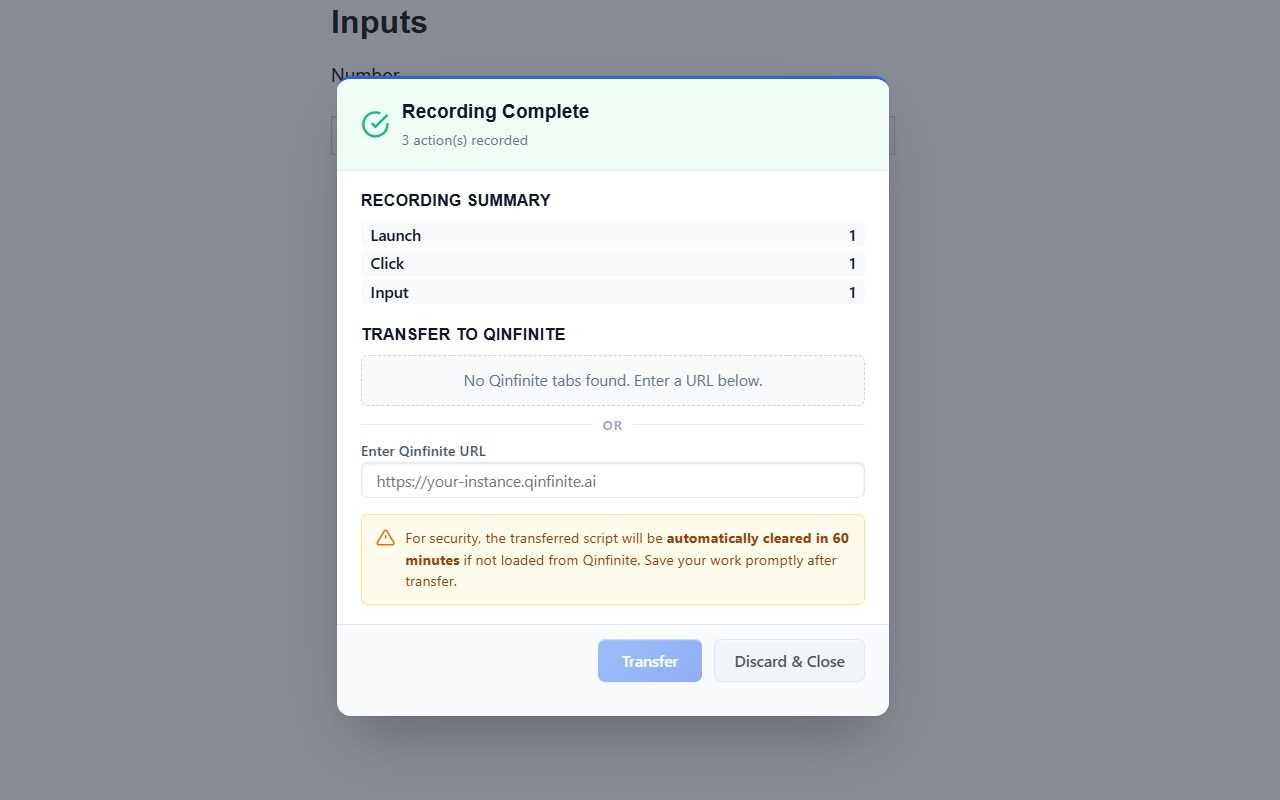
Click the extension icon and start recording without the platform. Interact with any website — actions are captured locally. When done, transfer the script to your Qinfinite instance manually via a platform tab or by entering your instance URL.
HOW IT WORKS
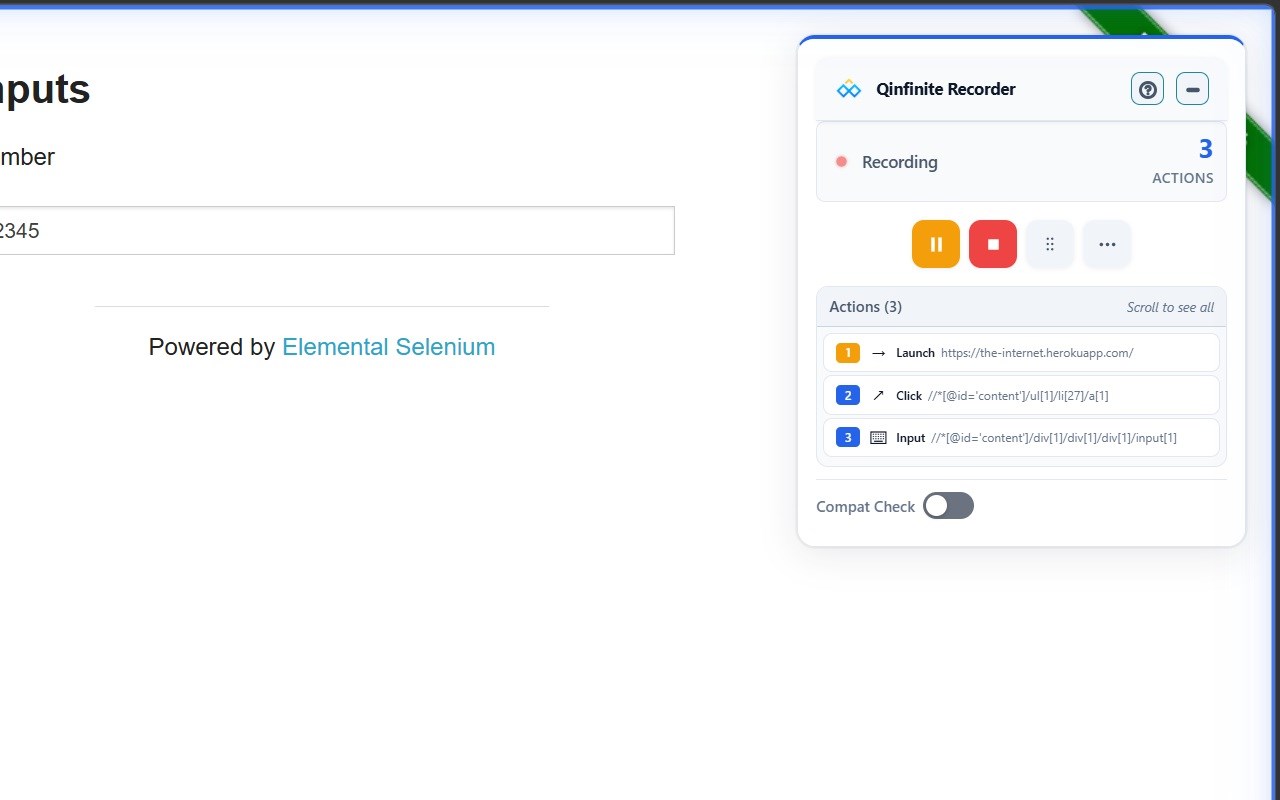
1. Start Recording — From the platform or the extension popup. A recording control box appears on the page.
2. Interact Naturally — Click, type, select, and navigate as you normally would. Every action is captured in real-time.
3. Save & Execute — Scripts are synced automatically (platform mode) or transferred manually (standalone mode) to Qinfinite for editing, scheduling, and cloud execution.
FEATURES
• No-Code Recording — Record browser actions by interacting with web pages naturally.
• Real-Time Action List — See every captured action as it happens.
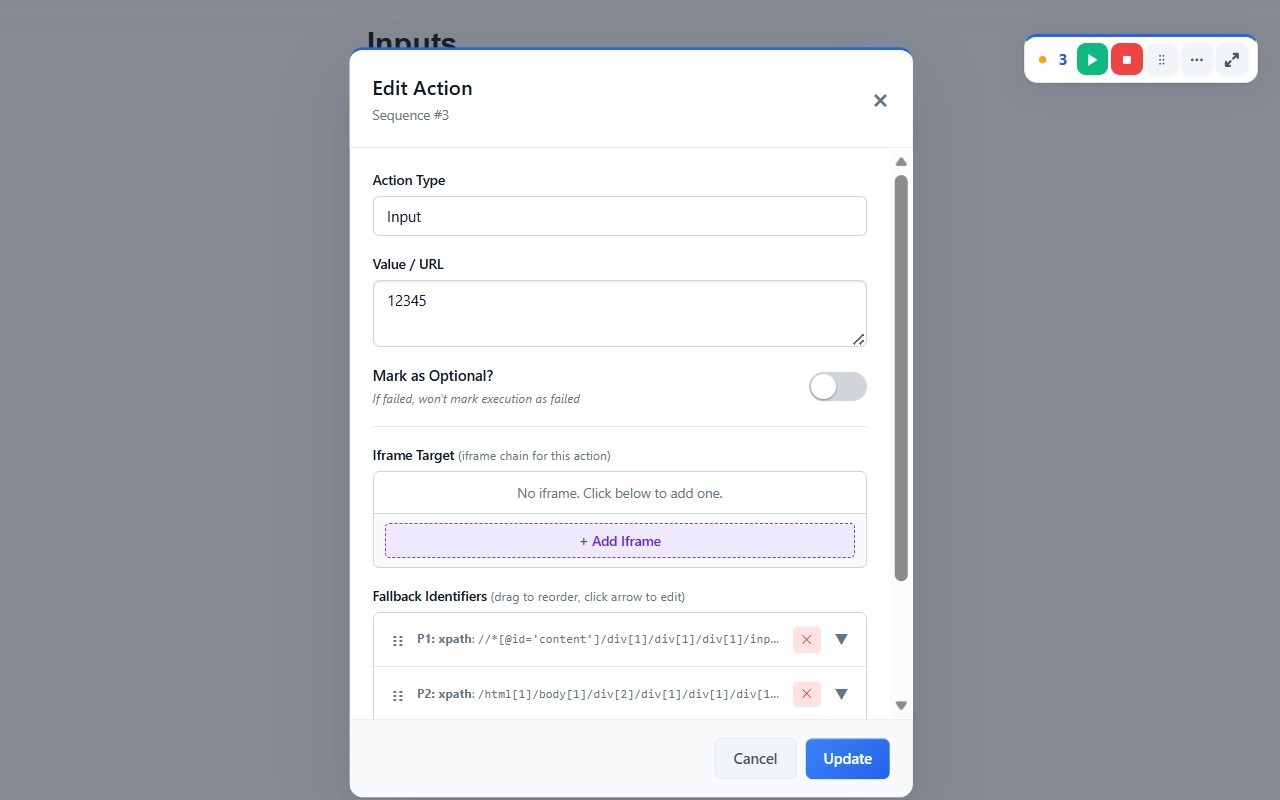
• Click-to-Edit — Click any recorded action to modify its type, value, or selectors.
• Conditional Logic — Add IF/IF-NOT blocks for dynamic execution paths.
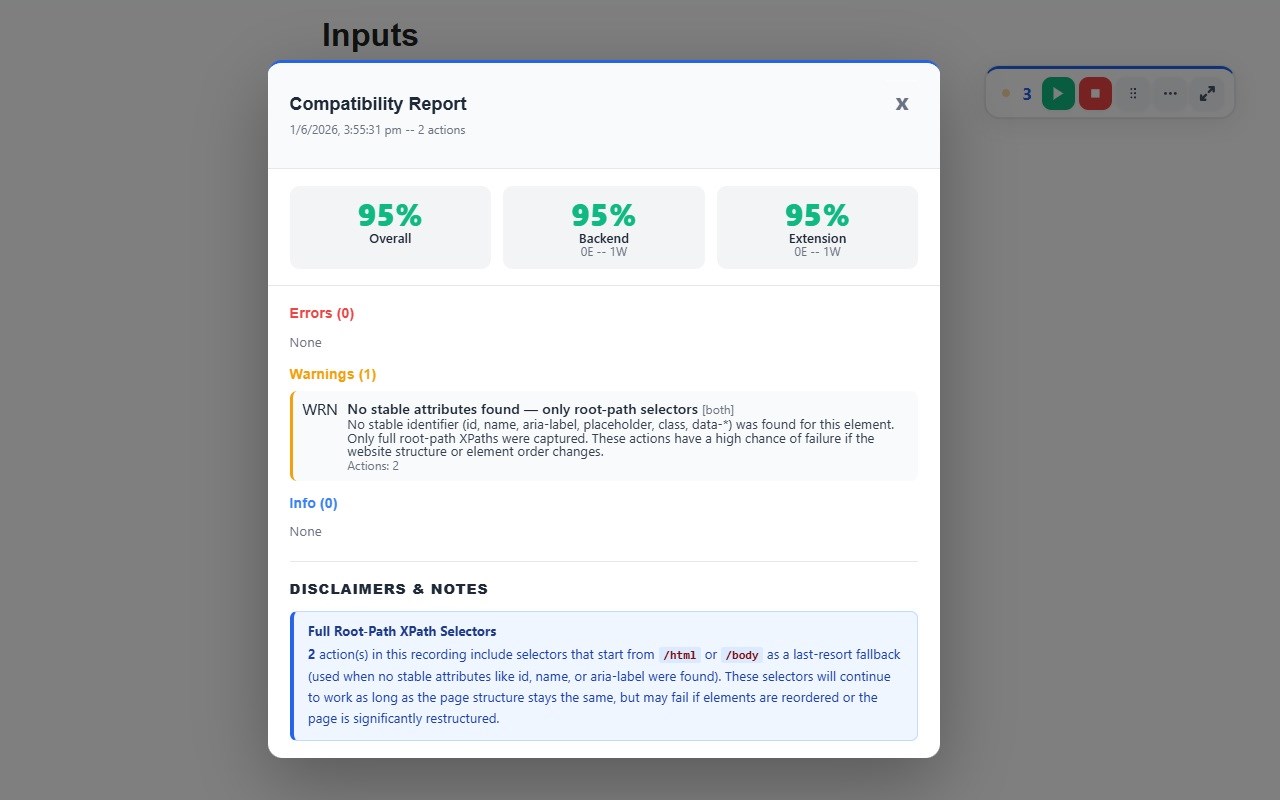
• Compatibility Analysis — Detect potential issues before execution with built-in analysis.
• Multi-Tab Support — Record across multiple browser tabs seamlessly.
• Iframe & Shadow DOM — Automatically captures actions inside iframes and shadow DOM elements.
• Input Variables — Use {{variables}} to make scripts reusable across environments.
• Guided Tour — First-time users get an interactive walkthrough of every feature.
SUPPORTED ACTIONS
Click, Input, Select, Checkbox, Radio, Date Picker, Keypress, Key Sequence, Wait, Launch (navigate), Get Text, Extract Table, OTP/TOTP, Conditional Blocks.
PRIVACY & SECURITY
• All data stored locally in your browser — encrypted with a per-installation key.
• No analytics, telemetry, or tracking of any kind.
• Data is only transmitted when you explicitly transfer it to your Qinfinite instance.
• No third-party servers, SDKs, or advertising.
• Full privacy policy: https://docs.qinfinite.ai/docs/automation-hub/rpa/privacy-policy
ABOUT QINFINITE
Qinfinite (https://qinfinite.ai) is an enterprise AI-powered operations platform. The Web Recorder extension is the recording companion for Qinfinite's Web Automation module — it captures browser actions locally and transfers them to the platform where scripts are saved, managed, scheduled, and executed in the cloud.
SUPPORT
Documentation: https://docs.qinfinite.ai/docs/automation-hub/rpa/web-recorder-extension
Contact: support@qinfinite.ai
Qinfinite Web Recorder 是做什么的
Qinfinite Web Recorder 是一款面向 Edge 的实用工具类扩展,主要用来解决浏览器里某类具体的小问题。官方对它的介绍是:Record browser actions and build automation test scripts for the Qinfinite platform. No coding required.在微软 Edge 加载项商店上,它当前版本 1.1.0,评分 5(1 人评价),约 15 名用户。
适合什么人用
从功能定位看,Qinfinite Web Recorder 更适合想补上浏览器原生缺失功能的用户。如果你平时只是偶尔遇到相关需求,用浏览器自带功能也能凑合;但如果这件事每天都发生,装一个专门处理它的扩展通常比手动操作省事得多。需要注意的是它作用于所有网站,装上后建议先观察一两天,确认不影响常用站点的正常使用。
怎么安装 Qinfinite Web Recorder
- 打开微软 Edge 加载项商店上的官方页面;
- 点「添加到浏览器」并确认权限提示;
- 装好后在扩展列表里固定图标,方便随时开关。
本站只做索引与介绍,安装包来自官方商店。如果商店页面提示当前地区不可用,说明该扩展未在你所在区域上架。
常见问题
Qinfinite Web Recorder 是免费的吗?
Qinfinite Web Recorder 在微软 Edge 加载项商店免费提供下载。它是浏览器扩展,装上就能直接用,不需要注册账号。
Qinfinite Web Recorder 安全吗?
它只申请了 0 项权限,范围比较克制,没有申请「读取所有网站数据」这种大权限。
Qinfinite Web Recorder 支持哪些浏览器?
当前收录的版本来自微软 Edge 加载项商店,适用于 Edge。同一个扩展在其他商店可能有对应版本,但功能与版本号不一定相同。
怎么卸载 Qinfinite Web Recorder?
在扩展管理页找到 Qinfinite Web Recorder,点移除即可。它在本地保存的设置会一起清掉,不会残留数据。
权限清单 来自 manifest.json 原文
站点访问(可选) 2
http://*/*https://*/*
接口权限 5
activeTabalarmsscriptingstoragetabs