
PureBlock Pro EN
Loowit Technology · EEdge MV3
Advanced ad and pop-up blocker for pure, distraction-free browsing.
<all_urls>),意味着它可以读取你在任意站点的页面内容,包括已登录的页面。这是许多扩展正常工作的必要条件,但也值得你确认来源可信。
截图



简介
PureBlock Pro – The Simple, Powerful Ad & Pop-Up Blocker
One click. Zero ads. Full control.
PureBlock Pro is the cleanest, fastest way to remove ads, pop-ups, and distractions from your browsing experience — without complexity.
Why Choose PureBlock Pro?
Dead-simple interface: Just one toggle button. No menus. No allowlists. No learning curve.
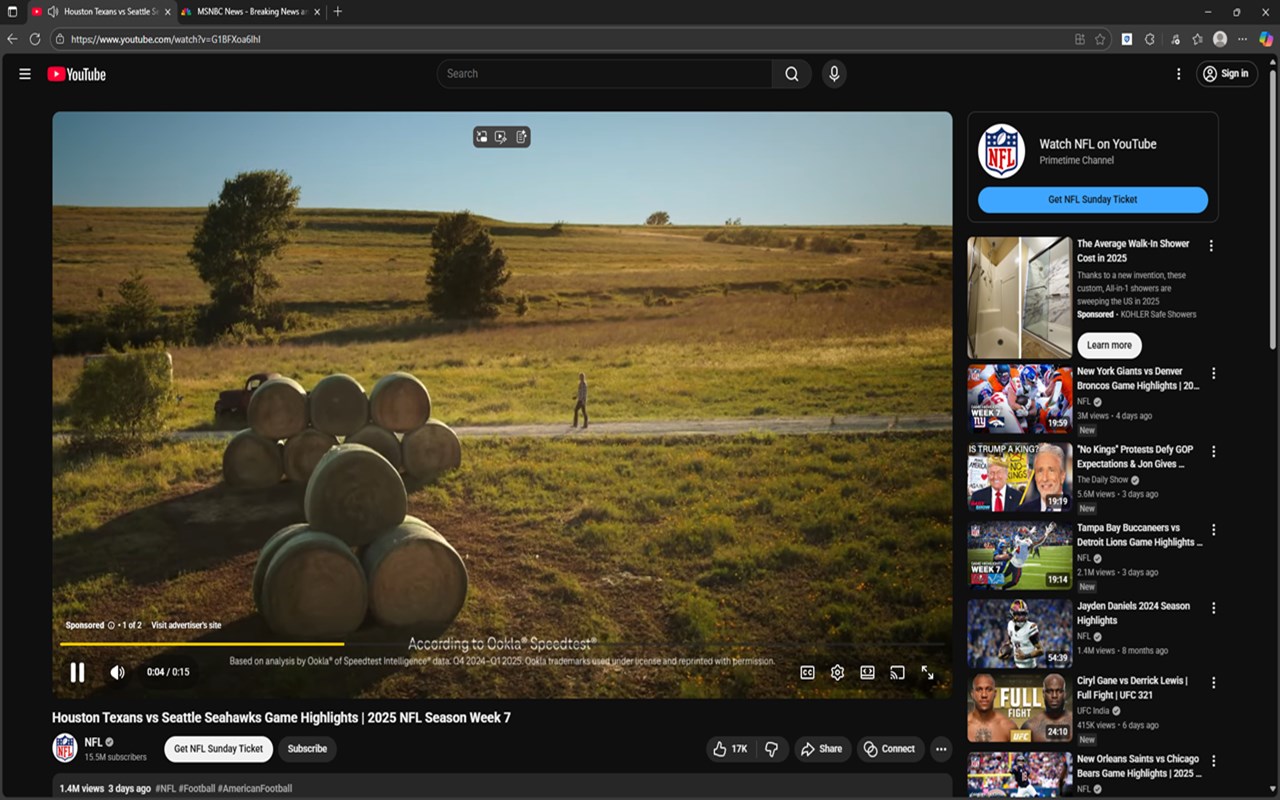
Instant ad blocking: Blocks banners, video pre-rolls, pop-ups, overlays, and sponsored content the moment you install.
Smart daily reset system: Free users get 500 ad blocks per day — and can reset the count with one tap (1 reset/day).
Premium = total freedom: Unlimited blocks, unlimited resets, and full support for YouTube, Facebook, Instagram, TikTok, and more.
Privacy-first design: No tracking. No data collection. No ads in the extension. Just clean browsing.
How PureBlock Pro Works (Step-by-Step)
Install & Activate
Click the PureBlock Pro shield in your toolbar.
Tap "Toggle ON" — blocking starts immediately.
Watch Ads Disappear
Banners, video ads, pop-ups, and overlays vanish in real time.
Powered by Chrome’s fastest blocking engine (declarativeNetRequest) + smart DOM cleanup.
Track Your Progress
Open the popup to see:
Ads blocked today (e.g., "347 / 500")
Last reset time
"Reset Count" button (available once per day in free tier)
Need More Blocks?
Tap "Reset Count" — instantly back to 500 fresh blocks.
Premium users can reset as many times as they want.
Upgrade to Premium (Optional)
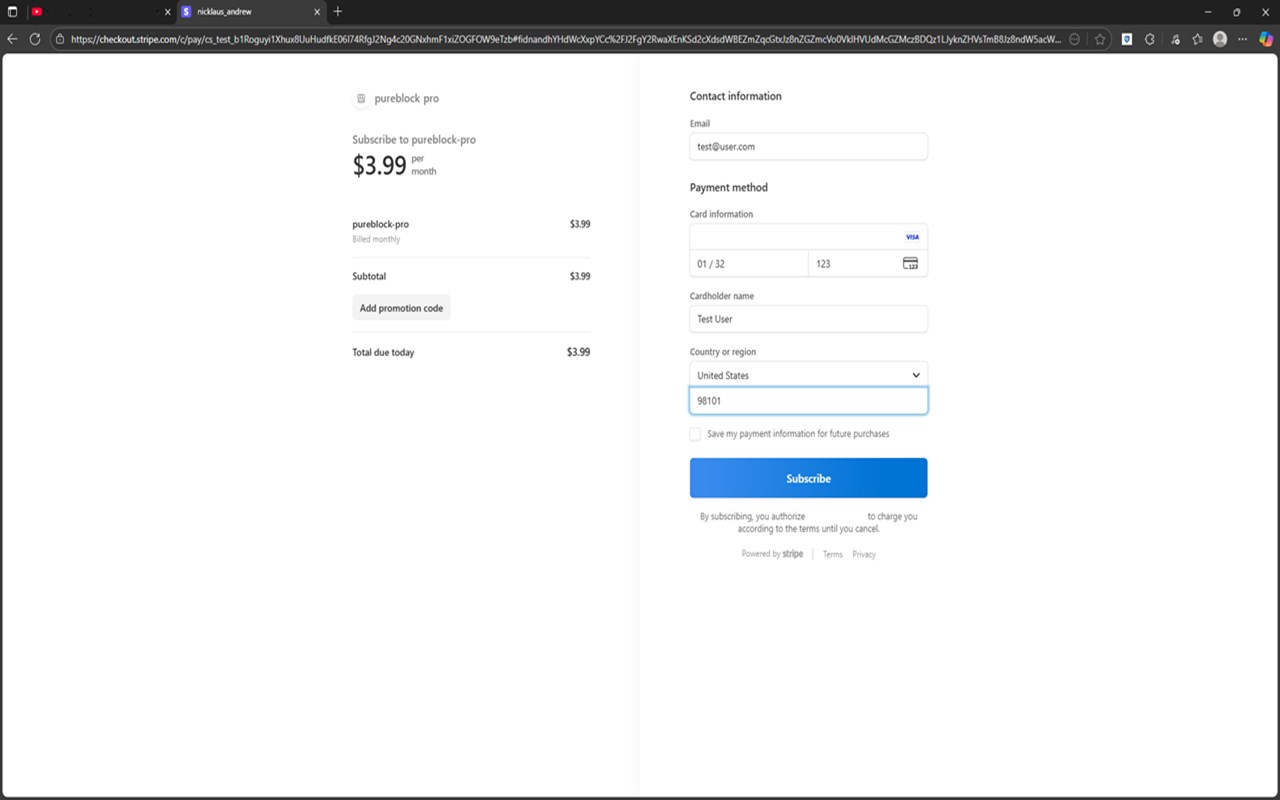
Click "Upgrade to Premium" — pay securely via ExtPay (no account needed).
Unlock unlimited everything — including ad blocking on YouTube, social media, and all sites.
Free Tier vs Premium – Full Comparison
Feature | Free Tier | Premium
Daily ad blocks | 500 | Unlimited
Reset count | 1 reset per day | Unlimited resets
YouTube, Facebook, Instagram, TikTok | Blocked (to protect free limit) | Fully supported
Pop-ups, banners, overlays | Blocked | Blocked
Stats panel | Real-time count | + Reset history
Price | Free forever | $2.99/month or $19.99/year
Upgrade in 1 click – Secure, instant, and cancellable anytime via ExtPay.
What Gets Blocked?
PureBlock Pro removes:
Banner ads
Video pre-rolls (YouTube, etc. – Premium only)
Pop-up windows & overlays
Sponsored posts
Tracking scripts
Auto-play videos
"Close this ad" tricks
All without slowing down your browser.
Perfect For
Students who need focus during research
Professionals tired of pop-ups during work
Parents keeping kids safe from intrusive ads
Anyone who wants a cleaner, faster, calmer internet
Privacy & Security – You’re in Control
No personal data collected
No browsing history stored
No ads inside the extension
Anonymous usage stats (only to improve performance)
Secure payments via ExtPay (Stripe-powered)
Full Privacy Policy: https://loowit-tech.github.io/pureblock-pro/privacy-policy.html
Support: support@loowittechnology.com
Technical Highlights (For Power Users)
Built with Manifest V3 (Chrome & Edge approved)
Uses declarativeNetRequest for lightning-fast, rule-based blocking
MutationObserver for dynamic ad removal (e.g., lazy-loaded content)
ExtPay integration for seamless, secure premium upgrades
Google Analytics (anonymous) for performance insights only
Install PureBlock Pro Today
Take back your browser. One click at a time.
Free to start. Premium to go unlimited.
No ads. No noise. Just pure browsing.
PureBlock Pro – Because your attention is worth protecting.
PureBlock Pro 是做什么的
PureBlock Pro 是一款面向 Edge 的效率工具类扩展,主要用来管住注意力、屏蔽干扰站点、记录时间。官方对它的介绍是:Advanced ad and pop-up blocker for pure, distraction-free browsing.在微软 Edge 加载项商店上,它当前版本 1.3。
适合什么人用
从功能定位看,PureBlock Pro 更适合想专注工作学习、减少无效刷网页的用户。如果你平时只是偶尔遇到相关需求,用浏览器自带功能也能凑合;但如果这件事每天都发生,装一个专门处理它的扩展通常比手动操作省事得多。需要注意的是它作用于所有网站,装上后建议先观察一两天,确认不影响常用站点的正常使用。
怎么安装 PureBlock Pro
- 打开微软 Edge 加载项商店上的官方页面;
- 点「添加到浏览器」并确认权限提示;
- 装好后在扩展列表里固定图标,方便随时开关。
本站只做索引与介绍,安装包来自官方商店。如果商店页面提示当前地区不可用,说明该扩展未在你所在区域上架。
常见问题
PureBlock Pro 是免费的吗?
PureBlock Pro 在微软 Edge 加载项商店免费提供下载。它是浏览器扩展,装上就能直接用,不需要注册账号。
PureBlock Pro 安全吗?
它只申请了 0 项权限,范围比较克制,没有申请「读取所有网站数据」这种大权限。
PureBlock Pro 支持哪些浏览器?
当前收录的版本来自微软 Edge 加载项商店,适用于 Edge。同一个扩展在其他商店可能有对应版本,但功能与版本号不一定相同。
怎么卸载 PureBlock Pro?
在扩展管理页找到 PureBlock Pro,点移除即可。它在本地保存的设置会一起清掉,不会残留数据。
权限清单 来自 manifest.json 原文
站点访问(可选) 1
<all_urls>
接口权限 6
activeTabalarmsdeclarativeNetRequestidentityscriptingstorage