
PostCleaner — Delete Tweets: bulk delete old X (Twitter) posts & replies EN
Hinpun · EEdge MV3
Delete tweets in bulk on X (Twitter): old posts, replies, reposts, or mass unlike. See what goes first. Filter by date/keyword.
截图


简介
Clean up your old X (Twitter) posts before a job hunt, a career change or an account cleanup. PostCleaner deletes your past posts, replies and reposts in bulk, and can also undo your likes in bulk, while showing you exactly what will be removed first.
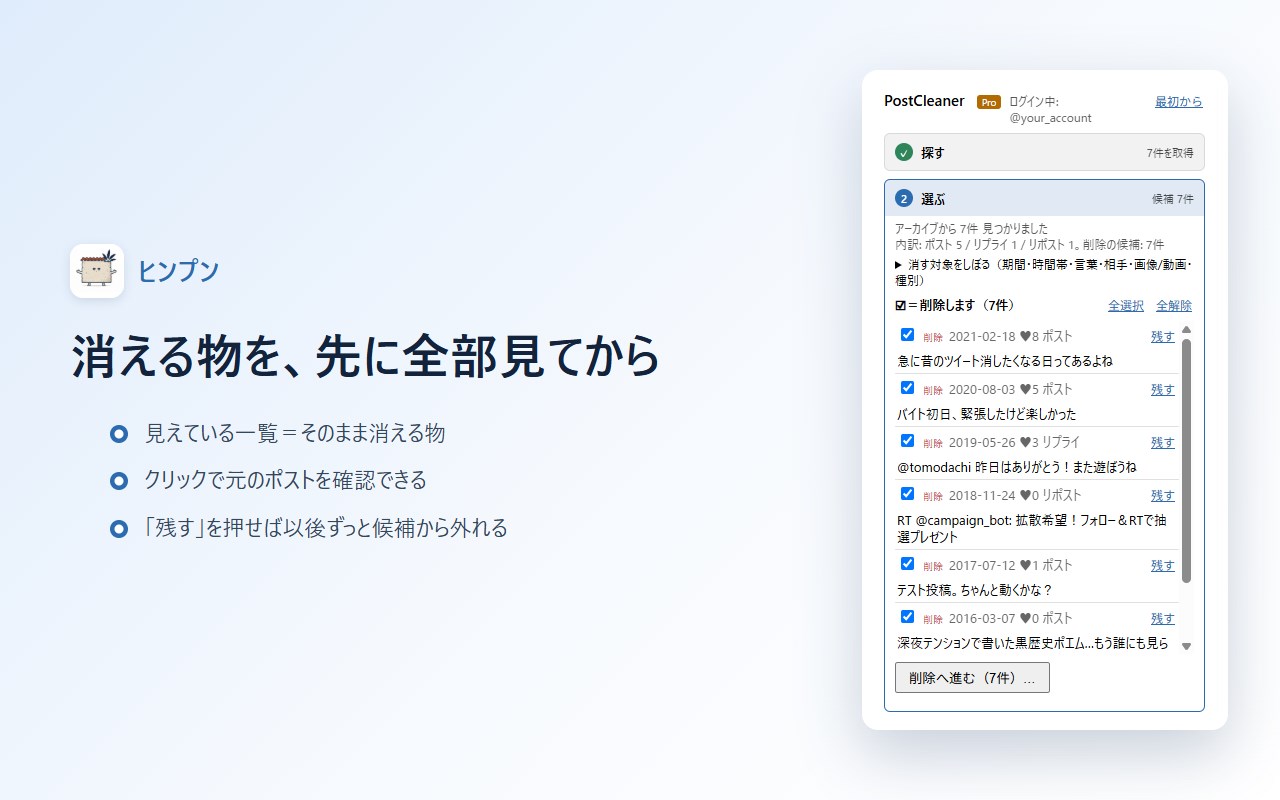
See everything before it is deleted
- The list you see is exactly what will be deleted. Uncheck a post to keep it
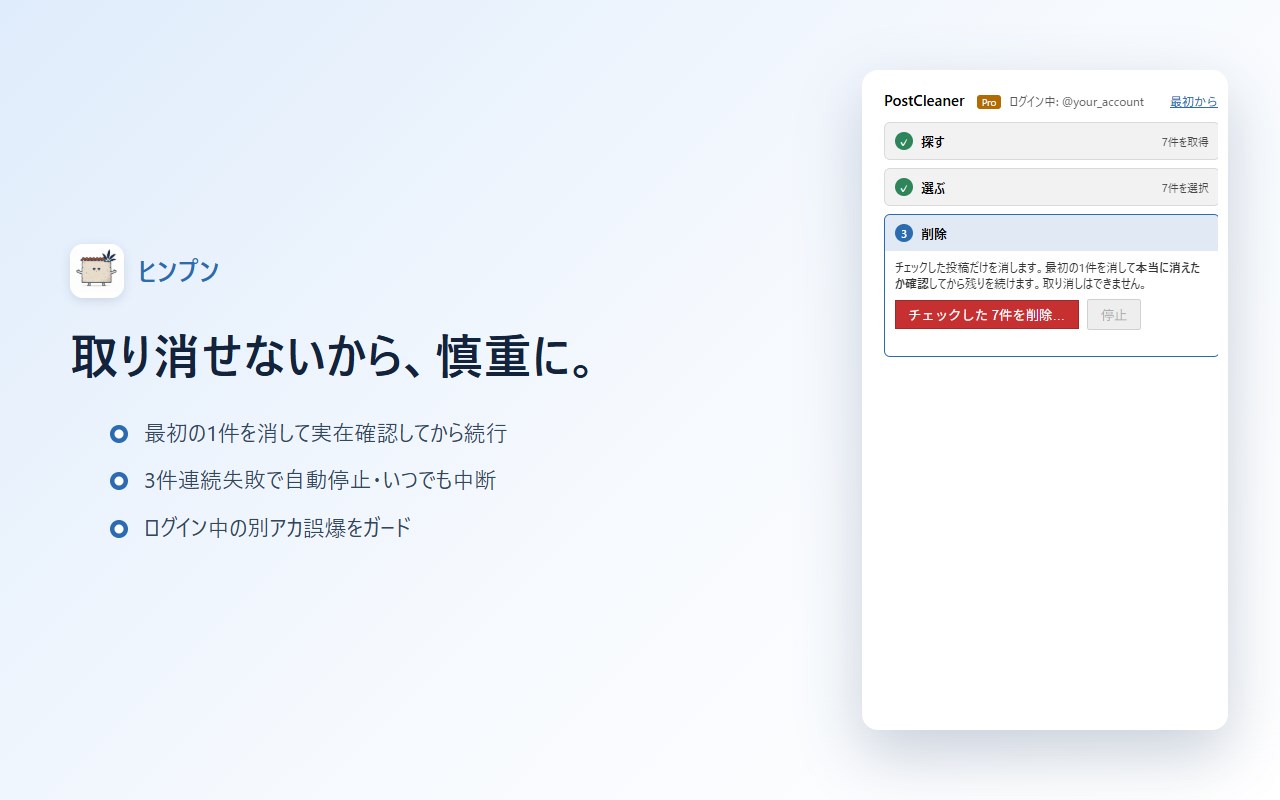
- The first item is deleted and verified before the rest continue. Processing stops automatically after 3 failures in a row
- A guard prevents running on the wrong signed-in account. You can pause and resume at any time
- Posts you mark "Keep" go on a protected list and never show up as candidates again (pinned posts are always excluded)
Bulk unlike, too
- Switch between "Delete mode" and "Unlike mode" in step 1
- Likes are other people's posts, so they are never mixed into the delete list. Labels and actions change to match the mode
- Narrow likes down by author (@), date range, time of day, keywords, or whether they contain images/video
- An undone like can be liked again, so unlike is reversible (unlike deleting)
- Likes are collected newest first, about 300 at a time. As you undo them, older likes appear in the next scan
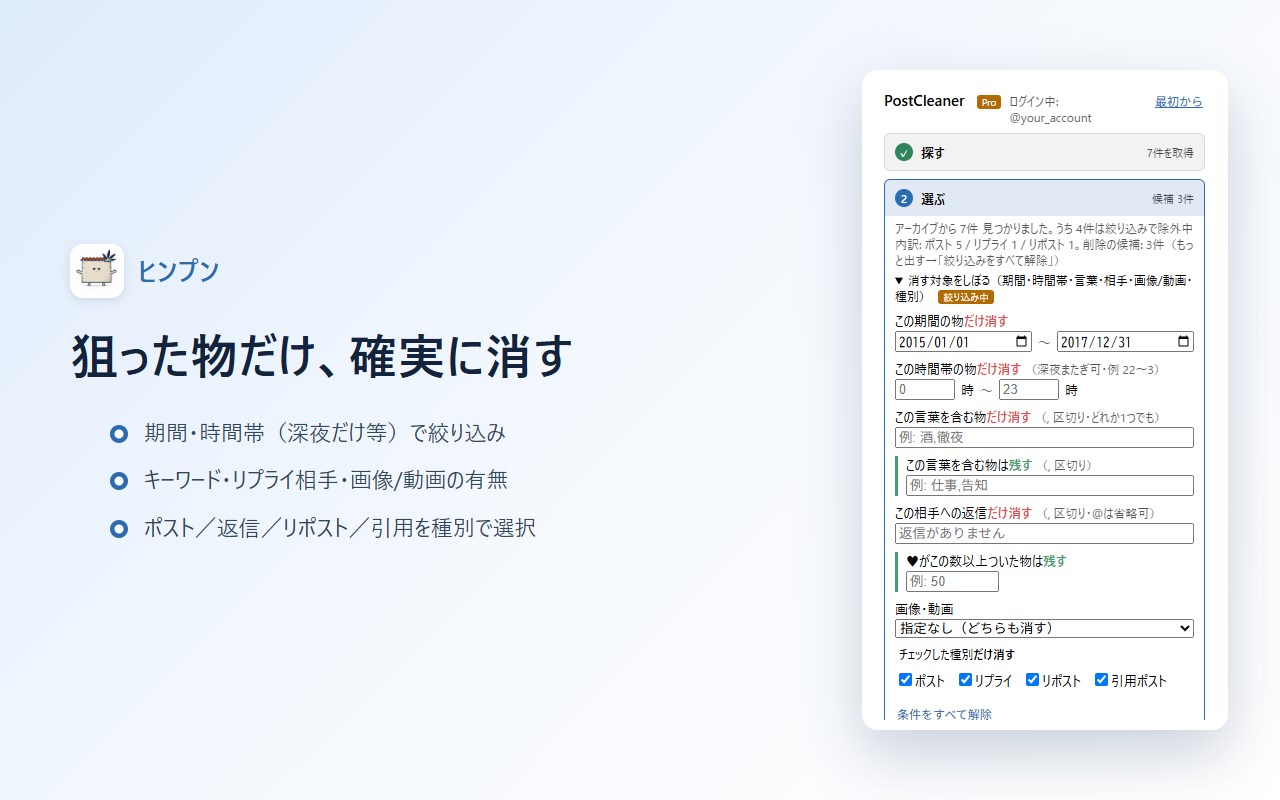
Delete exactly what you want
- Date range (e.g. only 2015-2017) / time of day (e.g. only 10 p.m. to 3 a.m.)
- Keywords and excluded words / reply target / keep posts with at least N likes
- Only posts with images or video / only posts without them
- Post type (post, reply, repost, quote)
- Every filter is shown as "delete only ..." or "keep ...", so it is always clear which way it works
Runs inside your browser
- Scanning and deleting run inside your browser; the content of your posts is not sent to our servers (except for the payment lookup)
- A record of deleted posts is kept on your device
One scan covers all three tabs
X splits "Posts", "Replies" and "Reposts" into separate tabs. One button goes through all of them in order.
About the latest 1,000 items can be collected.
Languages
Japanese and English. The display language follows your browser's language setting.
Pricing
- Free: up to 50 items per day (deletions and unlikes combined). All filters and the pre-run review are free
- Pro: one-time purchase of JPY 1,280 (tax included). Not a subscription.
No daily limit / load X's official archive zip to cover your entire history / export the deletion history
Support and publisher
- Published by Hinpun (an independent developer in Japan). Support by email: support@kesora.app
- Privacy policy: https://kesora.app/privacy
- Legal notice (Japanese Act on Specified Commercial Transactions): https://kesora.app/tokushoho
X and Twitter are trademarks of X Corp. This extension is not affiliated with X Corp.
PostCleaner — Delete Tweets: bulk delete old X (Twitter) posts & replies 是做什么的
PostCleaner — Delete Tweets: bulk delete old X (Twitter) posts & replies 是一款面向 Edge 的效率工具类扩展,主要用来管住注意力、屏蔽干扰站点、记录时间。官方对它的介绍是:Delete tweets in bulk on X (Twitter): old posts, replies, reposts, or mass unlike. See what goes first. Filter by date/keyword.在微软 Edge 加载项商店上,它当前版本 1.1.7,约 3 名用户。
适合什么人用
从功能定位看,PostCleaner — Delete Tweets: bulk delete old X (Twitter) posts & replies 更适合想专注工作学习、减少无效刷网页的用户。如果你平时只是偶尔遇到相关需求,用浏览器自带功能也能凑合;但如果这件事每天都发生,装一个专门处理它的扩展通常比手动操作省事得多。
怎么安装 PostCleaner — Delete Tweets: bulk delete old X (Twitter) posts & replies
- 打开微软 Edge 加载项商店上的官方页面;
- 点「添加到浏览器」并确认权限提示;
- 装好后在扩展列表里固定图标,方便随时开关。
本站只做索引与介绍,安装包来自官方商店。如果商店页面提示当前地区不可用,说明该扩展未在你所在区域上架。
常见问题
PostCleaner — Delete Tweets: bulk delete old X (Twitter) posts & replies 是免费的吗?
PostCleaner — Delete Tweets: bulk delete old X (Twitter) posts & replies 在微软 Edge 加载项商店免费提供下载。它是浏览器扩展,装上就能直接用,不需要注册账号。
PostCleaner — Delete Tweets: bulk delete old X (Twitter) posts & replies 安全吗?
它只申请了 0 项权限,范围比较克制,没有申请「读取所有网站数据」这种大权限。
PostCleaner — Delete Tweets: bulk delete old X (Twitter) posts & replies 支持哪些浏览器?
当前收录的版本来自微软 Edge 加载项商店,适用于 Edge。同一个扩展在其他商店可能有对应版本,但功能与版本号不一定相同。
怎么卸载 PostCleaner — Delete Tweets: bulk delete old X (Twitter) posts & replies?
在扩展管理页找到 PostCleaner — Delete Tweets: bulk delete old X (Twitter) posts & replies,点移除即可。它在本地保存的设置会一起清掉,不会残留数据。
权限清单 来自 manifest.json 原文
接口权限 3
downloadssidePanelstorage