
Playlists history EN
Anton Voronov · EEdge MV3
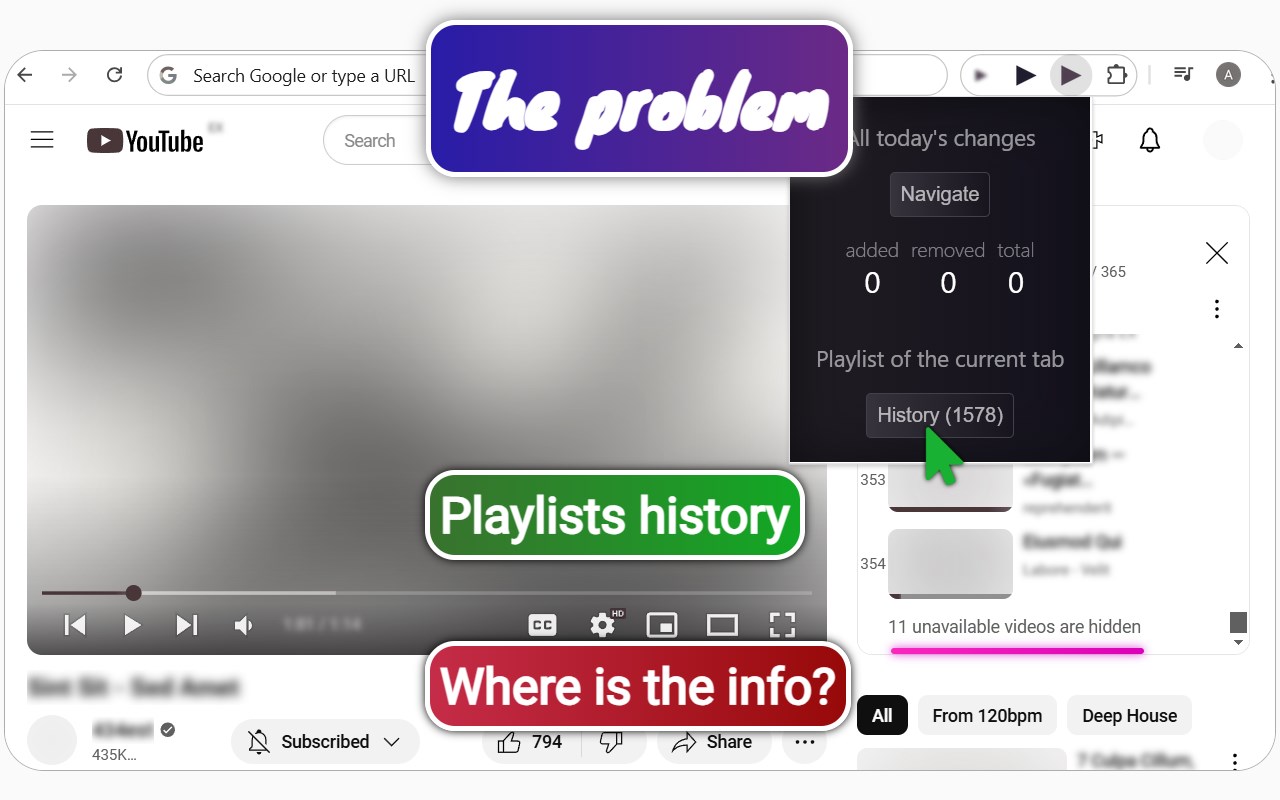
This extension generates change stories for YouTube playlists.
截图


简介
Capabilities
1. Keeps track of changes of the YouTube playlists (saves playlists history).
2. Subscribes to a specific playlist instead of the whole channel.
3. Gives the ability to investigate deleted videos.
4. Shows max quality video thumbnails.
5. Reserves thumbnails of deleted videos.
How to start?
1. Install this extension.
2. Sign out of Google accounts from https://accounts.google.com/Logout if you have multiple accounts. To synchronize the extension, you need to be logged in with only one account.
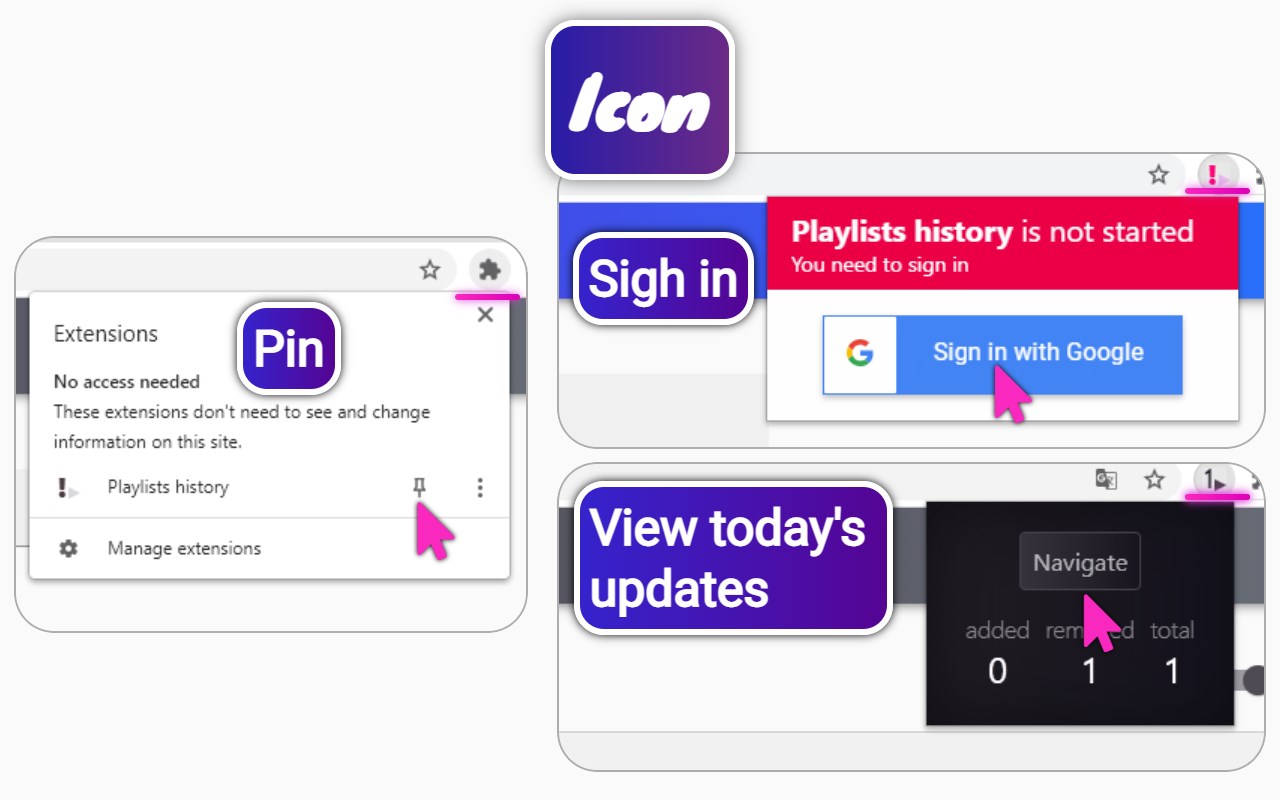
3. Sign in to Google using the extension button next to the address bar. So you can safely save the extension data on your Google drive.
1. Summary
The app generates a change story for YouTube playlists. The story includes information about the video, including images, and includes information about the action with the video in the playlist. The data with the history is stored in a Google Drive account, so the app can run on other hardware with the same playlist history.
2. Description
The system is a single-page application (SPA) and expands YouTube's capabilities, allowing the user to save their playlist history.
The app data is stored using the Google Drive API in the user's account. YouTube data is requested through the YouTube Data API.
Items on YouTube
The user interfaces of SPA and YouTube are connected by links and buttons built into YouTube pages.
2.2. Location of built-in items
1. Playlist action panel:
1. The "Playlists history" link (available only if the system has the playlist);
2. The "Keep history" button (only available if there is no playlist in the system);
2. The "Playlists history" link to the playlists history page is in the YouTube history section;
2.2. Spa
2.2.1. Playlists section
The page shows a list of items. Each item describes the history of the playlist.
Possibilities:
1. Filtering items by the name of the playlist;
2. Filter the history in the playlist using the initial date;
3. Hiding all the elements with an empty history;
4. Removing the history before the chosen date;
5. Enabling the editing mode of the items;
These elements may belong to two groups: "Mine" and "Manually added."
The “Mine” group
The group contains information about the user's playlists and can only be created if he has created his own channel. Elements of this group are added automatically and can not be manually deleted.
The “Manually added” group
Contains information about added playlists using the "Keep history" button. These items can be removed manually.
Item editing mode
Items acquire two additional properties: “Deep Check” and “Save Images”.
The enabling of the “Deep Check” feature forces the system to make more requests to YouTube Data API, but it lets you know the approximate moment when the (existing) video is no longer available. If you turn this feature off, the history will only be updated if someone adds or deletes the video from the playlist.
Turning on "Save images" requires additional requests to the Google Drive API, but this allows you to view the stored image of the unavailable videos. The images are stored on the user's Google Drive. This user is shown in the settings. If the video is available from at least one playlist registered in the system, the saved image will not be used.
Playlist history
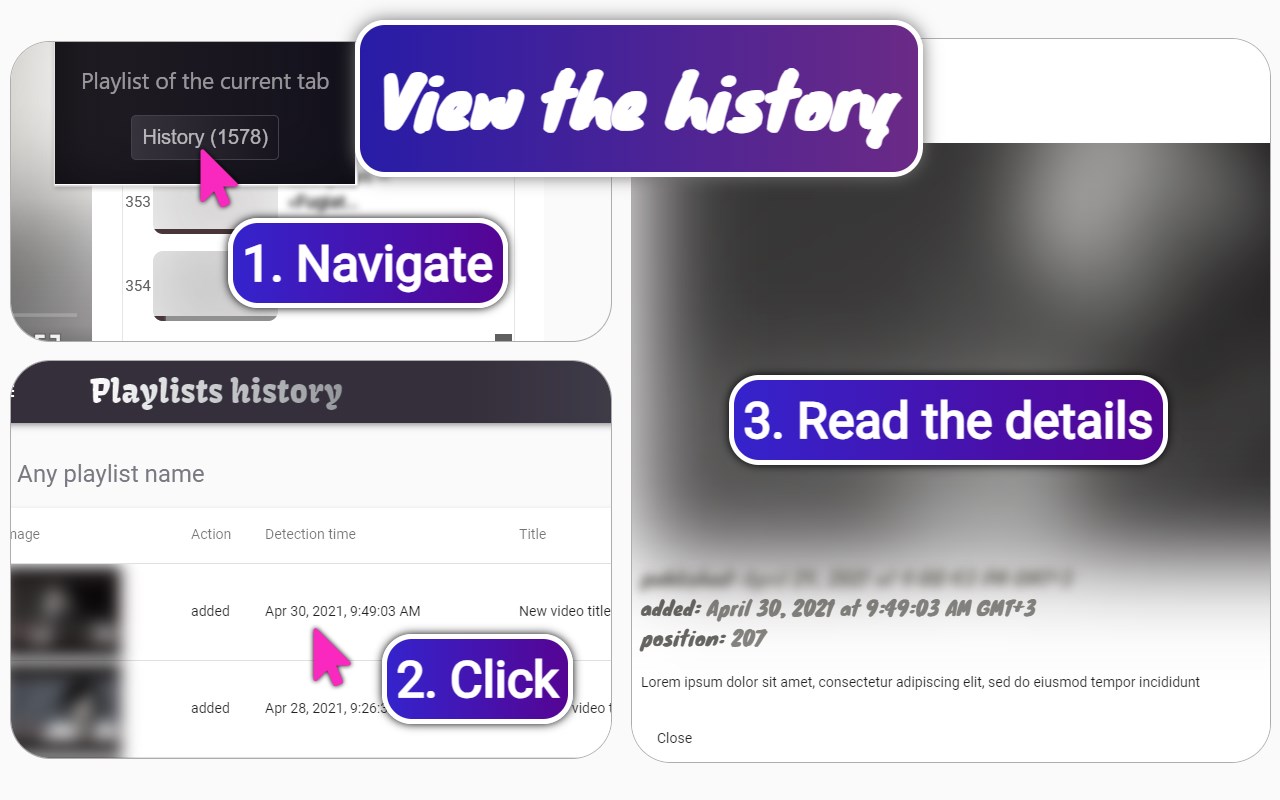
When you click on the image inside the item, you'll be navigated to the page with the list of playlist changes. Filtering options are not lost.
The playlist history page contains a table with change data. Each row of this table opens the modal window with the details of the change when clicked.
2.2.2. Settings
The section consists of a form with fields. The form allows you to change the settings of the system. You can create a list of configurations with different names. An active configuration is set in the dropdown list when the page is loaded.
Possibilities
1. Editing the name of the folders and files in the Google Drive used by the app.
2. Security settings (only for developers), including user change.
3. Default settings for “Deep Check” and “Save Images”.
4. Settings for the frequency of the history generation mechanism.
YouTube™ is a trademark of Google Inc.
Use of this trademark is subject to Google Permissions.
Playlists history 是做什么的
Playlists history 是一款面向 Edge 的实用工具类扩展,主要用来解决浏览器里某类具体的小问题。官方对它的介绍是:This extension generates change stories for YouTube playlists.在微软 Edge 加载项商店上,它当前版本 1.1.30,约 446 名用户。
适合什么人用
从功能定位看,Playlists history 更适合想补上浏览器原生缺失功能的用户。如果你平时只是偶尔遇到相关需求,用浏览器自带功能也能凑合;但如果这件事每天都发生,装一个专门处理它的扩展通常比手动操作省事得多。
怎么安装 Playlists history
- 打开微软 Edge 加载项商店上的官方页面;
- 点「添加到浏览器」并确认权限提示;
- 装好后在扩展列表里固定图标,方便随时开关。
本站只做索引与介绍,安装包来自官方商店。如果商店页面提示当前地区不可用,说明该扩展未在你所在区域上架。
常见问题
Playlists history 是免费的吗?
Playlists history 在微软 Edge 加载项商店免费提供下载。它是浏览器扩展,装上就能直接用,不需要注册账号。
Playlists history 安全吗?
它只申请了 0 项权限,范围比较克制,没有申请「读取所有网站数据」这种大权限。
Playlists history 支持哪些浏览器?
当前收录的版本来自微软 Edge 加载项商店,适用于 Edge。同一个扩展在其他商店可能有对应版本,但功能与版本号不一定相同。
怎么卸载 Playlists history?
在扩展管理页找到 Playlists history,点移除即可。它在本地保存的设置会一起清掉,不会残留数据。
权限清单 来自 manifest.json 原文
接口权限 6
alarmsdeclarativeNetRequestWithHostAccessidentitystoragetabswebRequest