
Pikamark: Visual Bookmark Manager & New Tab EN
Ramapitek · EEdge MV3
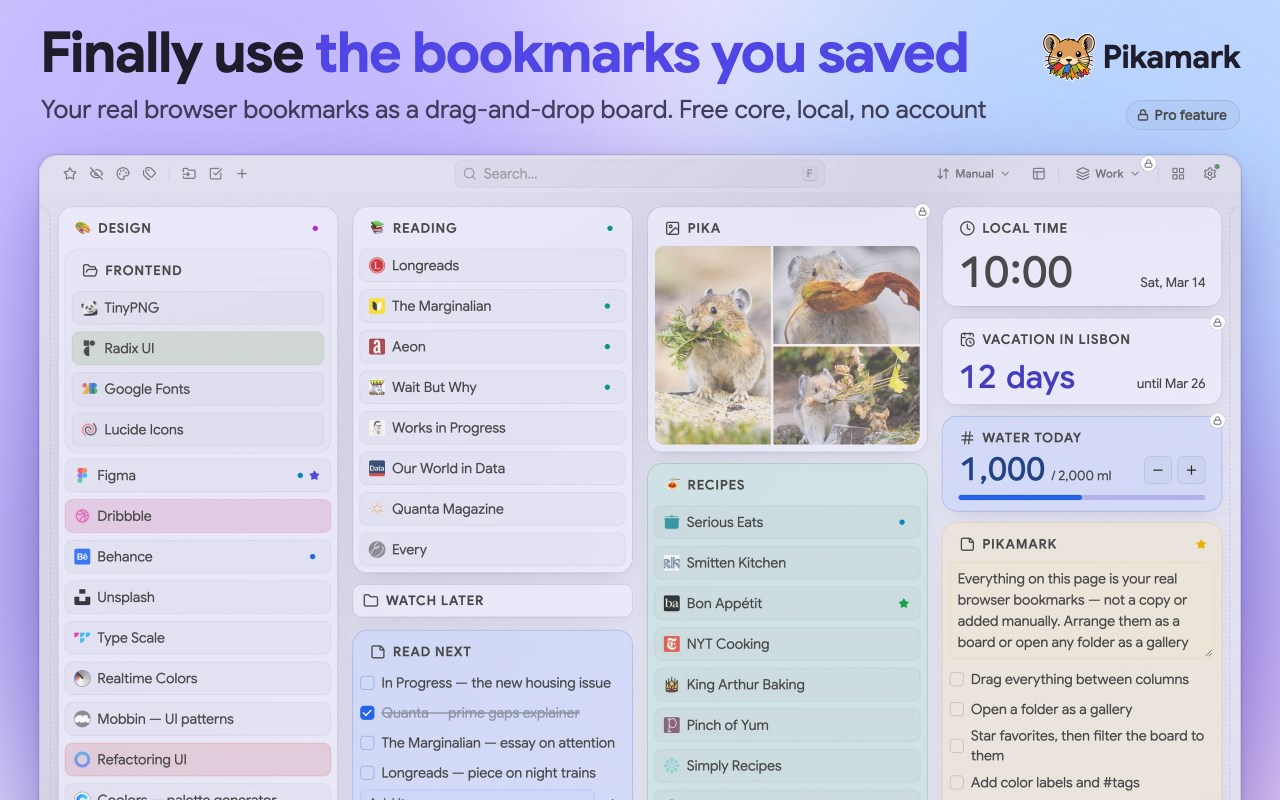
Your real bookmarks on every new tab, as a drag-and-drop board or a gallery. Notes, instant search, no account, no bookmark limit.
截图

简介
Got hundreds of bookmarks buried in folders you never open? Pikamark is a visual bookmark manager that puts your real bookmarks on every new tab, as a drag-and-drop board or a gallery. No account, no bookmark limit. Edge calls them favorites, and Pikamark shows exactly those.
Your new tab page becomes a cozy home for what you already saved. As a bookmark organizer, it shows the whole collection at a glance, lets you search instantly and keeps notes right next to your links.
THE FREE CORE
• Board: your folders as draggable columns
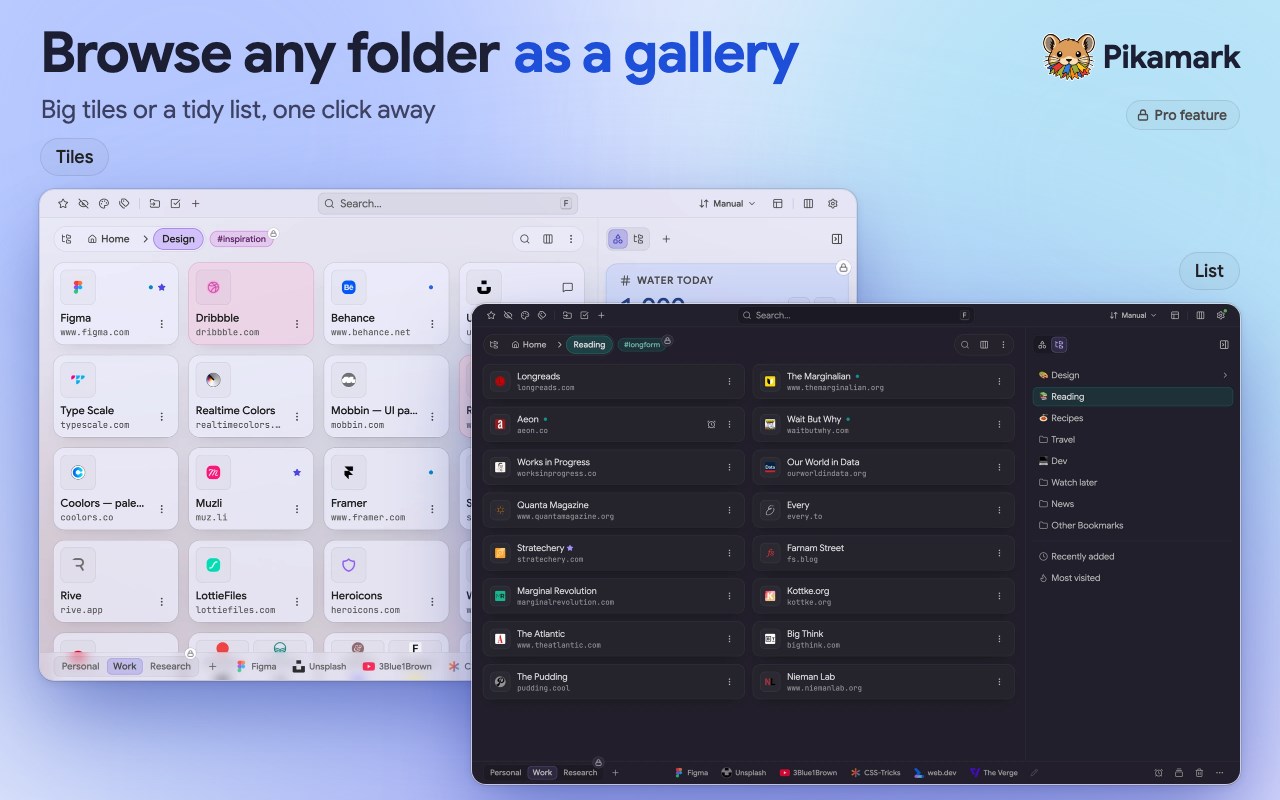
• Gallery: any folder as a tile grid or a list, compact or extended
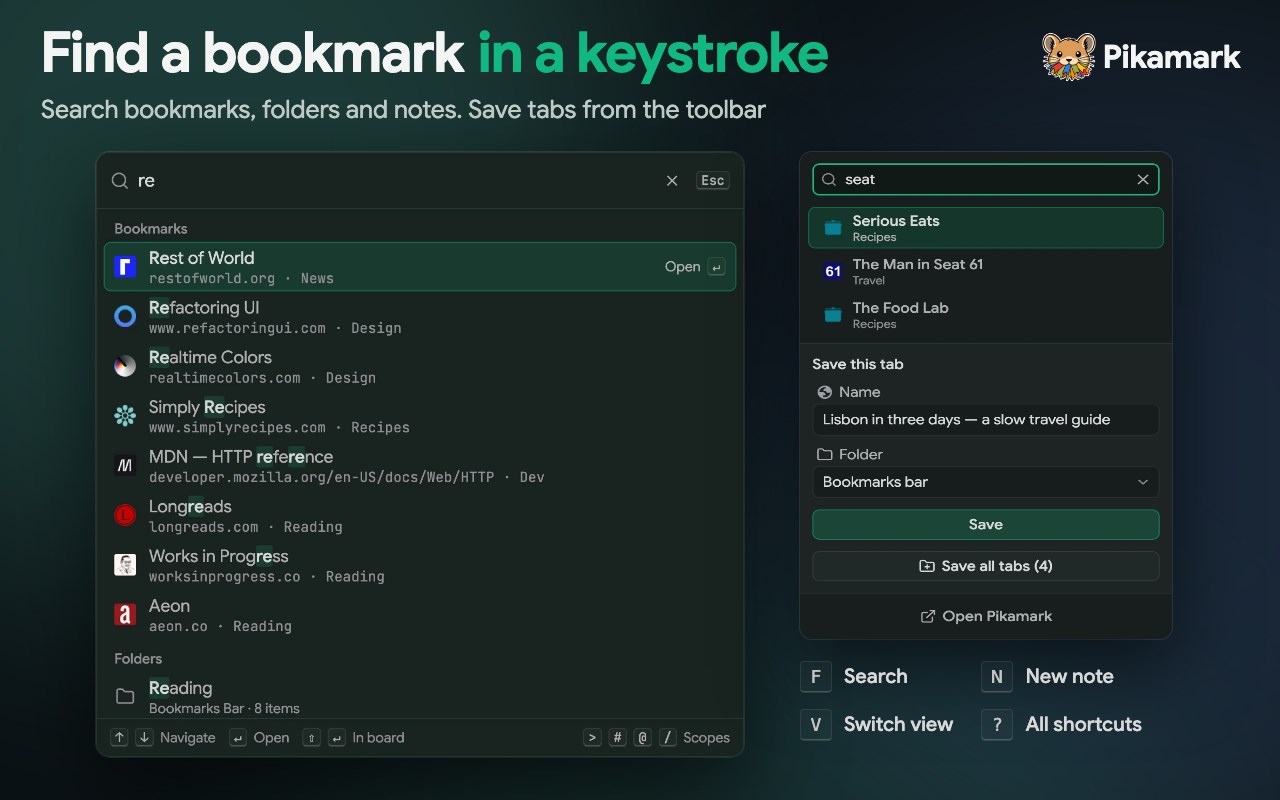
• Instant search, and a command palette on F to jump to any bookmark or folder
• Toolbar popup: search your bookmarks and save the current page
• Favorites and color labels
• Note cards with checklists, right on the board
• A date and time widget
• Light and dark themes, five accent colors and a choice of typefaces
• Save all open tabs as a folder in one click
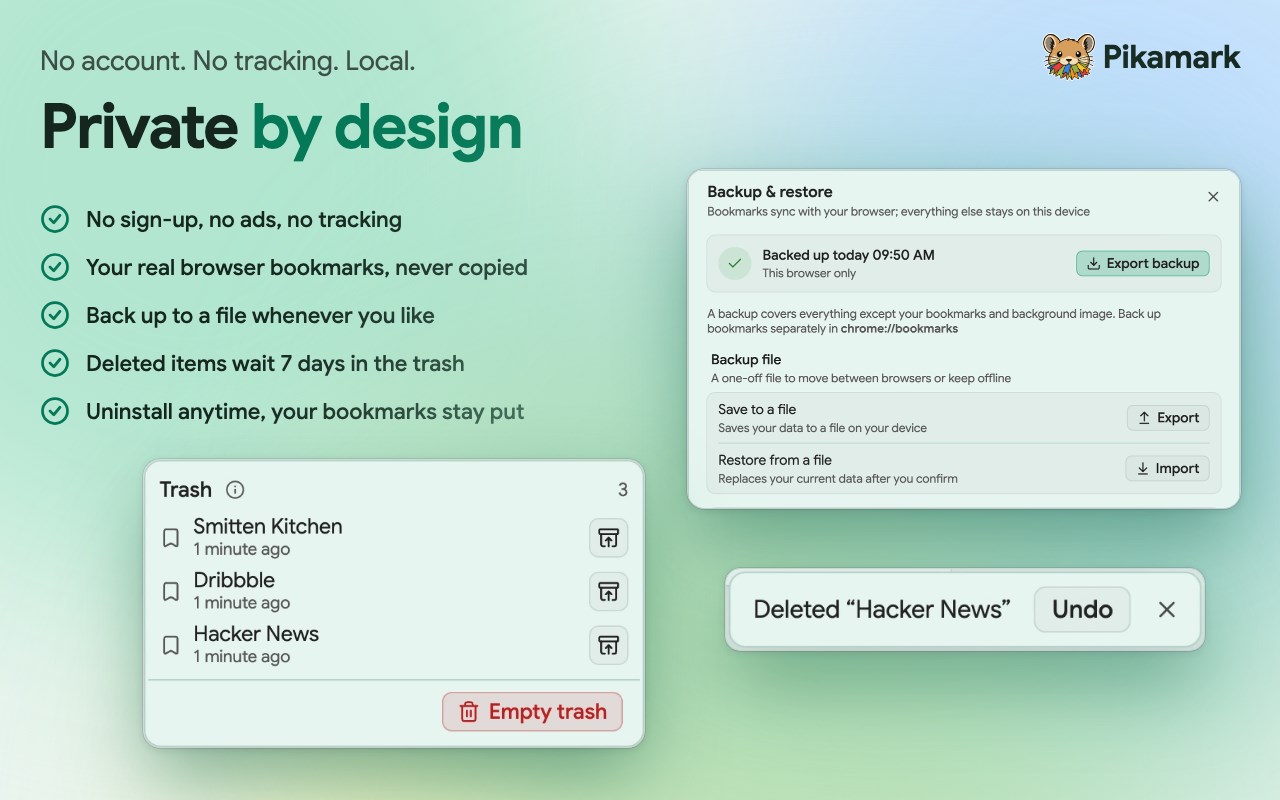
• Undo after a delete, and a Trash that keeps items for up to 7 days
• Backup & restore to a file
SAFE BY DESIGN
Pikamark works on your real bookmarks and edits them only when you ask. Delete something by mistake and Undo is right there, with the Trash holding it for up to 7 days. Remove Pikamark and every bookmark stays where it is.
Pikamark reads bookmarks straight from the browser, so there is nothing to move.
PRIVATE BY DEFAULT
Pikamark has no accounts, analytics or tracking. Your bookmarks, notes, favorites, backups and themes are stored on your device, and none of it leaves your browser.
The only server Pikamark contacts is the license provider (Freemius), and only when you activate, check or deactivate a Pro license key. Everything else works offline.
Permissions cover bookmarks, local settings, site icons and web search. Saving open tabs, tab groups and system notifications each need an optional permission, which your browser asks for only when you use them.
GOOD TO KNOW
• Desktop only
• Edge turns new-tab extensions off once after install. To switch Pikamark on, open edge://extensions, find Pikamark and turn it on
• Bookmarks follow your browser account as usual. Your notes, tags and layout stay on this device, and Backup & restore moves them to another computer
• Want to keep your browser's own new tab? Decline the replacement or revert it later, then open Pikamark from the toolbar icon
• Available in English, Ukrainian, Spanish, French and German
• Every release is listed in a public changelog
PRO: OPTIONAL PAID PLAN
Pro is optional, and the free core keeps working without it. Try Pro for 14 days, no card needed, then pick monthly, yearly or lifetime. One license key, not an account, covers up to 3 devices.
Pro adds:
• Workspaces: separate boards for work, home and more
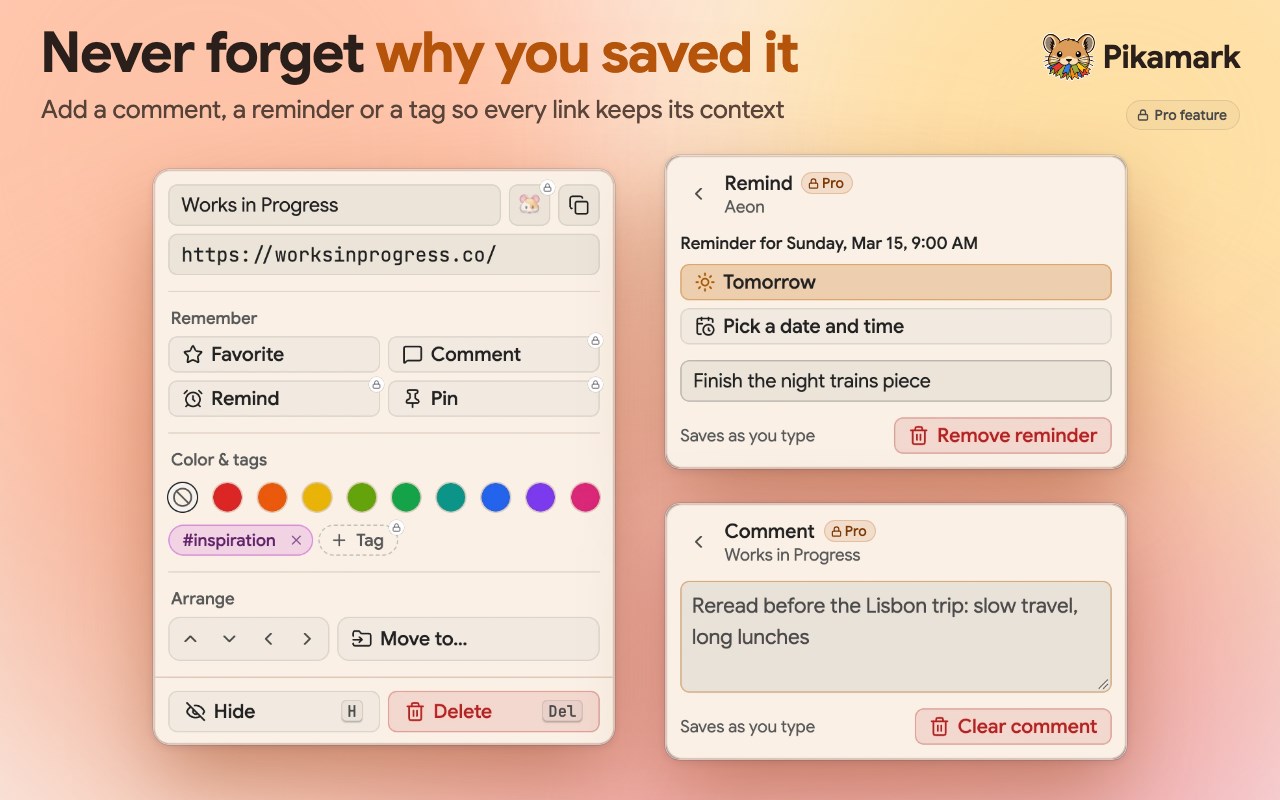
• Tags, comments and reminders, to note why you saved a link and when to come back to it
• Automatic backups, with an optional backup folder
• Backgrounds, a custom accent color, pitch black and custom icons
• More widgets: countdown, Pomodoro timer, counter, snippets and photo, plus other time zones on the clock
• Pinned links, one click away
• Tab sessions: save named sets of tabs and reopen them later
• Bulk tools: copy links as Markdown, HTML or CSV, rename a selection, clean up duplicates
• Names and colors for board columns
• Optional system notifications for due reminders and finished timers
If you stop, the free core keeps working. Pro-only features lock, switch off or turn read-only, and your boards, notes, tags and settings stay saved on this device. Reactivate Pro and everything comes back exactly as it was.
Pikamark: Visual Bookmark Manager & New Tab 是做什么的
Pikamark: Visual Bookmark Manager & New Tab 是一款面向 Edge 的效率工具类扩展,主要用来管住注意力、屏蔽干扰站点、记录时间。官方对它的介绍是:Your real bookmarks on every new tab, as a drag-and-drop board or a gallery. Notes, instant search, no account, no bookmark limit.在微软 Edge 加载项商店上,它当前版本 1.33.0,评分 5(1 人评价),约 29 名用户。
适合什么人用
从功能定位看,Pikamark: Visual Bookmark Manager & New Tab 更适合想专注工作学习、减少无效刷网页的用户。如果你平时只是偶尔遇到相关需求,用浏览器自带功能也能凑合;但如果这件事每天都发生,装一个专门处理它的扩展通常比手动操作省事得多。
怎么安装 Pikamark: Visual Bookmark Manager & New Tab
- 打开微软 Edge 加载项商店上的官方页面;
- 点「添加到浏览器」并确认权限提示;
- 装好后在扩展列表里固定图标,方便随时开关。
本站只做索引与介绍,安装包来自官方商店。如果商店页面提示当前地区不可用,说明该扩展未在你所在区域上架。
常见问题
Pikamark: Visual Bookmark Manager & New Tab 是免费的吗?
Pikamark: Visual Bookmark Manager & New Tab 在微软 Edge 加载项商店免费提供下载。它是浏览器扩展,装上就能直接用,不需要注册账号。
Pikamark: Visual Bookmark Manager & New Tab 安全吗?
它只申请了 0 项权限,范围比较克制,没有申请「读取所有网站数据」这种大权限。
Pikamark: Visual Bookmark Manager & New Tab 支持哪些浏览器?
当前收录的版本来自微软 Edge 加载项商店,适用于 Edge。同一个扩展在其他商店可能有对应版本,但功能与版本号不一定相同。
怎么卸载 Pikamark: Visual Bookmark Manager & New Tab?
在扩展管理页找到 Pikamark: Visual Bookmark Manager & New Tab,点移除即可。它在本地保存的设置会一起清掉,不会残留数据。
权限清单 来自 manifest.json 原文
接口权限 4
bookmarksfaviconsearchstorage
接口权限(可选) 4
alarmsnotificationstabGroupstabs