PDF Toolkit – Fill, Sign, Compress, Merge (local)
ReadyStack · EEdge MV3
Fill and sign PDFs free. Merge, compress to a target size, convert, OCR in 5 languages. All in your browser, no upload.
截图
简介
Your PDFs never leave your computer. View, fill, sign, merge, compress, convert and OCR all run inside the browser — 0 bytes of your files are uploaded.
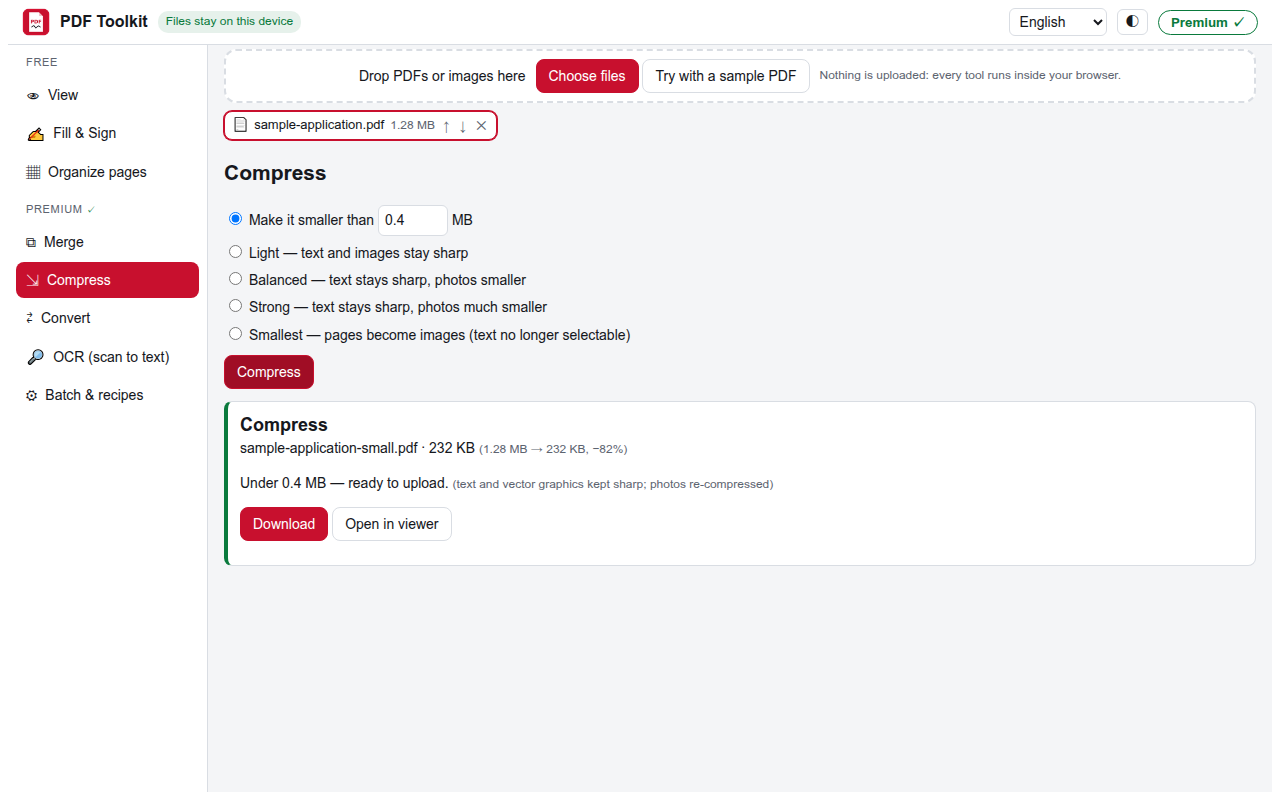
Compress to the size a portal accepts: type "under 2 MB" and get it, with text and vector graphics still sharp (only photos are re-compressed).
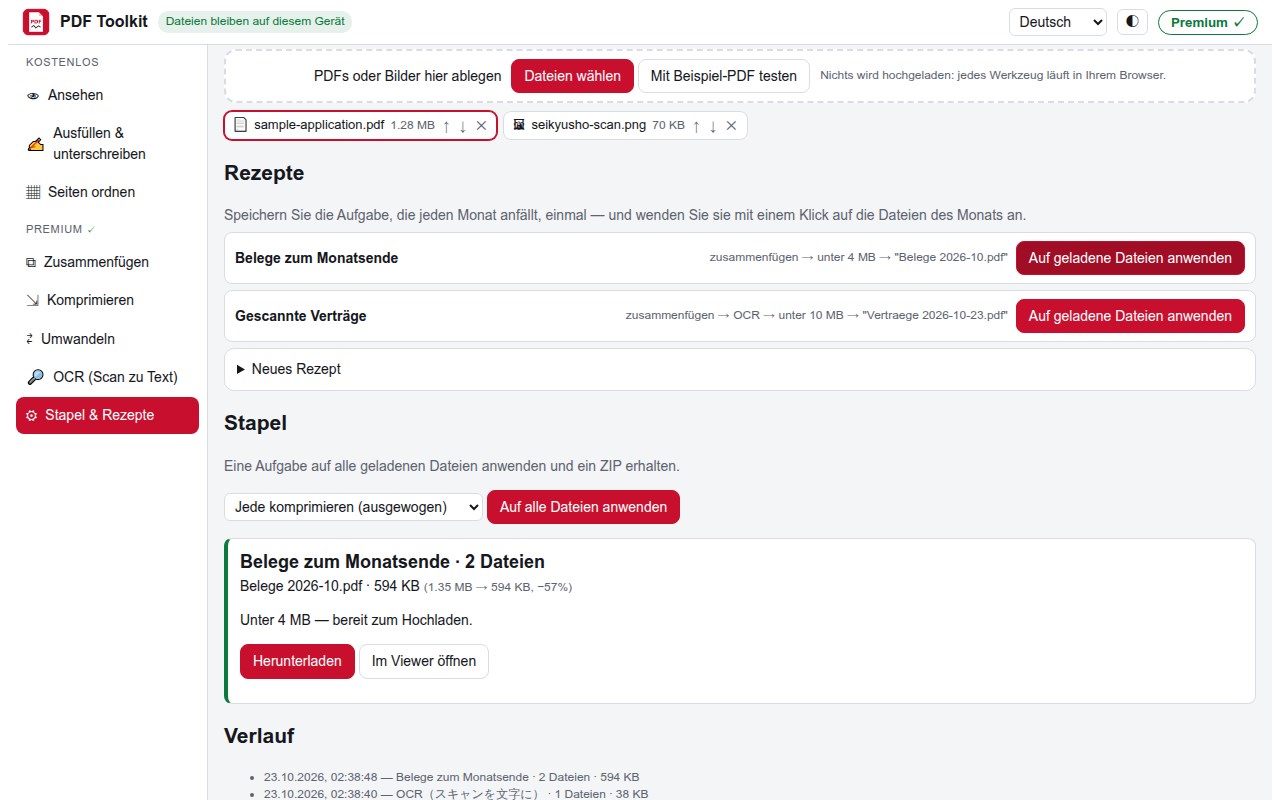
Month-end in one click: save a recipe once (merge the month's receipts → under 4 MB → "Receipts 2026-10.pdf") and run it on next month's files.
FREE — no account, no watermark, no limit
• View PDFs sharply at any zoom, dark mode
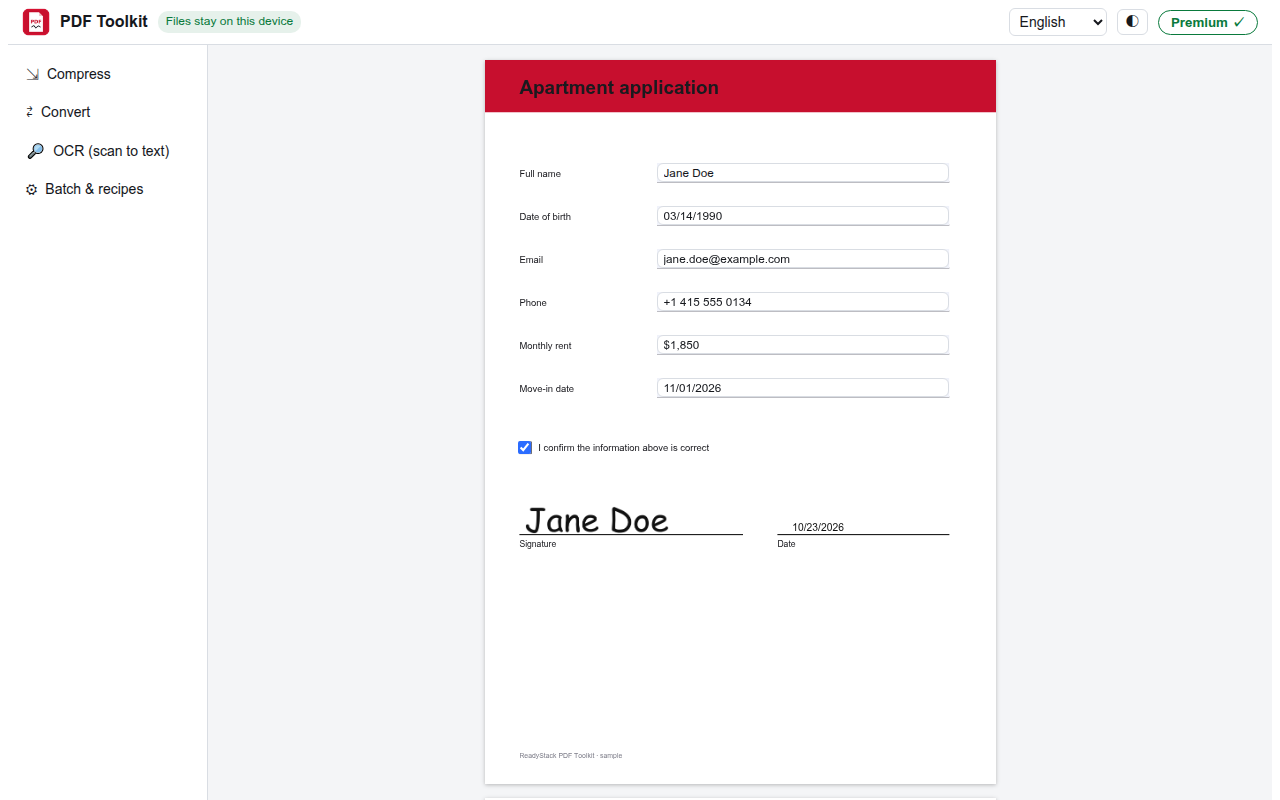
• Fill form fields, type anywhere on the page
• Sign: draw, type, or use a photo of your signature (saved on your device); initials, dates, check marks
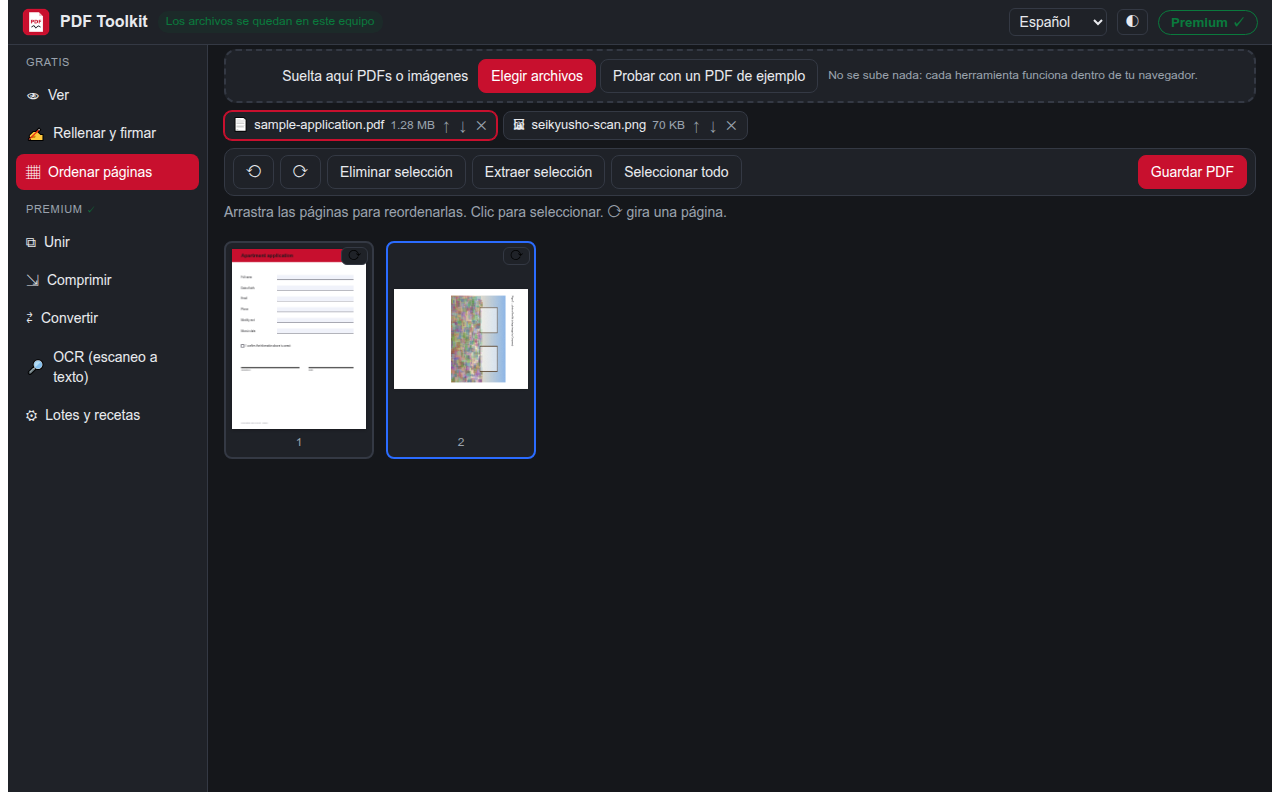
• Organize pages: rotate, delete, reorder, extract
• Text in any script stays in the saved file — Japanese, Greek, accents
• Plus 2 Premium jobs a day
PREMIUM — US$6.99 per month or US$49 per year
• Merge PDFs and images into one PDF
• Compress to a target size, or choose light / balanced / strong / smallest
• Convert PDF → JPG, PNG, Word (.docx), text; images → PDF
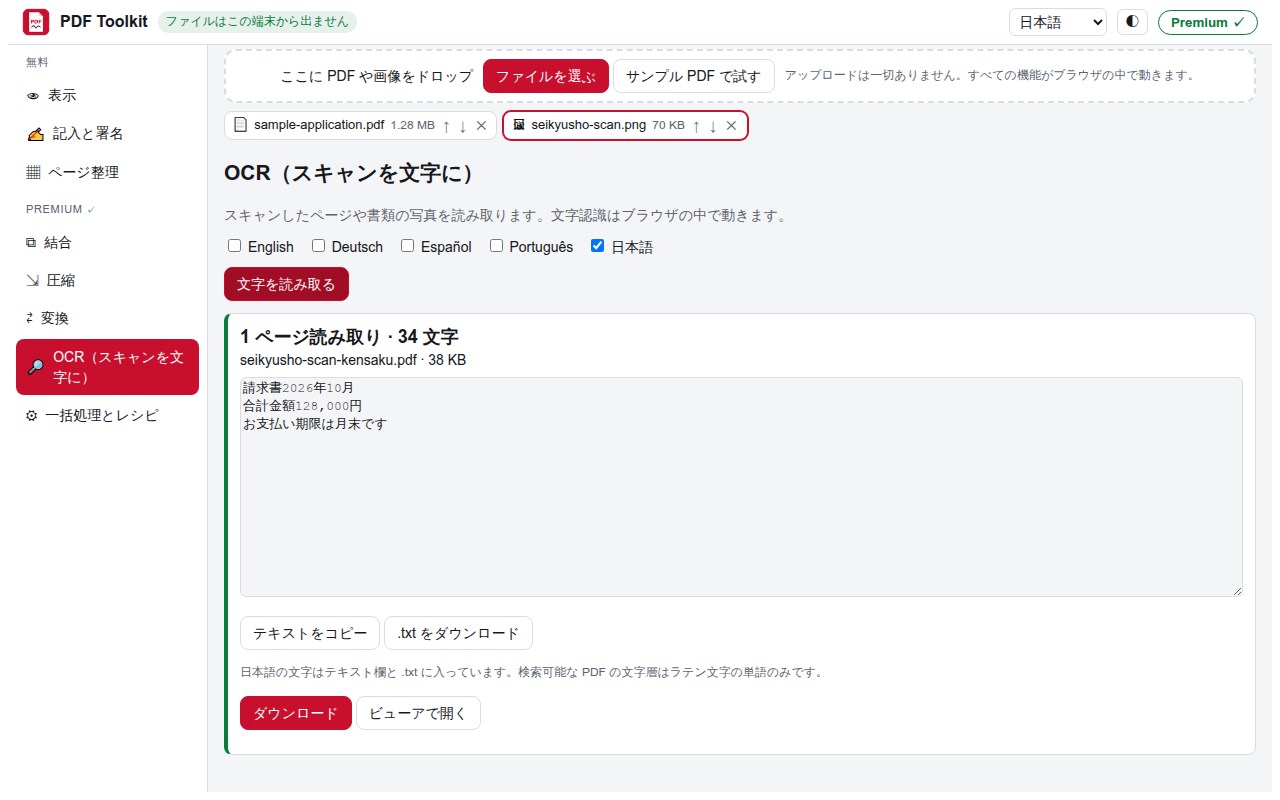
• OCR scans in English, German, Spanish, Portuguese and Japanese: text + searchable PDF
• Batch: run one job on many files, get one ZIP
• Recipes + history for the paperwork you repeat every month (kept on your device)
HOW TO USE
Click the toolbar icon → "Open PDF Toolkit", drop your files. On a PDF tab, the same menu offers "Open this tab's PDF"; on a PDF link, right-click → "Open in PDF Toolkit".
PRIVACY
The PDF engine (pdf.js), editor (pdf-lib) and text recogniser (tesseract) are bundled inside the extension and run on your computer. The only network request the extension makes on its own is checking a licence key you type (getreadystack.com/api/lic). It reads a website only when you ask it to open that site's PDF, and asks your permission first.
Interface in English, Deutsch, Español, Português and 日本語. Web version: https://getreadystack.com/apps/pdf-toolkit-browser-fill-sign-compress/
PDF Toolkit – Fill, Sign, Compress, Merge (local) 是做什么的
PDF Toolkit – Fill, Sign, Compress, Merge (local) 是一款面向 Edge 的效率工具类扩展,主要用来管住注意力、屏蔽干扰站点、记录时间。官方对它的介绍是:Fill and sign PDFs free. Merge, compress to a target size, convert, OCR in 5 languages. All in your browser, no upload.在微软 Edge 加载项商店上,它当前版本 1.0.1,约 1 名用户。
适合什么人用
从功能定位看,PDF Toolkit – Fill, Sign, Compress, Merge (local) 更适合想专注工作学习、减少无效刷网页的用户。如果你平时只是偶尔遇到相关需求,用浏览器自带功能也能凑合;但如果这件事每天都发生,装一个专门处理它的扩展通常比手动操作省事得多。
怎么安装 PDF Toolkit – Fill, Sign, Compress, Merge (local)
- 打开微软 Edge 加载项商店上的官方页面;
- 点「添加到浏览器」并确认权限提示;
- 装好后在扩展列表里固定图标,方便随时开关。
本站只做索引与介绍,安装包来自官方商店。如果商店页面提示当前地区不可用,说明该扩展未在你所在区域上架。
常见问题
PDF Toolkit – Fill, Sign, Compress, Merge (local) 是免费的吗?
PDF Toolkit – Fill, Sign, Compress, Merge (local) 在微软 Edge 加载项商店免费提供下载。它是浏览器扩展,装上就能直接用,不需要注册账号。
PDF Toolkit – Fill, Sign, Compress, Merge (local) 安全吗?
它只申请了 0 项权限,范围比较克制,没有申请「读取所有网站数据」这种大权限。
PDF Toolkit – Fill, Sign, Compress, Merge (local) 支持哪些浏览器?
当前收录的版本来自微软 Edge 加载项商店,适用于 Edge。同一个扩展在其他商店可能有对应版本,但功能与版本号不一定相同。
怎么卸载 PDF Toolkit – Fill, Sign, Compress, Merge (local)?
在扩展管理页找到 PDF Toolkit – Fill, Sign, Compress, Merge (local),点移除即可。它在本地保存的设置会一起清掉,不会残留数据。
权限清单 来自 manifest.json 原文
接口权限 3
activeTabcontextMenusstorage