PDF Toolbox - All-in-One PDF Editor & Workspace EN
Premveer Singh · EEdge MV3
Complete client-side PDF editor, converter, organizer, and visual workflow automation toolbox.
截图
简介
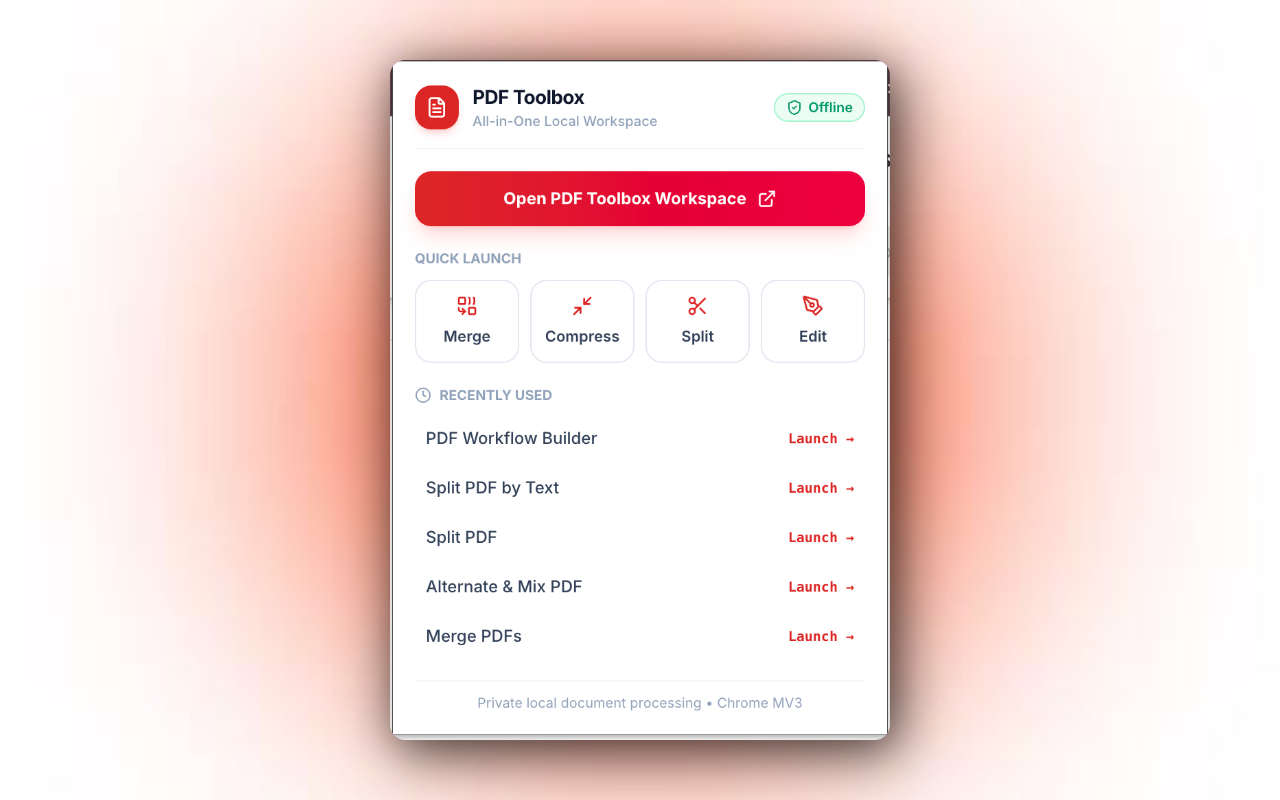
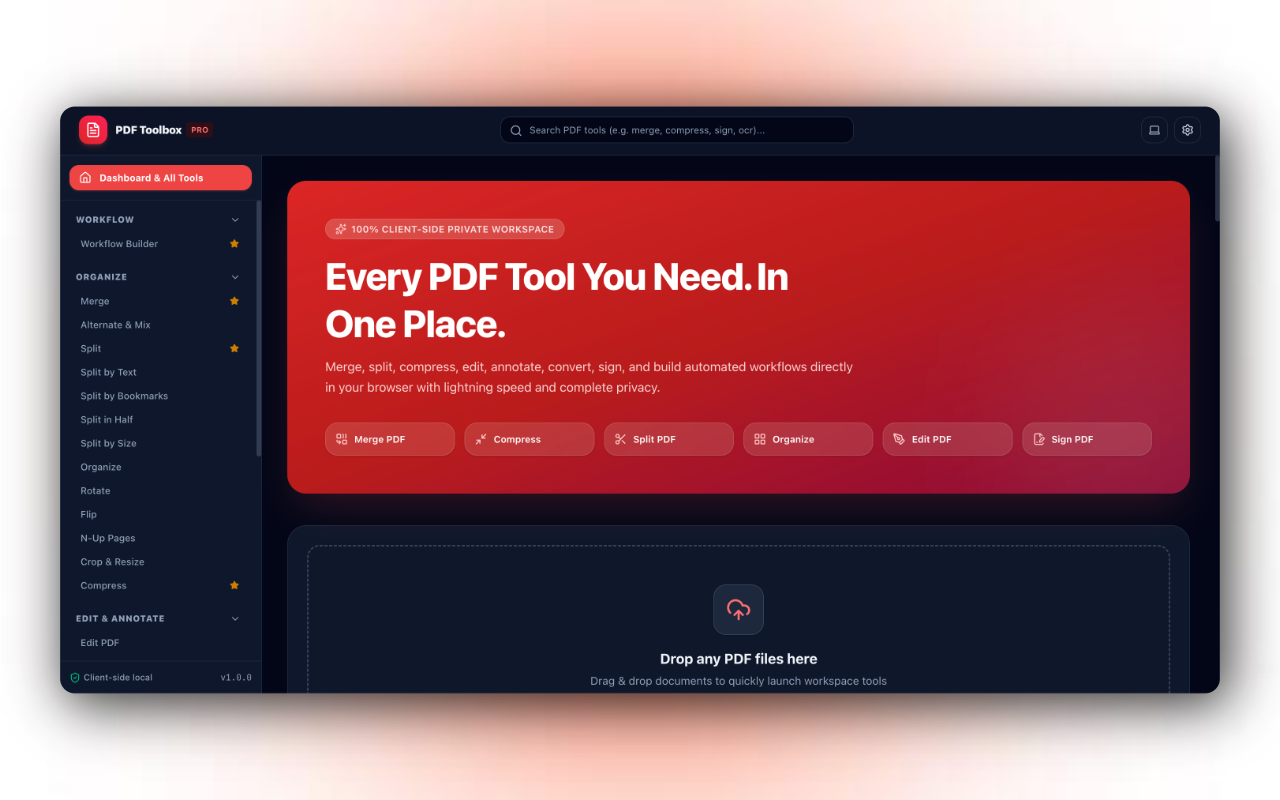
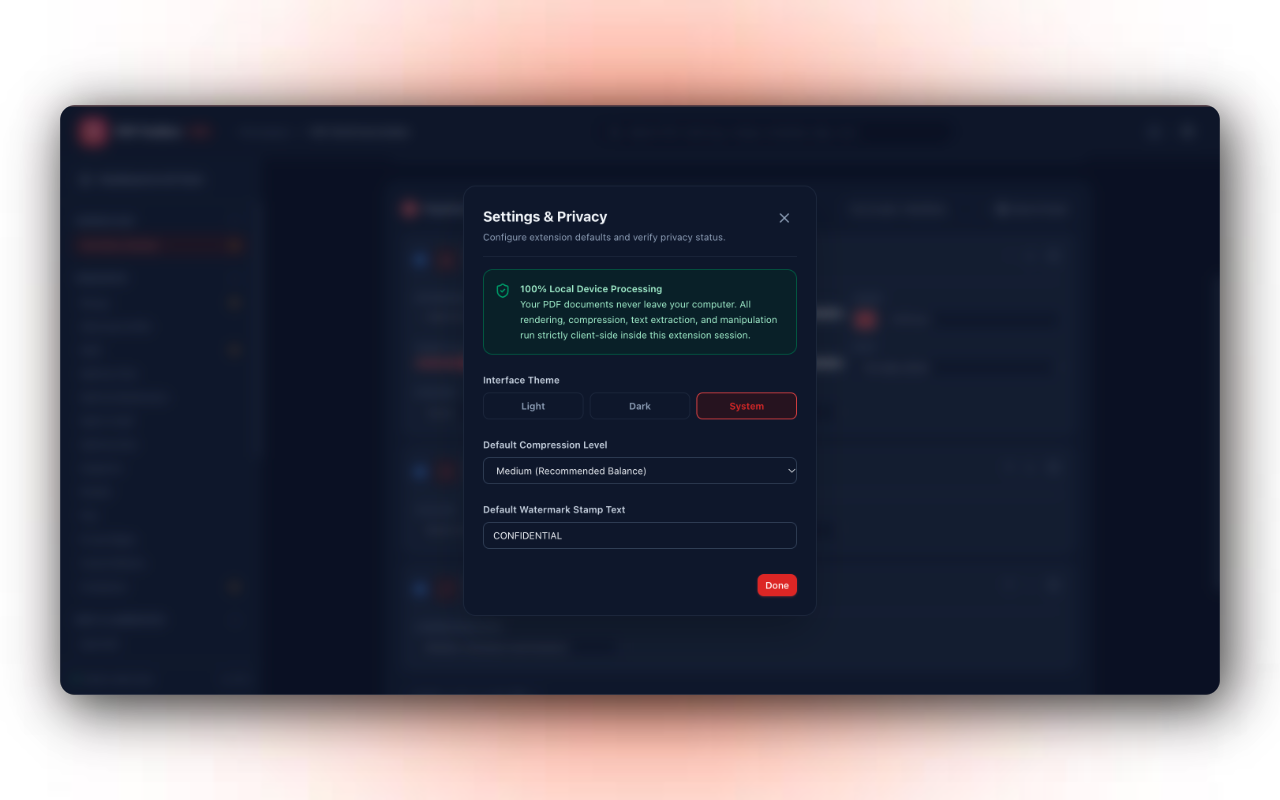
🚀 PDF Toolbox is the ultimate, privacy-first, all-in-one PDF workstation right inside your browser. Edit, merge, split, compress, sign, convert, and automate complex PDF workflows — 100% locally with ZERO file uploads to external servers.
Unlike traditional cloud PDF tools that send your sensitive contracts, tax records, and personal documents to remote servers, PDF Toolbox processes every single byte directly on your machine. Your documents never leave your computer!
==================================================
🔒 WHY CHOOSE PDF TOOLBOX? (100% PRIVATE & OFFLINE)
==================================================
• 100% Client-Side Processing: Every operation runs locally in your browser memory.
• Zero Data Exfiltration: No files are uploaded, stored, or tracked on any server.
• Works Offline: No internet connection required after installation.
• Instant Speed: No waiting for slow uploads or downloads — immediate processing.
• Enterprise Compliance: Safe for confidential legal, financial, healthcare, and business documents (GDPR & HIPAA compliant architecture).
==================================================
⚡ POWER WORKFLOW AUTOMATION PIPELINE
==================================================
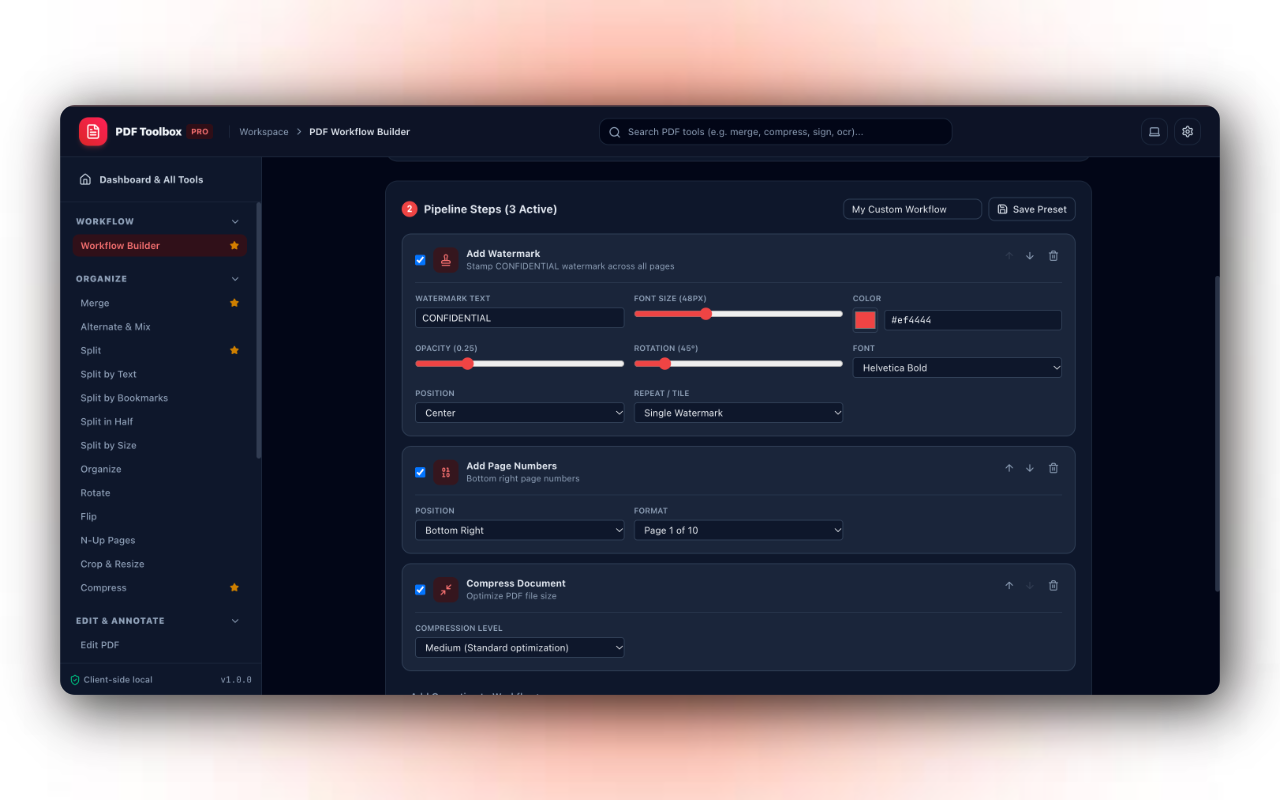
Chain multiple PDF operations into an automated single-click workflow:
• Sequence multiple actions: Remove Pages ➔ Rotate ➔ Watermark ➔ Page Numbers ➔ Bates Stamp ➔ Flatten ➔ Compress ➔ Update Metadata.
• Save reusable custom presets for recurring daily or weekly tasks.
• Instant live preview with download ready right at the top of the screen.
==================================================
🛠️ COMPLETE TOOL SUITE (50+ TOOLS INCLUDED)
==================================================
📁 1. ORGANIZE & STRUCTURE
• Merge PDFs: Combine multiple PDF files into one clean document with drag-and-drop reordering.
• Alternate & Mix: Interleave pages from two documents (A1, B1, A2, B2...) with reverse support for duplex scanning.
• Split PDF: Divide documents by page ranges (e.g., 1-5, 6-10) or burst every page into separate files.
• Split by Text: Automatically detect keywords (e.g., "Invoice Number", "Chapter") and split where they appear without losing intro pages.
• Split by Bookmarks: Read document outline and split into chapters with automatic chapter naming.
• Split in Half: Cut dual-page book or magazine scans in half vertically or horizontally.
• Split by Size: Segment large files into individual parts under your specified MB threshold.
• Organize Pages: Visual interactive grid to drag, reorder, duplicate, delete, and rotate individual pages.
• Rotate & Flip: Rotate by 90°, 180°, or 270°, or mirror pages horizontally and vertically.
• N-Up Printing: Fit 2, 4, 6, or 8 pages per sheet with border grid layout.
• Crop & Resize: Trim page margins or standardize dimensions to A4, US Letter, A3, or Legal.
• Compress PDF: Reduce file sizes with Low, Medium, or High compression modes while preserving text clarity.
✏️ 2. EDIT, ANNOTATE & SECURE
• Edit PDF: Interactive canvas to add movable, resizable text, images, checkmarks, dates, and shapes.
• Sign PDF: Draw your signature, type with natural cursive handwriting scripts, or upload signature stamps.
• Fill PDF Forms: Detect, inspect, and fill interactive AcroForm text fields, checkboxes, and dropdowns.
• Redact PDF: Permanently black out and sanitize confidential text and sensitive numbers.
• Add Watermark: Full-featured watermark engine supporting Single positioning or infinite Tiled Repeating patterns across entire pages with customizable opacity, rotation (0°–360°), font size, font family, and hex color picker.
• Add Page Numbers: Automated numbering with 6 positions and formats (Page 1 of 10, Page 1, or 1).
• Bates Numbering: Legal discovery indexing with custom prefixes (e.g., CASE-000001), digit padding, and increments.
• Headers & Footers: Add custom dynamic headers and footers supporting {page}, {total}, {date}, and {filename}.
• Flatten PDF: Permanently bake annotations and form fields into immutable non-editable page layers.
• Invert Colours: Convert documents into high-contrast dark mode for easy night-time reading.
• Thumbmark Maker: Stamp realistic procedural biometric thumbprints onto contracts.
✍️ 3. REALISTIC HANDWRITING SUITE
• Text to Handwriting: Convert typed text into realistic handwritten homework, letters, or assignments.
• Script Options: Choose between natural cursive script and casual print with authentic ink physics (Royal Blue, Black Gel, Red Ink).
• Paper Styles: Generate lined notebook paper with margin lines, graph/grid paper, or clean stationary.
• PDF to Handwriting: Transform digital typed PDF documents into handwritten notes.
• Handwriting to PDF: Convert smartphone notebook snapshots and assignment photos into clean multi-page PDFs.
📄 4. CREATE PDF FROM ANY SOURCE
• Blank Document Editor: Create documents from scratch with headings and formatting.
• Images to PDF: Convert JPG, PNG, WEBP, and GIF images into unified PDFs with aspect ratio preservation.
• Word to PDF: Convert Microsoft Word (.docx / .doc) documents into standard PDFs.
• Excel to PDF: Render spreadsheets (.xlsx, .xls) into styled landscape PDF tables with automatic column fitting.
• PowerPoint to PDF: Convert presentation slides (.pptx) into clean 16:9 PDF decks.
• HTML to PDF: Render HTML and CSS code snippets into vector PDF pages.
• Markdown to PDF: Live split-screen Markdown editor with real-time styling preview.
• Resume Builder: Interactive ATS-friendly CV builder with modern layouts.
• CSV to PDF: Upload .csv files or paste tabular data to produce formatted ledger reports.
• Audio to PDF: Live voice dictation via microphone to automatically transcribe speech to PDF.
• eBook to PDF: Convert digital book text and EPUB files into typeset PDF reading format.
🔄 5. CONVERT FROM PDF
• PDF to Word (.docx): Extract layout and paragraphs into editable Microsoft Word documents.
• PDF to JPG: Render every page into high-definition images — downl…
PDF Toolbox - All-in-One PDF Editor & Workspace 是做什么的
PDF Toolbox - All-in-One PDF Editor & Workspace 是一款面向 Edge 的效率工具类扩展,主要用来管住注意力、屏蔽干扰站点、记录时间。官方对它的介绍是:Complete client-side PDF editor, converter, organizer, and visual workflow automation toolbox.在微软 Edge 加载项商店上,它当前版本 1.0.0。
适合什么人用
从功能定位看,PDF Toolbox - All-in-One PDF Editor & Workspace 更适合想专注工作学习、减少无效刷网页的用户。如果你平时只是偶尔遇到相关需求,用浏览器自带功能也能凑合;但如果这件事每天都发生,装一个专门处理它的扩展通常比手动操作省事得多。
怎么安装 PDF Toolbox - All-in-One PDF Editor & Workspace
- 打开微软 Edge 加载项商店上的官方页面;
- 点「添加到浏览器」并确认权限提示;
- 装好后在扩展列表里固定图标,方便随时开关。
本站只做索引与介绍,安装包来自官方商店。如果商店页面提示当前地区不可用,说明该扩展未在你所在区域上架。
常见问题
PDF Toolbox - All-in-One PDF Editor & Workspace 是免费的吗?
PDF Toolbox - All-in-One PDF Editor & Workspace 在微软 Edge 加载项商店免费提供下载。它是浏览器扩展,装上就能直接用,不需要注册账号。
PDF Toolbox - All-in-One PDF Editor & Workspace 安全吗?
它只申请了 0 项权限,范围比较克制,没有申请「读取所有网站数据」这种大权限。
PDF Toolbox - All-in-One PDF Editor & Workspace 支持哪些浏览器?
当前收录的版本来自微软 Edge 加载项商店,适用于 Edge。同一个扩展在其他商店可能有对应版本,但功能与版本号不一定相同。
怎么卸载 PDF Toolbox - All-in-One PDF Editor & Workspace?
在扩展管理页找到 PDF Toolbox - All-in-One PDF Editor & Workspace,点移除即可。它在本地保存的设置会一起清掉,不会残留数据。
权限清单 来自 manifest.json 原文
接口权限 2
downloadsstorage