
PDF SmartBox
PDF SmartBox · EEdge MV3
Effortlessly Manage PDFs: Merge, Convert, Append, and Download with Ease
<all_urls>),意味着它可以读取你在任意站点的页面内容,包括已登录的页面。这是许多扩展正常工作的必要条件,但也值得你确认来源可信。
截图
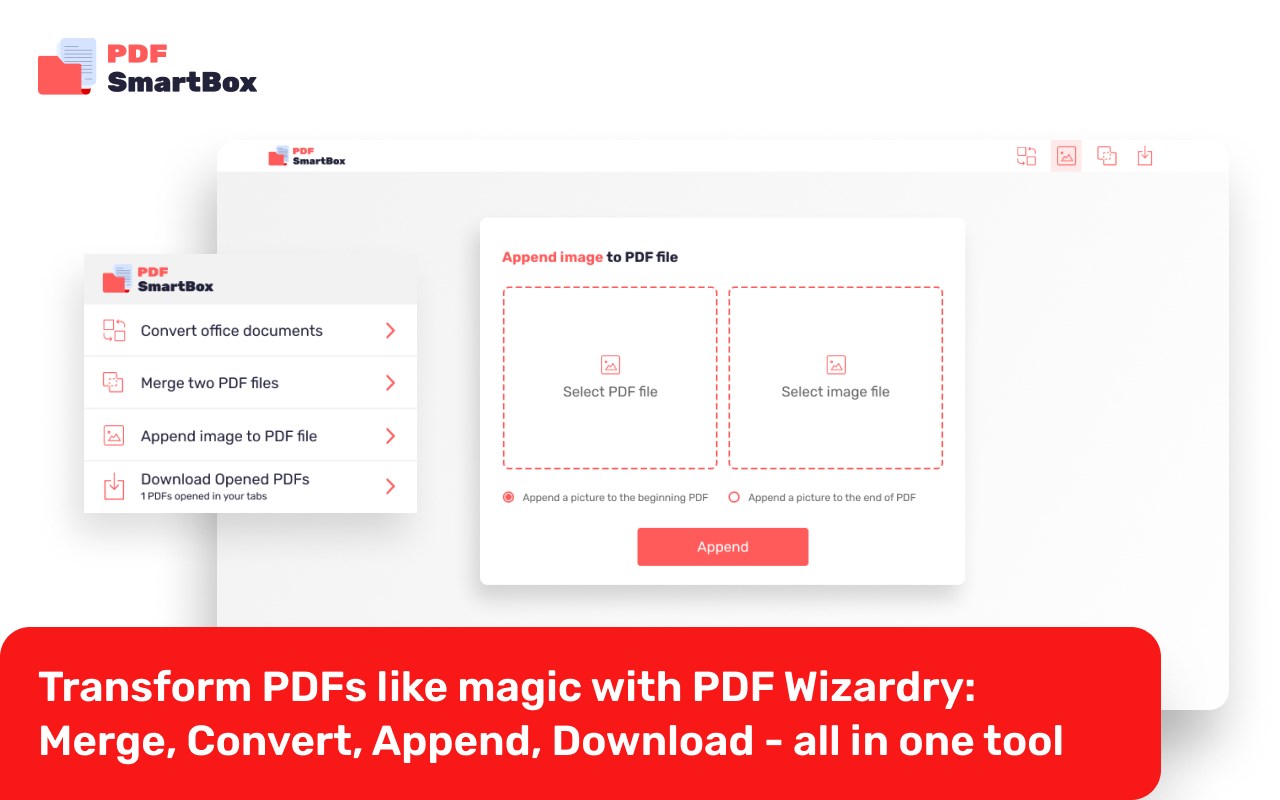
简介
🌟 Introducing PDF SmartBox: Your Ultimate PDF Management Solution! 📎✨
Attention all busy professionals, students, and document aficionados in search of a seamless PDF management experience! 🎯✨
Say goodbye to the hassle of juggling multiple tools and embrace the power of PDF SmartBox! With our cutting-edge browser extension, you'll effortlessly conquer all your PDF-related tasks in a breeze. 🚀💼
📄✨ Merge PDFs with Ease:
Combine multiple PDF files into one cohesive document effortlessly. No more tedious manual merging or outdated software!
📑🔄 Convert Anything to PDF:
With PDF SmartBox, you can convert various file formats like doc, docs, and more into high-quality PDFs with just a few clicks. Transform your documents into universally accessible and professional files in no time! 📂📄
🌅📄 Append Images to PDFs:
Want to add a captivating image to your PDF? No worries! Our extension allows you to easily append any image to your PDF files, making them visually stunning and engaging.
⬇️💾 Download Embedded PDFs:
Tired of searching for the download button buried in complex webpages? PDF SmartBox has you covered! Save embedded PDFs directly to your device hassle-free, ensuring you have access to your important files whenever you need them. 💻💾
Experience the power of PDF SmartBox today and unlock a world of convenience and productivity. Simplify your PDF management tasks like never before! 🔗✨
📢 Don't miss out on this game-changing solution! Download PDF SmartBox now and take control of your PDFs with ease. Get ready to conquer the digital document world like a pro! 🚀📎💼
瞧!PDF SmartBox,你最终的PDF管理解决方案!📎✨
忙碌的专业人士、学生们和文档爱好者们,快来体验PDF SmartBox的无与伦比的便捷体验吧!🎯✨
再也不用烦恼如何在多种工具间来回切换了,拥抱PDF SmartBox的强大力量吧!通过我们尖端的浏览器扩展,你可以轻松攻克所有与PDF有关的任务,就像灵活的轻轻一抬手一样轻松!🚀💼
📄✨ 轻松合并PDF文件:
将多个PDF文件轻松合并成一个紧密结合的文档,再也不用繁琐的手动合并或者过时的软件了!
📑🔄 轻松转换为PDF:
有了PDF SmartBox,你可以只需几次点击,就可以将各种格式的文件,如doc、docs等,转换为高质量的PDF文件,让文档变得更加普通化和专业化!📂📄
🌅📄 将图片附加到PDF中:
想把一张迷人的图片附加到PDF文件中吗?没问题!我们的扩展可以让你轻松将任何图片附加到PDF文件中,使它们变得更加惊艳迷人!
⬇️💾 下载嵌入的PDF:
厌倦了在复杂的网页中寻找下载按钮?PDF SmartBox可以帮你解决!轻松将嵌入的PDF文件直接下载到你的设备,让你随时随地拥有重要文件!💻💾
今天就来体验PDF SmartBox的强大力量,开启一个全新的便捷和生产力的世界吧!🔗✨
别错过这个改变游戏规则的解决方案!立即下载PDF SmartBox,掌握你的PDF文件,就像专业人士一样掌控数字文档世界!🚀📎💼
PDF SmartBox 是做什么的
PDF SmartBox 是一款面向 Edge 的效率工具类扩展,主要用来管住注意力、屏蔽干扰站点、记录时间。官方对它的介绍是:Effortlessly Manage PDFs: Merge, Convert, Append, and Download with Ease在微软 Edge 加载项商店上,它当前版本 1.0.2,评分 5(4126 人评价),约 45,131 名用户。
适合什么人用
从功能定位看,PDF SmartBox 更适合想专注工作学习、减少无效刷网页的用户。如果你平时只是偶尔遇到相关需求,用浏览器自带功能也能凑合;但如果这件事每天都发生,装一个专门处理它的扩展通常比手动操作省事得多。需要注意的是它作用于所有网站,装上后建议先观察一两天,确认不影响常用站点的正常使用。
怎么安装 PDF SmartBox
- 打开微软 Edge 加载项商店上的官方页面;
- 点「添加到浏览器」并确认权限提示;
- 装好后在扩展列表里固定图标,方便随时开关。
本站只做索引与介绍,安装包来自官方商店。如果商店页面提示当前地区不可用,说明该扩展未在你所在区域上架。
常见问题
PDF SmartBox 是免费的吗?
PDF SmartBox 在微软 Edge 加载项商店免费提供下载。它是浏览器扩展,装上就能直接用,不需要注册账号。
PDF SmartBox 安全吗?
它只申请了 0 项权限,范围比较克制,没有申请「读取所有网站数据」这种大权限。
PDF SmartBox 支持哪些浏览器?
当前收录的版本来自微软 Edge 加载项商店,适用于 Edge。同一个扩展在其他商店可能有对应版本,但功能与版本号不一定相同。
怎么卸载 PDF SmartBox?
在扩展管理页找到 PDF SmartBox,点移除即可。它在本地保存的设置会一起清掉,不会残留数据。
权限清单 来自 manifest.json 原文
站点访问(可选) 1
<all_urls>
接口权限 5
alarmsdeclarativeNetRequestdownloadsscriptingstorage