
PDF Scholar EN
Emil Mathias Strøm Halseth · EEdge MV3
Leser og annotator for forskning — tar over PDF-visning i nettleseren.
<all_urls>),意味着它可以读取你在任意站点的页面内容,包括已登录的页面。这是许多扩展正常工作的必要条件,但也值得你确认来源可信。
截图
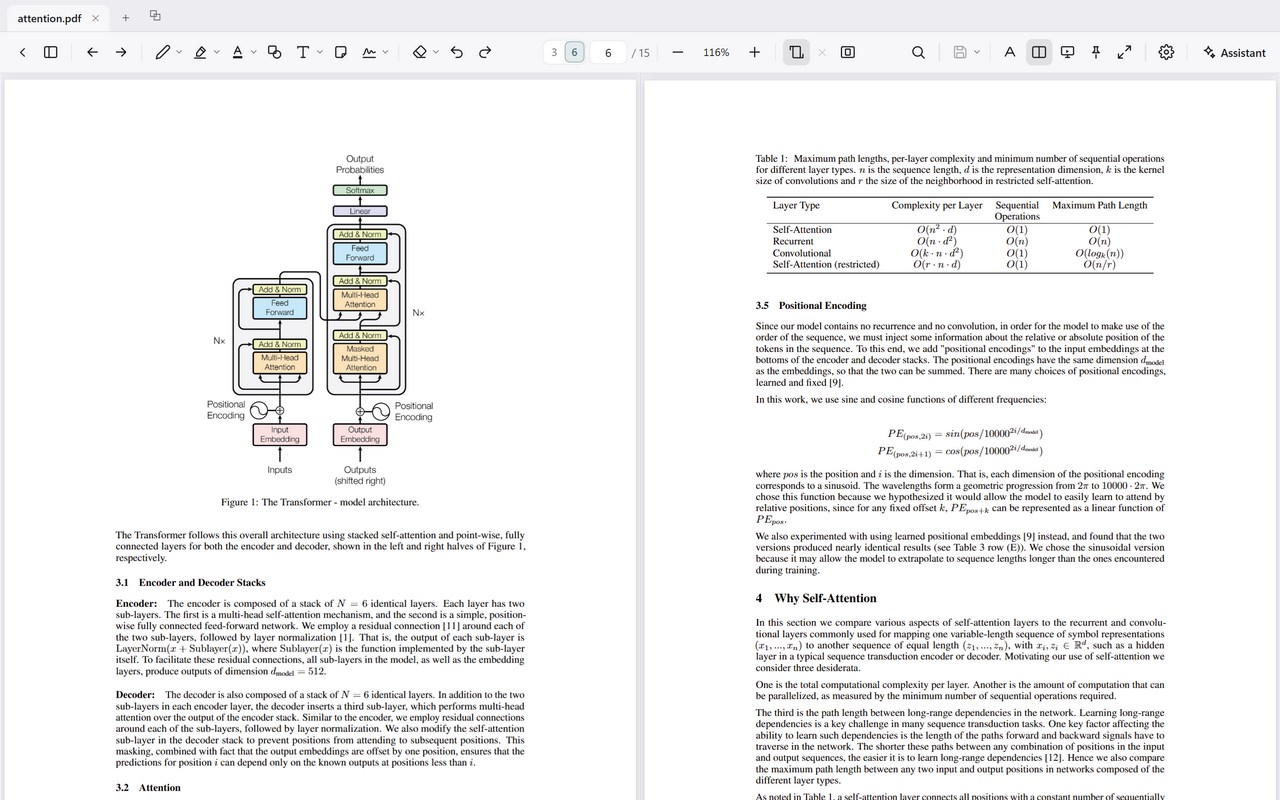
简介
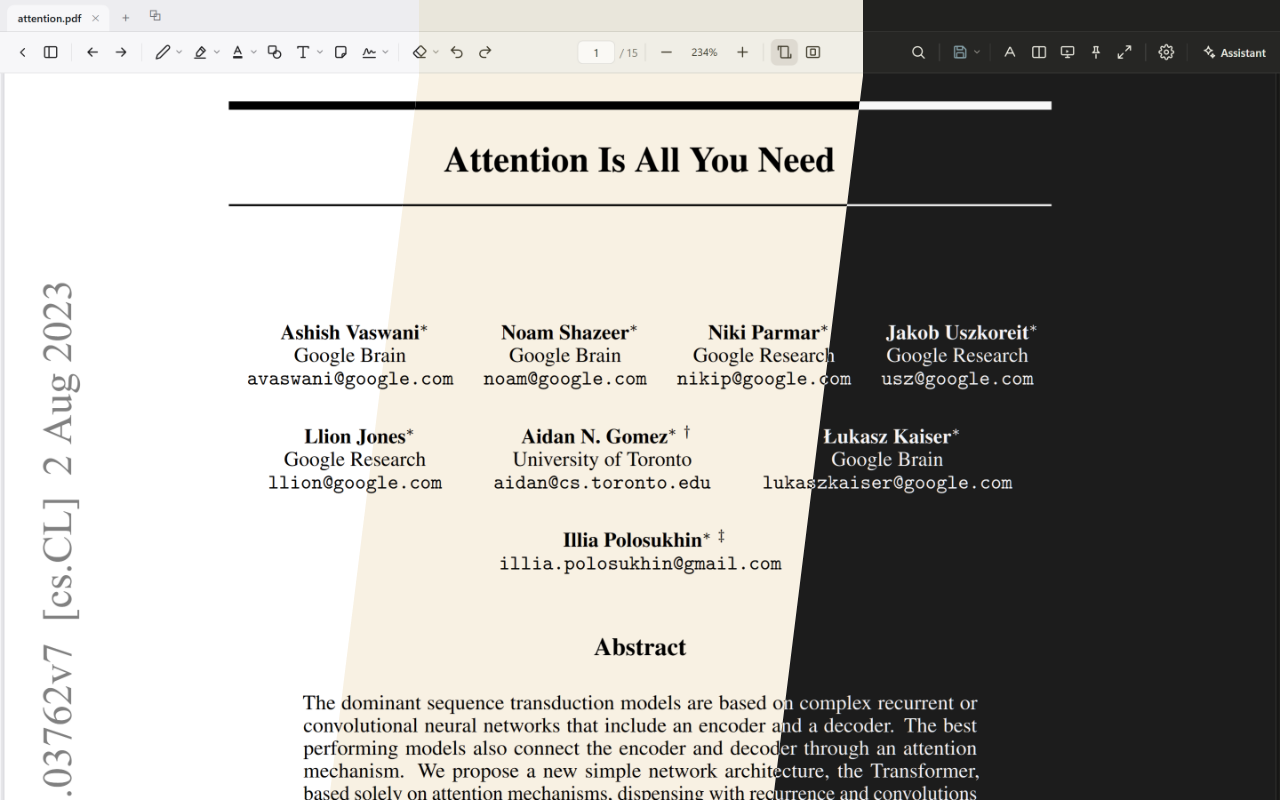
PDF Scholar replaces the browser's built-in PDF viewer with a reader and annotator for the documents you work through rather than skim: research articles, reports, books. The window is nearly all page — one slim toolbar carries the tools, and everything else stays out of the way until called, including the optional AI assistant.
Open a PDF and it becomes an ordinary browser tab in the PDF Scholar viewer instead of the browser's basic reader. Make your browser your default PDF app and local PDFs open here too.
READING
• Smooth scrolling; zoom centres on the cursor or pinch point; fit width or page
• Day, Sepia and two Night themes, with contrast adjustable per theme
• Page rotation, two-page spread, and a full-screen presentation mode
• Split view: two columns of the same document, each with its own page, zoom and rotation
• Table of contents, thumbnails and bookmarks
• Reading positions and recent files are remembered
• Keyboard shortcuts are listed in one map and can be rebound or reset
SEARCH
Both modes live in one search bar, a tab apart.
• By words: match case, whole word, a results list with excerpts, and every match marked on the page
• By meaning: describe a topic in your own words and get the passages that discuss it, ranked (uses the assistant's key)
ANNOTATION
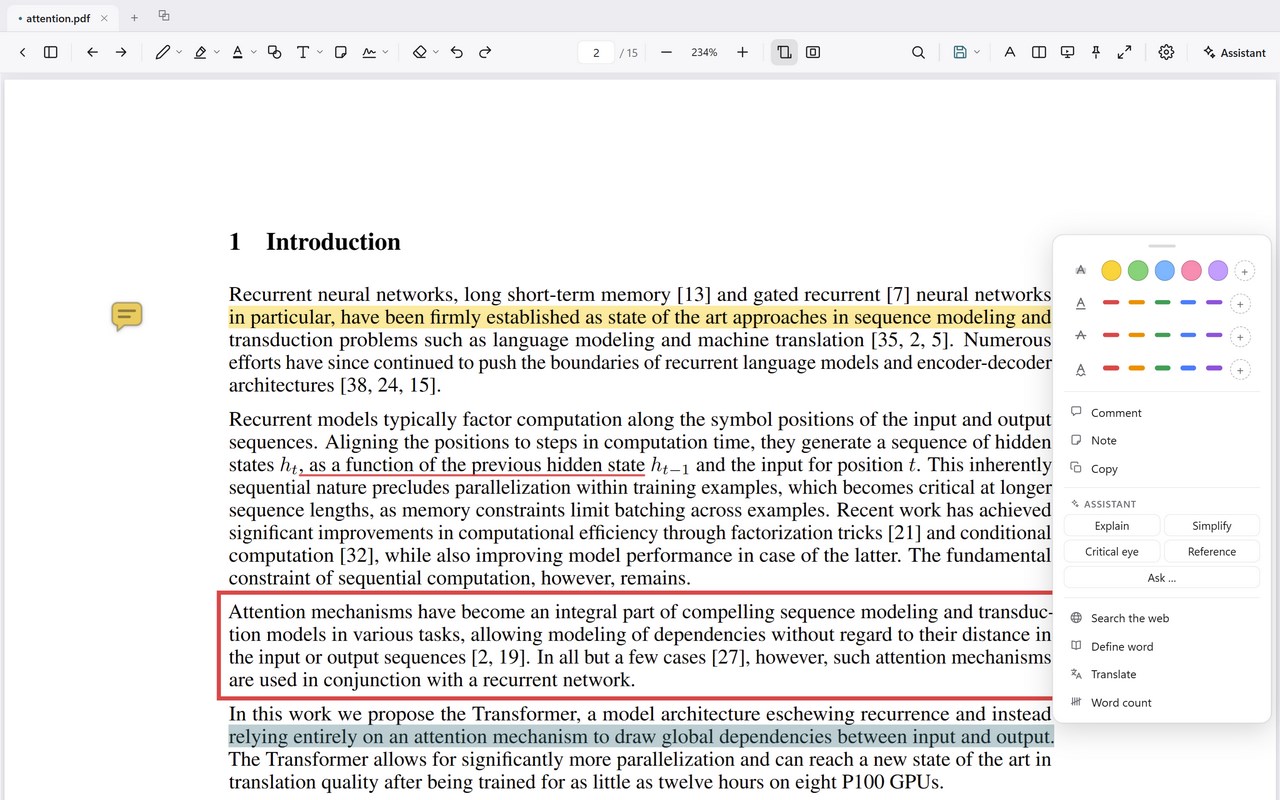
Selecting text opens the annotation menu at the selection; every mark is listed in a panel beside the document.
• A notes panel lists every mark by page, with search and filters; comments are edited directly in the list — with export to Word, Markdown or HTML
• Comments in the margin: notes shown as visible text beside the page, and an export that sets them in a widened margin, numbered at their anchors
• Highlight, underline, strikeout and squiggly; pen and marker with hold-to-straighten; shapes, sticky notes and free text
• With a stylus, the pen draws while a finger scrolls; pen pressure varies the line width (beta) and is preserved in the saved file
• The text tool uses the PDF's standard typefaces — Helvetica, Times or Courier, bold and italic
• A signature can be drawn once and stamped where needed; it is stored locally (placing a signature is not the same as digitally signing a document)
• Password-protected documents open, can be annotated, and keep their protection when saved
• Colour, thickness and opacity are set per tool and remembered between sessions
• Existing marks can be adjusted rather than redrawn: the ends of a highlight, the corner of a shape
• Marks are saved into the PDF as standard annotations, so they open correctly in other PDF readers
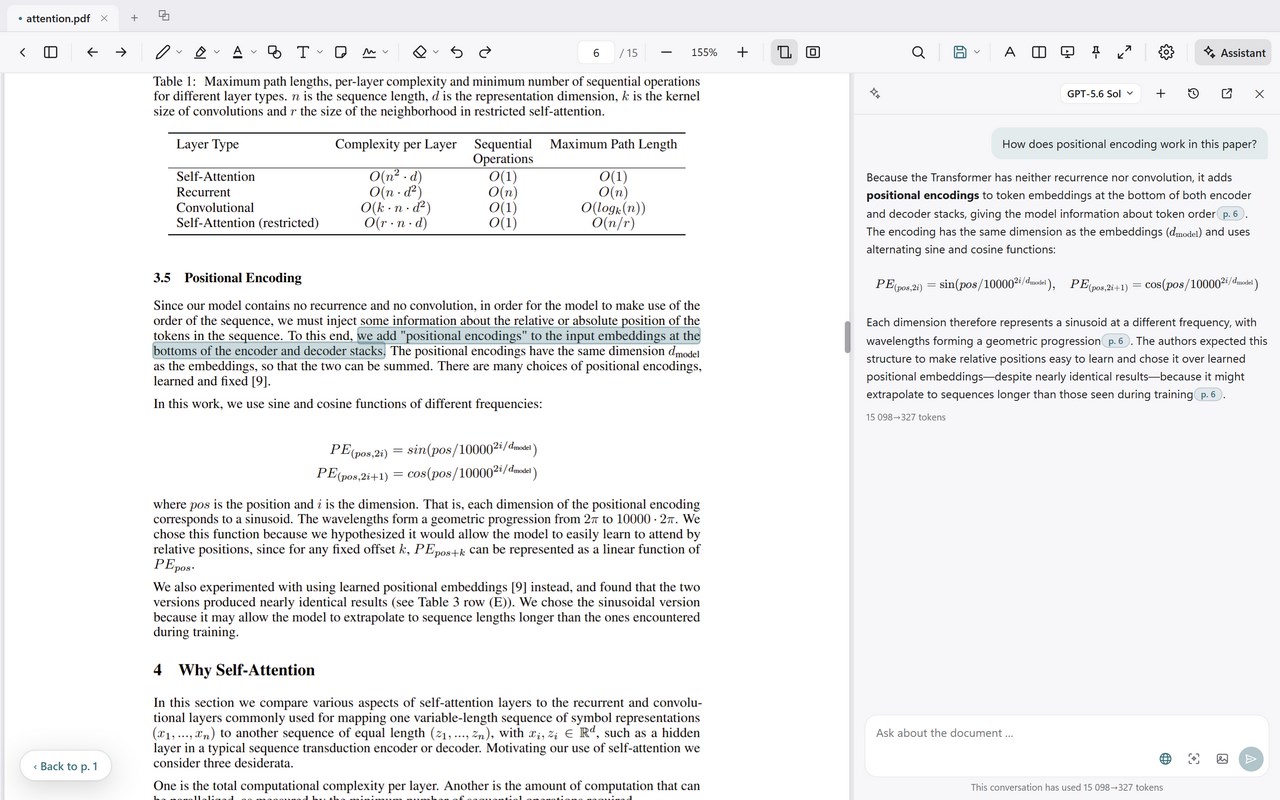
AI ASSISTANT (optional, bring your own key)
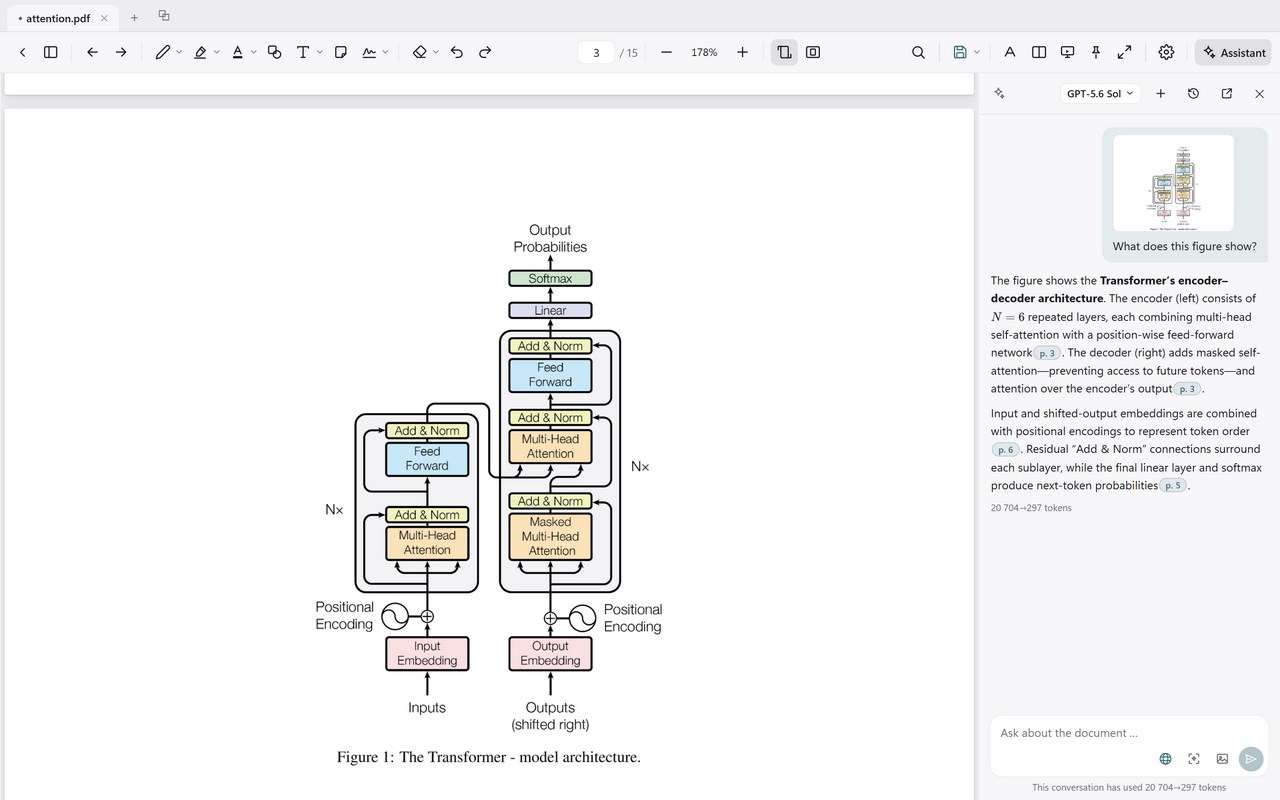
• Answers cite their sources: each claim links to the passage it came from
• Structured article summaries; explain, simplify, critique or define selected text
• A figure or region can be cropped into the chat and asked about
• The assistant can open in its own tab; a citation click still goes to the passage in the tab showing the document
• Eight major AI services are supported, one key field each, alongside any endpoint that speaks the standard chat-completions API — including a local model server, which needs no key. The providers are listed on the project page. Requests go directly to the provider you chose; with a local model the document never leaves the machine
Free and open source (MIT). No account, no tracking, no ads. Everything works offline except the optional AI, which uses your own key.
PDF Scholar 是做什么的
PDF Scholar 是一款面向 Edge 的效率工具类扩展,主要用来管住注意力、屏蔽干扰站点、记录时间。官方对它的介绍是:Leser og annotator for forskning — tar over PDF-visning i nettleseren.在微软 Edge 加载项商店上,它当前版本 0.73.1,约 19 名用户。
适合什么人用
从功能定位看,PDF Scholar 更适合想专注工作学习、减少无效刷网页的用户。如果你平时只是偶尔遇到相关需求,用浏览器自带功能也能凑合;但如果这件事每天都发生,装一个专门处理它的扩展通常比手动操作省事得多。需要注意的是它作用于所有网站,装上后建议先观察一两天,确认不影响常用站点的正常使用。
怎么安装 PDF Scholar
- 打开微软 Edge 加载项商店上的官方页面;
- 点「添加到浏览器」并确认权限提示;
- 装好后在扩展列表里固定图标,方便随时开关。
本站只做索引与介绍,安装包来自官方商店。如果商店页面提示当前地区不可用,说明该扩展未在你所在区域上架。
常见问题
PDF Scholar 是免费的吗?
PDF Scholar 在微软 Edge 加载项商店免费提供下载。它是浏览器扩展,装上就能直接用,不需要注册账号。
PDF Scholar 安全吗?
它只申请了 0 项权限,范围比较克制,没有申请「读取所有网站数据」这种大权限。
PDF Scholar 支持哪些浏览器?
当前收录的版本来自微软 Edge 加载项商店,适用于 Edge。同一个扩展在其他商店可能有对应版本,但功能与版本号不一定相同。
怎么卸载 PDF Scholar?
在扩展管理页找到 PDF Scholar,点移除即可。它在本地保存的设置会一起清掉,不会残留数据。
权限清单 来自 manifest.json 原文
站点访问(可选) 3
file:///*http://*/*https://*/*
接口权限 2
declarativeNetRequeststorage