PDF Redactor: Blur and Black Out PDFs Offline EN
SmartBuildLabs · EEdge MV3
Redact PDF files offline: black out or blur emails, phone and card numbers, or anything you select. Text is truly removed.
截图
简介
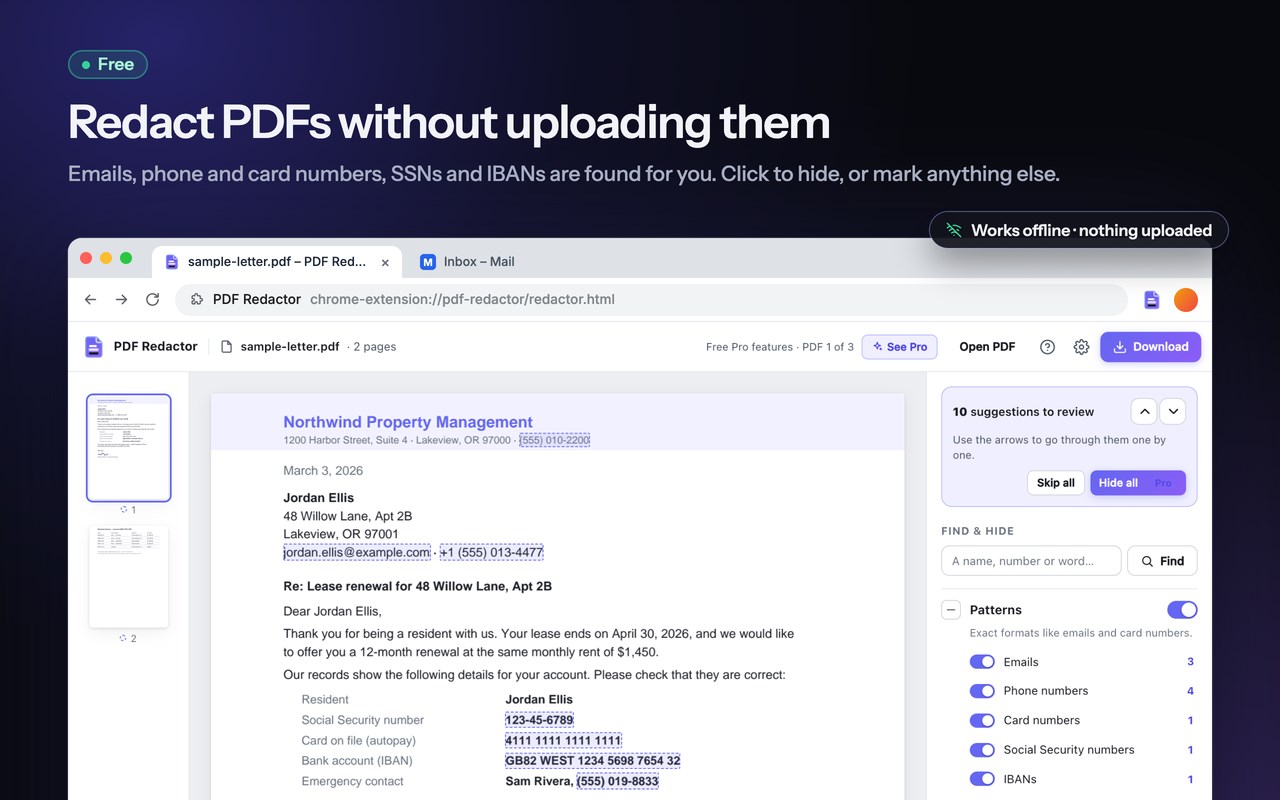
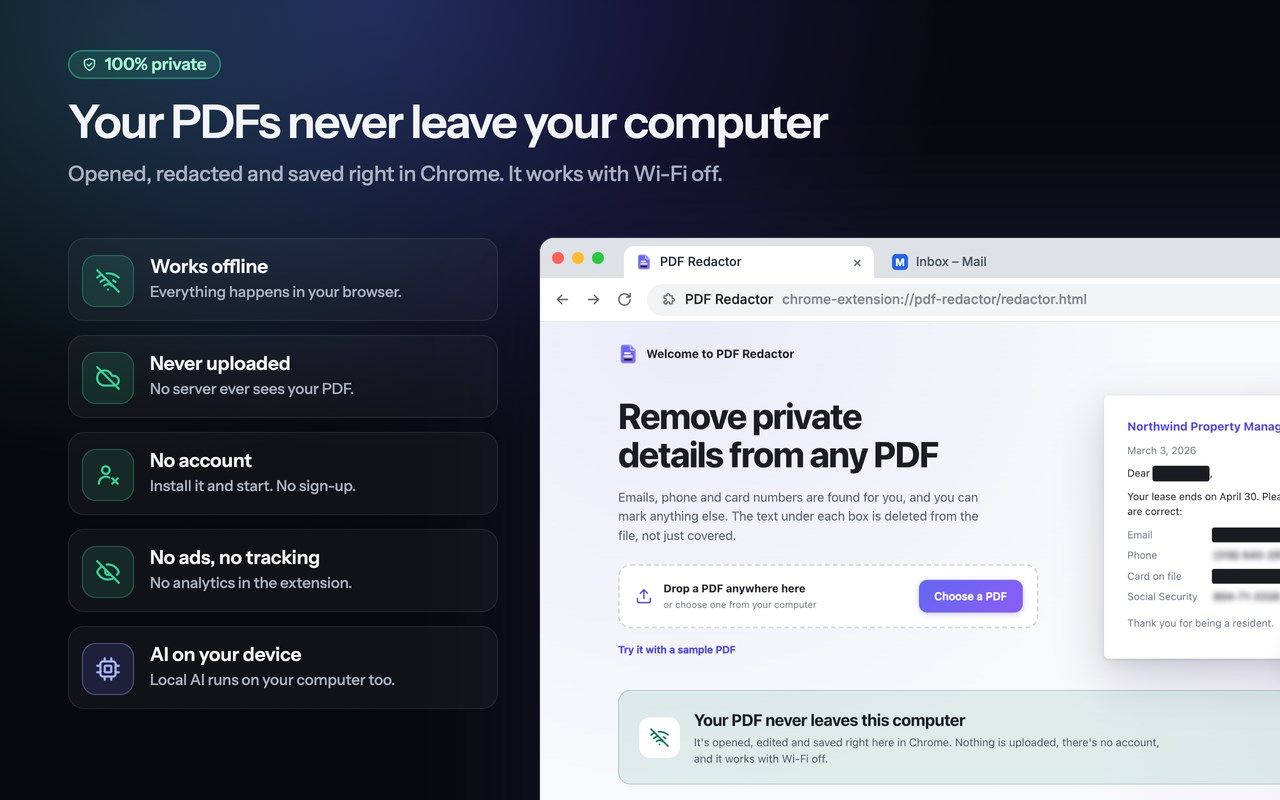
Redact PDF files right in Edge, without uploading them anywhere. PDF Redactor finds emails, phone numbers, card numbers, Social Security numbers and bank account numbers for you, and lets you black out, blur or white-out anything else on the page. The text under every box is permanently deleted from the file, not just covered by a shape, and each new copy is checked before you share it. It works offline, needs no account, and your documents never leave your computer.
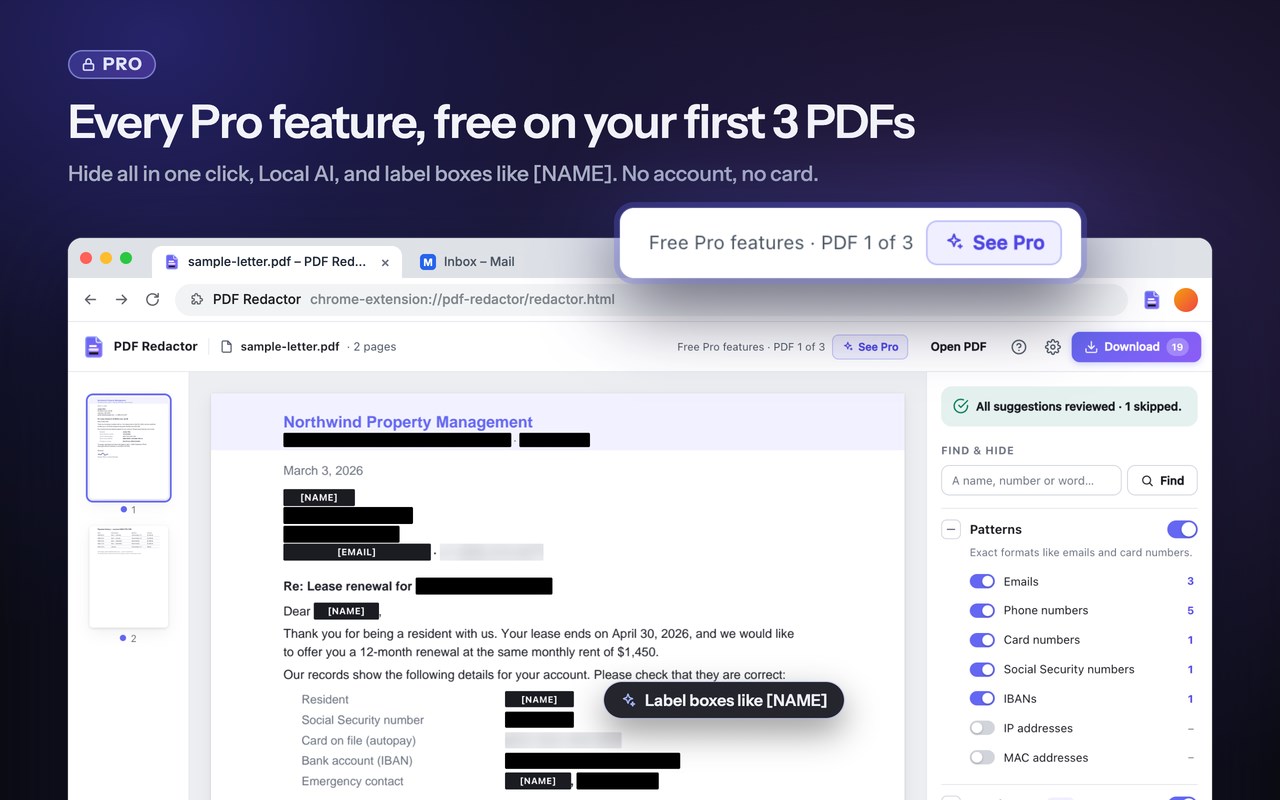
TRY EVERY PRO FEATURE FREE ON YOUR FIRST 3 PDFs
Hide all, Local AI and label boxes are unlocked on your first 3 PDFs. No account, no card, no sign-up. A PDF only counts when you download the finished copy, so opening files to look around costs nothing. After that, every free feature keeps working on as many documents as you like.
HOW IT WORKS
1. Open a file: drag it onto the redactor, click the toolbar icon while viewing a PDF in Edge, or right-click a PDF link and choose "Redact this PDF".
2. Review the suggestions: everything it finds appears as a dashed box. Hide each one with a click or the H key, skip what should stay visible, or use Hide all (Pro).
3. Mark anything else: drag a box over any area, select text, or search for a word or name.
4. Download: you get a new, cleaned copy. Your original file is never changed.
WHO USES IT
• Lawyers, paralegals and legal assistants preparing court filings, discovery productions, exhibits, contracts and NDAs
• HR and recruiting teams removing personal details from employee records, references and résumés for blind hiring
• Healthcare, dental and clinic staff removing patient details from medical letters, lab results and insurance claims
• Accountants, bookkeepers and finance teams sharing invoices, payroll reports and tax documents
• Privacy, compliance and records officers answering data subject access requests (GDPR DSARs) and FOIA or public records requests
• Real estate agents, landlords and property managers handling rental and mortgage applications
• Journalists, researchers and academics protecting sources and anonymizing study material
• Teachers and school staff sharing student documents
• IT, security and support teams sharing logs, tickets and reports that contain customer data, IP addresses or MAC addresses
• Freelancers and small businesses sending portfolio samples without client names
• Anyone sending a bank statement, pay stub or ID document to a landlord, lender, employer or online service
COMMON USE CASES
• Black out account numbers on a bank statement before a rental, mortgage or loan application
• Hide your Social Security number and salary on a pay stub or tax return when you send proof of income
• Remove client names and prices from a contract before sharing it as a template or sample
• Censor names, addresses and phone numbers in a police report, court record or legal exhibit
• Anonymize a document before uploading it to an AI chatbot, an online converter or a signing service
• Cover a signature, photo, logo or QR code, including on scanned pages
• Strip the author name, comments and hidden metadata before you publish a document online
WHAT'S FREE (on every PDF, forever)
• Automatic detection of emails, phone numbers (US and international), payment card numbers (verified with the card checksum), US Social Security numbers and IBANs, plus IP and MAC addresses when you turn them on
• Find words: type a name, case number or phrase and every match in the document is marked
• Draw box: drag over any area to remove text, photos, signatures, logos or handwriting
• Select text: drag across words, lines or whole paragraphs
• Hide suggestions one at a time with a click or the H key, or tick a row to hide every copy of that text
• Skip what should stay visible, and add words to a "Never suggest" list (like your own company name)
• Black box, blurred or white-out look, chosen per item; hover any box to peek underneath
• Remove hidden info: author, title and other document properties, XMP metadata, comments, attachments, scripts and bookmarks
• Undo and redo, keyboard shortcuts, page thumbnails, light and dark theme
• No watermark, and no limit on how many files you clean up
PRO FEATURES (in-app purchase, free on your first 3 PDFs)
• Hide all: accept every suggestion in one click
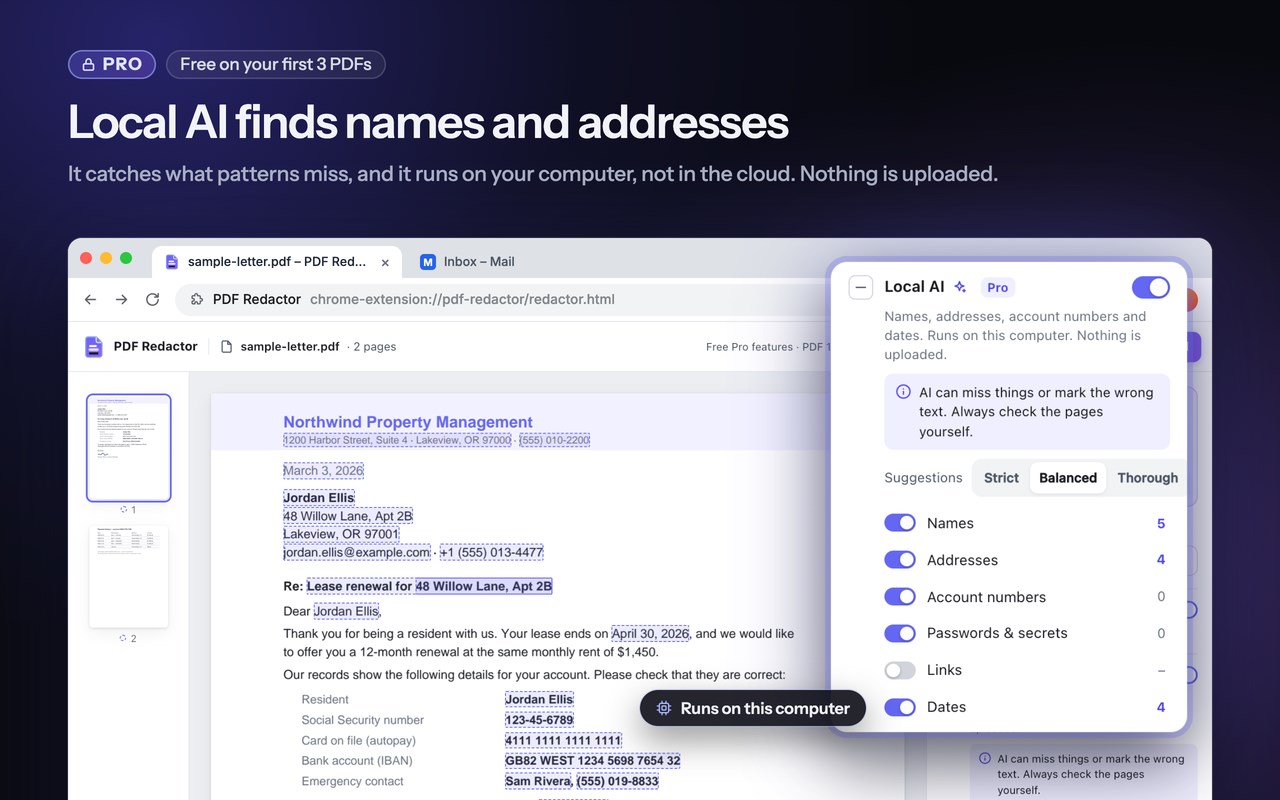
• Local AI: finds names, street addresses, account numbers, passwords and dates that no fixed pattern can catch. The AI model (OpenAI Privacy Filter) runs on your own computer, never in the cloud. It needs a one-time download of about 810 MB and a browser and graphics card with WebGPU, and it works best on English text. Review what it suggests: it can miss things or flag text that isn't private.
• Label boxes: show [NAME], [EMAIL] or your own text where something was removed, handy for legal exhibits and anonymized research
Free and Pro files go through exactly the same removal and checks. Pro saves time; it never changes how safe the result is.
REAL REDACTION, NOT JUST A BLACK RECTANGLE
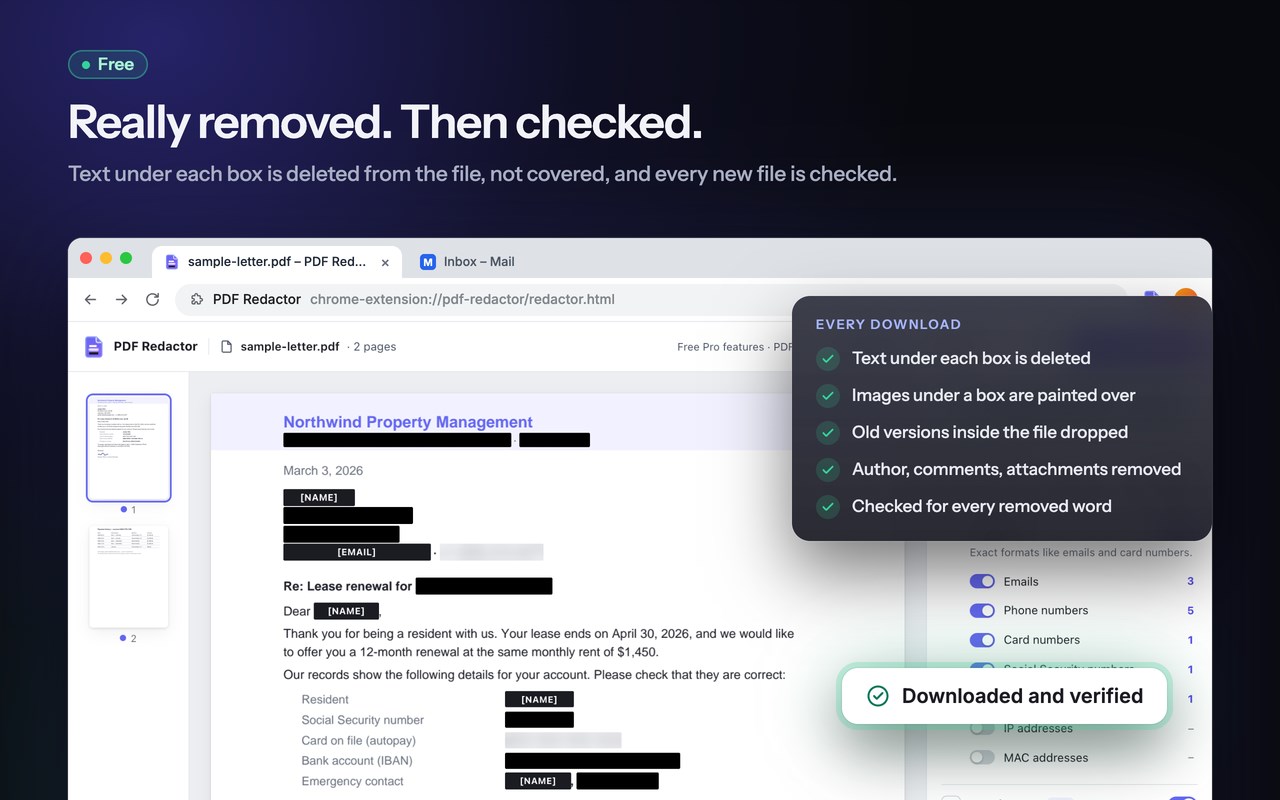
Many "redacted" PDFs leak because a black shape is drawn over text that is still in the file, ready to be copied, searched or extracted. PDF Redactor removes the content itself:
• Text under a box is deleted from the file, not hidden behind a shape
• Images under a box are painted over in the image's own pixels
• Form field values and comments are turned into page content first, so they can be removed too
• Earlier versions saved inside the file are dropped, so a removed word can't be recovered from an old revision
• After saving, the new file is reopened and checked to make sure none of the removed text can be found. A page that fails the check is rebuilt as a flat image with the boxes burned in, then checked again
• The blurred look is drawn from scrambled fake text, never from your real text, so it can't be un-blurred
PRIVATE BY DESIGN
• Works offline: your file is opened, edited and saved on your computer and is never uploaded
• No account and no sign-up. If you buy Pro, the payment page asks for you…
PDF Redactor: Blur and Black Out PDFs Offline 是做什么的
PDF Redactor: Blur and Black Out PDFs Offline 是一款面向 Edge 的效率工具类扩展,主要用来管住注意力、屏蔽干扰站点、记录时间。官方对它的介绍是:Redact PDF files offline: black out or blur emails, phone and card numbers, or anything you select. Text is truly removed.在微软 Edge 加载项商店上,它当前版本 0.2.0,约 32 名用户。
适合什么人用
从功能定位看,PDF Redactor: Blur and Black Out PDFs Offline 更适合想专注工作学习、减少无效刷网页的用户。如果你平时只是偶尔遇到相关需求,用浏览器自带功能也能凑合;但如果这件事每天都发生,装一个专门处理它的扩展通常比手动操作省事得多。
怎么安装 PDF Redactor: Blur and Black Out PDFs Offline
- 打开微软 Edge 加载项商店上的官方页面;
- 点「添加到浏览器」并确认权限提示;
- 装好后在扩展列表里固定图标,方便随时开关。
本站只做索引与介绍,安装包来自官方商店。如果商店页面提示当前地区不可用,说明该扩展未在你所在区域上架。
常见问题
PDF Redactor: Blur and Black Out PDFs Offline 是免费的吗?
PDF Redactor: Blur and Black Out PDFs Offline 在微软 Edge 加载项商店免费提供下载。它是浏览器扩展,装上就能直接用,不需要注册账号。
PDF Redactor: Blur and Black Out PDFs Offline 安全吗?
它只申请了 0 项权限,范围比较克制,没有申请「读取所有网站数据」这种大权限。
PDF Redactor: Blur and Black Out PDFs Offline 支持哪些浏览器?
当前收录的版本来自微软 Edge 加载项商店,适用于 Edge。同一个扩展在其他商店可能有对应版本,但功能与版本号不一定相同。
怎么卸载 PDF Redactor: Blur and Black Out PDFs Offline?
在扩展管理页找到 PDF Redactor: Blur and Black Out PDFs Offline,点移除即可。它在本地保存的设置会一起清掉,不会残留数据。
权限清单 来自 manifest.json 原文
接口权限 3
activeTabcontextMenusstorage