
PDF Editor — Edit & Redact PDF Text | Kern EN
Richard Rage · EEdge MV3
Edit and redact PDF text in place, in the document's own fonts — and see exactly what changed. Nothing uploads.
截图
简介
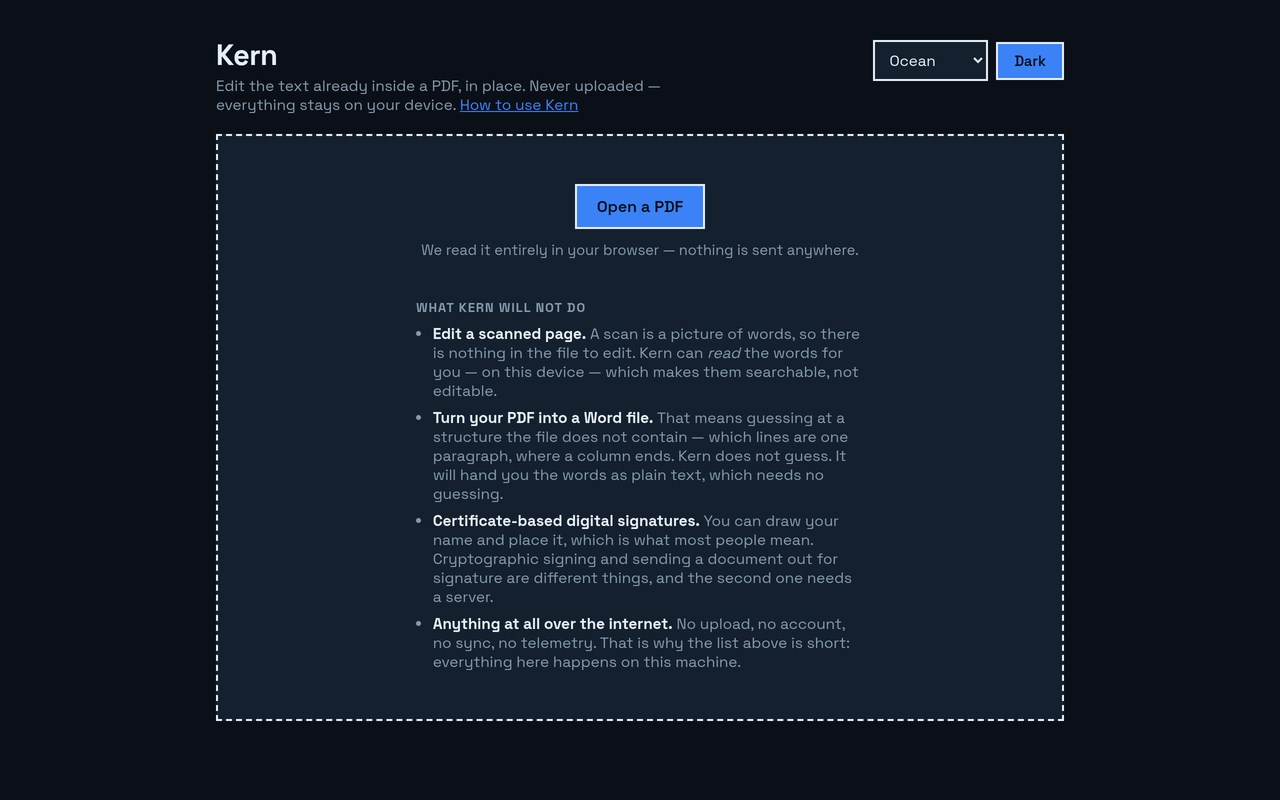
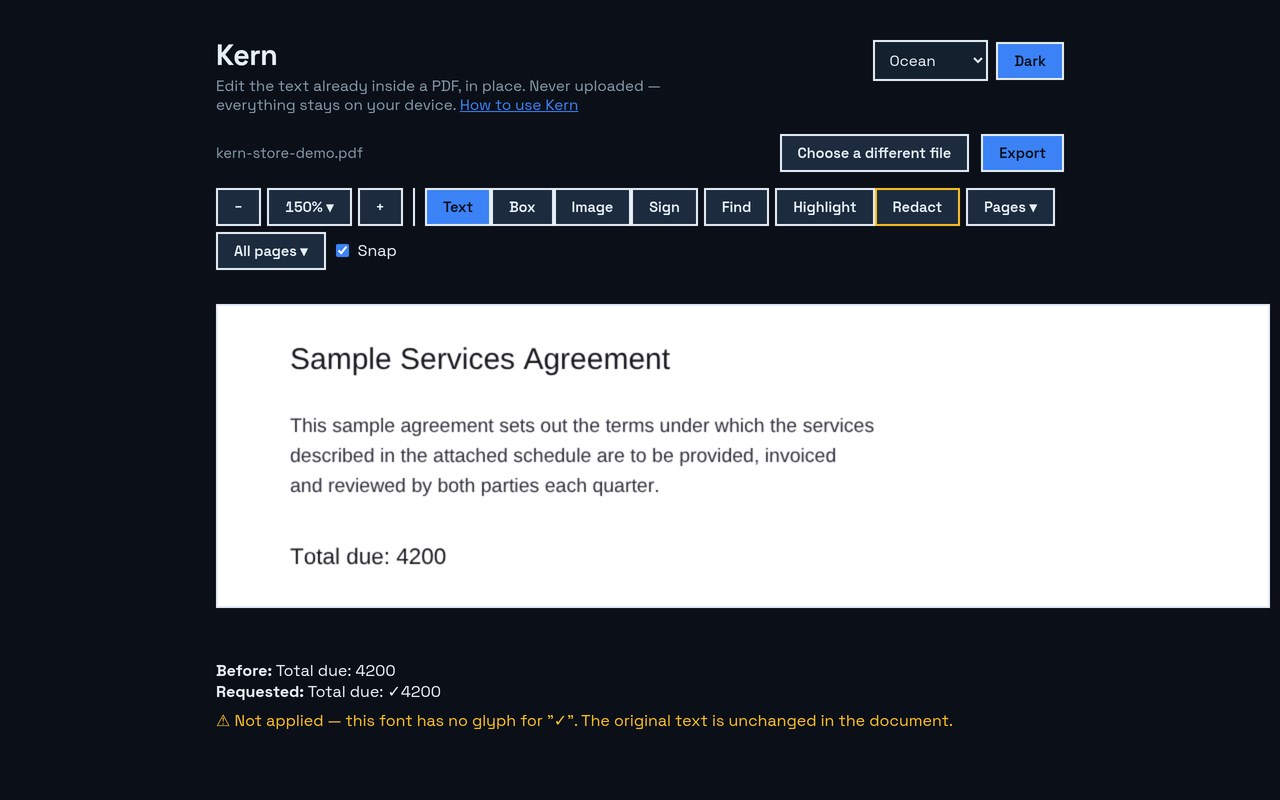
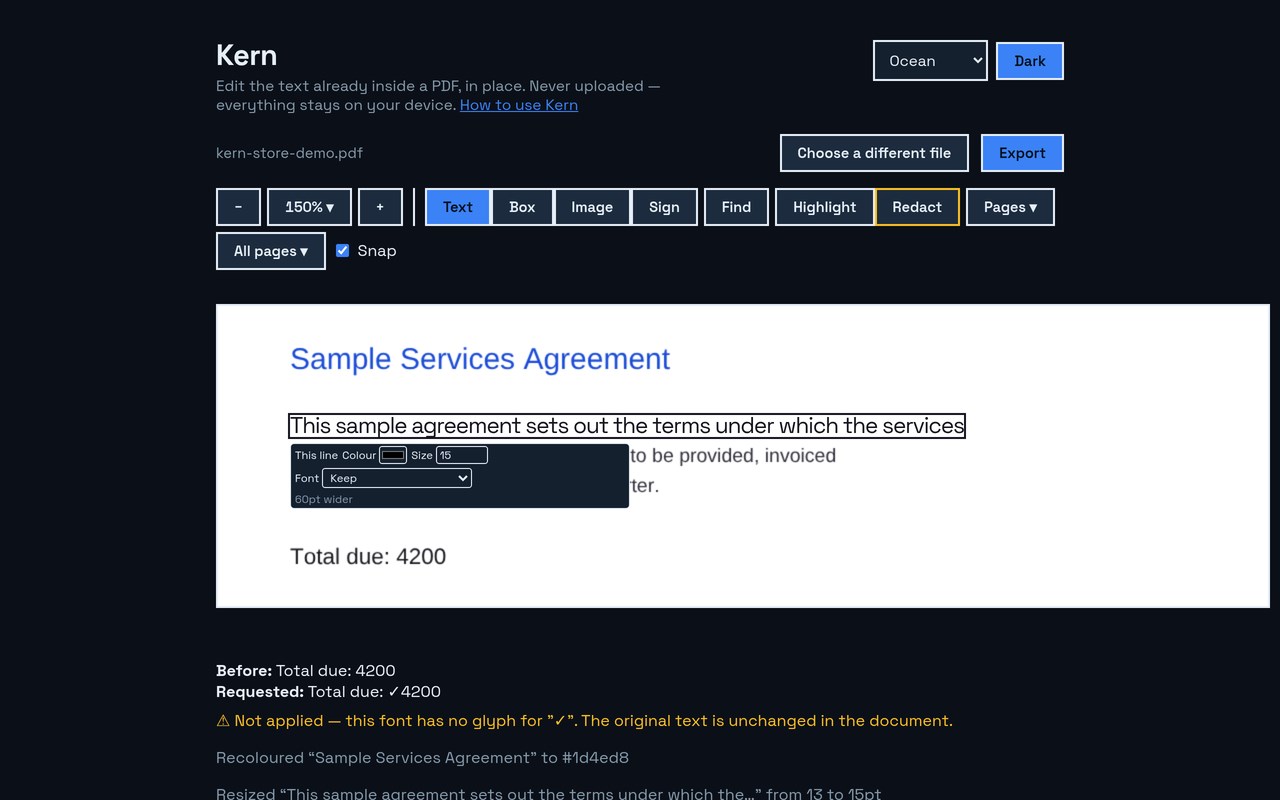
Kern edits the text already inside your PDF, in the document's own embedded fonts — so a corrected line matches the ones around it. It tells you the truth about every change: what stayed exact, what it nudged, and what it refused. Nothing uploads.
Most PDF editors don't edit your PDF. They stamp a text box over it in a font that
isn't yours, and hope you don't look too closely. Kern is the one that doesn't —
and the one that admits what it could not do.
EDIT THE TEXT THAT'S THERE
• Click any line and type — no mode to enter, no text boxes stamped on top
• Uses the document's own embedded fonts, so edits match the original
• A running list of every change and whether it stayed exact
• When the document's font can't set a character you typed, Kern refuses — then offers a
face that can, preferring one the file already has, and records which you chose
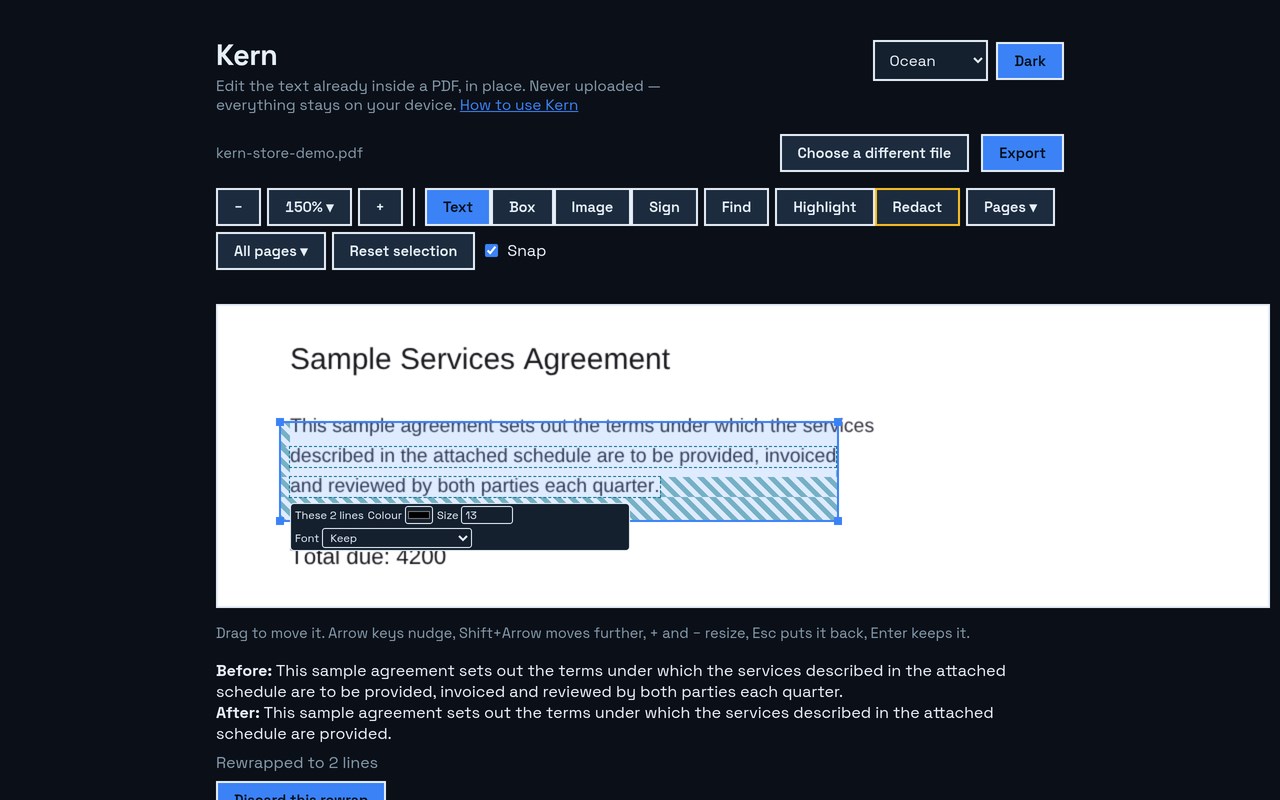
• Draw a box around a paragraph to let text re-wrap inside it, and nowhere else
• Change the colour, size or typeface of text already in the file — and when you
change the typeface, the fonts your document already contains are offered first,
with Kern's own clearly marked as an addition to it
• Kern tells you before you commit if larger text will overrun its line or land on
its neighbour
ADD TO THE PAGE
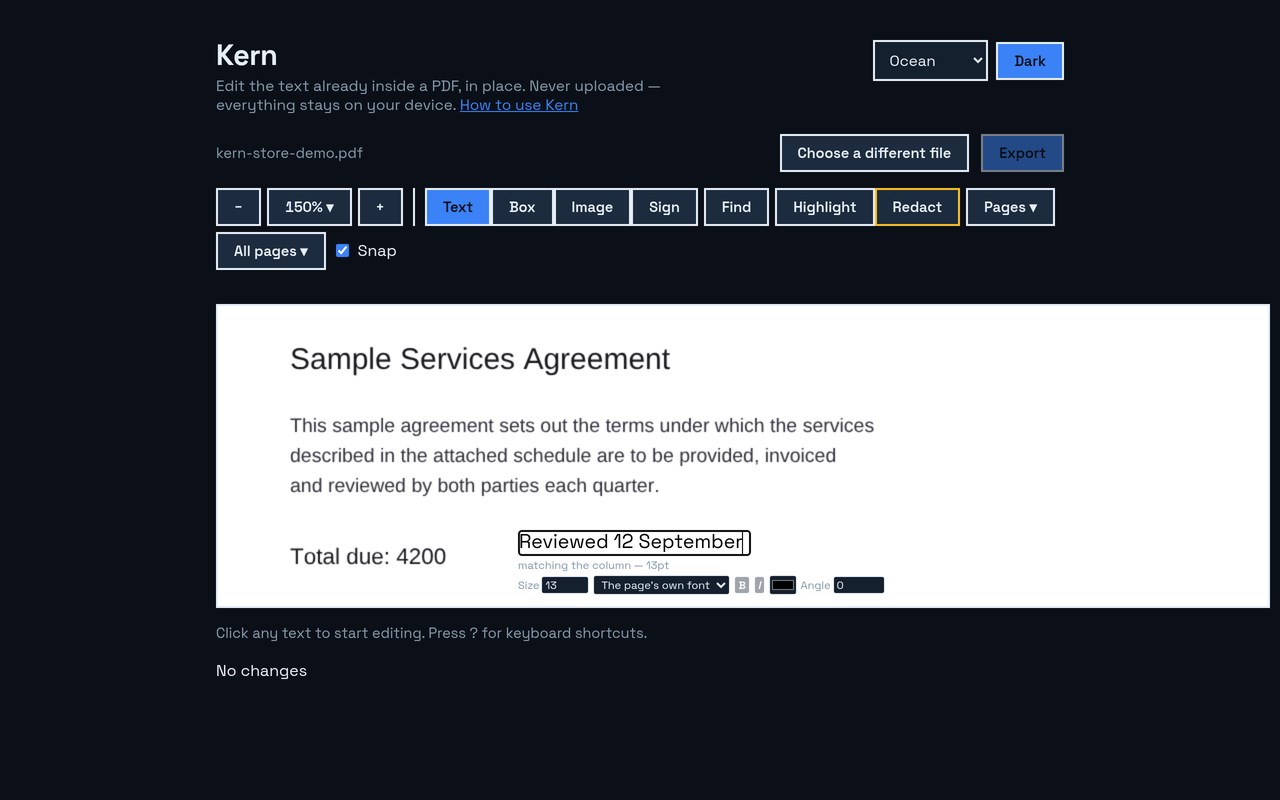
• Click anywhere and type — new text takes the size and font of the text around it,
and says which, before you type a word
• Set the size, font, colour and angle of anything you add
• Draw boxes, place images, and put either behind existing content
• Read a scanned page — recognition runs on your device, and makes the words searchable
and copyable without ever claiming a picture became editable text
• Sign it — draw your name once, keep it on your device, then place it by clicking or by
dragging a box to the size you want. Select it afterwards to move it or drag a corner
to resize. Handwriting, not certificates: Kern does no cryptographic signing and
sends nothing anywhere
• Headers, footers, page numbers and watermarks across every page at once
MARK IT UP
• Highlight, underline, strike through, and leave sticky notes — as real PDF
annotations any reader can see
REDACT PROPERLY
• Kern removes the words from the file rather than drawing a black box over them,
then reads the page back to confirm they're gone. A black rectangle is a picture
of a redaction; the text underneath is still there and still copyable.
REARRANGE THE DOCUMENT
• Delete, reorder, rotate, insert and crop pages
• Split a document, or merge another PDF into it
• Save a copy as images — one page or all of them, in a zip — or as a plain text file
• Change a phrase across many files at once, with a row per file saying what happened to
each — including the ones it could not read
• Compare two versions and see what changed, line by line — and it tells you it compared
the words and not the pictures, rather than implying it checked everything
• Move or resize anything — text, a logo, a rule — by drawing a box around it
• Scale a whole page down when a document won't quite fit
• Fill form fields
EVERYWHERE ELSE
• Exports are packed the way modern PDFs are — a 194-page document comes out 36% smaller
• Never downloads without showing you what changed first
• Full keyboard editing, and screen-reader labels on every line
• 100% on-device: no upload, no account, no sign-in
Made for anyone who has to fix a typo in a contract, a price in a quote, or a date
on a form — and can't have it look edited.
Honest about its limits, too. Some PDFs draw text in ways that can't be rewritten
safely, and Kern says so plainly instead of quietly mangling the page. It will
refuse an edit rather than swap in a font that doesn't match — then it names the
characters it couldn't set and offers you a face that can, preferring one the file
already has. It never swaps a typeface without asking. It tells you when a page is a scan
rather than pretending to edit it — and offers to read the words off it, on your device,
so you can search them.
Free for 3 exports a day, resetting at midnight — and a whole many-files run counts as
one of them, however many documents it changed. Kern Pro (one-time $20, no
subscription): unlimited exports. Your PDFs never leave your device — the only time Kern contacts a server at all is to check a licence key: when you activate it, and about once a month after that. The count of free exports left today is always on screen, so you never finish an edit and only then find out.
PDF Editor — Edit & Redact PDF Text | Kern 是做什么的
PDF Editor — Edit & Redact PDF Text | Kern 是一款面向 Edge 的效率工具类扩展,主要用来管住注意力、屏蔽干扰站点、记录时间。官方对它的介绍是:Edit and redact PDF text in place, in the document's own fonts — and see exactly what changed. Nothing uploads.在微软 Edge 加载项商店上,它当前版本 1.3.0,约 6 名用户。
适合什么人用
从功能定位看,PDF Editor — Edit & Redact PDF Text | Kern 更适合想专注工作学习、减少无效刷网页的用户。如果你平时只是偶尔遇到相关需求,用浏览器自带功能也能凑合;但如果这件事每天都发生,装一个专门处理它的扩展通常比手动操作省事得多。
怎么安装 PDF Editor — Edit & Redact PDF Text | Kern
- 打开微软 Edge 加载项商店上的官方页面;
- 点「添加到浏览器」并确认权限提示;
- 装好后在扩展列表里固定图标,方便随时开关。
本站只做索引与介绍,安装包来自官方商店。如果商店页面提示当前地区不可用,说明该扩展未在你所在区域上架。
常见问题
PDF Editor — Edit & Redact PDF Text | Kern 是免费的吗?
PDF Editor — Edit & Redact PDF Text | Kern 在微软 Edge 加载项商店免费提供下载。它是浏览器扩展,装上就能直接用,不需要注册账号。
PDF Editor — Edit & Redact PDF Text | Kern 安全吗?
它只申请了 0 项权限,范围比较克制,没有申请「读取所有网站数据」这种大权限。
PDF Editor — Edit & Redact PDF Text | Kern 支持哪些浏览器?
当前收录的版本来自微软 Edge 加载项商店,适用于 Edge。同一个扩展在其他商店可能有对应版本,但功能与版本号不一定相同。
怎么卸载 PDF Editor — Edit & Redact PDF Text | Kern?
在扩展管理页找到 PDF Editor — Edit & Redact PDF Text | Kern,点移除即可。它在本地保存的设置会一起清掉,不会残留数据。
权限清单 来自 manifest.json 原文
未解析到权限条目。