
Otter Games - 500+ Free Games, Play Instantly EN
Codemeoww · EEdge MV3
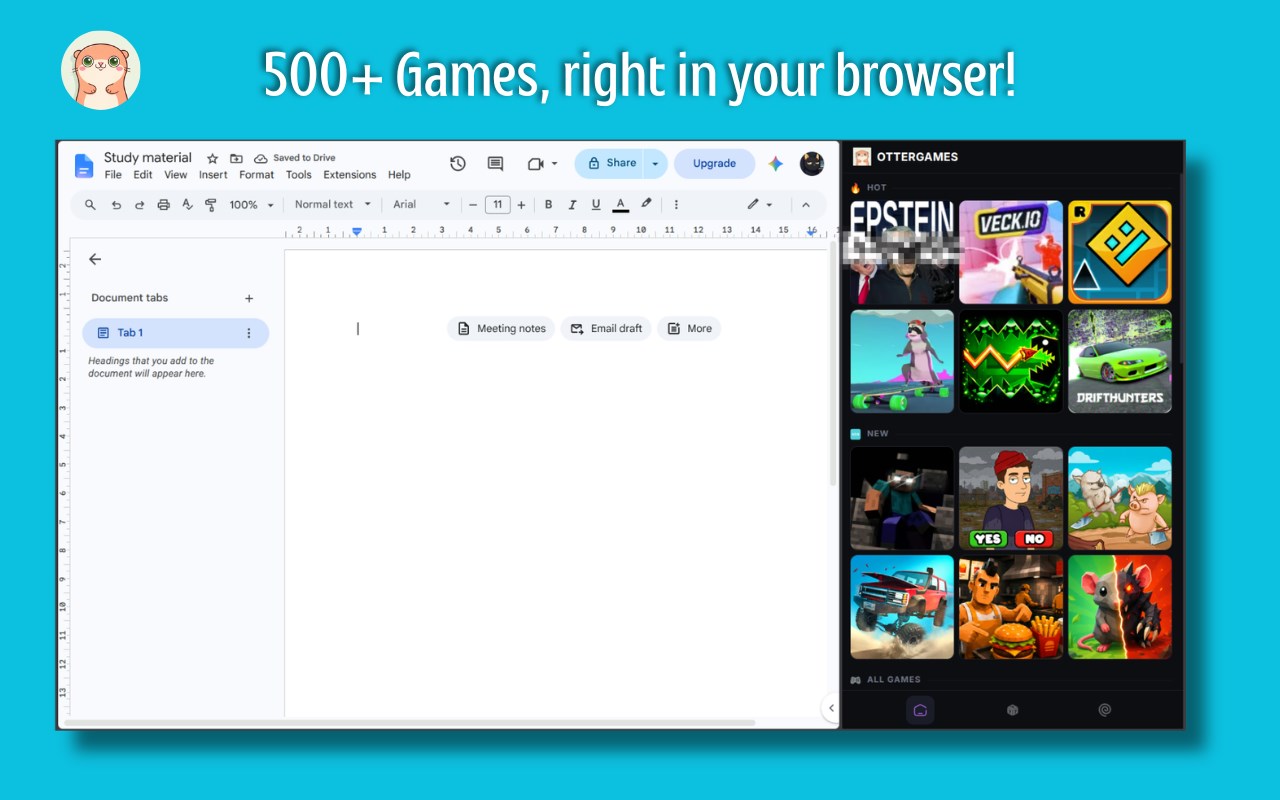
Browse 500+ free games in the side panel, search the catalog, save favorites, and open games in a new tab.
截图
简介
Browse 500+ free games from your browser’s side panel. Search the catalog, save favorites, and open any game in a new tab when you are ready to play. Choose from arcade, puzzle, action, casual, racing, mini, HTML5, online, and unblocked games.
Otter Games gives you a focused game catalog for quick breaks and downtime. You can browse the latest games, check popular picks, or search by title and category without leaving the side panel.
🎯 What is Otter Games?
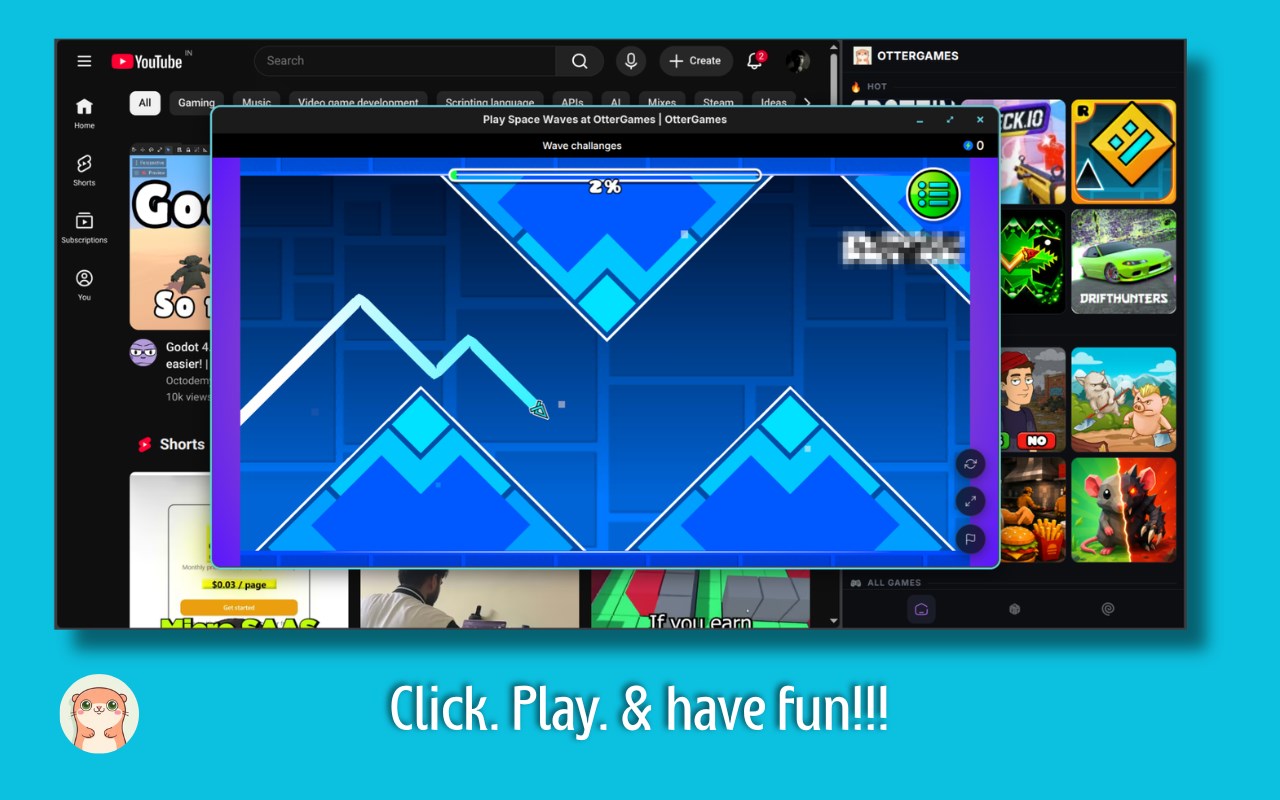
Otter Games is a lightweight browser extension for discovering games. Select a game in the side panel and it opens in a new tab with its OtterGames play page.
⚡ Browse and Play
• Browse 500+ games in the side panel
• Search by title or category
• Open games in a new browser tab
• Explore popular and recently added games
• Keep your favorite games one click away
🎮 Find Your Next Game
Otter Games includes games for short sessions and longer play:
• Arcade and action games
• Puzzle and casual games
• Racing and mini games
• HTML5 and online games
• Unblocked games
Search the catalog when you know what you want, or browse the sections to find something new.
❤️ Favorites
Tap the heart on any game to save it. Your favorites stay on your device and appear in their own side-panel tab, so you can return to them quickly.
🚀 Built for the Side Panel
• Fast startup
• Clean, focused interface
• Responsive game grid
• Keyboard-friendly controls
• New-tab gameplay that works with sites that block embedding
The extension keeps a local copy of the catalog it has loaded. If the API is temporarily unavailable, you can still browse saved games and favorites.
🔒 Privacy Friendly
• No account or signup
• No personal data collection
• Favorites and cached catalog data stay on your device
• Minimal permissions required
🆕 v1.7.0 Update
• Added Search and Favorites tabs
• Added heart controls for saving games
• Added cached catalog fallback when the API is unavailable
• Improved loading, empty, and error states
• Improved keyboard accessibility
• Games now open in reliable new browser tabs
• Added browser-store rating links
Open the side panel, choose a game, and start playing in seconds.
Otter Games - 500+ Free Games, Play Instantly 是做什么的
Otter Games - 500+ Free Games, Play Instantly 是一款面向 Edge 的实用工具类扩展,主要用来解决浏览器里某类具体的小问题。官方对它的介绍是:Browse 500+ free games in the side panel, search the catalog, save favorites, and open games in a new tab.在微软 Edge 加载项商店上,它当前版本 1.7.0,约 334 名用户。
适合什么人用
从功能定位看,Otter Games - 500+ Free Games, Play Instantly 更适合想补上浏览器原生缺失功能的用户。如果你平时只是偶尔遇到相关需求,用浏览器自带功能也能凑合;但如果这件事每天都发生,装一个专门处理它的扩展通常比手动操作省事得多。
怎么安装 Otter Games - 500+ Free Games, Play Instantly
- 打开微软 Edge 加载项商店上的官方页面;
- 点「添加到浏览器」并确认权限提示;
- 装好后在扩展列表里固定图标,方便随时开关。
本站只做索引与介绍,安装包来自官方商店。如果商店页面提示当前地区不可用,说明该扩展未在你所在区域上架。
常见问题
Otter Games - 500+ Free Games, Play Instantly 是免费的吗?
Otter Games - 500+ Free Games, Play Instantly 在微软 Edge 加载项商店免费提供下载。它是浏览器扩展,装上就能直接用,不需要注册账号。
Otter Games - 500+ Free Games, Play Instantly 安全吗?
它只申请了 0 项权限,范围比较克制,没有申请「读取所有网站数据」这种大权限。
Otter Games - 500+ Free Games, Play Instantly 支持哪些浏览器?
当前收录的版本来自微软 Edge 加载项商店,适用于 Edge。同一个扩展在其他商店可能有对应版本,但功能与版本号不一定相同。
怎么卸载 Otter Games - 500+ Free Games, Play Instantly?
在扩展管理页找到 Otter Games - 500+ Free Games, Play Instantly,点移除即可。它在本地保存的设置会一起清掉,不会残留数据。
权限清单 来自 manifest.json 原文
接口权限 1
sidePanel