
OpenQ B2B User Research Recruiting Extension EN
OpenQ, Inc. · EEdge MV3
Recruit and schedule users for B2B user research and customer discovery with the OpenQ browser extension for LinkedIn.
截图
简介
OpenQ is the easiest and most cost-efficient way of recruiting users and scheduling interviews for B2B user research, customer discovery, and B2B startup sales.
👋 Meet the OpenQ Recruiter extension
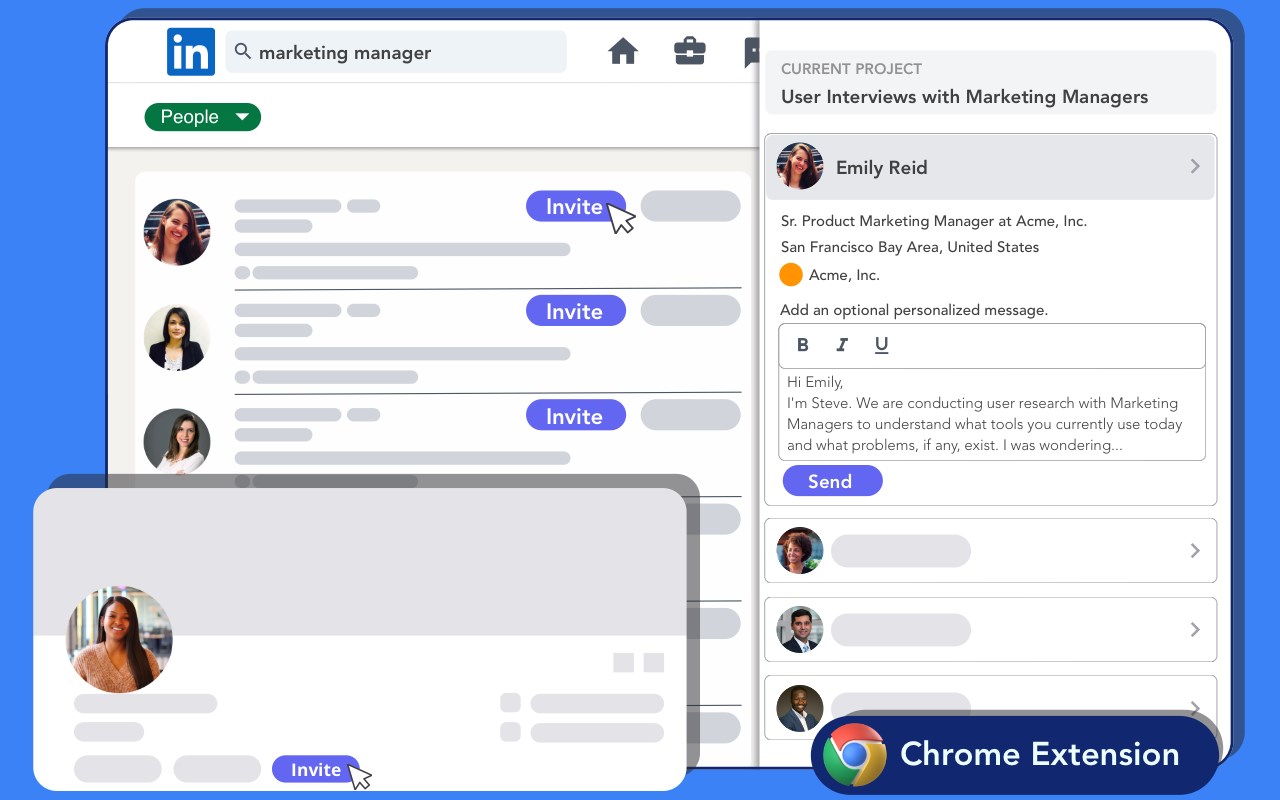
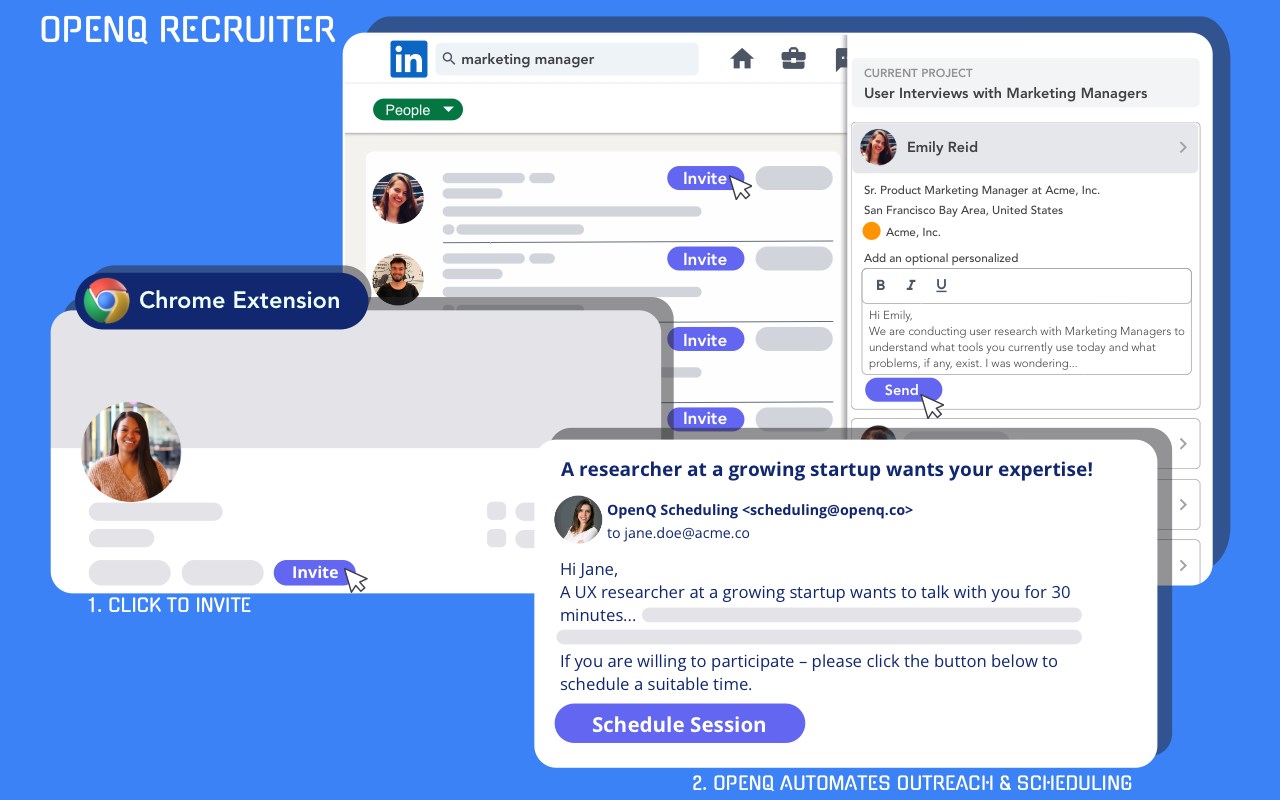
This extension (OpenQ Recruiter) helps Product, User Research and B2B startup teams recruit users and schedule interviews for user research, customer discovery and B2B startup sales from LinkedIn with just two clicks!
👩💼 Who is the OpenQ extension for?
The OpenQ extension is for anyone who wants to recruit users and schedule interviews for user research, customer discovery or sales discovery calls in a scalable, efficient and cost-effective way. It was specifically built for Product teams, User Research teams and Startup Founders in B2B SaaS companies.
🤔 Why use OpenQ extension?
Understanding your prospective users really well is the most important requirement for reaching Product-Market fit and building great products that your users absolutely love to use!
However, the process of talking to users and conducting user research has traditionally been quite painful. Recruiting the right users for research is often too time consuming and expensive. Scheduling interviews with participants required too much manual work and back-and-forth over email.
Well – not anymore! This OpenQ extension makes it easy to recruit users for user research, customer discovery and sales discovery interviews with just about anyone on LinkedIn with just two clicks!
Further – OpenQ is >10x cheaper than alternative panel-based research recruiting solutions that cost anywhere between $100 – $400 per participant. With OpenQ, you pay as low as $7.99 per completed user research session based on the plan you choose!
As long as your target persona or prospective users are on LinkedIn, you can use this OpenQ extension to recruit and schedule interviews with them!
🔨 What use-cases can I solve with the OpenQ extension?
The OpenQ extension can help you recruit users and schedule interviews for any of the following use cases:
- Customer discovery interviews
- User research interviews
- Usability testing sessions
- Competitive research interviews
- Sales discovery interviews
👨⚕️ What roles are the OpenQ extension best suited for?
The OpenQ extension is built to be used by any of the following roles:
- User / UX Researchers
- Product Managers
- Startup Founders
- UX Designers
- Startup Sales professionals
🎁 Free to start
OpenQ is completely Free to start! Install the OpenQ extension and create an account on https//app.openq.co to start your Free trial. The Free trial provides you access the complete feature set and all functionality within OpenQ and schedule 10 sessions completely free.
👉 How to get started with the OpenQ extension?
Get started with OpenQ quickly by following the steps below:
1. Install this OpenQ extension
2. Create a free account on https://app.openq.co
3. Connect your Google or Outlook calendar and Zoom account
4. Create your first project to set your availability and recruiting settings
5. Open LinkedIn and search your target user profiles
6. Click the “Invite” button, include an optional personalized message, then hit “Send”.
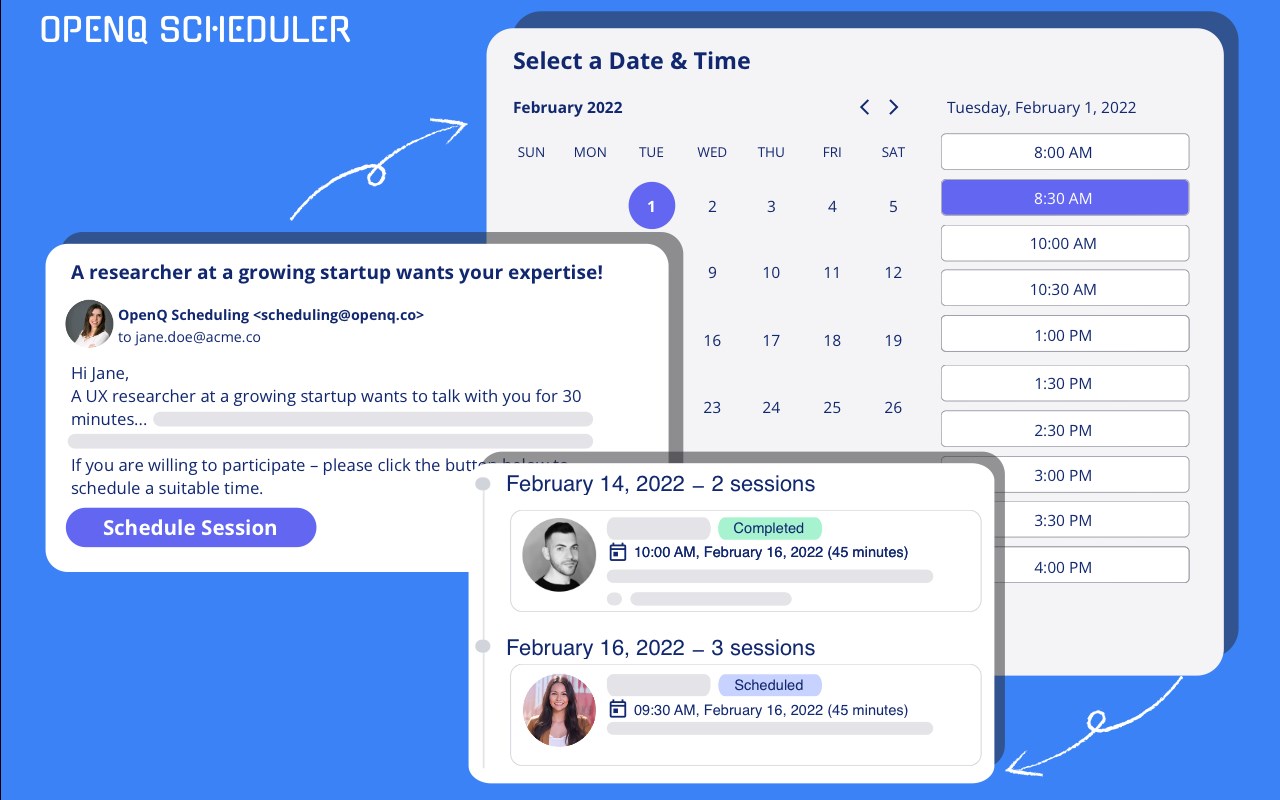
That’s it! Now wait and watch interviews get automatically booked on your calendar!
🔄 One-click integrations
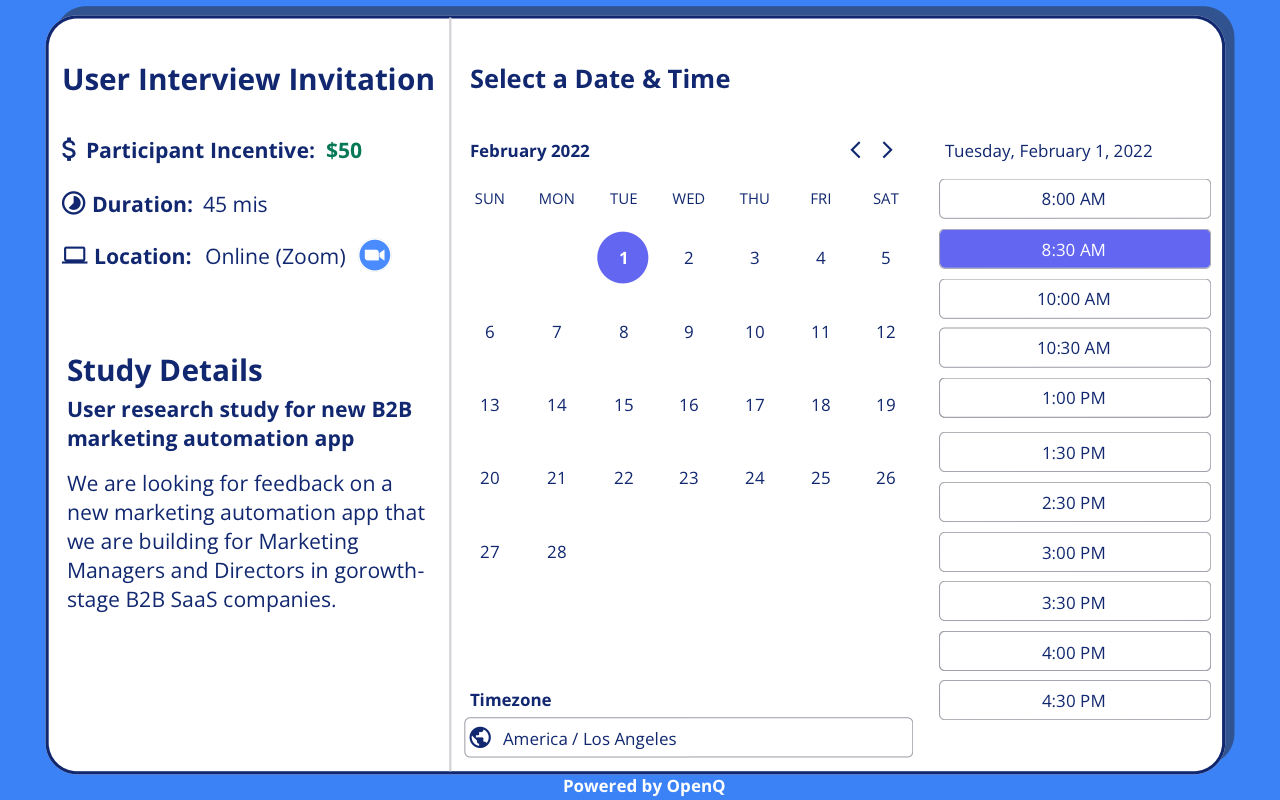
OpenQ provides 1-click integrations with your Google and Outlook calendar so that you can automate the scheduling process end-to-end and avoid time-consuming email back-and-forth with participants. OpenQ also integrates with Zoom to automatically create unique Zoom meetings for each scheduled session.
🔒 Data and privacy
OpenQ collects information about you that is similar to what you would find on a business card or a business social media account. For more information about our data collection and privacy policy practices, please refer https://openq.co/privacy-policy (by installing the OpenQ extension, you are agreeing to this privacy policy)
✌️ Start your Free Trial now
Get stared with the OpenQ Free-Trial today and get 10 participants Free!
1. Install this extension
2. Create a free account at https://app.openq.co
OpenQ B2B User Research Recruiting Extension 是做什么的
OpenQ B2B User Research Recruiting Extension 是一款面向 Edge 的搜索增强类扩展,主要用来补充搜索结果、切换搜索引擎、过滤无效结果。官方对它的介绍是:Recruit and schedule users for B2B user research and customer discovery with the OpenQ browser extension for LinkedIn.在微软 Edge 加载项商店上,它当前版本 1.30.4,约 177 名用户。
适合什么人用
从功能定位看,OpenQ B2B User Research Recruiting Extension 更适合每天大量搜索、希望结果更干净准确的用户。如果你平时只是偶尔遇到相关需求,用浏览器自带功能也能凑合;但如果这件事每天都发生,装一个专门处理它的扩展通常比手动操作省事得多。
怎么安装 OpenQ B2B User Research Recruiting Extension
- 打开微软 Edge 加载项商店上的官方页面;
- 点「添加到浏览器」并确认权限提示;
- 装好后在扩展列表里固定图标,方便随时开关。
本站只做索引与介绍,安装包来自官方商店。如果商店页面提示当前地区不可用,说明该扩展未在你所在区域上架。
常见问题
OpenQ B2B User Research Recruiting Extension 是免费的吗?
OpenQ B2B User Research Recruiting Extension 在微软 Edge 加载项商店免费提供下载。它是浏览器扩展,装上就能直接用,不需要注册账号。
OpenQ B2B User Research Recruiting Extension 安全吗?
它只申请了 0 项权限,范围比较克制,没有申请「读取所有网站数据」这种大权限。
OpenQ B2B User Research Recruiting Extension 支持哪些浏览器?
当前收录的版本来自微软 Edge 加载项商店,适用于 Edge。同一个扩展在其他商店可能有对应版本,但功能与版本号不一定相同。
怎么卸载 OpenQ B2B User Research Recruiting Extension?
在扩展管理页找到 OpenQ B2B User Research Recruiting Extension,点移除即可。它在本地保存的设置会一起清掉,不会残留数据。
权限清单 来自 manifest.json 原文
接口权限 3
alarmsstoragetabs