
Online Translator - Web Page|PDF| Bilingual Subtitles EN
Xtab · EEdge MV3
Provide webpage/selected word/PDF/document/deepl/online/dictionary definition/Google/screenshot/image/contrastive translation
<all_urls>),意味着它可以读取你在任意站点的页面内容,包括已登录的页面。这是许多扩展正常工作的必要条件,但也值得你确认来源可信。
截图


简介
Google Translate Assistant - Word Selection Translation | Full Page Translation
Google Translate Assistant is a free and easy-to-use translation plugin that offers comprehensive translation features including web pages, subtitles, PDFs, documents, Google, online, pronunciation, dictionary definitions, and Chinese-English comparison. It helps you quickly access a vast amount of foreign language information, achieving barrier-free retrieval, browsing, and reading of foreign documents/foreign websites/overseas news, immersing you in the global language landscape and exploring the world of global information.
All the following features are provided for free:
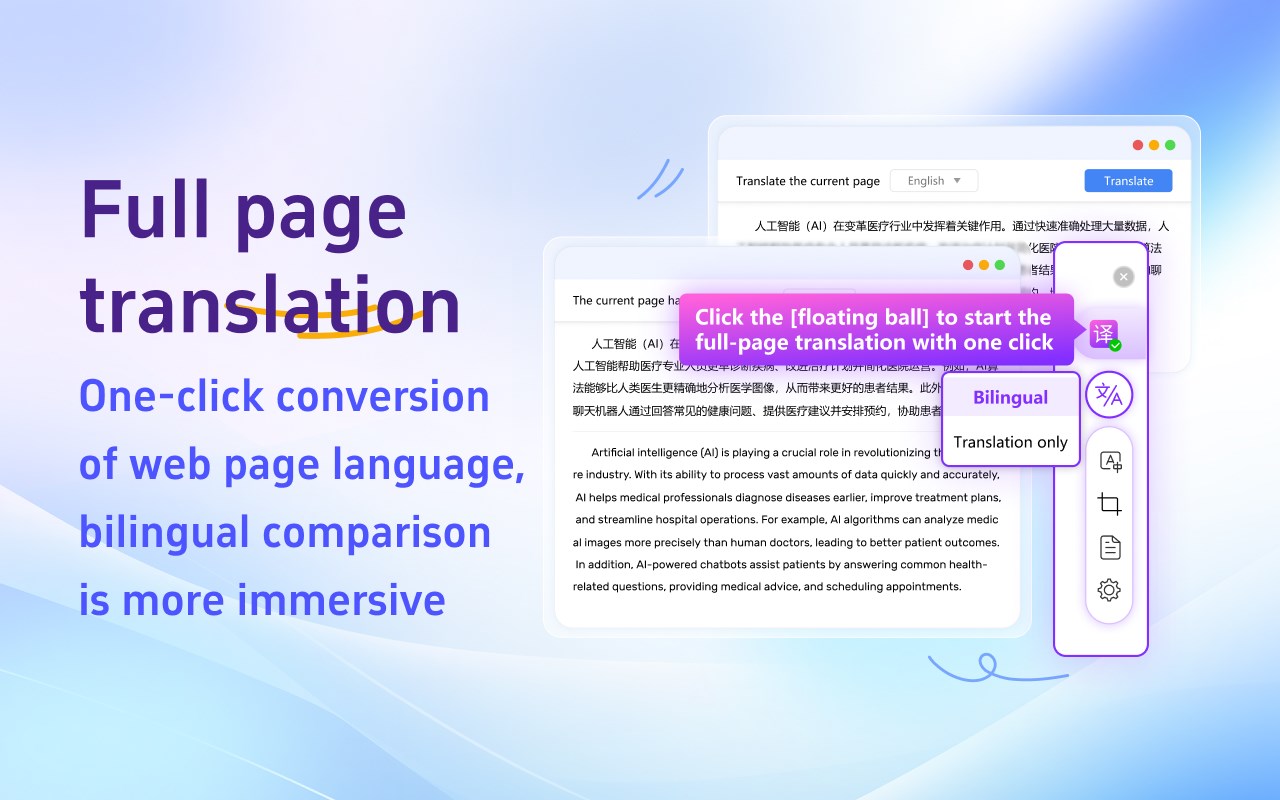
★ Web Translation
Perfectly solves the issue of Google Translate not being usable in China, restoring Google Translate with one click, supporting Chrome core browsers such as Google Chrome/360 Browser/QQ Browser/2345 Browser.
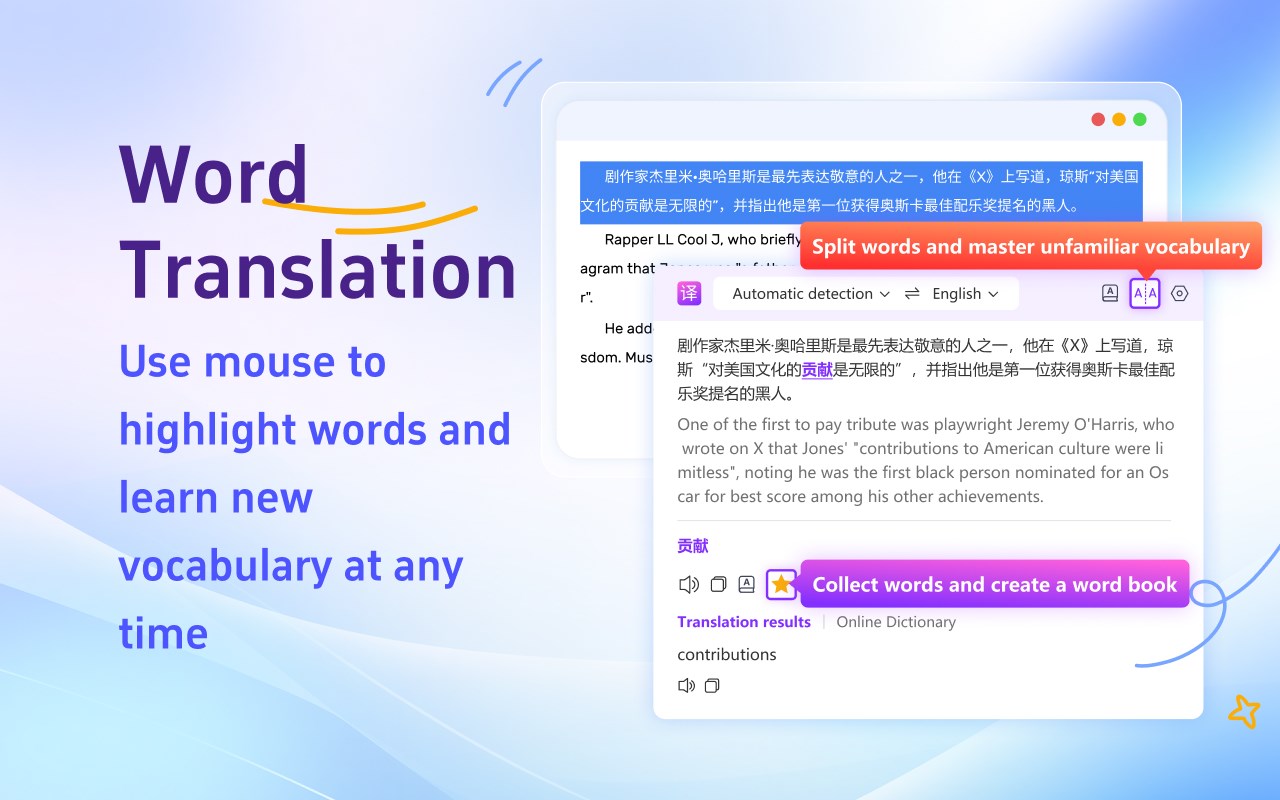
★ Word Selection Translation
When encountering unfamiliar foreign words while browsing, select with the mouse for one-click translation, with results appearing near the mouse. If the "Quick Word Translation" button is enabled, selected text will be translated instantly.
★ DeepL Translation
In-depth analysis, accurate communication, breaking language barriers, and achieving barrier-free communication. Choose DeepL Translation for a professional language conversion experience!
★ PDF Translation
PDF files can be easily translated with one click, obtaining the translation without complicated conversion. Efficient and accurate, letting you master the content of your PDF, all within PDF translation!
★ Academic Translation
Focused on the academic field, accurately grasping terminology, providing you with the most authentic translation. Academic translation allows academic achievements to spread without barriers!
★ Document Translation
Supports multiple formats, easily handling various documents. Efficient translation, accurately conveying the original meaning, letting your documents be rejuvenated!
★ Vocabulary Book
When browsing translation results, reading English literature, or any learning materials, just one click can add the new words you encounter to your vocabulary book. Whether it's pronunciation, part of speech, definition, or example sentences, they can all be saved together, and support word categorization for future review.
★ Google Translate
Real-time online, accurate and efficient, easily converting global languages. Google Translate allows you to travel the world of language, communicate without barriers, and enjoy the charm of global culture!
★ Image Translation
Click "Translate This Image" for quick translation, with direct translation output.
Supports copying the image translation and downloading the translated image, essential for cross-border e-commerce product browsing!
★ Dictionary Translation
A vast vocabulary and authoritative interpretations help you learn languages easily. Dictionary translation makes your language learning journey smoother!
★ Online Translation
Real-time online translation, instant translation. Convenient and efficient.
★ Chinese-English Comparison
Provides the translation result format of the original text and the translation, offering Chinese-English comparison, you can even choose your favorite comparison style, customize the translation result style, check the translation results faster, and learn foreign languages more conveniently.
★ Subtitle Translation
Compatible with mainstream video websites, achieving real-time subtitle translation. One-click translation breaks the language barrier and collides with cultural ideas from around the world.
★ Screenshot Translation
When encountering text that cannot be selected, take a screenshot of the area that needs to be translated, and it can be translated into the language you want.
★ Auto Detection
Quickly and automatically detect the original language, automatically remember the target translation language, supporting 100+ language translation, support switching the translation target language, so that you can easily open the browser and browse without barriers anywhere in the world.
★ Always/Never Translate This Website
For the foreign websites you use most frequently, you can choose "Always Translate This Website", then you will automatically get the translation results every time you enter the website, greatly reducing time costs and improving work efficiency. If you don't need to translate a certain website, you can also set "Never Translate This Website" to customize your own translation preferences.
★ Simple Mode
If you don't need the translation format of the original translation/Chinese-English comparison, you can also choose the simple mode of "Show Translation Only", then you will immediately experience the extreme speed mode of Google Translate.
★ Input Box Translation
Input box translation is online! Easily translate the content of the input box, making search/communication smoother!
There are also various membership benefits and add-on packs available, enjoy more rights!
If you like our plugin, please leave us a five-star review, your encouragement is all the motivation for our continued efforts! If you encounter any problems during use, you are also welcome to leave a message or contact us at any time.
Online Translator - Web Page|PDF| Bilingual Subtitles 是做什么的
Online Translator - Web Page|PDF| Bilingual Subtitles 是一款面向 Edge 的效率工具类扩展,主要用来管住注意力、屏蔽干扰站点、记录时间。官方对它的介绍是:Provide webpage/selected word/PDF/document/deepl/online/dictionary definition/Google/screenshot/image/contrastive translation在微软 Edge 加载项商店上,它当前版本 1.2.0.3,评分 4(1 人评价),约 2,456 名用户。
适合什么人用
从功能定位看,Online Translator - Web Page|PDF| Bilingual Subtitles 更适合想专注工作学习、减少无效刷网页的用户。如果你平时只是偶尔遇到相关需求,用浏览器自带功能也能凑合;但如果这件事每天都发生,装一个专门处理它的扩展通常比手动操作省事得多。需要注意的是它作用于所有网站,装上后建议先观察一两天,确认不影响常用站点的正常使用。
怎么安装 Online Translator - Web Page|PDF| Bilingual Subtitles
- 打开微软 Edge 加载项商店上的官方页面;
- 点「添加到浏览器」并确认权限提示;
- 装好后在扩展列表里固定图标,方便随时开关。
本站只做索引与介绍,安装包来自官方商店。如果商店页面提示当前地区不可用,说明该扩展未在你所在区域上架。
常见问题
Online Translator - Web Page|PDF| Bilingual Subtitles 是免费的吗?
Online Translator - Web Page|PDF| Bilingual Subtitles 在微软 Edge 加载项商店免费提供下载。它是浏览器扩展,装上就能直接用,不需要注册账号。
Online Translator - Web Page|PDF| Bilingual Subtitles 安全吗?
它只申请了 0 项权限,范围比较克制,没有申请「读取所有网站数据」这种大权限。
Online Translator - Web Page|PDF| Bilingual Subtitles 支持哪些浏览器?
当前收录的版本来自微软 Edge 加载项商店,适用于 Edge。同一个扩展在其他商店可能有对应版本,但功能与版本号不一定相同。
怎么卸载 Online Translator - Web Page|PDF| Bilingual Subtitles?
在扩展管理页找到 Online Translator - Web Page|PDF| Bilingual Subtitles,点移除即可。它在本地保存的设置会一起清掉,不会残留数据。
权限清单 来自 manifest.json 原文
站点访问(可选) 1
<all_urls>
接口权限 7
activeTabalarmscontextMenuscookiessidePanelstoragetabs