Online PDF Edits — Free PDF Editor & Sign EN
Saffi · EEdge MV3
Free PDF Editor to edit text, sign, compress, merge & annotate PDFs directly in your browser. 100% free, no watermark, no signup.
截图
简介
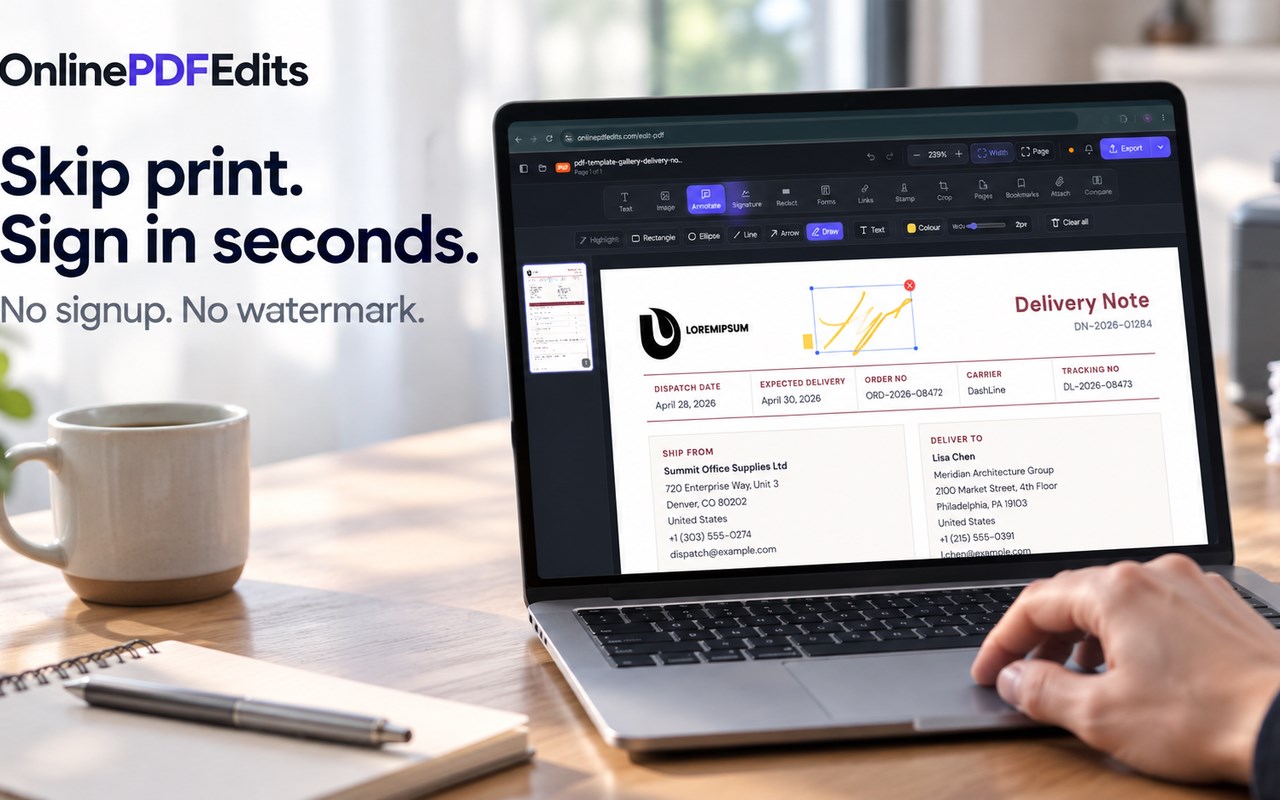
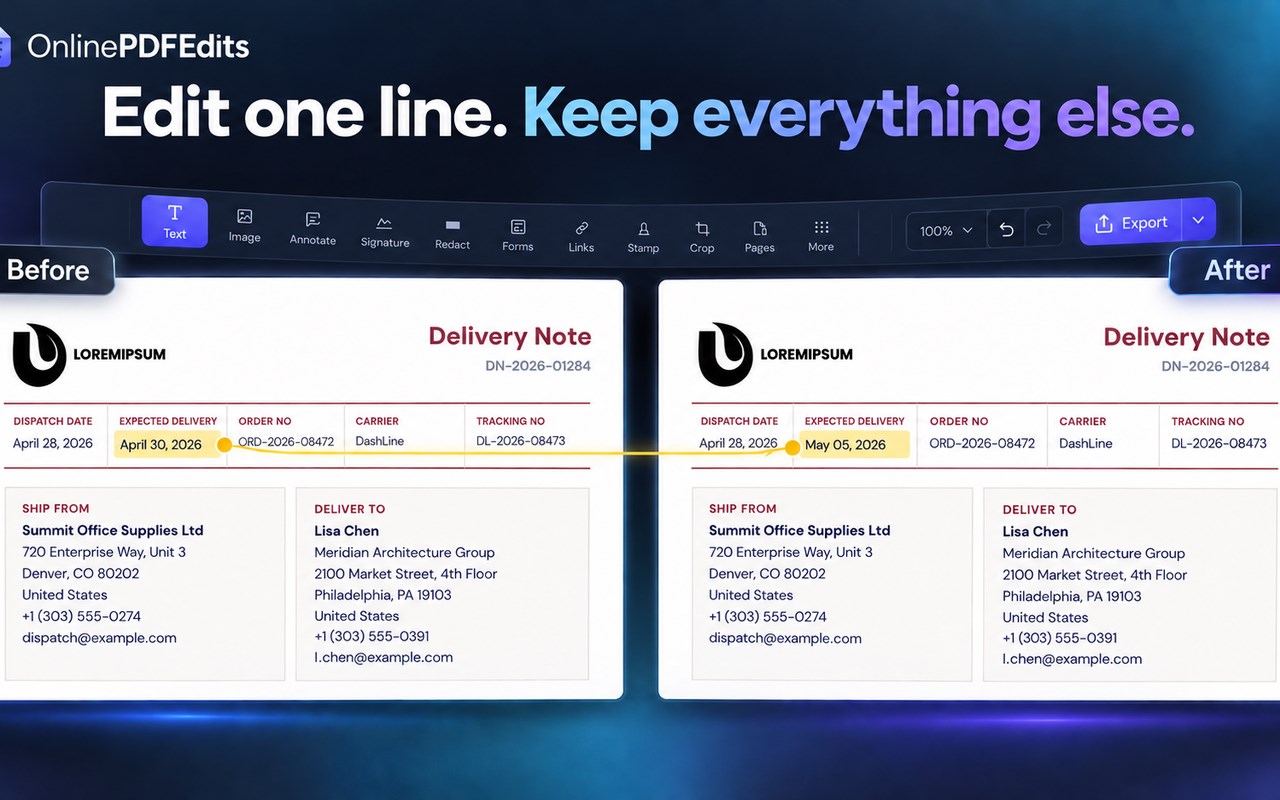
Transform any PDF directly in Microsoft Edge with zero friction. Edit original text, fill and sign contracts, compress file sizes, and merge documents in seconds — completely free, without watermarks, and with zero account registration.
Online PDF Edits brings a complete desktop-grade PDF studio directly into your Edge browser. Whether you are reviewing an academic paper, editing an invoice, or signing an urgent agreement, Online PDF Edits eliminates the need to download bloated desktop software or pay for expensive recurring subscriptions.
━━━━━━━━━━━━━━━━━━━━━━━━━━━━━━━━━━━━━━━━━━━
⚡ CORE TOOLS & CAPABILITIES
━━━━━━━━━━━━━━━━━━━━━━━━━━━━━━━━━━━━━━━━━━━
1. Direct In-Place Text Editing
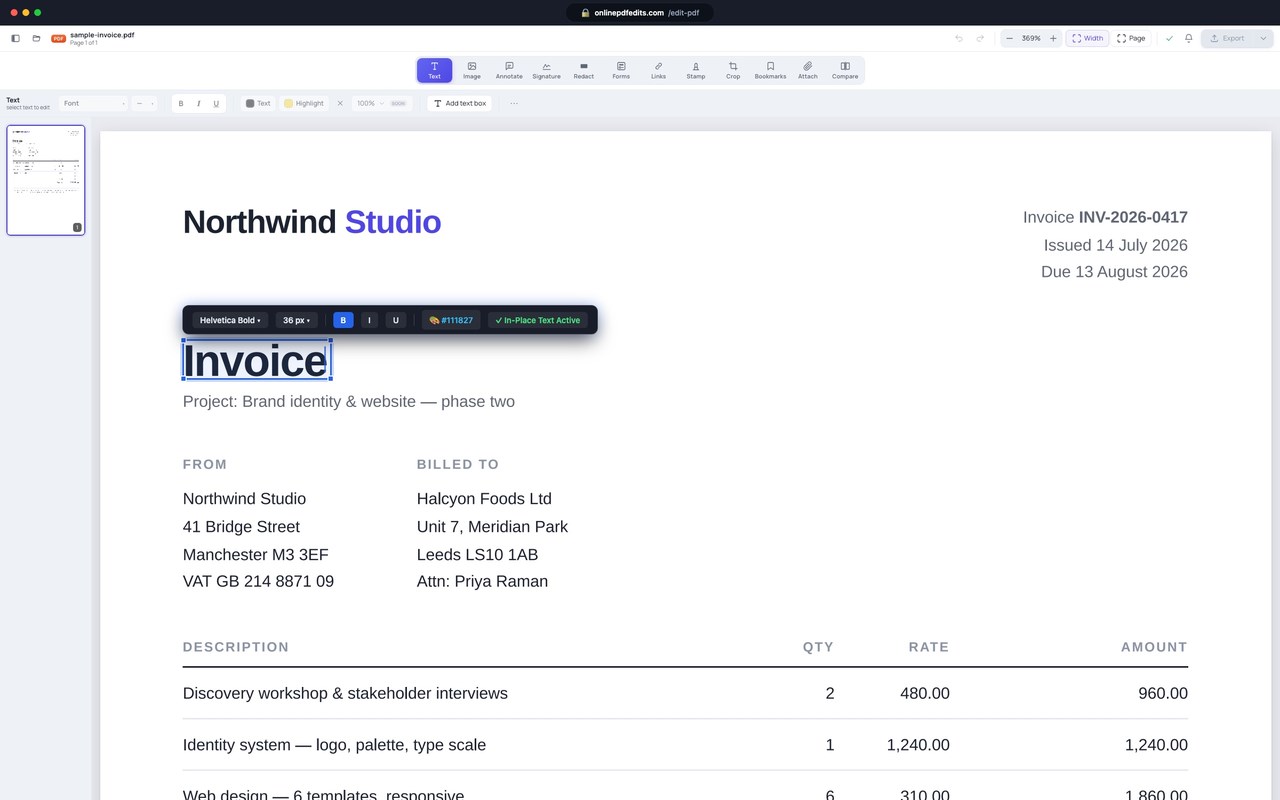
• Click directly into any sentence or heading to modify existing text with automatic font, size, and weight preservation.
• Full bidirectional RTL language support (Arabic, Hebrew, Urdu) and international typesetting.
• Add custom callouts, highlights, and annotations with pixel-perfect alignment.
2. Microsoft Edge Sidebar Companion
• Work side-by-side: keep your research, spreadsheets, or client emails open on the left, while reviewing and annotating PDFs in Edge's persistent vertical sidebar.
• Real-time tab inspector automatically detects when you open an online PDF and offers 1-click editing.
• Built-in review scratchpad automatically saves notes locally so you never lose context.
3. Smart In-Page Action Badge
• When opening online PDFs in Edge's native reader, an unobtrusive frosted-glass badge appears in the top-right corner.
• One click opens the live document directly in the full canvas editor without downloading to disk first.
4. Right-Click Context Menus
• Right-click any PDF link anywhere on the web to instantly edit, compress, or sign it without leaving your workflow.
5. Complete Utility Suite
• Compress PDF: Reduce heavy file sizes by up to 85% with lossless DPI preservation.
• Fill & Sign: Create legally recognized visual signatures (eIDAS & ESIGN compliant).
• Merge & Reorder: Combine multiple files, rearrange pages, and export consolidated PDFs.
• Delete & Split Pages: Remove unnecessary pages and organize multi-page documents.
• Word to PDF & Markdown: Convert Word files or extract clean text into Markdown for AI workflows.
━━━━━━━━━━━━━━━━━━━━━━━━━━━━━━━━━━━━━━━━━━━
🏆 WHY USERS CHOOSE ONLINE PDF EDITS
━━━━━━━━━━━━━━━━━━━━━━━━━━━━━━━━━━━━━━━━━━━
• No Daily Task Limits: Edit as many documents as you need without hitting paywalls.
• Zero Watermarks: Clean, professional exports every single time.
• No Registration: No passwords, credit cards, or spam emails required.
• Ultra-Fast & Lightweight: The extension is under 40 KB — loads in under 30 milliseconds without slowing down Edge.
━━━━━━━━━━━━━━━━━━━━━━━━━━━━━━━━━━━━━━━━━━━
🔒 100% EPHEMERAL PRIVACY GUARANTEE
━━━━━━━━━━━━━━━━━━━━━━━━━━━━━━━━━━━━━━━━━━━
Your confidential documents stay yours:
• 100% Ephemeral In-Memory Processing: Documents are rendered and modified in your local browser memory.
• Zero Data Retention: We do not store, scan, or sell your personal files.
• SSRF-Guarded: All remote URL imports are strictly validated against private IP ranges.
━━━━━━━━━━━━━━━━━━━━━━━━━━━━━━━━━━━━━━━━━━━
🚀 HOW TO USE
━━━━━━━━━━━━━━━━━━━━━━━━━━━━━━━━━━━━━━━━━━━
1. Quick Launch: Click the Online PDF Edits icon in your Edge toolbar to drop a file or paste a web link.
2. While Browsing: Right-click any PDF link and choose "Edit PDF text directly".
3. Sidebar: Click "Open Side Panel Companion" or use the toolbar button to work alongside your active tab.
Visit the full web studio anytime at https://onlinepdfedits.com
Online PDF Edits — Free PDF Editor & Sign 是做什么的
Online PDF Edits — Free PDF Editor & Sign 是一款面向 Edge 的效率工具类扩展,主要用来管住注意力、屏蔽干扰站点、记录时间。官方对它的介绍是:Free PDF Editor to edit text, sign, compress, merge & annotate PDFs directly in your browser. 100% free, no watermark, no signup.在微软 Edge 加载项商店上,它当前版本 1.1.0,约 19 名用户。
适合什么人用
从功能定位看,Online PDF Edits — Free PDF Editor & Sign 更适合想专注工作学习、减少无效刷网页的用户。如果你平时只是偶尔遇到相关需求,用浏览器自带功能也能凑合;但如果这件事每天都发生,装一个专门处理它的扩展通常比手动操作省事得多。
怎么安装 Online PDF Edits — Free PDF Editor & Sign
- 打开微软 Edge 加载项商店上的官方页面;
- 点「添加到浏览器」并确认权限提示;
- 装好后在扩展列表里固定图标,方便随时开关。
本站只做索引与介绍,安装包来自官方商店。如果商店页面提示当前地区不可用,说明该扩展未在你所在区域上架。
常见问题
Online PDF Edits — Free PDF Editor & Sign 是免费的吗?
Online PDF Edits — Free PDF Editor & Sign 在微软 Edge 加载项商店免费提供下载。它是浏览器扩展,装上就能直接用,不需要注册账号。
Online PDF Edits — Free PDF Editor & Sign 安全吗?
它只申请了 0 项权限,范围比较克制,没有申请「读取所有网站数据」这种大权限。
Online PDF Edits — Free PDF Editor & Sign 支持哪些浏览器?
当前收录的版本来自微软 Edge 加载项商店,适用于 Edge。同一个扩展在其他商店可能有对应版本,但功能与版本号不一定相同。
怎么卸载 Online PDF Edits — Free PDF Editor & Sign?
在扩展管理页找到 Online PDF Edits — Free PDF Editor & Sign,点移除即可。它在本地保存的设置会一起清掉,不会残留数据。
权限清单 来自 manifest.json 原文
接口权限 4
activeTabcontextMenussidePanelstorage