NYT News Burst EN
CREO TECHNOLOGIES · EEdge MV3
Hyper-personalized New York Times content in your Edge sidebar, refreshed every 30 minutes.
截图


简介
NYT News Burst is a Microsoft Edge extension that delivers curated New York Times content directly in your browser sidebar. Stay updated with top headlines and niche topics in a clean, distraction-free interface that refreshes automatically every 30 minutes.
With customizable feeds, bookmarks, and powerful search, you can tailor your news experience to your interests while keeping your workflow uninterrupted. Dark mode and high-contrast themes ensure comfortable reading anytime.
All personalization happens locally—your topics, reading history, and bookmarks are stored securely in your browser. The extension connects only to official New York Times APIs, guaranteeing privacy and speed.
Key Features:
- Edge Sidebar Integration: Access the latest New York Times headlines, personalized news feeds, and bookmarks seamlessly within your browser sidebar.
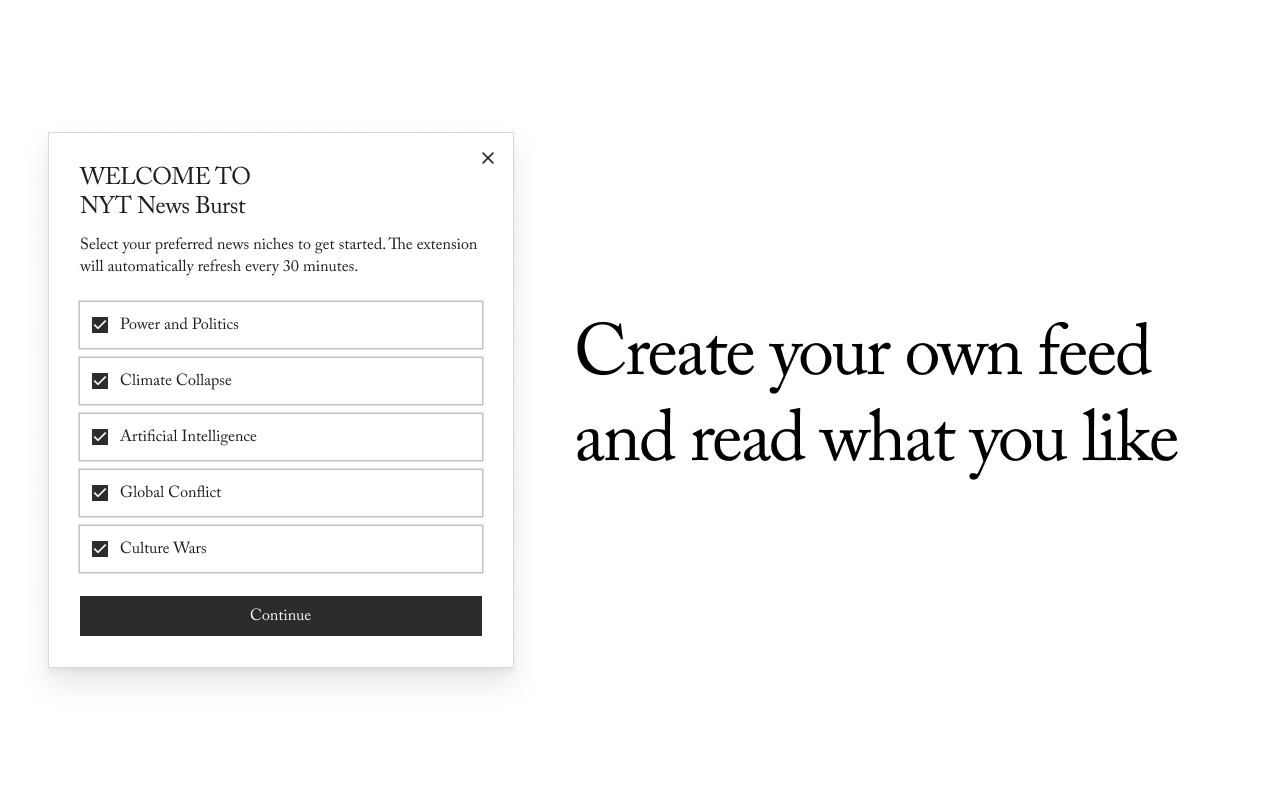
- Hyper-Personalized Niches: Customize your news intake by selecting specific interest areas such as Technology, Science, Opinion, and more.
- Auto-Refreshing Content: Articles automatically update every 30 minutes to keep your feed current without manual intervention.
- Top Stories & Most Popular Tabs: Quickly navigate between general headlines, trending articles, and niche content tailored to your preferences.
- Bookmarks & Reading List: Save articles locally in your browser for offline reading or to revisit later.
- Powerful Search & Sorting: Discover news by keywords, with sorting options by relevance or date, and advanced filtering by sections.
- Dark Mode Support: Easily switch between light and dark themes for comfortable reading under various lighting conditions.
How It Works:
1. Install NYT News Burst from the Microsoft Edge extension store.
2. Open the extension via the browser’s sidebar or by clicking the extension icon.
3. Select your favorite New York Times sections or niche topics during the onboarding process or through the sidebar menu.
4. Browse through up-to-date stories, top headlines, and trending articles tailored to your choices.
5. Use the integrated search bar to find specific topics, authors, or articles efficiently.
6. Bookmark articles to build a personal reading list accessible anytime within the sidebar.
7. Enable dark mode as needed to enhance readability in low-light environments.
8. Allow the extension to refresh content automatically every 30 minutes, ensuring you always see the latest news without manual refreshes.
Privacy: - No personal data collected. All personalization occurs locally within the browser; this extension does not send any identifying information externally and avoids analytics or tracking technologies. For comprehensive details, please refer to the privacy policy.
NYT News Burst 是做什么的
NYT News Burst 是一款面向 Edge 的实用工具类扩展,主要用来解决浏览器里某类具体的小问题。官方对它的介绍是:Hyper-personalized New York Times content in your Edge sidebar, refreshed every 30 minutes.在微软 Edge 加载项商店上,它当前版本 1.0.0,评分 5(1 人评价),约 18 名用户。
适合什么人用
从功能定位看,NYT News Burst 更适合想补上浏览器原生缺失功能的用户。如果你平时只是偶尔遇到相关需求,用浏览器自带功能也能凑合;但如果这件事每天都发生,装一个专门处理它的扩展通常比手动操作省事得多。
怎么安装 NYT News Burst
- 打开微软 Edge 加载项商店上的官方页面;
- 点「添加到浏览器」并确认权限提示;
- 装好后在扩展列表里固定图标,方便随时开关。
本站只做索引与介绍,安装包来自官方商店。如果商店页面提示当前地区不可用,说明该扩展未在你所在区域上架。
常见问题
NYT News Burst 是免费的吗?
NYT News Burst 在微软 Edge 加载项商店免费提供下载。它是浏览器扩展,装上就能直接用,不需要注册账号。
NYT News Burst 安全吗?
它只申请了 0 项权限,范围比较克制,没有申请「读取所有网站数据」这种大权限。
NYT News Burst 支持哪些浏览器?
当前收录的版本来自微软 Edge 加载项商店,适用于 Edge。同一个扩展在其他商店可能有对应版本,但功能与版本号不一定相同。
怎么卸载 NYT News Burst?
在扩展管理页找到 NYT News Burst,点移除即可。它在本地保存的设置会一起清掉,不会残留数据。
权限清单 来自 manifest.json 原文
接口权限 3
alarmssidePanelstorage