NexusLabs Writing Tools u{2014} 8 Text Tools EN
NexusLabs Dev · EEdge MV3
Word Counter, Case Converter, Lorem Ipsum, Fancy Text, Morse Code, Text Diff, Slug Gen u{2014} all offline.
截图


简介
✍️ NexusLabs Writing Tools — 8 Essential Text Tools in One Extension
Stop switching between websites for simple text tasks. NexusLabs Writing Tools puts 8 powerful, privacy-first text utilities into a single beautiful popup — right in your browser toolbar.
━━━━━━━━━━━━━━━━━━━━━━━━━━━━━━━━
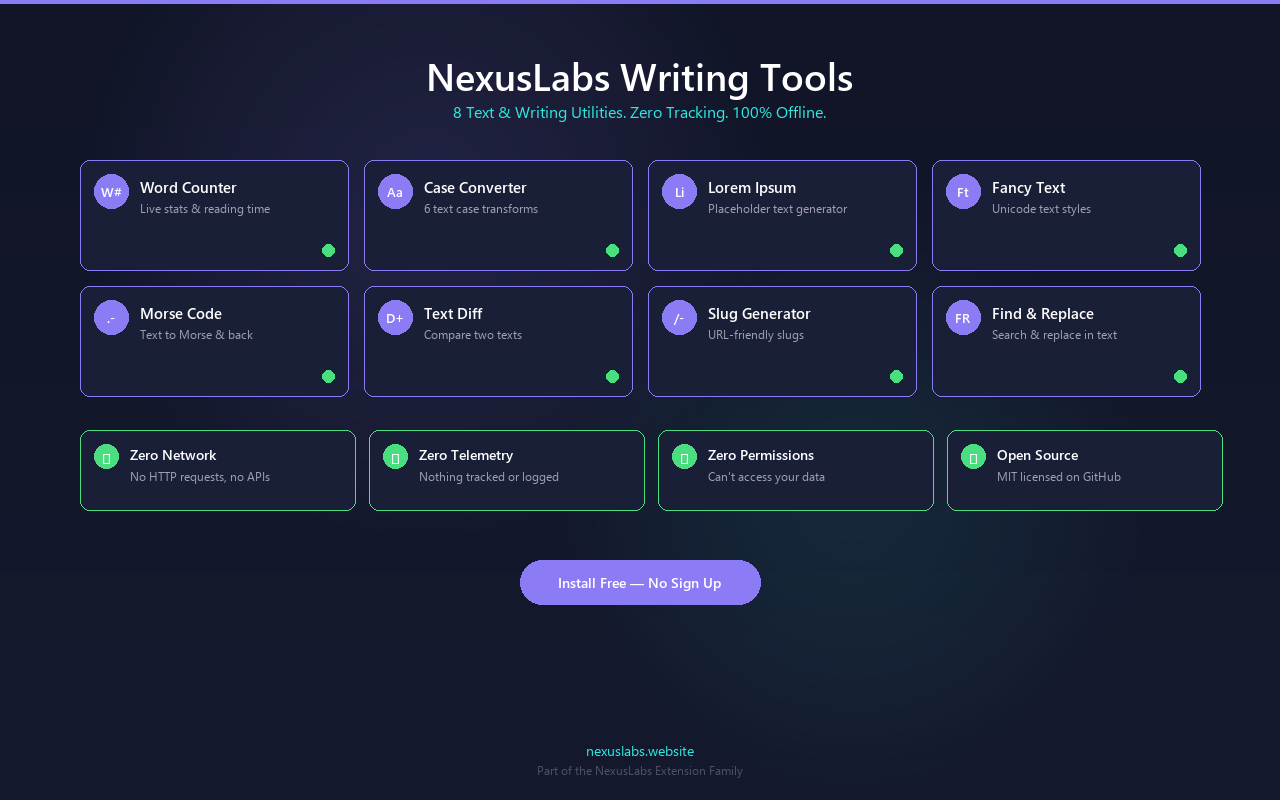
✅ TOOLS INCLUDED
1️⃣ Word Counter
• Count words, characters, sentences, and paragraphs
• Estimated reading time and speaking time
• Real-time stats as you type
• Perfect for blog posts, essays, and social media limits
2️⃣ Case Converter
• Convert between: UPPER CASE, lower case, Title Case, Sentence case, camelCase, snake_case, kebab-case, PascalCase
• Paste in any format, click to convert
• One-click copy to clipboard
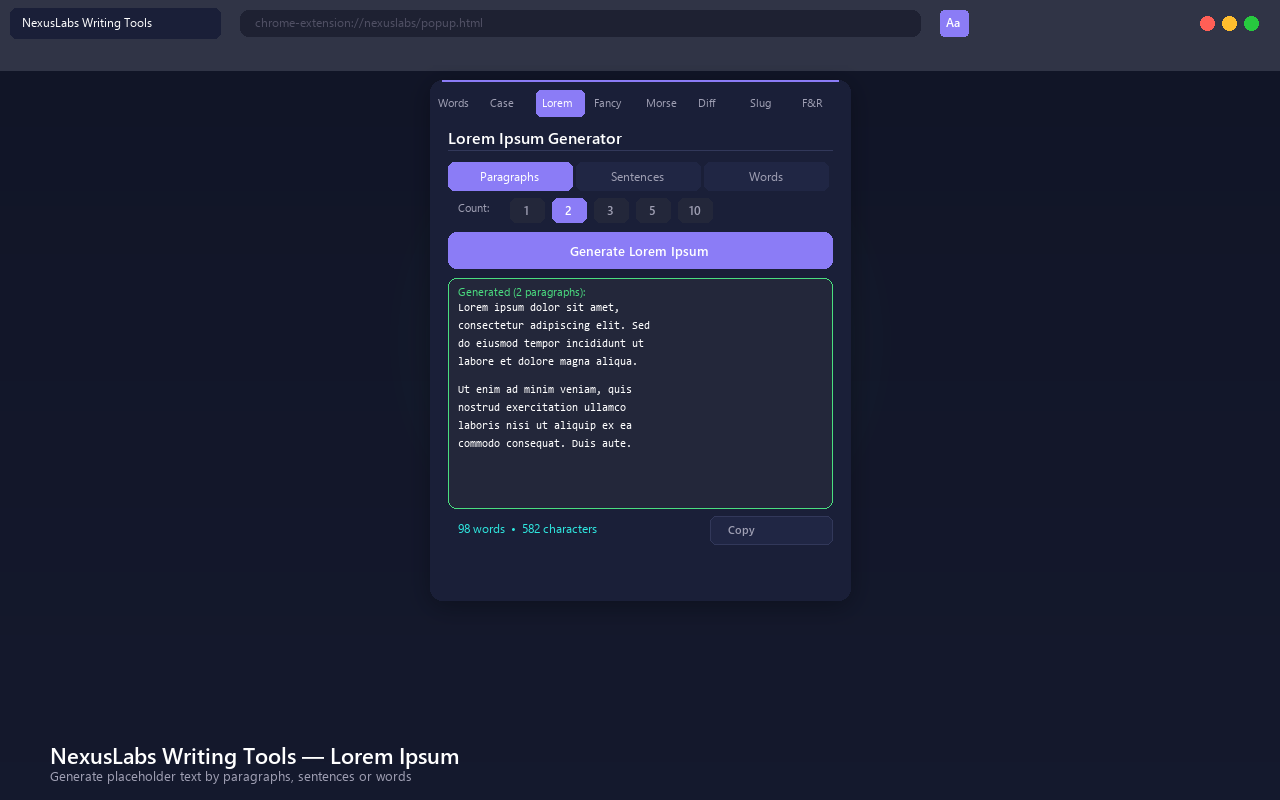
3️⃣ Lorem Ipsum Generator
• Generate placeholder text — paragraphs, sentences, or words
• Choose how many paragraphs to generate
• Classic Lorem Ipsum style
• Perfect for designers, developers, and content mockups
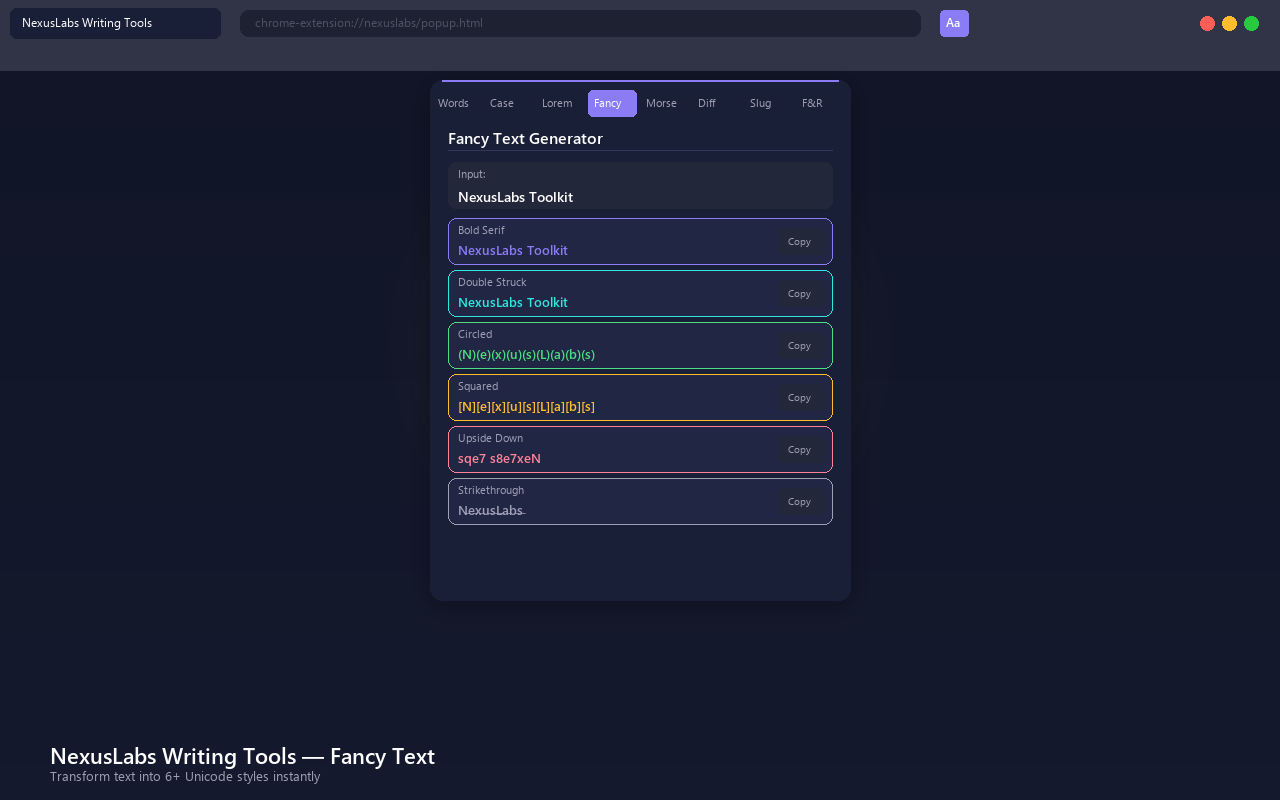
4️⃣ Fancy Text Generator
• Transform text into decorative Unicode styles
• Bold, Italic, Script, Fraktur, Double-struck, Monospace, and more
• Works in social media bios, messages, and profiles
• One-click copy each style
5️⃣ Morse Code Translator
• Convert text to Morse code and Morse code back to text
• Supports letters, numbers, and common punctuation
• Visual dot-dash output
• One-click copy
6️⃣ Text Diff Checker
• Compare two blocks of text side by side
• Highlights additions, deletions, and changes
• Line-by-line comparison
• Perfect for spotting differences in code, documents, or emails
7️⃣ Slug Generator
• Convert any title or text into a URL-friendly slug
• Removes special characters and extra spaces
• Converts to lowercase with hyphens
• Perfect for blog URLs, file names, and SEO
8️⃣ Find & Replace
• Search and replace text with instant preview
• Case-sensitive and whole-word matching options
• See match count before replacing
• Handles large blocks of text
━━━━━━━━━━━━━━━━━━━━━━━━━━━━━━━━
🔒 PRIVACY FIRST — ZERO DATA COLLECTION
• No network requests — everything runs 100% locally in your browser
• No analytics or tracking — we don't use Google Analytics, Mixpanel, or any tracker
• No data storage — nothing is saved, cached, or persisted
• No permissions — zero access to your browsing history, tabs, or data
• Open source — full source code available on GitHub
━━━━━━━━━━━━━━━━━━━━━━━━━━━━━━━━
🎨 BEAUTIFUL UI
• Modern glassmorphism dark theme
• Clean tabbed interface — switch between tools instantly
• Responsive layout that works at any zoom level
• Smooth animations and visual feedback
━━━━━━━━━━━━━━━━━━━━━━━━━━━━━━━━
🌐 PART OF NEXUSLABS
NexusLabs Writing Tools is part of the NexusLabs extension family — 14 extensions covering developer tools, converters, calculators, and more.
Visit nexuslabs.website for 325+ free online tools.
━━━━━━━━━━━━━━━━━━━━━━━━━━━━━━━━
📋 PERMISSIONS
This extension requires NO special permissions. It cannot:
• Read your browsing history
• Access your tabs or bookmarks
• Make network requests
• Store any data
━━━━━━━━━━━━━━━━━━━━━━━━━━━━━━━━
💡 SUPPORT
• GitHub: github.com/AkashKumarSingh11032001/nexuslabs-xtend
• Website: nexuslabs.website
• License: MIT (free and open source)
NexusLabs Writing Tools u{2014} 8 Text Tools 是做什么的
NexusLabs Writing Tools u{2014} 8 Text Tools 是一款面向 Edge 的效率工具类扩展,主要用来管住注意力、屏蔽干扰站点、记录时间。官方对它的介绍是:Word Counter, Case Converter, Lorem Ipsum, Fancy Text, Morse Code, Text Diff, Slug Gen u{2014} all offline.在微软 Edge 加载项商店上,它当前版本 1.0.0。
适合什么人用
从功能定位看,NexusLabs Writing Tools u{2014} 8 Text Tools 更适合想专注工作学习、减少无效刷网页的用户。如果你平时只是偶尔遇到相关需求,用浏览器自带功能也能凑合;但如果这件事每天都发生,装一个专门处理它的扩展通常比手动操作省事得多。
怎么安装 NexusLabs Writing Tools u{2014} 8 Text Tools
- 打开微软 Edge 加载项商店上的官方页面;
- 点「添加到浏览器」并确认权限提示;
- 装好后在扩展列表里固定图标,方便随时开关。
本站只做索引与介绍,安装包来自官方商店。如果商店页面提示当前地区不可用,说明该扩展未在你所在区域上架。
常见问题
NexusLabs Writing Tools u{2014} 8 Text Tools 是免费的吗?
NexusLabs Writing Tools u{2014} 8 Text Tools 在微软 Edge 加载项商店免费提供下载。它是浏览器扩展,装上就能直接用,不需要注册账号。
NexusLabs Writing Tools u{2014} 8 Text Tools 安全吗?
它只申请了 0 项权限,范围比较克制,没有申请「读取所有网站数据」这种大权限。
NexusLabs Writing Tools u{2014} 8 Text Tools 支持哪些浏览器?
当前收录的版本来自微软 Edge 加载项商店,适用于 Edge。同一个扩展在其他商店可能有对应版本,但功能与版本号不一定相同。
怎么卸载 NexusLabs Writing Tools u{2014} 8 Text Tools?
在扩展管理页找到 NexusLabs Writing Tools u{2014} 8 Text Tools,点移除即可。它在本地保存的设置会一起清掉,不会残留数据。
权限清单 来自 manifest.json 原文
未解析到权限条目。