
My Download Manager EN
Kamel Ahmed · EEdge MV3
REQUIRES My Download Manager desktop app. Captures media and files, sending them to the accelerator.
<all_urls>),意味着它可以读取你在任意站点的页面内容,包括已登录的页面。这是许多扩展正常工作的必要条件,但也值得你确认来源可信。
截图
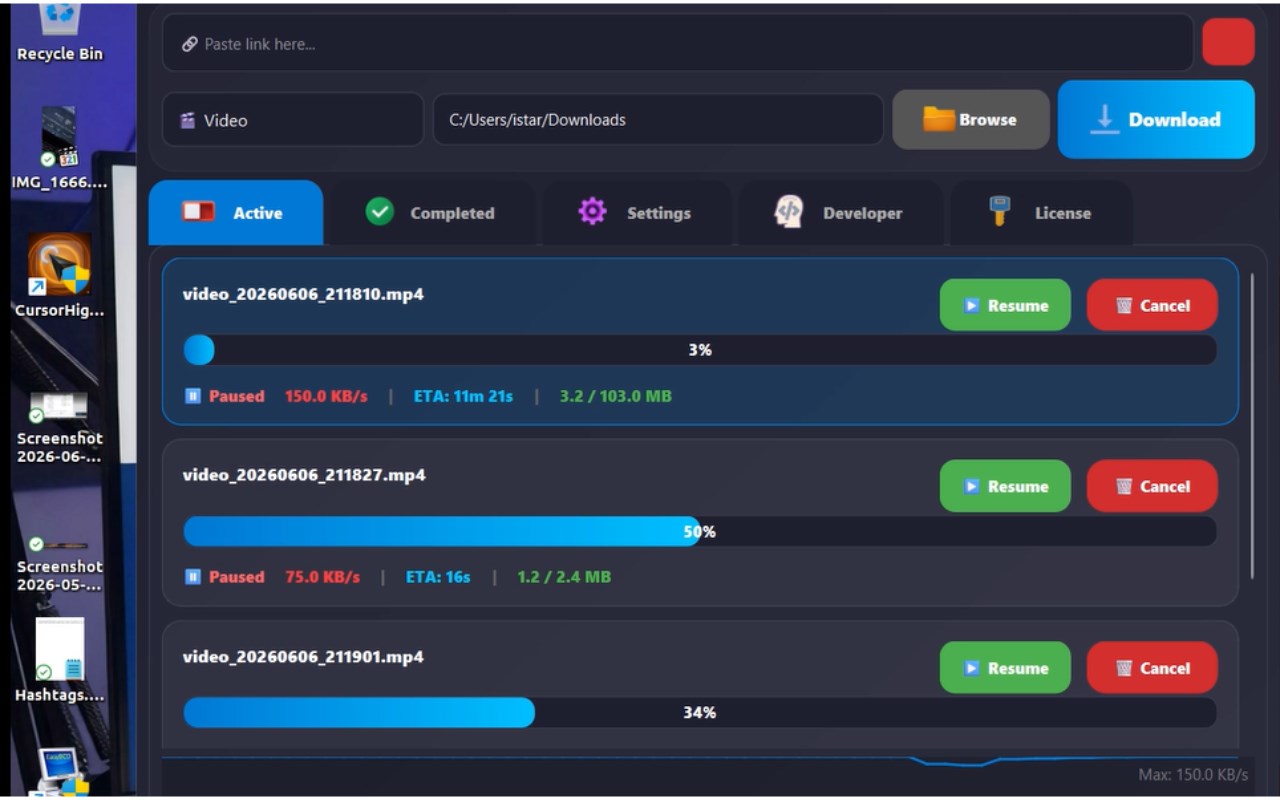
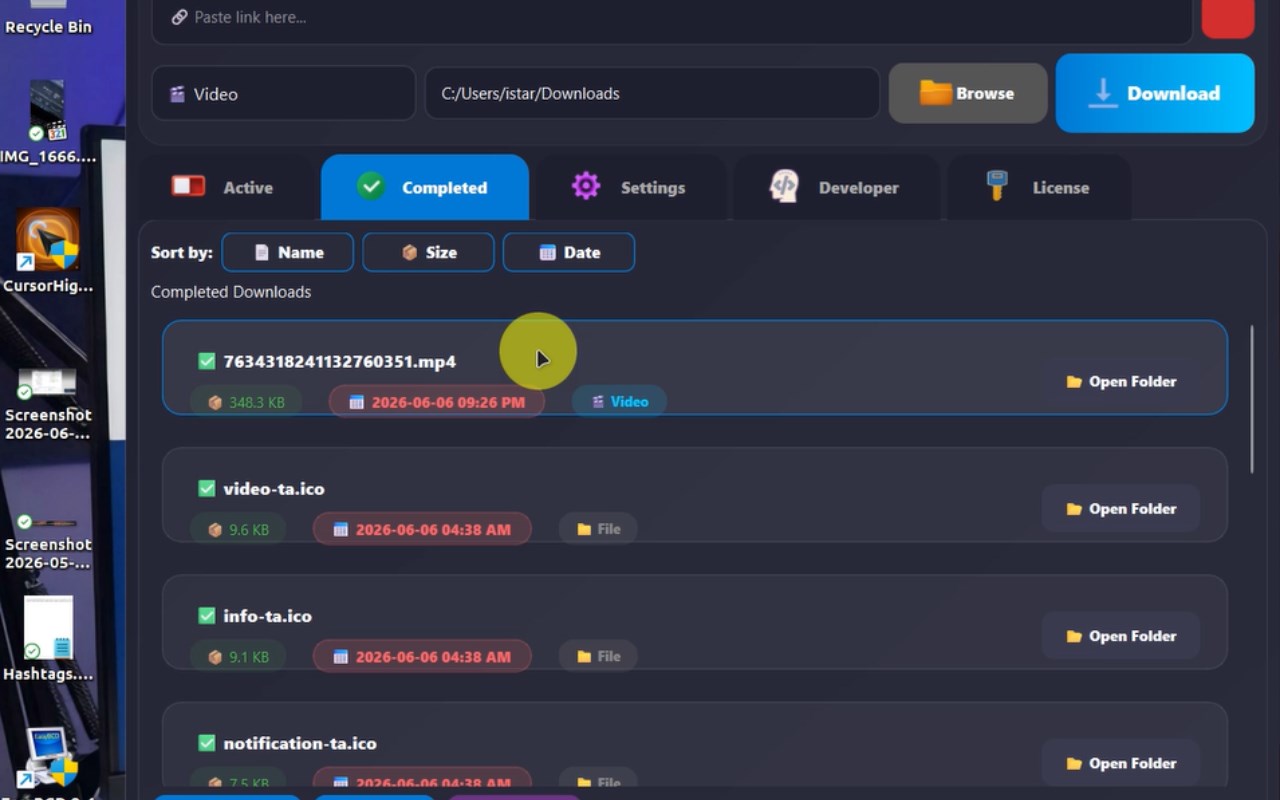
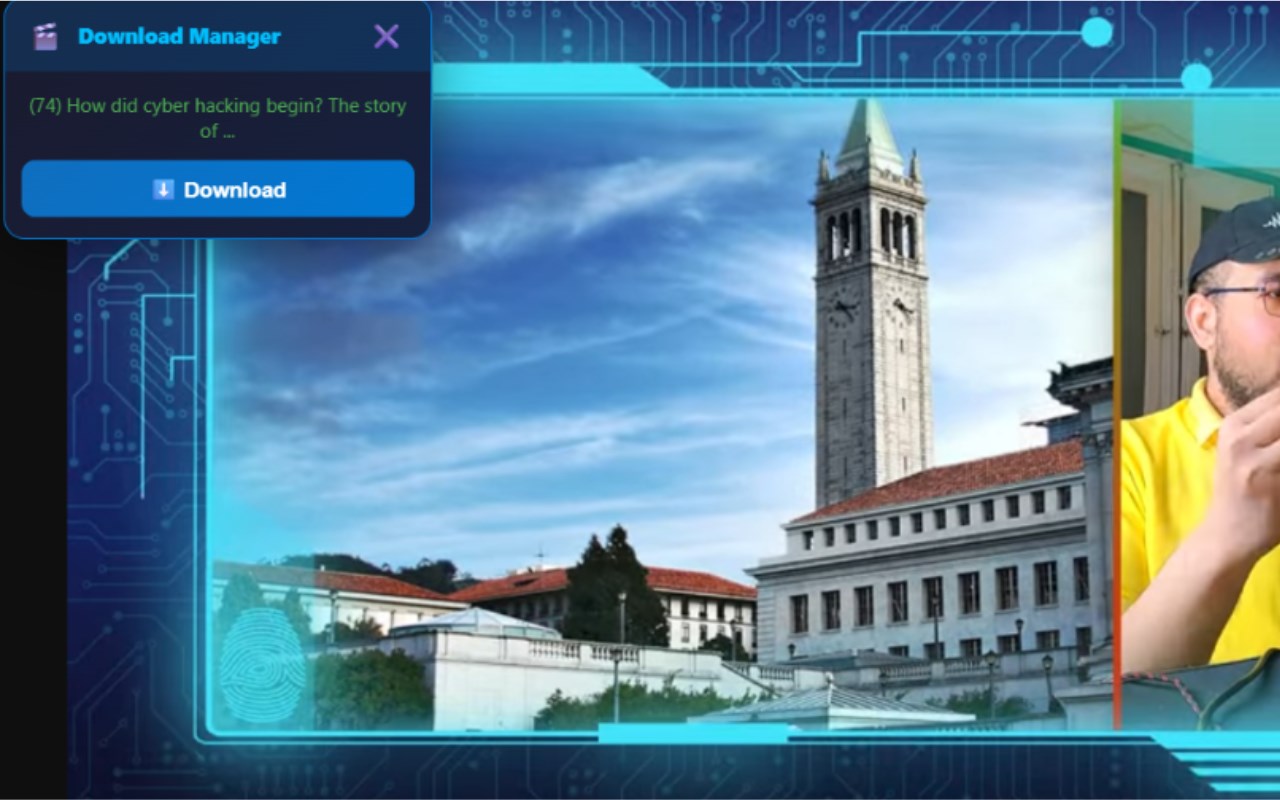
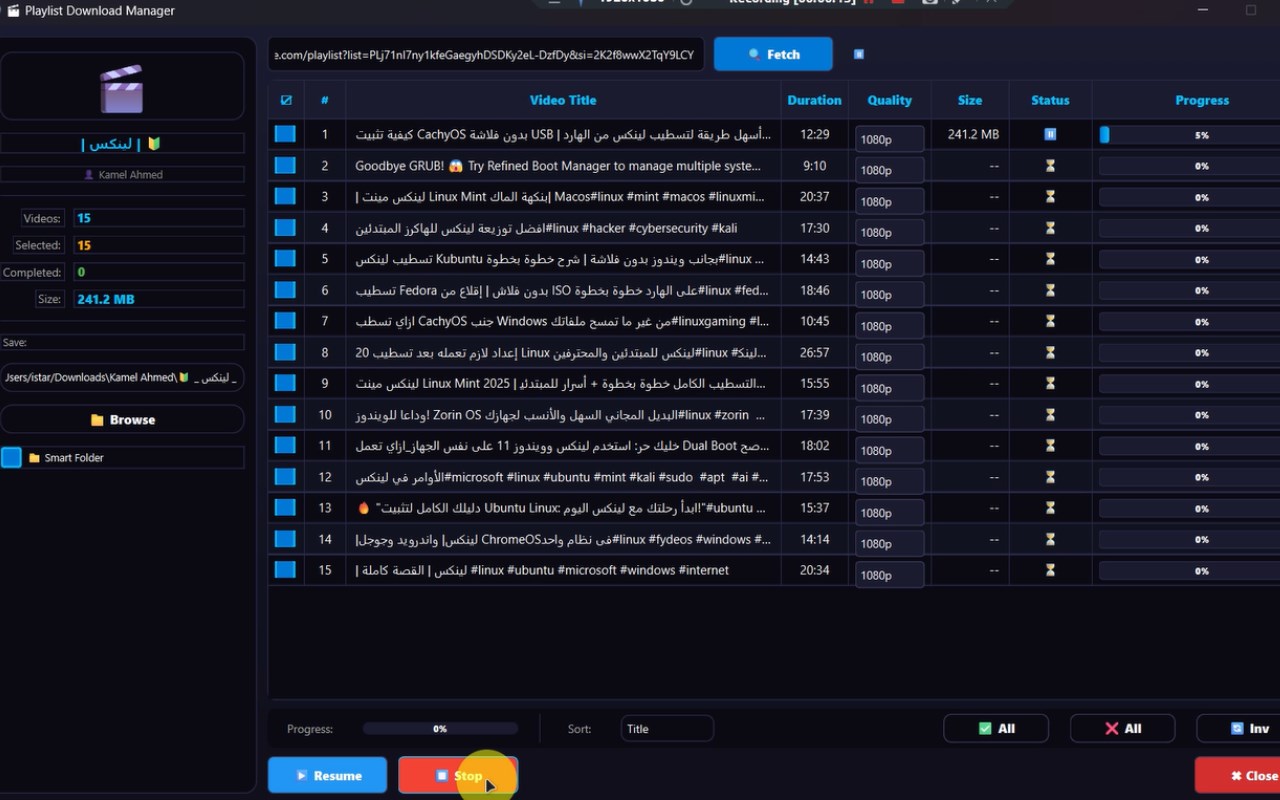
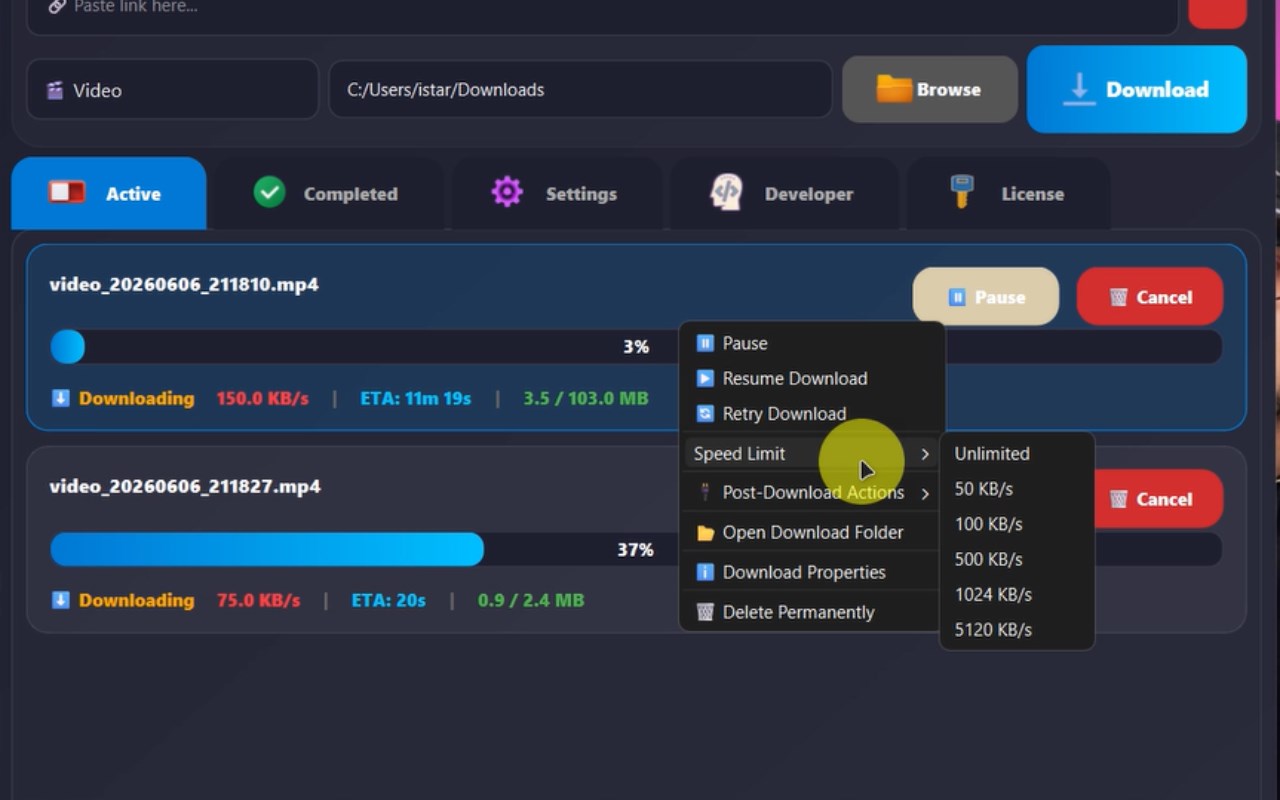
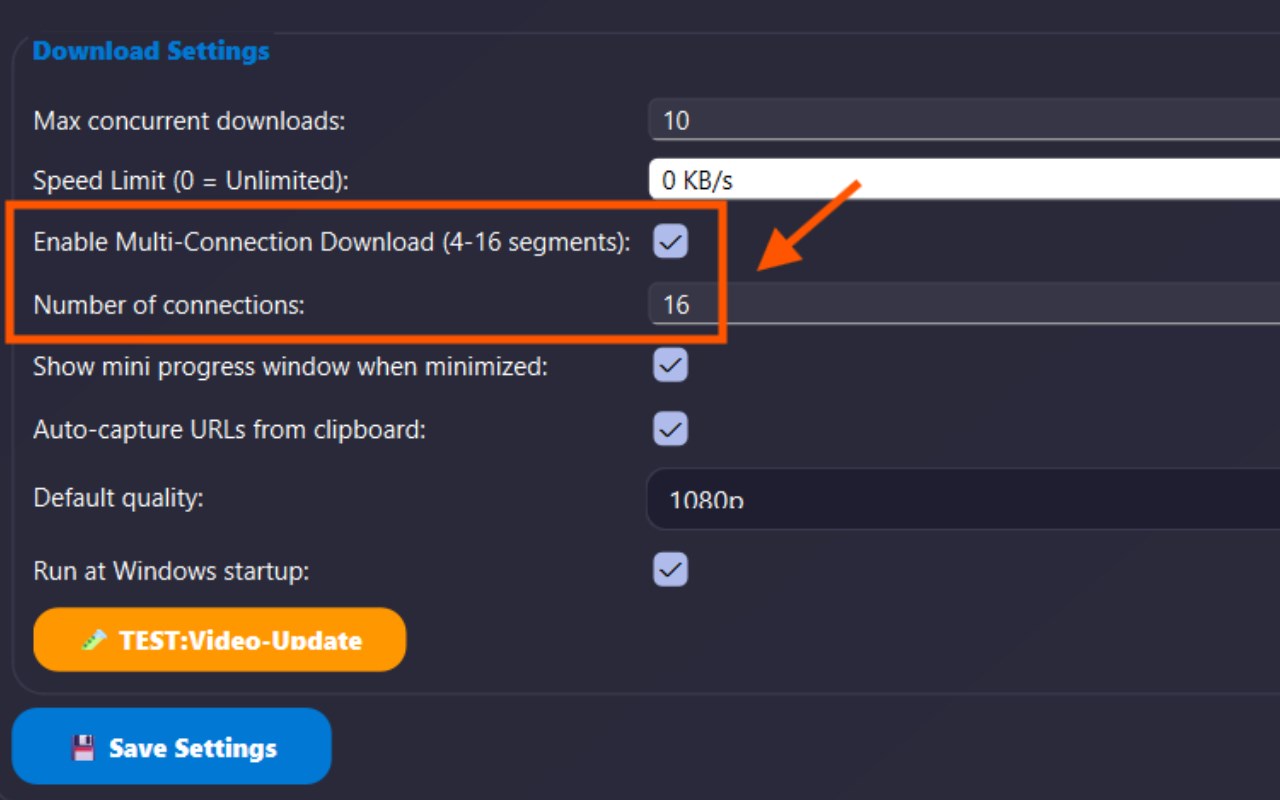
简介
⚠️ IMPORTANT NOTE: This extension is a companion tool and requires the companion desktop software (My Download Manager) installed on your Windows PC to intercept and accelerate downloads. The extension will not function standalone without the desktop client.
You must download and install the desktop application from: https://mydownloadmanager.pages.dev/
My Download Manager is a professional download accelerator that increases download speeds by up to 8 times. like any other internet download you can see in the extension code there's warning that the application is not connected to the application incase the application failed to open by the user .This browser extension captures video, audio, and file links from your browser and sends them directly to the desktop application.
|How It Works:|
First, download and install the desktop application from: https://mydownloadmanager.pages.dev/
Install My Download Manager from your browser's extension store and activate it.
When browsing media-rich websites, the extension scans the page and network traffic to identify downloadable videos, audio, and files.
An interactive overlay appears on the screen that you can reposition freely, allowing you to browse detected media, preview streams, or add downloads to a queue.
Use the context menu or the popup interface to start downloads, batch process multiple files, or manually input URLs for custom downloads.
The extension's background service worker intercepts and organizes all downloads intelligently, providing instant notifications regarding progress and completion.
Use the popup panel's connection check feature to confirm integration with desktop download managers, facilitating smooth external handoffs.
Customize your experience by adjusting interception rules, file naming conventions, overlay visibility, and shortcut keys to fit your preferred workflows.
Privacy: - No personal data collected. All processing is done locally within your browser without uploading your browsing or download history. See our privacy policy
System Requirements: Windows 10/11, Microsoft Edge or Google Chrome
|Key Features:|
IDM-Style Video, Audio, and File Capture: Automatically detects downloadable media including streaming video and audio from any website.
Intelligent Download Interception: Seamlessly captures browser download activity and enhances it with better controls, file organization, and notifications.
Interactive Media Overlay: Floating, draggable overlay on media-laden pages lets you preview, select, and download media sources effortlessly.
Manual URL Download Support: Allows direct URL downloads through a popup interface, ideal for advanced or custom download tasks.
Batch and Contextual Processing: Queue multiple downloads, batch process them, and apply smart, contextual file renaming.
Real-Time Notifications: Receive immediate updates about download progress, completion, and errors directly on the popup panel.
Performance Optimized: Employs advanced debouncing for mutation observers to ensure smooth browsing without lag on heavy or media-intensive websites.
Privacy: - No personal data collected. All processing is done locally within your browser without uploading your browsing or download history. See our privacy policy
System Requirements: Windows 10/11, Microsoft Edge or Google Chrome.
My Download Manager 是做什么的
My Download Manager 是一款面向 Edge 的实用工具类扩展,主要用来解决浏览器里某类具体的小问题。官方对它的介绍是:REQUIRES My Download Manager desktop app. Captures media and files, sending them to the accelerator.在微软 Edge 加载项商店上,它当前版本 2.1.1,评分 5(1 人评价),约 88 名用户。
适合什么人用
从功能定位看,My Download Manager 更适合想补上浏览器原生缺失功能的用户。如果你平时只是偶尔遇到相关需求,用浏览器自带功能也能凑合;但如果这件事每天都发生,装一个专门处理它的扩展通常比手动操作省事得多。需要注意的是它作用于所有网站,装上后建议先观察一两天,确认不影响常用站点的正常使用。
怎么安装 My Download Manager
- 打开微软 Edge 加载项商店上的官方页面;
- 点「添加到浏览器」并确认权限提示;
- 装好后在扩展列表里固定图标,方便随时开关。
本站只做索引与介绍,安装包来自官方商店。如果商店页面提示当前地区不可用,说明该扩展未在你所在区域上架。
常见问题
My Download Manager 是免费的吗?
My Download Manager 在微软 Edge 加载项商店免费提供下载。它是浏览器扩展,装上就能直接用,不需要注册账号。
My Download Manager 安全吗?
它只申请了 0 项权限,范围比较克制,没有申请「读取所有网站数据」这种大权限。
My Download Manager 支持哪些浏览器?
当前收录的版本来自微软 Edge 加载项商店,适用于 Edge。同一个扩展在其他商店可能有对应版本,但功能与版本号不一定相同。
怎么卸载 My Download Manager?
在扩展管理页找到 My Download Manager,点移除即可。它在本地保存的设置会一起清掉,不会残留数据。
权限清单 来自 manifest.json 原文
站点访问(可选) 1
<all_urls>
接口权限 9
activeTabalarmscontextMenusdownloadsdownloads.opendownloads.shelfnotificationsstoragewebRequest