My AI Off EN
My UGC Studio · EEdge MV3
Hide AI clutter across Google Search, Meta, YouTube, and Microsoft Edge New Tab.
截图
简介
My AI Off – Keep Your Web Uncluttered and AI-Free
My AI Off is a sleek and powerful browser extension designed to enhance your online browsing by removing AI-generated content, widgets, and panels from some of the most popular web platforms. With the rapid integration of AI throughout the internet—ranging from AI answers in search results to recommendation boxes, chatbot windows, and AI-powered posts—many users feel overwhelmed or distracted by this influx of automated content. My AI Off returns the browsing experience to its clean, classic state by discreetly hiding these AI elements on platforms like Google Search, Facebook, Instagram, YouTube, and even on Microsoft Edge’s New Tab pages.
This extension works entirely on your local device, without sending your data anywhere, ensuring your privacy while maintaining a smooth and responsive browsing experience. It uses sophisticated DOM observation and mutation handling techniques to detect and suppress AI overlays, chat pop-ups, and suggested AI-driven results, all without disrupting the standard webpage content you want to see. Whether you are a researcher seeking distraction-free search results, a privacy-conscious user, or someone who just prefers a minimalist internet layout, My AI Off offers granular control over these AI features through its easy-to-use interface and customizable settings.
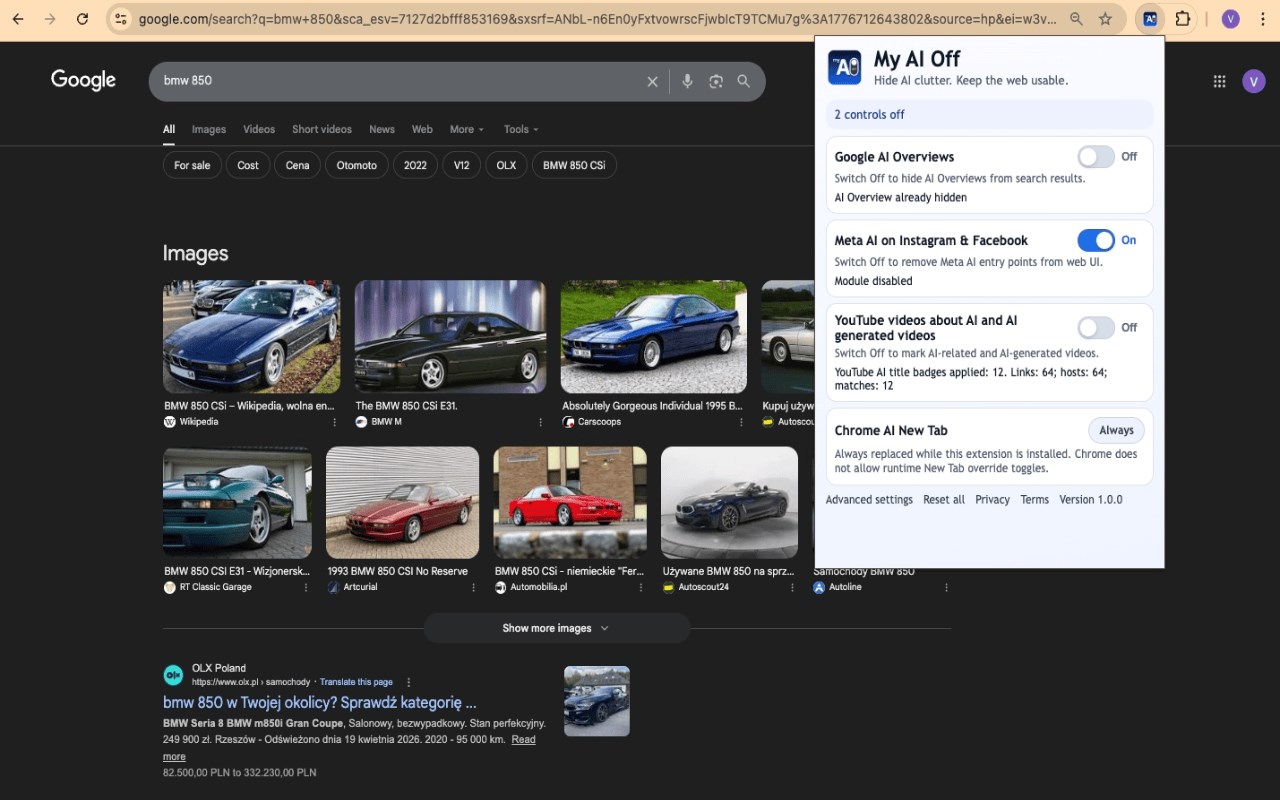
The extension includes specially crafted content scripts adapted for each supported platform, continuously scanning for AI-generated content as web pages dynamically update. For example, it hides Google’s Search Generative Experience (SGE) panels, AI posts on Facebook and Instagram, AI recommendations on YouTube, and the AI sidebar on Microsoft Edge’s New Tab. Through its intuitive popup menu, users can quickly toggle AI hiding features on or off for specific sites and monitor their overall protection status. Additionally, you can personalize your experience by choosing the visual theme—system default, light, or dark mode—enabling debugging features, and accessing helpful onboarding guides. The detection system is highly responsive and adapts seamlessly as websites change, allowing you to always enjoy a clean, AI-free web interface.
Key Features:
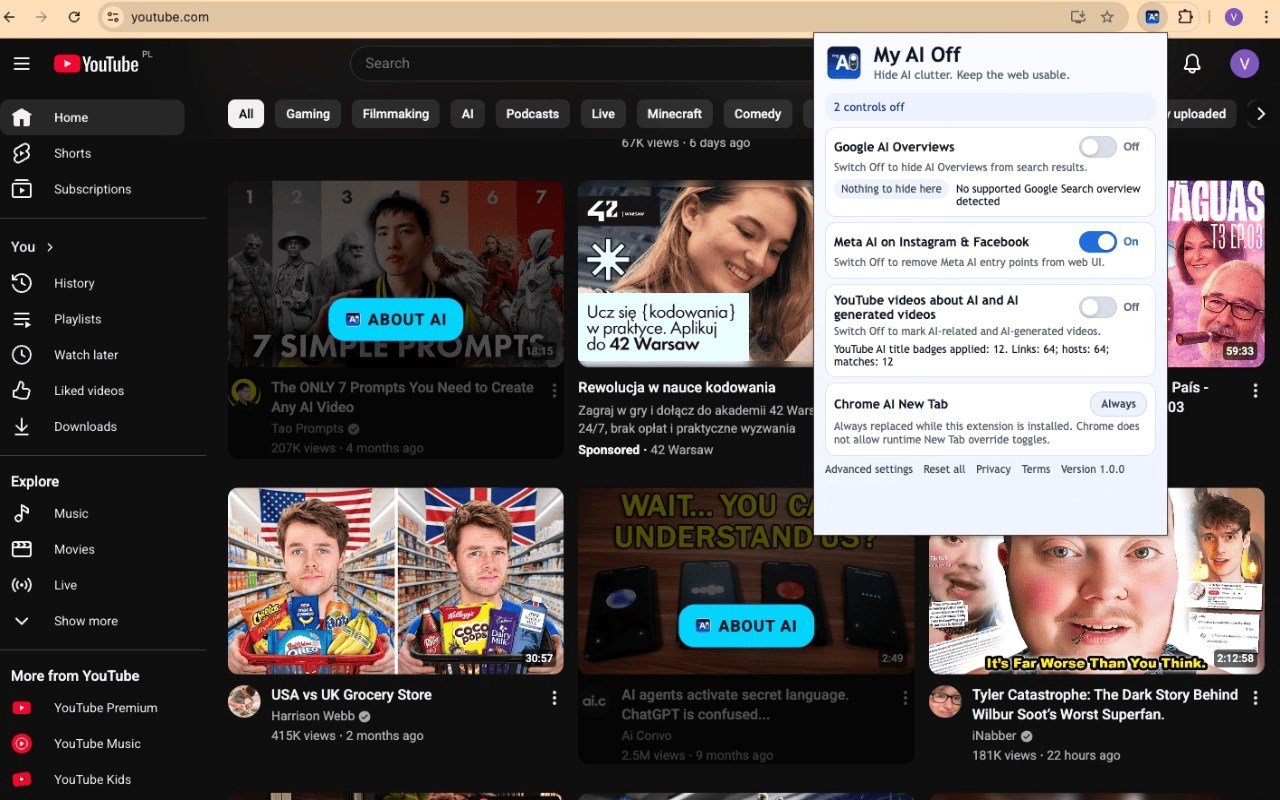
- Multi-Site AI Hiding: Actively removes AI-generated panels, chatbots, and overlays across Google Search, YouTube, Facebook, and Instagram, restoring the traditional content layouts on these popular platforms.
- Microsoft Edge New Tab Cleanup: Cleans up the Edge browser’s New Tab page by eliminating AI widgets, helping keep your start page simple and productive.
- Real-Time AI Detection: Utilizes MutationObservers and DOM parsing methods to detect newly loaded or dynamic AI content as you browse, ensuring continuous suppression of unwanted AI features.
- Customizable User Preferences: Allows users to select among system, light, or dark themes, choose to hide AI content on specific sites, and toggle debugging options through a dedicated options page.
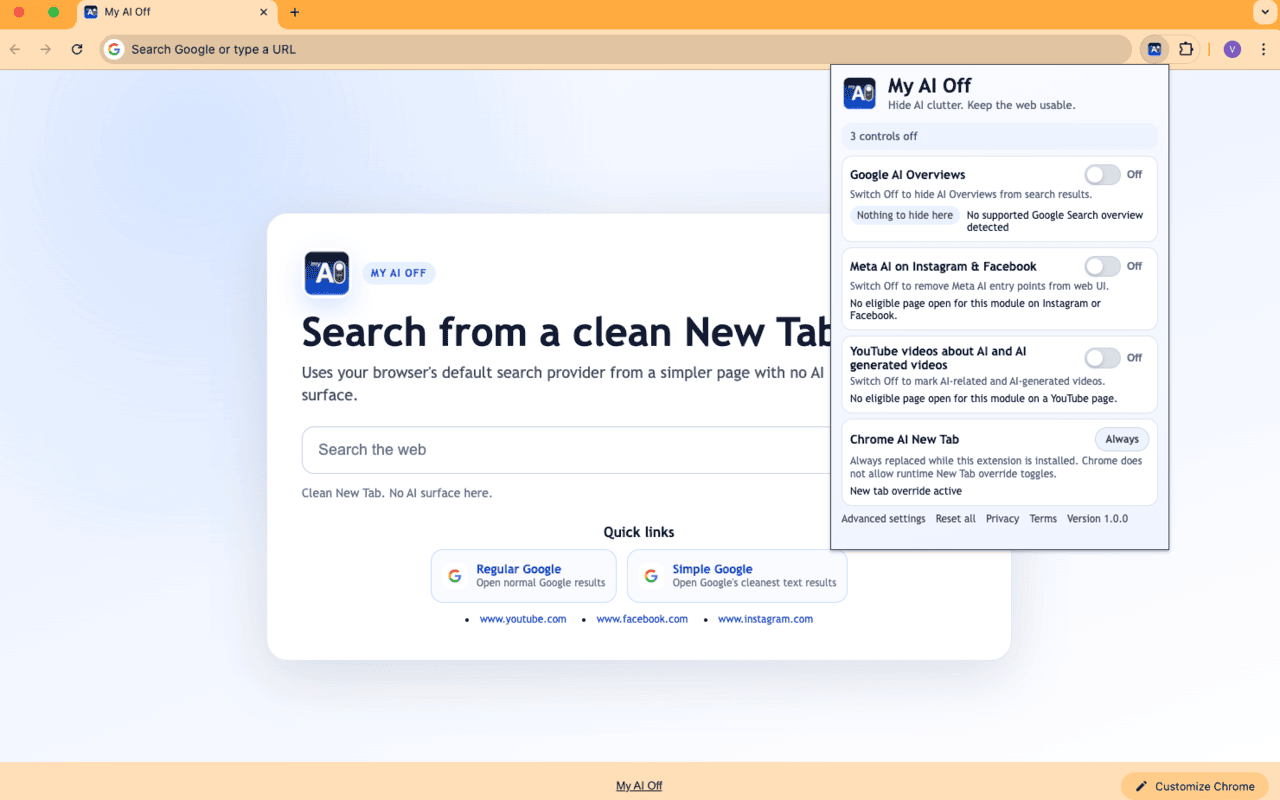
- Intuitive Popup Interface: Provides quick access to overall AI blocking status and individual site toggles, displaying at a glance how many platforms are currently protected.
- Local, Non-Intrusive Operation: Performs all content modification inside your browser without contacting external servers, resulting in fast performance and seamless page interaction.
- Onboarding & Help: Includes step-by-step demos and accessibility tools to facilitate easy setup and configuration for new users looking to enjoy cleaner, distraction-free browsing.
How It Works:
1. Download and install My AI Off from your browser’s extension marketplace.
2. Click the extension icon to open the popup panel and immediately see the global status of AI blocking.
3. Use the toggles within the popup to enable or disable AI removal for any combination of Google Search, Facebook, Instagram, YouTube, and Microsoft Edge New Tab.
4. Access the options page to customize your browsing experience by selecting your preferred theme, enabling debug mode if desired, or reviewing the onboarding tutorial.
5. When you visit supported websites, My AI Off’s content scripts actively monitor page updates and promptly hide AI-generated elements in real time.
6. Browse classic web content and layouts minus AI distractions, switching the AI hiding feature on or off effortlessly for each service according to your preferences.
7. All configuration and usage data are stored locally within your browser, ensuring your privacy and giving you full control without any external data tracking.
Privacy: - No personal data collected. My AI Off operates fully within your browser, storing only necessary local preferences and does not transmit data to external servers, use analytics, or employ tracking technologies. For complete details, please review the privacy policy.
My AI Off 是做什么的
My AI Off 是一款面向 Edge 的效率工具类扩展,主要用来管住注意力、屏蔽干扰站点、记录时间。官方对它的介绍是:Hide AI clutter across Google Search, Meta, YouTube, and Microsoft Edge New Tab.在微软 Edge 加载项商店上,它当前版本 1.0.0,约 169 名用户。
适合什么人用
从功能定位看,My AI Off 更适合想专注工作学习、减少无效刷网页的用户。如果你平时只是偶尔遇到相关需求,用浏览器自带功能也能凑合;但如果这件事每天都发生,装一个专门处理它的扩展通常比手动操作省事得多。
怎么安装 My AI Off
- 打开微软 Edge 加载项商店上的官方页面;
- 点「添加到浏览器」并确认权限提示;
- 装好后在扩展列表里固定图标,方便随时开关。
本站只做索引与介绍,安装包来自官方商店。如果商店页面提示当前地区不可用,说明该扩展未在你所在区域上架。
常见问题
My AI Off 是免费的吗?
My AI Off 在微软 Edge 加载项商店免费提供下载。它是浏览器扩展,装上就能直接用,不需要注册账号。
My AI Off 安全吗?
它只申请了 0 项权限,范围比较克制,没有申请「读取所有网站数据」这种大权限。
My AI Off 支持哪些浏览器?
当前收录的版本来自微软 Edge 加载项商店,适用于 Edge。同一个扩展在其他商店可能有对应版本,但功能与版本号不一定相同。
怎么卸载 My AI Off?
在扩展管理页找到 My AI Off,点移除即可。它在本地保存的设置会一起清掉,不会残留数据。
权限清单 来自 manifest.json 原文
接口权限 4
scriptingsearchstoragetabs