
MusicAdapt EN
PetrovskiLabs · EEdge MV3
Professional music mastering with studio‑quality presets, effects, and heuristic intelligence profiles.
截图


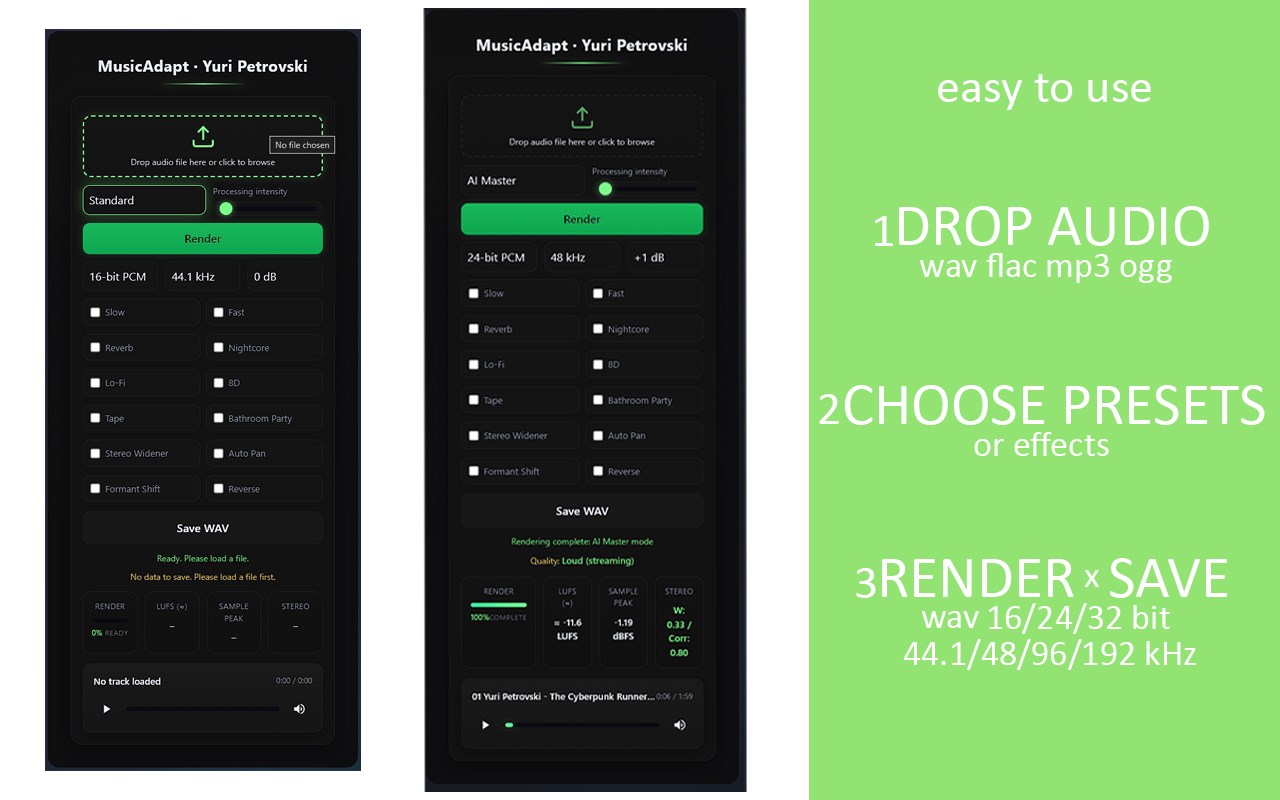
简介
MusicAdapt — Professional AI‑driven audio mastering in your browser.
Perfect for Musicians, Producers, DJs, Podcasters, Streamers, Content Creators, Sound Designers, and Industry Experts.
🔹 Smart Mastering & Adaptation: Automatic LUFS normalization, True Peak limiting with oversampling, dynamic range preservation, and intelligent EQ.
🔹 Creative Profiles: Genre‑based presets (Pop, EDM, Rock, Phonk, Ambient, etc.) plus artistic effects (Slow, Fast, Reverb, Tape, 8D, Nightcore, Lo‑Fi, Formant Shift, Reverse, etc.).
🔹 Transparency Dashboard: Built‑in metrics (LUFS, Sample Peak, Stereo Width) displayed in real time for professional control.
🔹 Cross‑Platform Reliability: Works seamlessly in your browser — no plugins, no installation. Available on smartphone, PC, laptop, and tablet.
🔹 Performance Optimized: From upload to finished master in just a few clicks, with real‑time rendering and lightweight DSP architecture.
🔹 AI‑Driven Innovation: Heuristic parameter suggestions for optimal results, blending classic DSP with modern AI.
🔹 Universal Adaptation: Optimized playback for studio, club, car, streaming platforms, and mobile devices.
🔹 Privacy by Design: Local‑first processing — your tracks remain yours. No tracking, no data collection.
🔹 Minimalist UI: Clean, intuitive design for effortless mastering and instant feedback.
How to Use MusicAdapt
🔹 Upload your audio file supports WAV, FLAC, MP3, OGG.
🔹 Choose presets or effects Standard, AI Master, Studio, or creative profiles (Slow, Tape, 8D, Fast, Auto Pan, etc.).
🔹 Click Render wait for processing (your PC will be loaded during intensive mastering).
🔹 Check metrics LUFS loudness, Sample Peak, and Stereo Width are displayed after processing.
🔹 Save your mastered track export to WAV in 16‑bit, 24‑bit, or 32‑bit Float at 44.1, 48, 96, or 192 kHz.
🔹 Boost loudness or intensity use +1 dB and higher gain, or adjust Processing Intensity for stronger results.
Official Site: https://www.musicadapt.com
MusicAdapt 是做什么的
MusicAdapt 是一款面向 Edge 的实用工具类扩展,主要用来解决浏览器里某类具体的小问题。官方对它的介绍是:Professional music mastering with studio‑quality presets, effects, and heuristic intelligence profiles.在微软 Edge 加载项商店上,它当前版本 1.0.0,约 22 名用户。
适合什么人用
从功能定位看,MusicAdapt 更适合想补上浏览器原生缺失功能的用户。如果你平时只是偶尔遇到相关需求,用浏览器自带功能也能凑合;但如果这件事每天都发生,装一个专门处理它的扩展通常比手动操作省事得多。
怎么安装 MusicAdapt
- 打开微软 Edge 加载项商店上的官方页面;
- 点「添加到浏览器」并确认权限提示;
- 装好后在扩展列表里固定图标,方便随时开关。
本站只做索引与介绍,安装包来自官方商店。如果商店页面提示当前地区不可用,说明该扩展未在你所在区域上架。
常见问题
MusicAdapt 是免费的吗?
MusicAdapt 在微软 Edge 加载项商店免费提供下载。它是浏览器扩展,装上就能直接用,不需要注册账号。
MusicAdapt 安全吗?
它只申请了 0 项权限,范围比较克制,没有申请「读取所有网站数据」这种大权限。
MusicAdapt 支持哪些浏览器?
当前收录的版本来自微软 Edge 加载项商店,适用于 Edge。同一个扩展在其他商店可能有对应版本,但功能与版本号不一定相同。
怎么卸载 MusicAdapt?
在扩展管理页找到 MusicAdapt,点移除即可。它在本地保存的设置会一起清掉,不会残留数据。
权限清单 来自 manifest.json 原文
未解析到权限条目。