
Music ReTuner™ EN
SYQEL INC · EEdge MV3
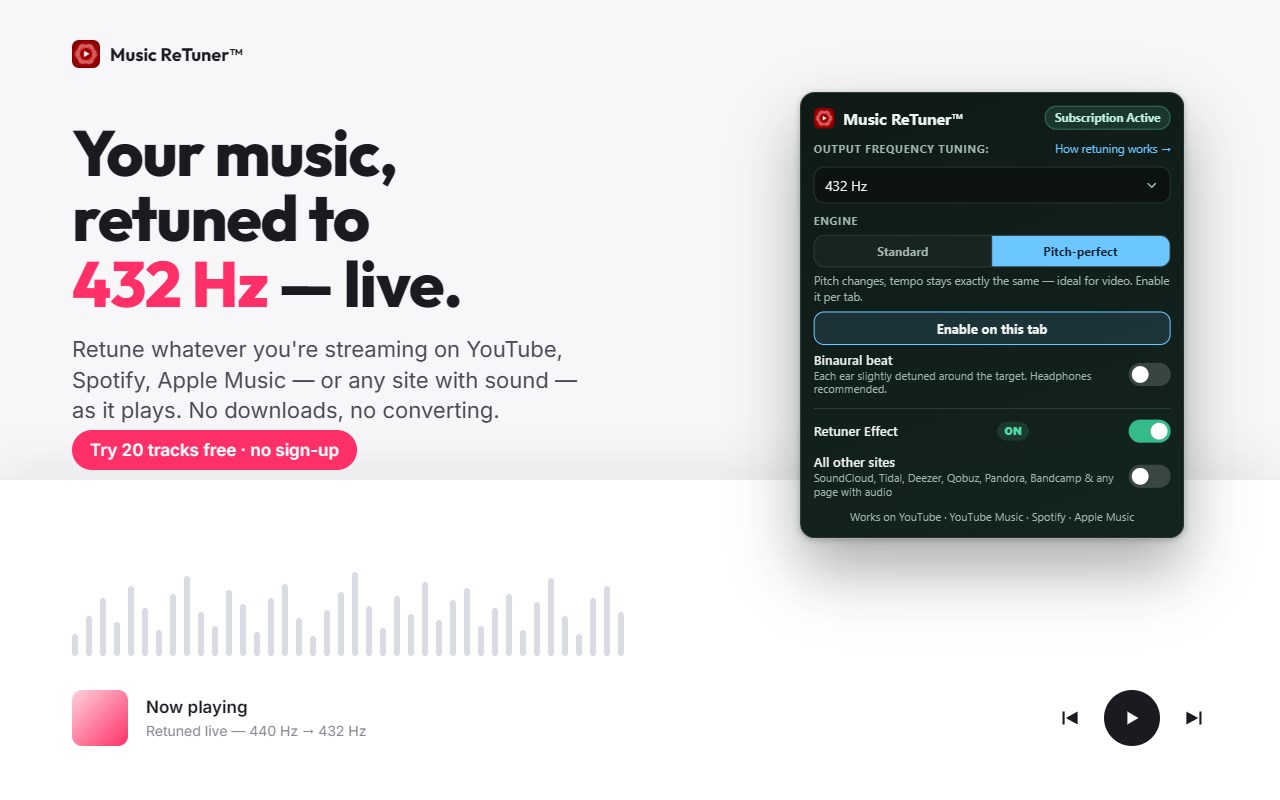
Retune YouTube, YouTube Music, Apple Music, and Spotify to 432 Hz or any Solfeggio frequency in real time. Try 20 tracks free.
截图
简介
Hear your music the way you want it to sound — in real time, on the sites you already use.
Music ReTuner™ retunes whatever you're streaming on YouTube, YouTube Music, Spotify and Apple Music from standard 440 Hz to 432 Hz or any Solfeggio frequency (174–963 Hz), live, as it plays — and with one toggle, any other site with sound. No downloads, no file conversion, no extra apps.
TRY IT FREE
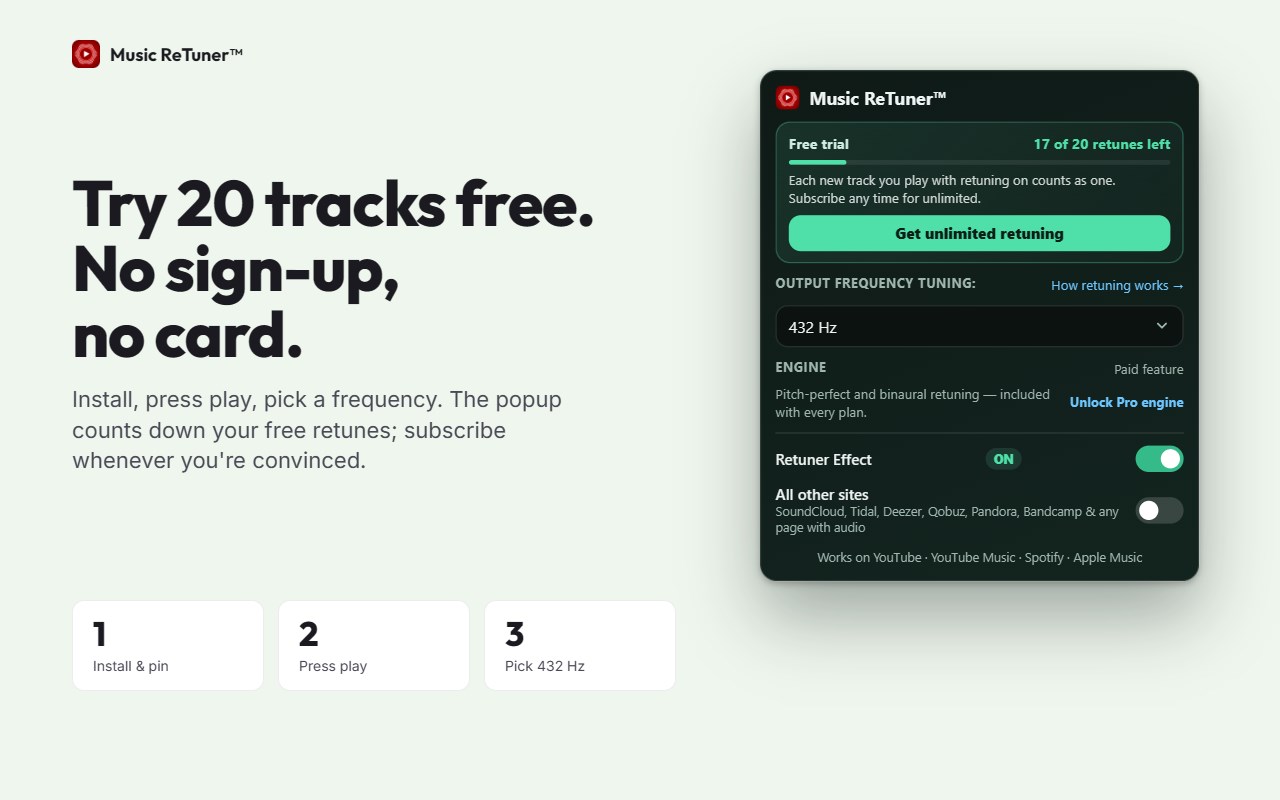
Install and retune your next 20 tracks free — no sign-up, no card. Then pick a plan to keep every track you stream in tune.
WHAT YOU GET
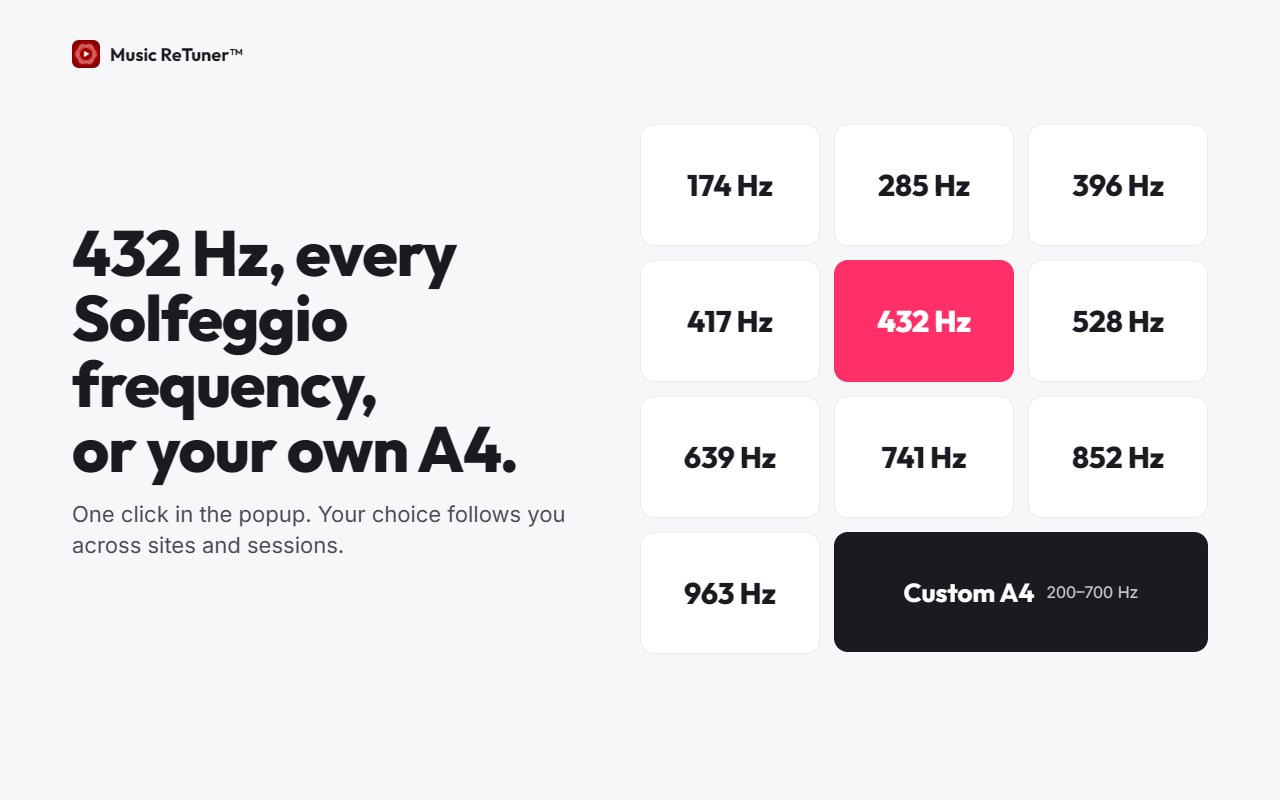
• One-click 432 Hz, plus all nine Solfeggio frequencies: 174, 285, 396, 417, 528, 639, 741, 852 and 963 Hz
• Custom A4 reference (200–700 Hz) — baroque 415 Hz, 444 Hz, 446 Hz, or anything you choose
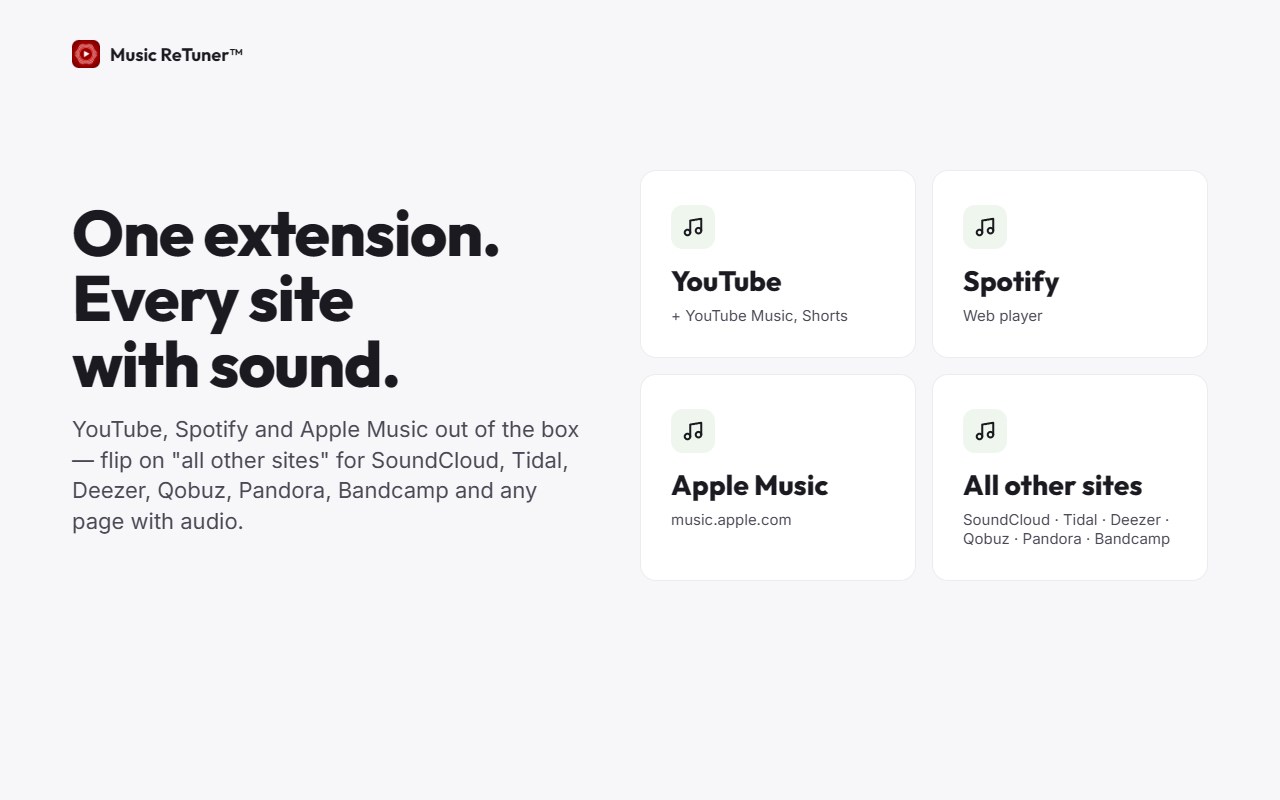
• One license for YouTube, YouTube Music, Spotify and Apple Music — plus an optional "all other sites" mode for SoundCloud, Tidal, Deezer, Qobuz, Pandora, Bandcamp and any page with audio
• Patented retuning accuracy — built on granted patents for Solfeggio-frequency retuning
• Toolbar badge shows the current tuning at a glance
• Your tuning follows you across sites and sessions
• 100% private: audio is processed in your browser; nothing is recorded or uploaded
PRO ENGINE — INCLUDED WITH EVERY PLAN (Chrome & Edge)
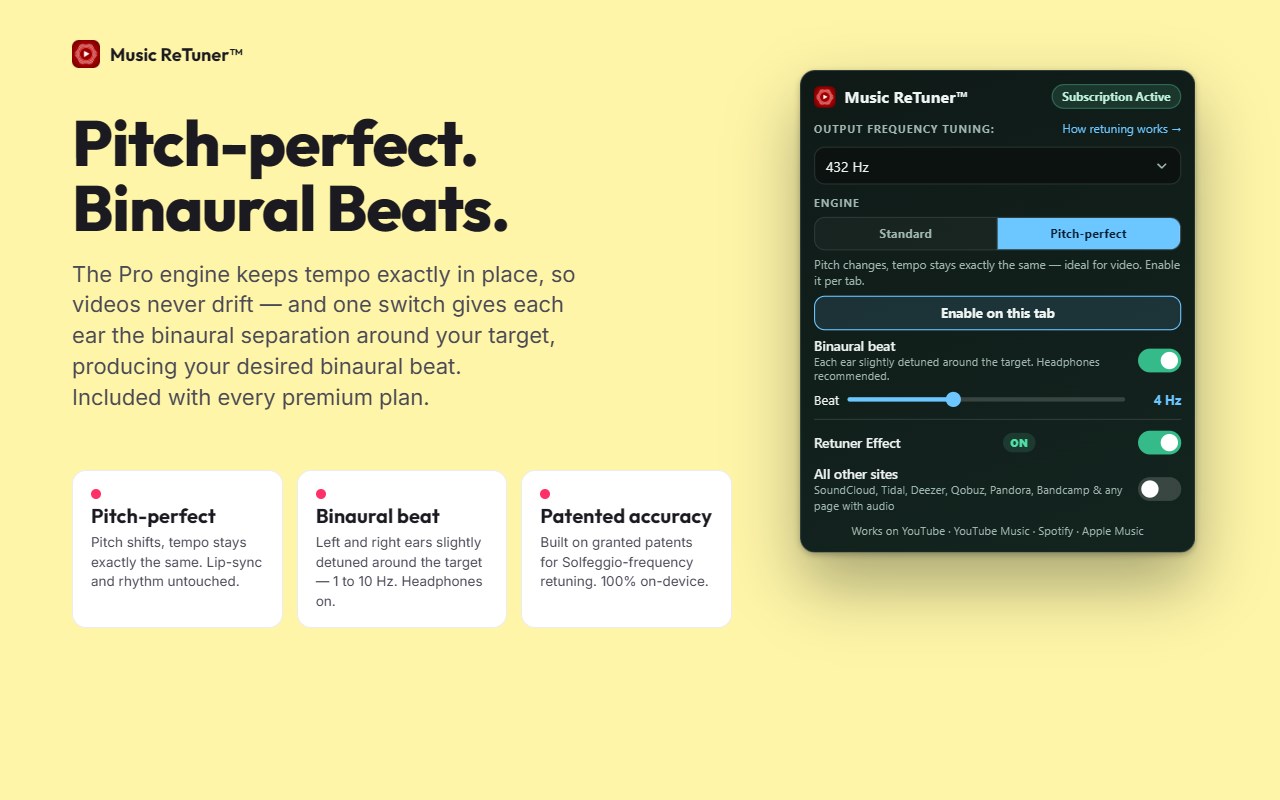
• Pitch-perfect: shifts the pitch while the tempo stays exactly the same — no drift, video stays in sync
• Binaural beat: switch it on to give each ear a slightly different tuning around your target (1–10 Hz beat) — use headphones
• Enable it per tab with one click; the Standard engine keeps working everywhere else
HOW IT WORKS
1. Install and pin Music ReTuner
2. Open YouTube, Spotify or Apple Music and press play
3. Pick 432 Hz or a Solfeggio frequency in the popup — that's it
WHY THESE FREQUENCIES?
Standard tuning puts A at 440 Hz. Many listeners describe 432 Hz and the Solfeggio tunings as warmer, softer and more resonant — and classical players use alternative references all the time. Music ReTuner lets you hear any track the way you prefer, instead of the way it happened to be mastered.
WHO IT'S FOR
• Listeners curious about 432 Hz, 528 Hz or any Solfeggio frequency
• Meditation and yoga practitioners who want their playlists in a specific tuning
• Classical musicians and historically-informed performers exploring baroque or alternative tunings
• Creators, audiophiles and sound explorers who want control over how music resonates
INCLUDED WITH EVERY PLAN
• Priority support — a real person, not a bot
• All updates and new features
• 7-day money-back guarantee — cancel any time
PLANS
Personal, Couples (2 devices) and Family (6 devices), monthly or yearly, with a 7-day money-back guarantee. Safari on iPhone, iPad and Mac is a separate app on the App Store.
Questions? support@musicretuner.com — a real person answers.
Music ReTuner™ 是做什么的
Music ReTuner™ 是一款面向 Edge 的实用工具类扩展,主要用来解决浏览器里某类具体的小问题。官方对它的介绍是:Retune YouTube, YouTube Music, Apple Music, and Spotify to 432 Hz or any Solfeggio frequency in real time. Try 20 tracks free.在微软 Edge 加载项商店上,它当前版本 2.3.10,评分 5(1 人评价),约 145 名用户。
适合什么人用
从功能定位看,Music ReTuner™ 更适合想补上浏览器原生缺失功能的用户。如果你平时只是偶尔遇到相关需求,用浏览器自带功能也能凑合;但如果这件事每天都发生,装一个专门处理它的扩展通常比手动操作省事得多。
怎么安装 Music ReTuner™
- 打开微软 Edge 加载项商店上的官方页面;
- 点「添加到浏览器」并确认权限提示;
- 装好后在扩展列表里固定图标,方便随时开关。
本站只做索引与介绍,安装包来自官方商店。如果商店页面提示当前地区不可用,说明该扩展未在你所在区域上架。
常见问题
Music ReTuner™ 是免费的吗?
Music ReTuner™ 在微软 Edge 加载项商店免费提供下载。它是浏览器扩展,装上就能直接用,不需要注册账号。
Music ReTuner™ 安全吗?
它只申请了 0 项权限,范围比较克制,没有申请「读取所有网站数据」这种大权限。
Music ReTuner™ 支持哪些浏览器?
当前收录的版本来自微软 Edge 加载项商店,适用于 Edge。同一个扩展在其他商店可能有对应版本,但功能与版本号不一定相同。
怎么卸载 Music ReTuner™?
在扩展管理页找到 Music ReTuner™,点移除即可。它在本地保存的设置会一起清掉,不会残留数据。
权限清单 来自 manifest.json 原文
接口权限 6
activeTaboffscreenscriptingstoragetabCapturetabs