
Multi Highlight EN
vinchengme · EEdge MV3
Efficiently and flexibly highlight your online reading.
<all_urls>),意味着它可以读取你在任意站点的页面内容,包括已登录的页面。这是许多扩展正常工作的必要条件,但也值得你确认来源可信。
截图
简介
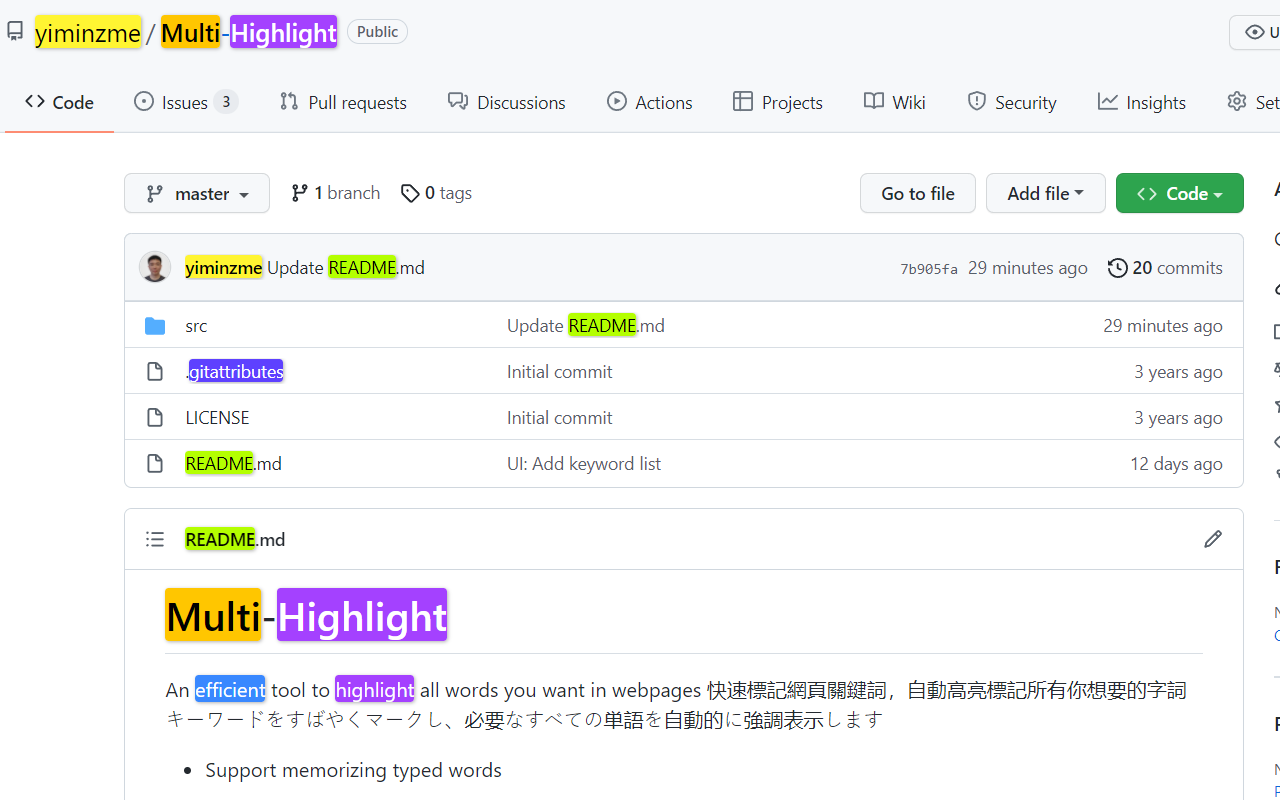
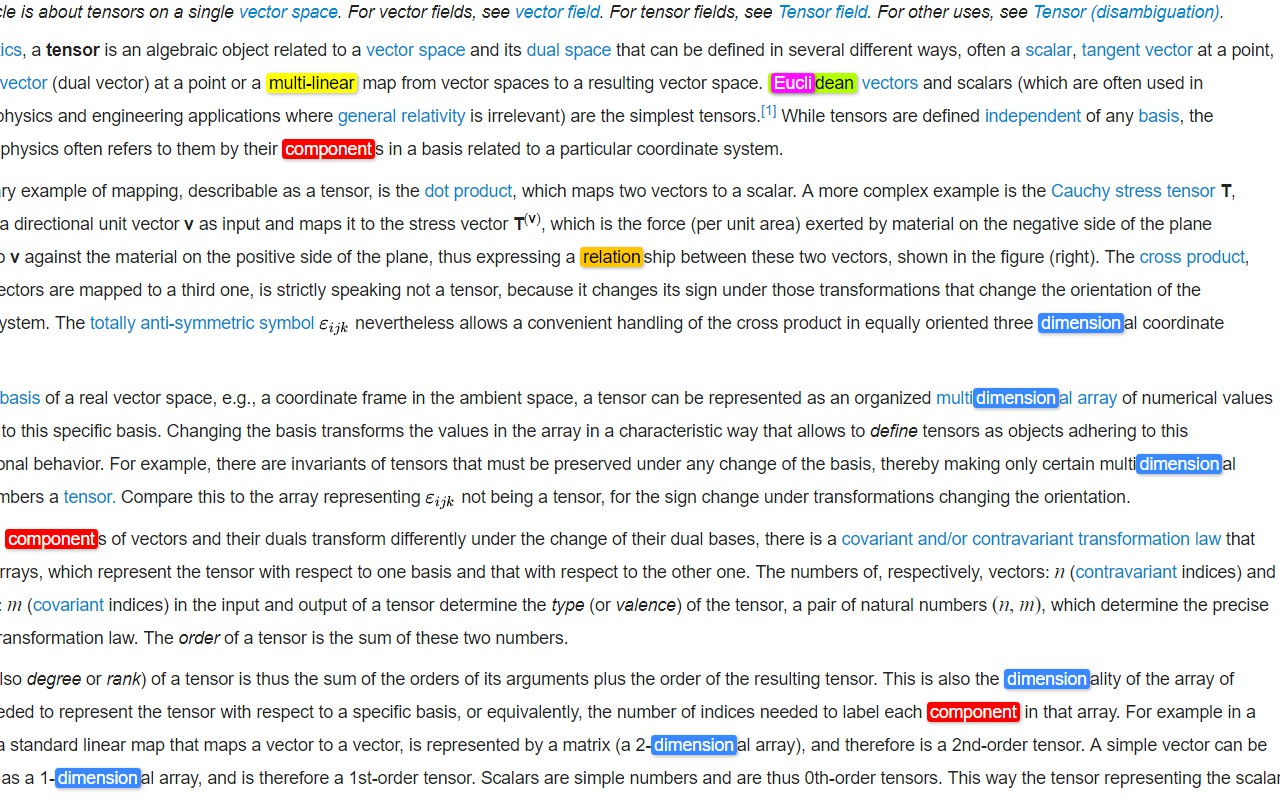
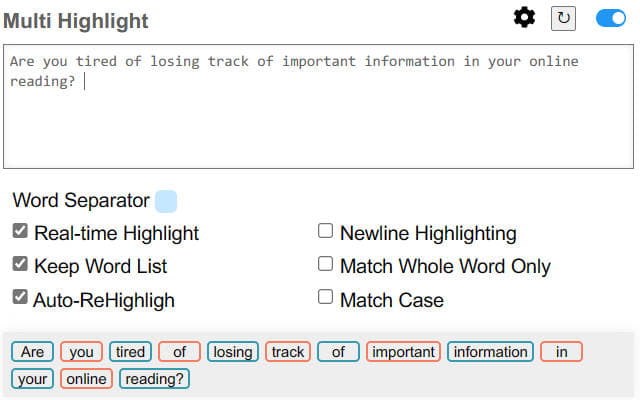
Are you tired of losing track of important information in your online reading? Multi Highlight is here to help! With this powerful and efficient chrome extension, you can easily highlight all your user-specified words in webpages with beautiful colors.
Multi Highlight can do real-time highlighting as you type, automatically re-highlight your word list when the webpage content changes or when the page is loaded, and it accepts custom word separators. You can save your user-specified word list, do whole word and case-sensitive searches, and even group words by colors.
With Multi Highlight, you can stay focused and efficient while reading online. It's perfect for students and professionals who regularly read online content for studying or work. Try Multi Highlight today and take your online reading to the next level!
Features:
✔️ Real-time Highlight as you type
✔️ Auto-ReHighlight
✔️ Customizable word separator
✔️ Whole word, Case-sensitivity Search
✔️ Group words by colors
2023 February
* Adapt to manifest V3
* Refresh words (1) when textbox is focused but inactive for short a period (2) when popup is closed
* Fix style broke in browser's built-in page and in pages that loaded before extension installation. In these pages, disable textbox and show notification
* Update UI
2022 September
* Feature Auto-Rehighlight
* Bug fix: rehighlight words when extension is softly disabled
* Bug fix: webpage broke if website customize element
2022 June
* Improve adaptability -- add support to highlight asynchronous text (e.g. AJAX content)
* Fix option page's saving issue
2022 January
* Support nested highlight
* Bug fix: innerHTML deleted unintentionally
* Bug fix: Word boundary not working for keyword-list
* DEV Change keyword data structure and update the version to "2.8.0" due to
* Feature Re-highlighting.
* Feature Toggle highlighting.
* Improve stability
* Adjust interface
* Fix bug (show current keyword list right after popup; properly remove highlights when NewLineNewColor mode is on)
2021 December
* Add options: Whole words only, Casesensitive
* Update the highlight lib from [npmjs](https://www.npmjs.com/package/jquery-highlight)
* Modified: Handle the options change in one callback function.
* Modified: Use 2D array to store the keywords in `NewColorNewLine` mode.
* Bugfix: Keywords removal should not remove the container.
* Add keywords display zone
* Check wheter the page contains the keyword(s) or not, if not, gray it
* `Ctrl+Click` to delete the correspond keyword
2021 August
* Fix user settings reset after browser update
2021 May
* Improve UI
* Change Logo
* Add "Always highlight" feature
* Add "Change color after newline" feature
* Fix unstable typesetting issue when typing
* Add 10 more highlight colors (now contains 20 colors)
2019 October
* Customizable window size
* Add 4 more colors (now contains 10 colors)
2019 June
* Add "paste keywords to new pages" mode
2019 May
* Minimize extension size
2019 January
* Highlight any strings (not just full word)
* Add Instant Search (highlight on-the-fly)
* Add customizable delimiter
* Make Highlight Words individual to each tab
* UI changes
* Add Ctrl+Shift+F as default shortcut
2018 December
* Organize code
* Change UI (based on Multi-Highlight)
* Change extension icon
Multi Highlight 是做什么的
Multi Highlight 是一款面向 Edge 的效率工具类扩展,主要用来管住注意力、屏蔽干扰站点、记录时间。官方对它的介绍是:Efficiently and flexibly highlight your online reading.在微软 Edge 加载项商店上,它当前版本 2.11.1,评分 4.1(13 人评价),约 11,965 名用户。
适合什么人用
从功能定位看,Multi Highlight 更适合想专注工作学习、减少无效刷网页的用户。如果你平时只是偶尔遇到相关需求,用浏览器自带功能也能凑合;但如果这件事每天都发生,装一个专门处理它的扩展通常比手动操作省事得多。需要注意的是它作用于所有网站,装上后建议先观察一两天,确认不影响常用站点的正常使用。
怎么安装 Multi Highlight
- 打开微软 Edge 加载项商店上的官方页面;
- 点「添加到浏览器」并确认权限提示;
- 装好后在扩展列表里固定图标,方便随时开关。
本站只做索引与介绍,安装包来自官方商店。如果商店页面提示当前地区不可用,说明该扩展未在你所在区域上架。
常见问题
Multi Highlight 是免费的吗?
Multi Highlight 在微软 Edge 加载项商店免费提供下载。它是浏览器扩展,装上就能直接用,不需要注册账号。
Multi Highlight 安全吗?
它只申请了 0 项权限,范围比较克制,没有申请「读取所有网站数据」这种大权限。
Multi Highlight 支持哪些浏览器?
当前收录的版本来自微软 Edge 加载项商店,适用于 Edge。同一个扩展在其他商店可能有对应版本,但功能与版本号不一定相同。
怎么卸载 Multi Highlight?
在扩展管理页找到 Multi Highlight,点移除即可。它在本地保存的设置会一起清掉,不会残留数据。
权限清单 来自 manifest.json 原文
站点访问(可选) 2
http://*/*https://*/*
接口权限 4
activeTabcontextMenusscriptingstorage