
Modify — AI Coding UI Editor | Edit Pages, Generate AI Prompts EN
wavesfuture · EEdge MV3
The missing UI layer for AI coding — edit live pages, generate precise prompts for Cursor, Copilot & Claude.
截图
简介
Edit live webpages visually and generate precise AI prompts for Cursor,
Copilot & Claude. The missing UI layer for AI coding workflows.
AI Coding generates pages fast — but UI details are always slightly off.
"Move the title left a bit" → AI moves it 50px
"Make the button bigger" → AI changes font-size, you wanted padding
"The spacing is too tight" → AI modifies margin, you wanted gap
AI is great at writing code. But it can't see what you see.
Modify fixes that.
🔧 HOW MODIFY WORKS
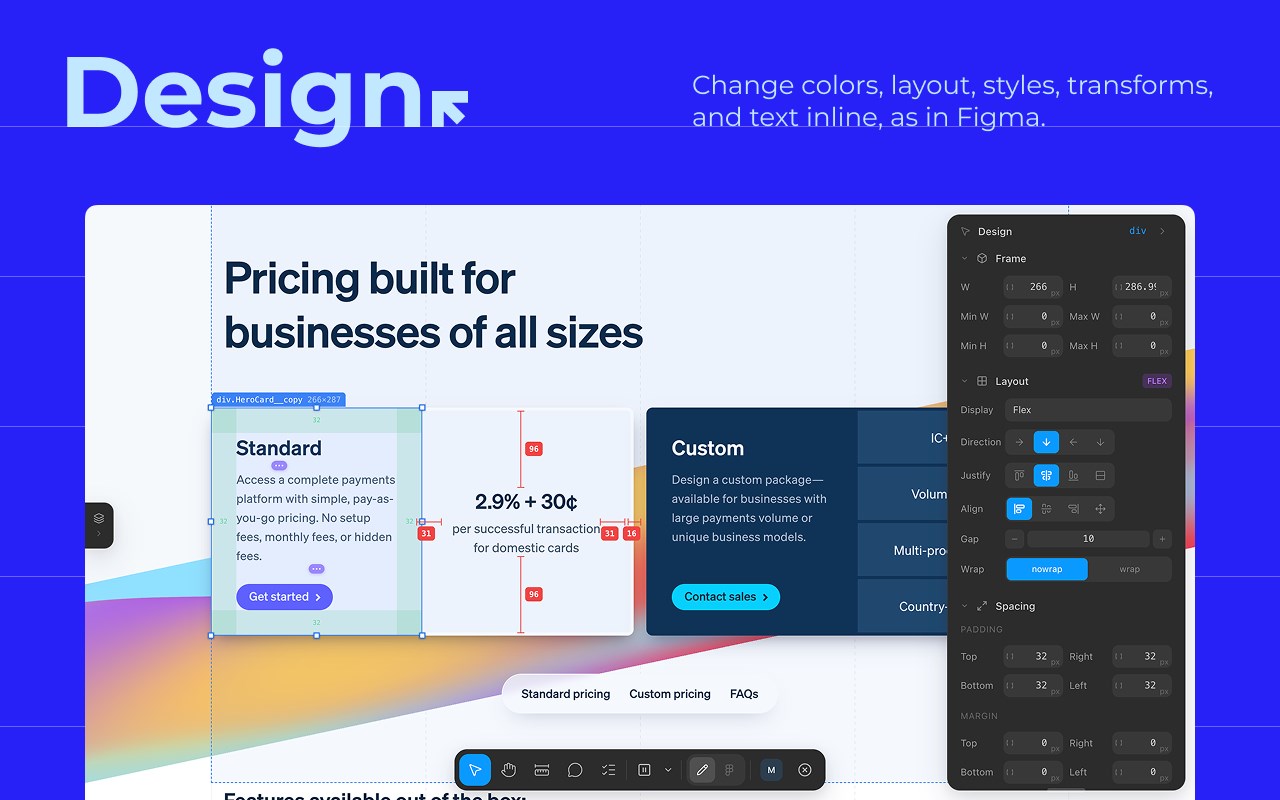
1️⃣ Edit directly on the live page
Select any element — drag to reposition, resize, change styles.
No CSS needed. As intuitive as Figma.
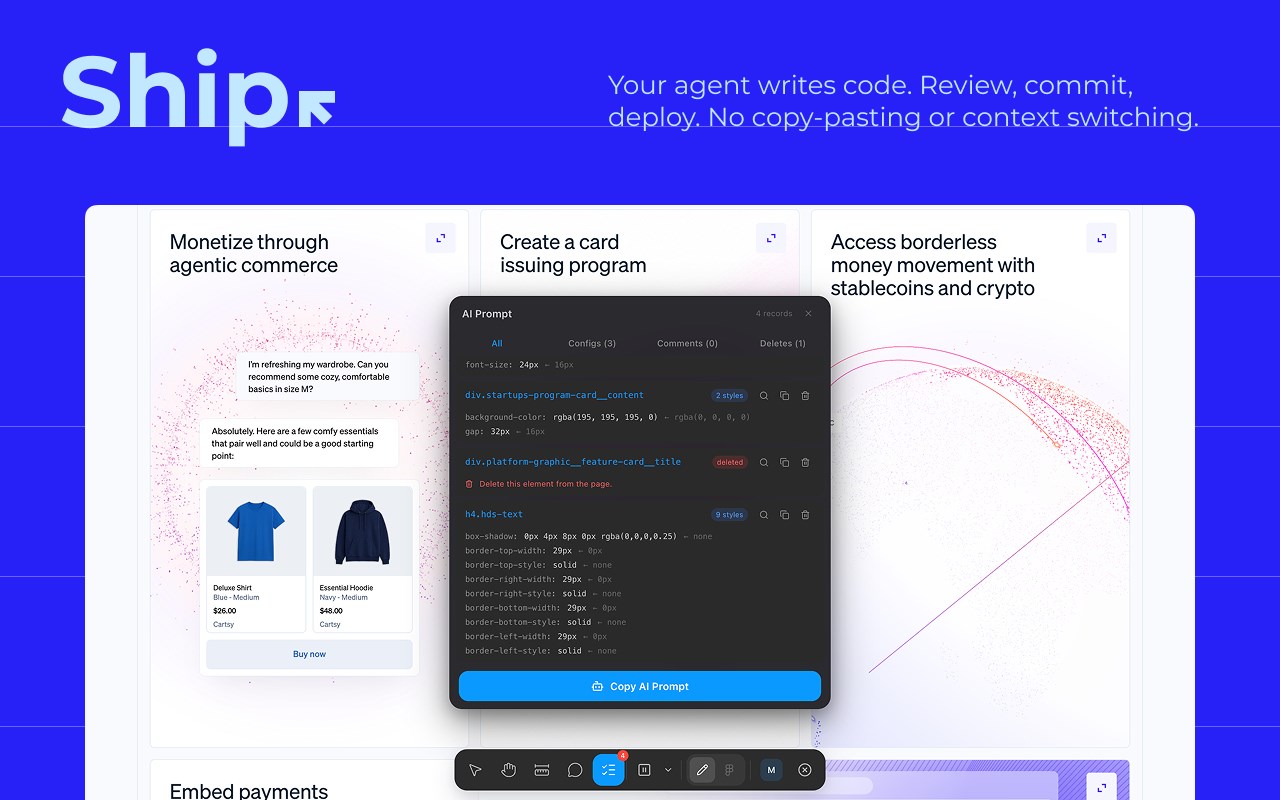
2️⃣ Get precise AI prompts automatically
Modify converts your visual changes into structured data:
• Element selector (e.g., h1.hero-title)
• CSS property changes (e.g., translateX(-12px))
• Before/after comparison with context
3️⃣ One-click send to AI
Copy the prompt, paste into Cursor / Copilot / Claude.
AI executes precisely. First try. Done.
🎯 WHO IS THIS FOR?
• Developers using Cursor, Copilot, or Claude for AI coding
• Designers who need to adjust live page details
• Indie hackers building with AI
• Product managers reviewing UI before launch
✨ KEY FEATURES
▸ Visual UI Editor — Drag, resize, restyle any element. No CSS needed.
▸ AI Prompt Generator — Turn visual changes into precise AI instructions.
▸ Element Inspector — View selectors, styles, dimensions instantly.
▸ Spacing Measurement — Measure gaps and positions accurately.
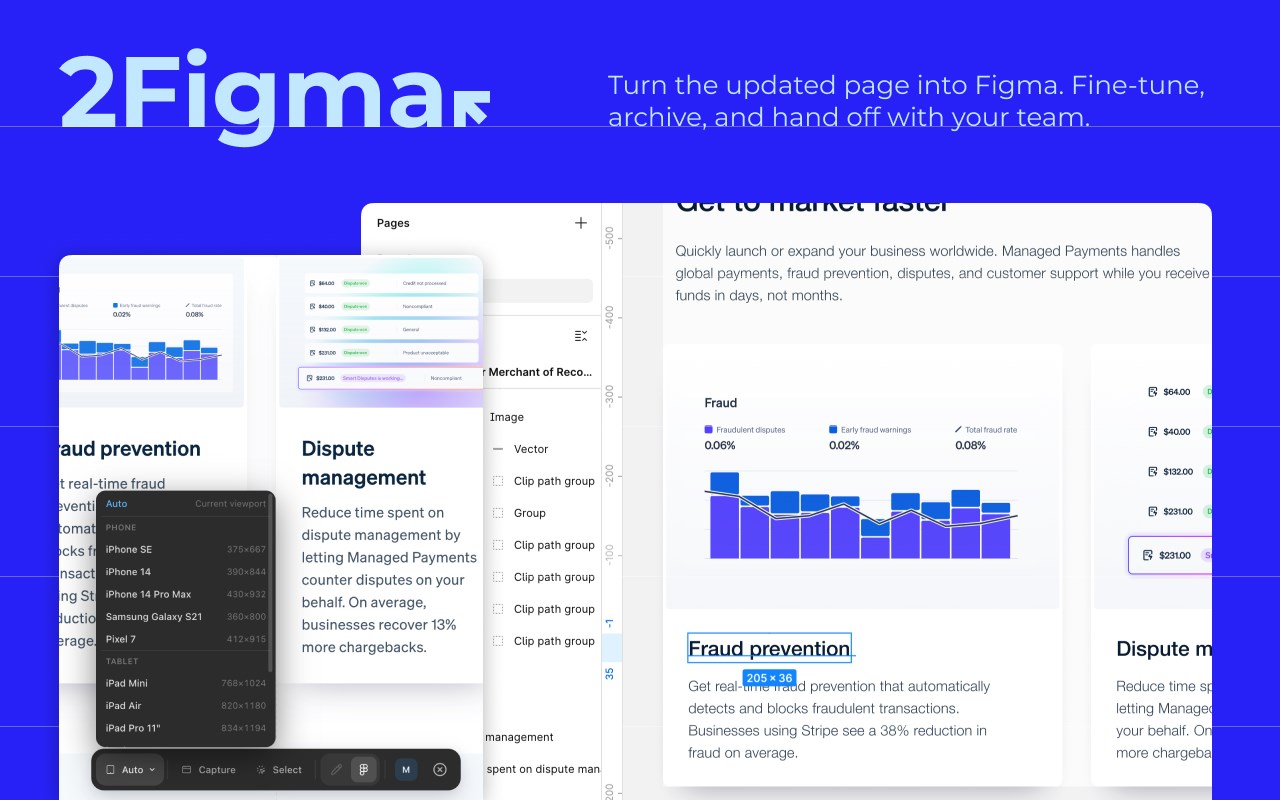
▸ HTML to Figma — Capture live pages into Figma design files.
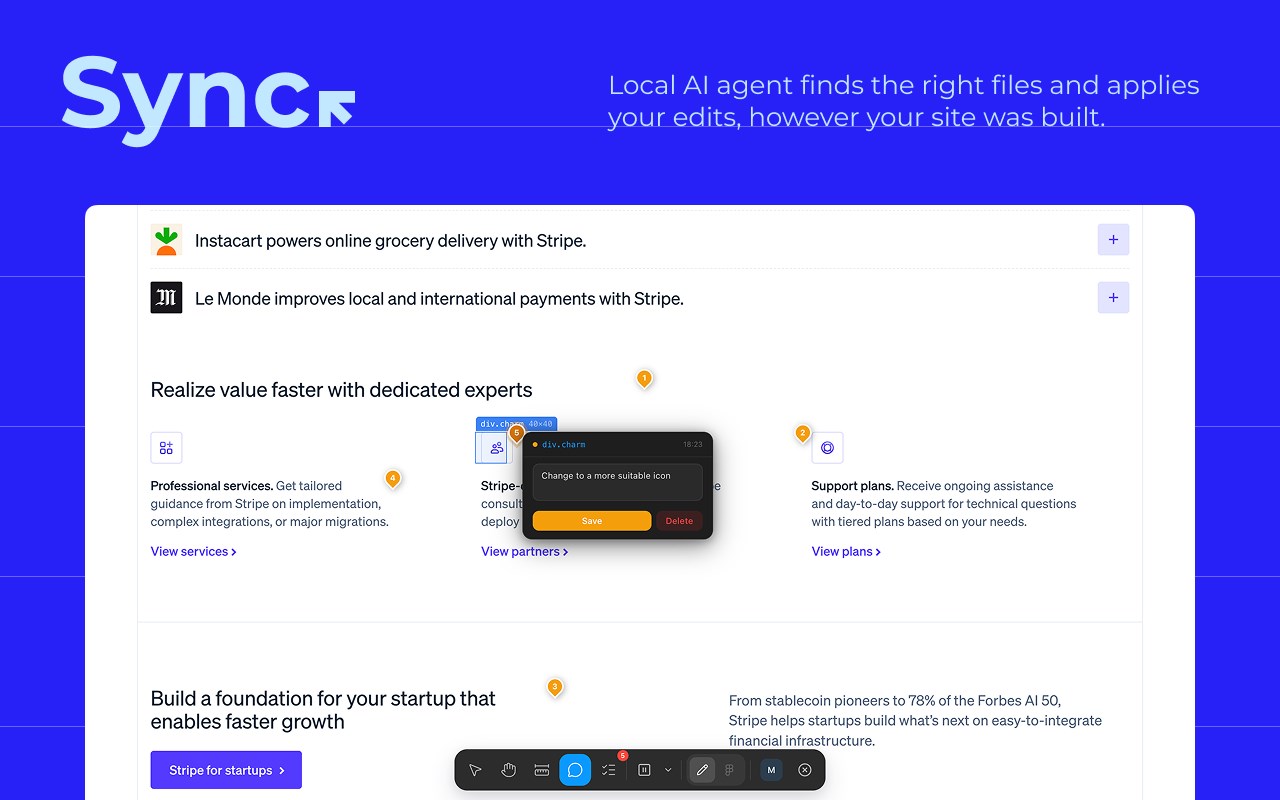
▸ On-Page Comments — Leave feedback anchored to real elements.
🤔 MODIFY vs OTHER TOOLS
vs Website Annotation Tools (Marker.io, BugHerd):
They collect feedback. Modify generates AI instructions.
One is for discussion. The other is for execution.
vs DevTools:
DevTools requires writing CSS. Modify is visual.
Faster, more intuitive, zero learning curve.
vs Describing to AI manually:
"Move it a bit left" vs "translateX(-12px)"
Modify lets you generate precise prompts without knowing CSS.
🔒 PRIVACY
All editing and prompt generation happens locally.
We don't store your page content.
Your data never leaves your browser unless you export it.
🚀 GET STARTED
Free to start. No signup required.
First use takes 30 seconds.
Questions? support@modifyit.top
Website: https://modifyit.top
Modify — AI Coding UI Editor | Edit Pages, Generate AI Prompts 是做什么的
Modify — AI Coding UI Editor | Edit Pages, Generate AI Prompts 是一款面向 Edge 的效率工具类扩展,主要用来管住注意力、屏蔽干扰站点、记录时间。官方对它的介绍是:The missing UI layer for AI coding — edit live pages, generate precise prompts for Cursor, Copilot & Claude.在微软 Edge 加载项商店上,它当前版本 1.0.6,约 29 名用户。
适合什么人用
从功能定位看,Modify — AI Coding UI Editor | Edit Pages, Generate AI Prompts 更适合想专注工作学习、减少无效刷网页的用户。如果你平时只是偶尔遇到相关需求,用浏览器自带功能也能凑合;但如果这件事每天都发生,装一个专门处理它的扩展通常比手动操作省事得多。
怎么安装 Modify — AI Coding UI Editor | Edit Pages, Generate AI Prompts
- 打开微软 Edge 加载项商店上的官方页面;
- 点「添加到浏览器」并确认权限提示;
- 装好后在扩展列表里固定图标,方便随时开关。
本站只做索引与介绍,安装包来自官方商店。如果商店页面提示当前地区不可用,说明该扩展未在你所在区域上架。
常见问题
Modify — AI Coding UI Editor | Edit Pages, Generate AI Prompts 是免费的吗?
Modify — AI Coding UI Editor | Edit Pages, Generate AI Prompts 在微软 Edge 加载项商店免费提供下载。它是浏览器扩展,装上就能直接用,不需要注册账号。
Modify — AI Coding UI Editor | Edit Pages, Generate AI Prompts 安全吗?
它只申请了 0 项权限,范围比较克制,没有申请「读取所有网站数据」这种大权限。
Modify — AI Coding UI Editor | Edit Pages, Generate AI Prompts 支持哪些浏览器?
当前收录的版本来自微软 Edge 加载项商店,适用于 Edge。同一个扩展在其他商店可能有对应版本,但功能与版本号不一定相同。
怎么卸载 Modify — AI Coding UI Editor | Edit Pages, Generate AI Prompts?
在扩展管理页找到 Modify — AI Coding UI Editor | Edit Pages, Generate AI Prompts,点移除即可。它在本地保存的设置会一起清掉,不会残留数据。
权限清单 来自 manifest.json 原文
接口权限 5
activeTabalarmscontextMenusscriptingstorage